Sign in to Mod The Sims
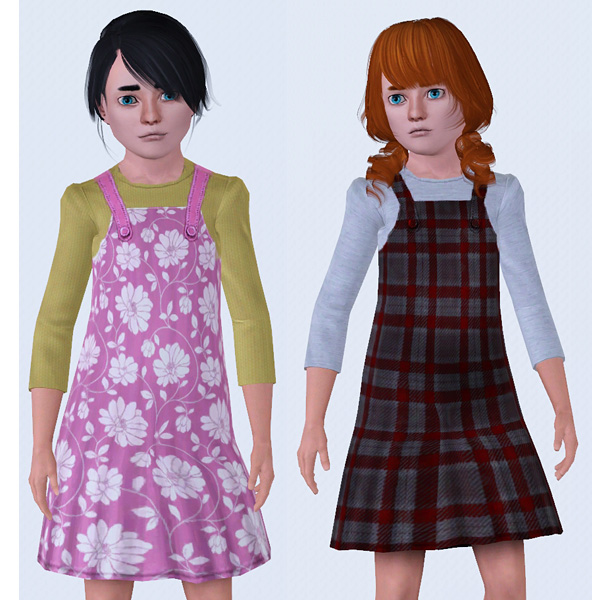
 Overall dress for childs
 Overall dress for childs


front+back.jpg - width=625 height=600
front+detail.jpg - width=670 height=600
customization.jpg - width=600 height=600
I have included a package file with a neutral bumpmap. Without this file the outlines of the base game Mesh would be visible. The original basegame outfit doesn't look diffrent with the neutral bumpmap. It is the same bumpmap I have used for my pullover with skirt outfit.
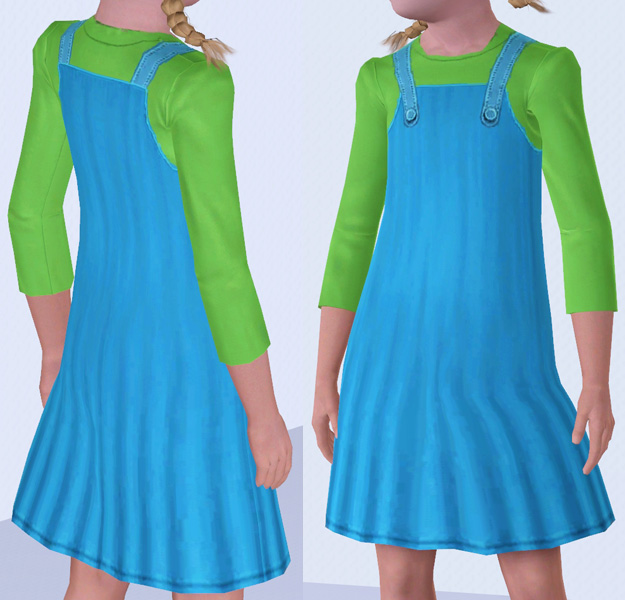
Features:
- For female childs.
- New outfit. Doesn't overwrite any existing outfit.
- Full body outfit.
- A neutral bumpmap is included.
- Everyday + Formal
- Fully recolorable. 3 channels for recoloring.
- It comes with a darkblue dress, blue suspenders and a green pullover under the dress.
Here a detail view of the outfit:
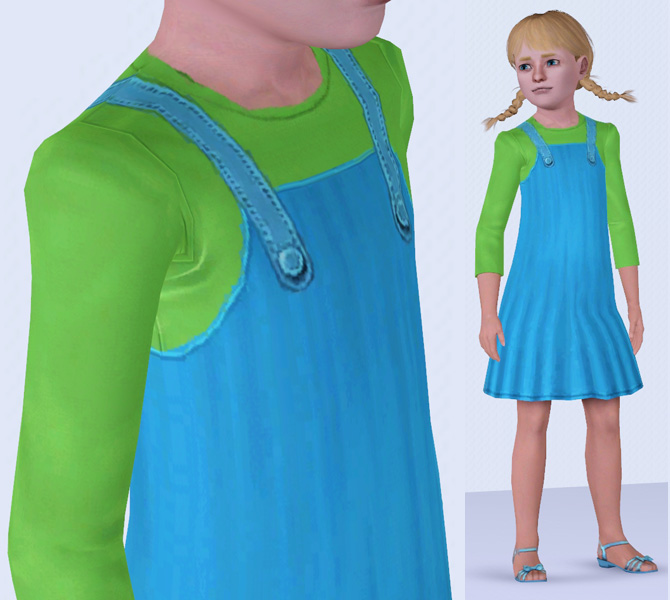
And here are some examples of customization. (Not included)
Additional Credits:
Thanks to Delphy for the CTU.
|
oepu_latzkleid_cf.rar
Download
Uploaded: 10th Sep 2009, 318.0 KB.
21,155 downloads.
|
||||||||
| For a detailed look at individual files, see the Information tab. | ||||||||
Install Instructions
1. Click the download button, or the filename, to download the file to your computer.
2. Extract the zip, rar, or 7z file. Now you will have either a .package or a .sims3pack file.
For Package files:
1. Cut and paste the file into your Documents\Electronic Arts\The Sims 3\Mods\Packages folder. If you do not already have this folder, you should read the full guide to Package files first: Sims 3:Installing Package Fileswiki, so you can make sure your game is fully patched and you have the correct Resource.cfg file.
2. Run the game, and find your content where the creator said it would be (build mode, buy mode, Create-a-Sim, etc.).
For Sims3Pack files:
1. Cut and paste it into your Documents\Electronic Arts\The Sims 3\Downloads folder. If you do not have this folder yet, it is recommended that you open the game and then close it again so that this folder will be automatically created. Then you can place the .sims3pack into your Downloads folder.
2. Load the game's Launcher, and click on the Downloads tab. Find the item in the list and tick the box beside it. Then press the Install button below the list.
3. Wait for the installer to load, and it will install the content to the game. You will get a message letting you know when it's done.
4. Run the game, and find your content where the creator said it would be (build mode, buy mode, Create-a-Sim, etc.).
Extracting from RAR, ZIP, or 7z: You will need a special program for this. For Windows, we recommend 7-Zip and for Mac OSX, we recommend Keka. Both are free and safe to use.
Need more help?
If you need more info, see:
- For package files: Sims 3:Installing Package Fileswiki
- For Sims3pack files: Game Help:Installing TS3 Packswiki
Loading comments, please wait...


Uploaded: 10th Sep 2009 at 2:52 AM
Updated: 10th Sep 2009 at 11:13 AM

-
-
-
Maxis Match skin - all ages and genders - 4 tones
by oepu 20th Aug 2007 at 7:00pm
This time I upload a Maxis matching skin regarding my new project. It's different to my other skintones. more...
-
Maxis Match everyday clothing for childs (5 outfits)
by oepu 28th Oct 2007 at 12:36pm
I've started a little project: Creating clothing matching Maxis style. more...
 13
27.8k
57
13
27.8k
57
-
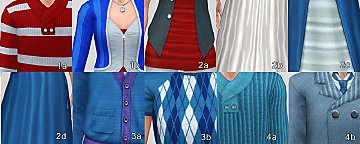
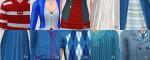
10 fabric patterns converted from Sims 2
by oepu 14th Jan 2010 at 8:07pm
I have created some fabric patterns. I have made them by extracting patterns from Sims 2 clothing. more...
 28
58.1k
117
28
58.1k
117
-
-
-
-
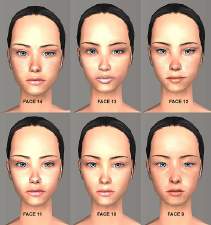
Part 2 - Realistic barbie skins - 7 faces - by oepu
by oepu 12th Aug 2006 at 4:23pm
Here are the next 7 skins. 6 of the faces are old (8-13) and improved, face 14 is new. more...
-