Sign in to Mod The Sims
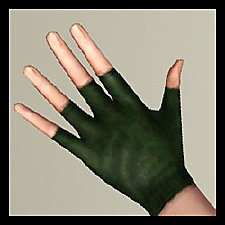
 Fixed Gothic Gloves - Now with 2 channels!
 Fixed Gothic Gloves - Now with 2 channels!


FixedGloves1.jpg - width=477 height=477
FixedGloves2.jpg - width=477 height=477
FixedGloves3.jpg - width=444 height=411
Pattern Example
FixedGloves4.jpg - width=200 height=163
Main Pic
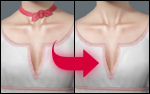
I've changed the mask and made the ribbon texture a little darker, so the bright colors are not too bright.
· These are enabled for teens, young adults, adults and elders, under everyday and formal categories.
· There are two channels now: the glove and the ribbon.
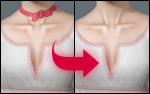
Before and After
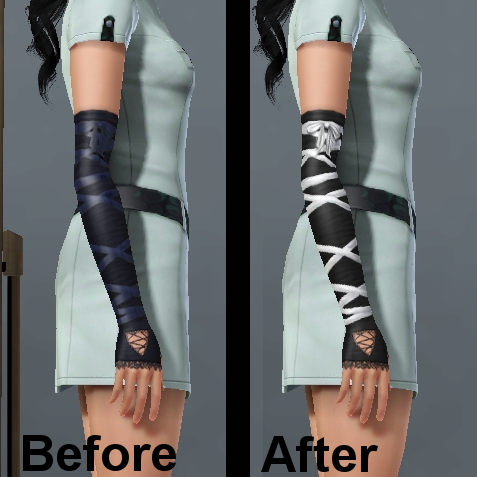
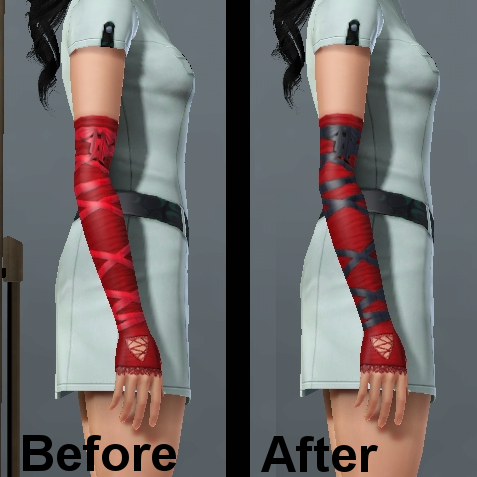
Pattern Example
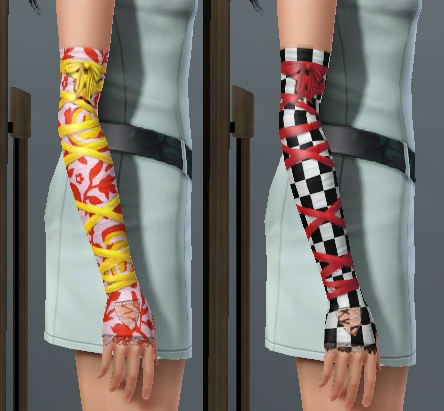
This is not a default replacement!
Enjoy!

|
FixedGothicGloves.rar
Download
Uploaded: 12th Oct 2009, 91.5 KB.
37,815 downloads.
|
||||||||
| For a detailed look at individual files, see the Information tab. | ||||||||
Install Instructions
1. Click the download button, or the filename, to download the file to your computer.
2. Extract the zip, rar, or 7z file. Now you will have either a .package or a .sims3pack file.
For Package files:
1. Cut and paste the file into your Documents\Electronic Arts\The Sims 3\Mods\Packages folder. If you do not already have this folder, you should read the full guide to Package files first: Sims 3:Installing Package Fileswiki, so you can make sure your game is fully patched and you have the correct Resource.cfg file.
2. Run the game, and find your content where the creator said it would be (build mode, buy mode, Create-a-Sim, etc.).
For Sims3Pack files:
1. Cut and paste it into your Documents\Electronic Arts\The Sims 3\Downloads folder. If you do not have this folder yet, it is recommended that you open the game and then close it again so that this folder will be automatically created. Then you can place the .sims3pack into your Downloads folder.
2. Load the game's Launcher, and click on the Downloads tab. Find the item in the list and tick the box beside it. Then press the Install button below the list.
3. Wait for the installer to load, and it will install the content to the game. You will get a message letting you know when it's done.
4. Run the game, and find your content where the creator said it would be (build mode, buy mode, Create-a-Sim, etc.).
Extracting from RAR, ZIP, or 7z: You will need a special program for this. For Windows, we recommend 7-Zip and for Mac OSX, we recommend Keka. Both are free and safe to use.
Need more help?
If you need more info, see:
- For package files: Sims 3:Installing Package Fileswiki
- For Sims3pack files: Game Help:Installing TS3 Packswiki
Loading comments, please wait...


Uploaded: 12th Oct 2009 at 5:38 PM
-
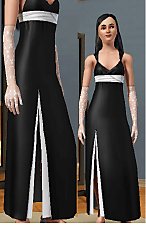
by princess_danford 29th Jun 2009 at 12:02am
 31
59.2k
76
31
59.2k
76
-
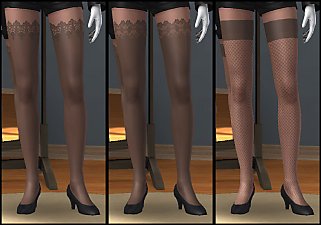
by Shep 4th Jul 2009 at 12:43pm
37
146k
204
-
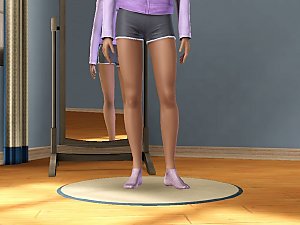
by Oaktree 21st Jul 2009 at 12:27am
44
63k
103
-
by newone08 3rd Nov 2009 at 12:31am
33
105k
233
-
by roflor 5th Nov 2009 at 5:24pm
25
130.4k
114
-
-
by The Path Of Nevermore 27th Nov 2010 at 6:37pm
29
104.9k
247
-
-
-
by Cure Smile 6th Jan 2023 at 6:30pm
5.4k
21


-
I'll wear whatever I want! ~ LateNight formal outfits as everyday
by Anubis360 10th Dec 2010 at 7:35am
Hi! more...
+1 packs
37 93.9k 198 Late Night
-
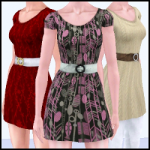
Afternoon Romance ~ Dress with belt
by Anubis360 23rd Dec 2009 at 9:36pm
Hi there! Long time without making clothes, I really started to miss it! more...
26
121.5k
333
-
-

Sunflower Lane, 230 - Springlike House
by Anubis360 10th Apr 2009 at 2:56am
Hi there! more...
 +5 packs
4 10.2k 9
+5 packs
4 10.2k 9 Nightlife
 Open for Business
 Seasons
 Apartment Life
 Mansion and Garden
-
-
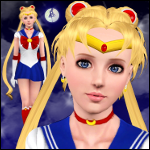
In the name of the Moon, I will punish you! ~ Sailor Moon Set
by Anubis360 28th Jun 2010 at 8:17pm
A full set including items as: outfit, bows, tiaras, and more! more...
172
215.6k
485
-
-
-

-
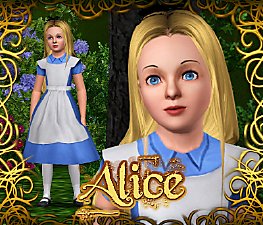
Alice (from Alice in Wonderland)
by Anubis360 3rd Oct 2009 at 8:42am
Alice is the main character of the story "Alice's Adventures in Wonderland" and the sequel "Through the Looking Glass and more...
69
119.1k
149