
 Sign in to Mod The Sims
 Garage Clutter
 Garage Clutter


Screenshot-307.jpg - width=900 height=720
Screenshot-309.jpg - width=900 height=720
Screenshot-311.jpg - width=900 height=720
Screenshot-313.jpg - width=900 height=720
Screenshot-308.jpg - width=900 height=720
Screenshot-310.jpg - width=900 height=720
Screenshot-312.jpg - width=900 height=720
Screenshot-315.jpg - width=900 height=720


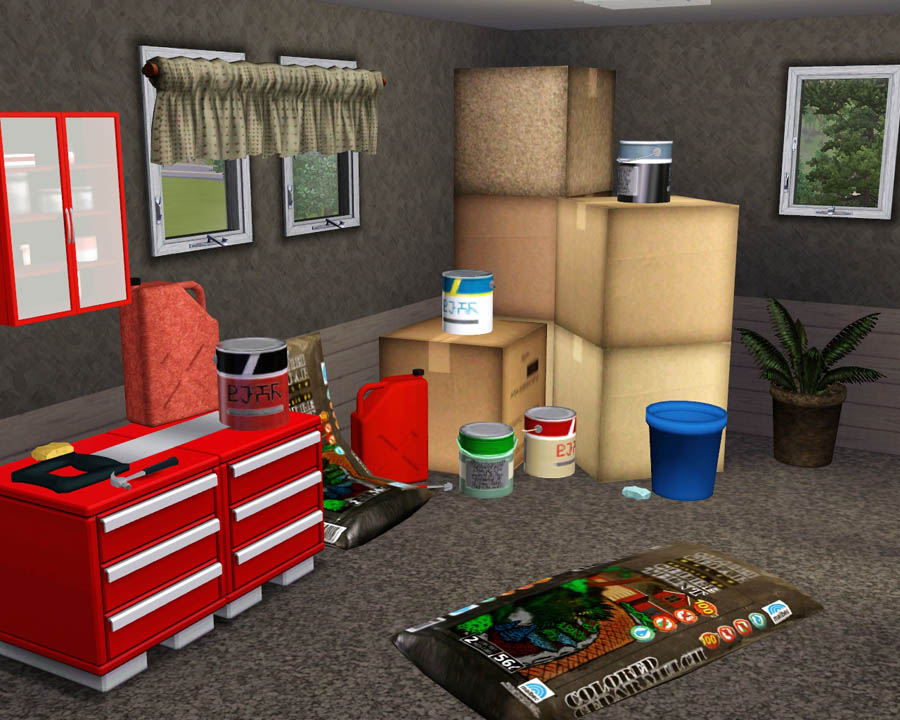
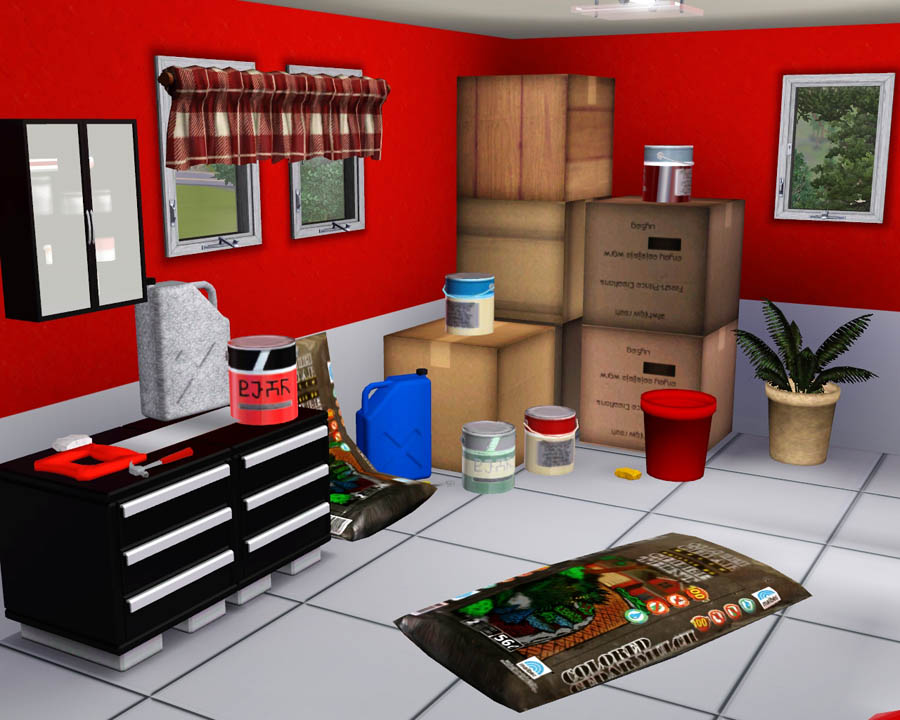
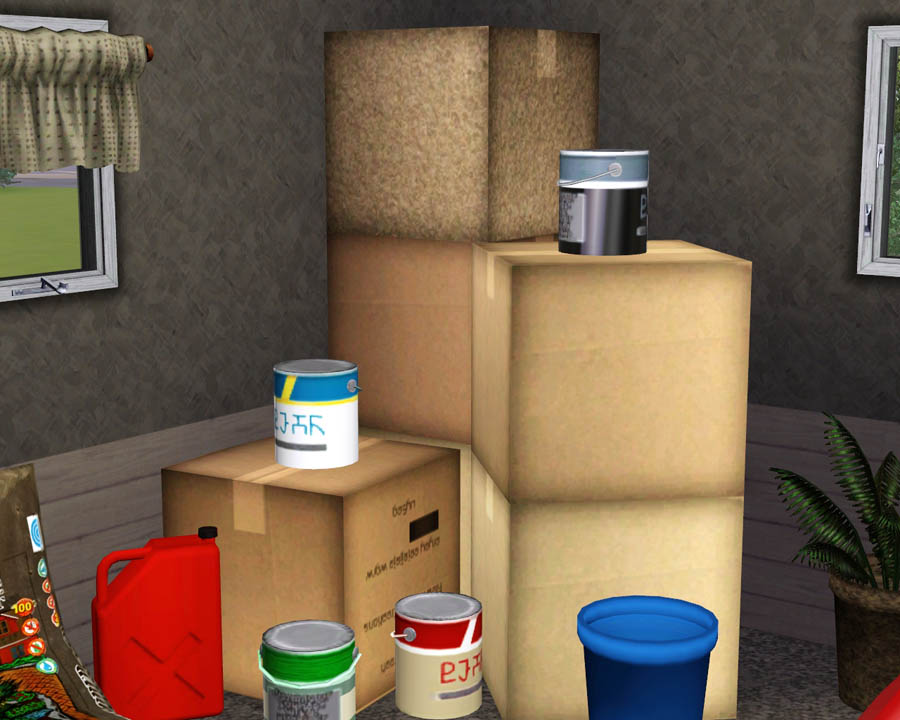
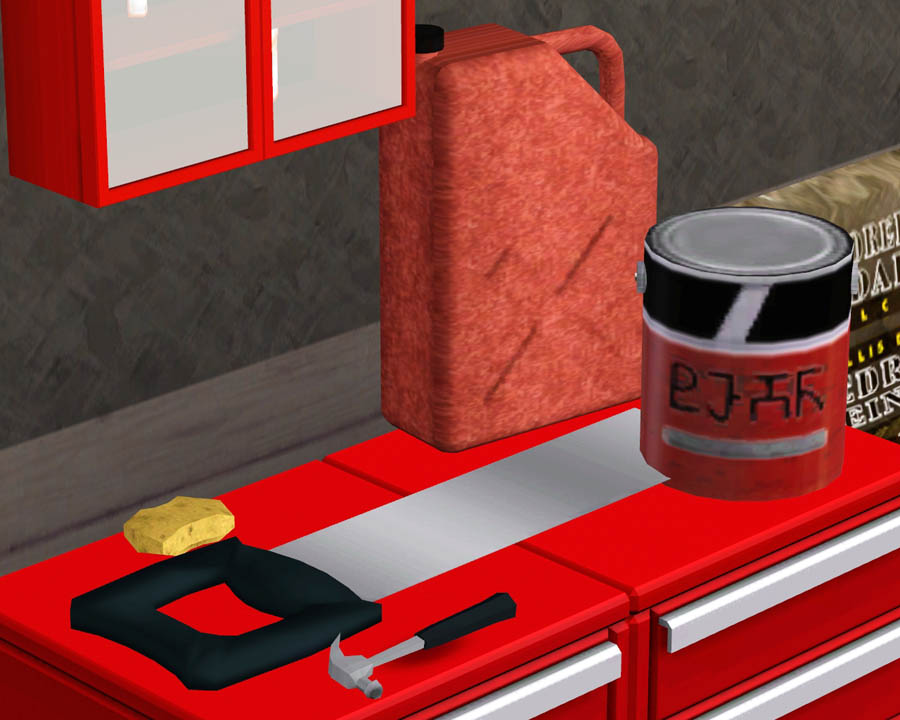
This clutter set includes 9 new meshes, all of which are recolorable besides the bags of mulch.
Here is a list of the objects:
- Paint Can - $5 - Located in Decor/Misc.
- Stackable Box - $1 - Located in Decor/Misc.
- Bag of Mulch - $5 - Located in Decor/Misc.
- Wall Mulch - $5 - Located in Decor/Misc.
- Hammer - $3 - Located in Decor/Plants.
- Sponge - $1 - Located in Decor/Plants.
- Pot - $5 - Located in Decor/Plants.
- Hand Saw - $5 - Located in Decor/Plants.
- Gasoline Can - $5 - Located in Decor/Plants.
Enjoy! I might be making some more stuff like this soon. Have a good one!
Polygon Counts:
- Paint Can - Faces = 180 Vertices = 247
- Stackable Box - Faces = 2 Vertices = 4
- Bag of Mulch - Faces = 120 Vertices = 62
- Wall Mulch - Faces = 120 Vertices = 62
- Hammer - Faces = 166 Vertices = 264
- Sponge - Faces = 52 Vertices = 28
- Pot - Faces = 290 Vertices = 184
- Hand Saw - Faces = 146 Vertices = 76
- Gasoline Can - Faces = 460 Vertices = 325
Additional Credits:
Wes, Inge, PeterJones and everyone for all of their wonderful tools and help!
EA for sponge and hammer.
This is a new mesh, and means that it's a brand new self contained object that usually does not require a specific Pack (although this is possible depending on the type). It may have Recolours hosted on MTS - check below for more information.
|
F-P Garage Clutter.zip
Download
Uploaded: 15th Oct 2009, 3.50 MB.
58,369 downloads.
|
||||||||
| For a detailed look at individual files, see the Information tab. | ||||||||
Install Instructions
1. Click the download button, or the filename, to download the file to your computer.
2. Extract the zip, rar, or 7z file. Now you will have either a .package or a .sims3pack file.
For Package files:
1. Cut and paste the file into your Documents\Electronic Arts\The Sims 3\Mods\Packages folder. If you do not already have this folder, you should read the full guide to Package files first: Sims 3:Installing Package Fileswiki, so you can make sure your game is fully patched and you have the correct Resource.cfg file.
2. Run the game, and find your content where the creator said it would be (build mode, buy mode, Create-a-Sim, etc.).
For Sims3Pack files:
1. Cut and paste it into your Documents\Electronic Arts\The Sims 3\Downloads folder. If you do not have this folder yet, it is recommended that you open the game and then close it again so that this folder will be automatically created. Then you can place the .sims3pack into your Downloads folder.
2. Load the game's Launcher, and click on the Downloads tab. Find the item in the list and tick the box beside it. Then press the Install button below the list.
3. Wait for the installer to load, and it will install the content to the game. You will get a message letting you know when it's done.
4. Run the game, and find your content where the creator said it would be (build mode, buy mode, Create-a-Sim, etc.).
Extracting from RAR, ZIP, or 7z: You will need a special program for this. For Windows, we recommend 7-Zip and for Mac OSX, we recommend Keka. Both are free and safe to use.
Need more help?
If you need more info, see:
- For package files: Sims 3:Installing Package Fileswiki
- For Sims3pack files: Game Help:Installing TS3 Packswiki
Loading comments, please wait...



Uploaded: 15th Oct 2009 at 8:43 PM
-
by lemoncandy 18th Aug 2009 at 5:06pm
 91
122.4k
195
91
122.4k
195
-
by lemoncandy 10th Sep 2009 at 5:49pm
92
205.5k
428
-
by Nan 11th Oct 2009 at 12:30am
14
26.8k
48
-
-
by Fresh-Prince 15th Oct 2009 at 9:31pm
64
99.4k
111
-
by Fresh-Prince 26th Apr 2010 at 6:04pm
83
168.3k
336
-
-
by Fresh-Prince 28th Mar 2011 at 6:28pm
32
100.5k
183
-
by TheJim07 10th Nov 2016 at 5:20pm
5
10.8k
36
-
by enable_llamas 27th Jun 2022 at 8:21pm
5
4.9k
16

-
Maxis Sports Car(Middle Class)
by Fresh-Prince 16th Aug 2007 at 1:34am
Another Maxis' career car made for the sims as a drivable vehicle. It's very similar to the other sports car. more...
 +1 packs
31 41.9k 73
+1 packs
31 41.9k 73 Nightlife
-
by Fresh-Prince 13th May 2007 at 2:35am
Well, first is first. Tomorrow is mother's day so Happy Mother's Day to all those Mothers out there! more...
-
by Fresh-Prince 21st Aug 2009 at 12:00am
Yay! Another car! This time it's a beautiful luxury sedan! Audi, it's my favorite! Thank you DD! more...
53
124.1k
95
-
-
by Fresh-Prince 18th Feb 2008 at 6:23pm
This is a beautiful luxury sports car! It's the perfect Jaguar! more...
21
60.5k
64
-
by Fresh-Prince 1st Sep 2007 at 5:46pm
Hey guys! Happy September! more...
+1 packs
55 80.1k 80 Nightlife
-
by Fresh-Prince 18th Dec 2009 at 6:30pm
Hey guys! Today I have a really nice Mercedes for you! It came out quite good! more...
53
180k
245
-
by Fresh-Prince 29th Oct 2009 at 5:41pm
A nice hatchback for your simmies! Hope you all enjoy! more...
68
143.3k
148
-
by Fresh-Prince 6th Mar 2008 at 7:58pm
Very cool car for your teen sims! All comments welcomed. Enjoy! more...
+1 packs
26 111.3k 111 Nightlife
-


by Fresh-Prince 24th Sep 2006 at 5:20pm
Hello everyone :D First off, just letting you know this is a decorative helicopter, NOT drivable. more...
30
78.4k
41


