
 Sign in to Mod The Sims
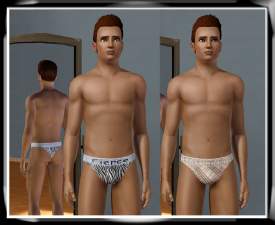
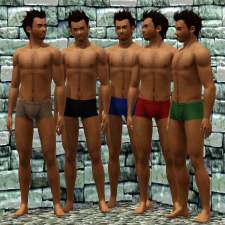
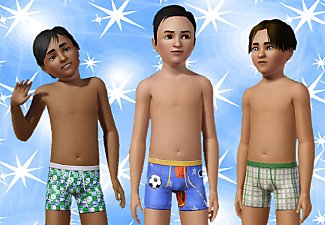
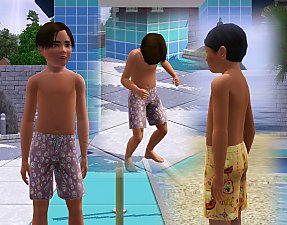
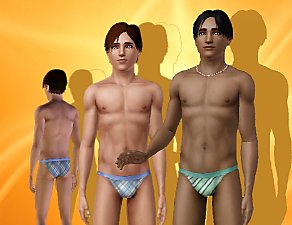
 Bay Breeze Swimwear for Men
 Bay Breeze Swimwear for Men


Screenshot-305.jpg - width=804 height=664
Screenshot-302.jpg - width=676 height=583
Screenshot-272.jpg - width=618 height=731
Is available for adult and young adult in sleepwear and swimwear.
This have 3 channels, so all parts are recolourable.
I hope you enjoy!

I want to thank all people that help me in CreatorFeedbackForum.


Additional Credits:
Delphy and CTU Team for CTU I want to thank 234jiao for the skin
I want to thank HystericalParoxysm for the hair.
I want to thank jubjubesmcsmushy for the name.
|
SwimBottomMen.rar
Download
Uploaded: 1st Dec 2009, 88.0 KB.
7,968 downloads.
|
||||||||
| For a detailed look at individual files, see the Information tab. | ||||||||
Install Instructions
1. Click the download button, or the filename, to download the file to your computer.
2. Extract the zip, rar, or 7z file. Now you will have either a .package or a .sims3pack file.
For Package files:
1. Cut and paste the file into your Documents\Electronic Arts\The Sims 3\Mods\Packages folder. If you do not already have this folder, you should read the full guide to Package files first: Sims 3:Installing Package Fileswiki, so you can make sure your game is fully patched and you have the correct Resource.cfg file.
2. Run the game, and find your content where the creator said it would be (build mode, buy mode, Create-a-Sim, etc.).
For Sims3Pack files:
1. Cut and paste it into your Documents\Electronic Arts\The Sims 3\Downloads folder. If you do not have this folder yet, it is recommended that you open the game and then close it again so that this folder will be automatically created. Then you can place the .sims3pack into your Downloads folder.
2. Load the game's Launcher, and click on the Downloads tab. Find the item in the list and tick the box beside it. Then press the Install button below the list.
3. Wait for the installer to load, and it will install the content to the game. You will get a message letting you know when it's done.
4. Run the game, and find your content where the creator said it would be (build mode, buy mode, Create-a-Sim, etc.).
Extracting from RAR, ZIP, or 7z: You will need a special program for this. For Windows, we recommend 7-Zip and for Mac OSX, we recommend Keka. Both are free and safe to use.
Need more help?
If you need more info, see:
- For package files: Sims 3:Installing Package Fileswiki
- For Sims3pack files: Game Help:Installing TS3 Packswiki
Loading comments, please wait...

Uploaded: 1st Dec 2009 at 3:21 PM
Updated: 14th Dec 2009 at 12:15 AM
-
by kuchikisan92 6th Aug 2009 at 7:25pm
 22
91.3k
108
22
91.3k
108
-
-
-
-
-

-
-
-
by Kiara24 1st Feb 2010 at 3:55pm
17
51.7k
44
Male » Sleepwear » Young Adult
-
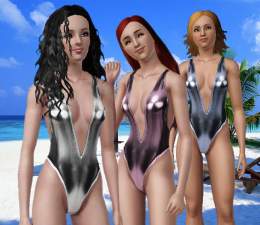

-
-
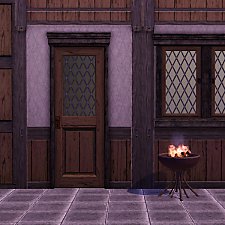
Medieval Centred Leadlight Door - Ye Olde Kingdom of Pudding
by The Merrye Makers 28th Jan 2012 at 9:31pm
A centred door and arch to match the base game leaded windows more...
13
44.8k
119
-

by Kiara24 12th Feb 2018 at 12:37am
Available in casual, formal and party, 15 options. more...
 6
20.9k
66
6
20.9k
66
Female » Mixed Sets » Toddler
-

-
-
-
-
-
-

About Me
Subscribe to my channel.