
 Sign in to Mod The Sims
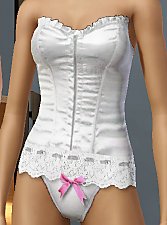
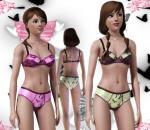
 Ribbon Lingerie
 Ribbon Lingerie
SCREENSHOTS


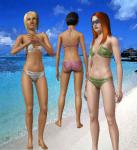
ScreenShot147.jpg - width=948 height=736
ScreenShot150.jpg - width=502 height=650
Screenshot-244.jpg - width=860 height=711
Downloaded 50,811 times
1,232 Thanks
139 Favourited
84,558 Views
Say Thanks!
Thanked!
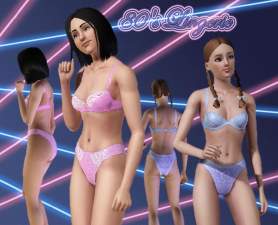
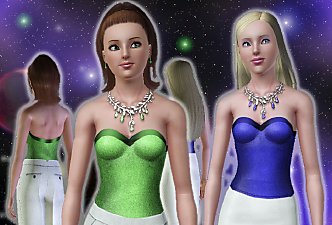
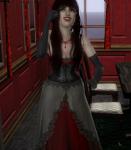
Another lingerie for your female Sims, adult and young adult, is available in the sleepwear section and only have one channel.
I hope you enjoy!

Additional Credits:
Delphy and CTU Team for CTU I want to thank 234jiao for the skin
I hope you enjoy!

Additional Credits:
Delphy and CTU Team for CTU I want to thank 234jiao for the skin
Advertisement:
This is a Maxis Recolour which means that it is a recolour of an item that already exists in your game. Please check the Pack requirements to see which game pack it recolours.
|
RibbonBra.rar
Download
Uploaded: 20th Jan 2010, 33.9 KB.
39,633 downloads.
|
||||||||
|
RibbonBriefs.rar
Download
Uploaded: 20th Jan 2010, 30.2 KB.
40,450 downloads.
|
||||||||
| For a detailed look at individual files, see the Information tab. | ||||||||
Install Instructions
Quick Guide:
1. Click the download button, or the filename, to download the file to your computer.
2. Extract the zip, rar, or 7z file. Now you will have either a .package or a .sims3pack file.
For Package files:
1. Cut and paste the file into your Documents\Electronic Arts\The Sims 3\Mods\Packages folder. If you do not already have this folder, you should read the full guide to Package files first: Sims 3:Installing Package Fileswiki, so you can make sure your game is fully patched and you have the correct Resource.cfg file.
2. Run the game, and find your content where the creator said it would be (build mode, buy mode, Create-a-Sim, etc.).
For Sims3Pack files:
1. Cut and paste it into your Documents\Electronic Arts\The Sims 3\Downloads folder. If you do not have this folder yet, it is recommended that you open the game and then close it again so that this folder will be automatically created. Then you can place the .sims3pack into your Downloads folder.
2. Load the game's Launcher, and click on the Downloads tab. Find the item in the list and tick the box beside it. Then press the Install button below the list.
3. Wait for the installer to load, and it will install the content to the game. You will get a message letting you know when it's done.
4. Run the game, and find your content where the creator said it would be (build mode, buy mode, Create-a-Sim, etc.).
Extracting from RAR, ZIP, or 7z: You will need a special program for this. For Windows, we recommend 7-Zip and for Mac OSX, we recommend Keka. Both are free and safe to use.
Need more help?
If you need more info, see:
1. Click the download button, or the filename, to download the file to your computer.
2. Extract the zip, rar, or 7z file. Now you will have either a .package or a .sims3pack file.
For Package files:
1. Cut and paste the file into your Documents\Electronic Arts\The Sims 3\Mods\Packages folder. If you do not already have this folder, you should read the full guide to Package files first: Sims 3:Installing Package Fileswiki, so you can make sure your game is fully patched and you have the correct Resource.cfg file.
2. Run the game, and find your content where the creator said it would be (build mode, buy mode, Create-a-Sim, etc.).
For Sims3Pack files:
1. Cut and paste it into your Documents\Electronic Arts\The Sims 3\Downloads folder. If you do not have this folder yet, it is recommended that you open the game and then close it again so that this folder will be automatically created. Then you can place the .sims3pack into your Downloads folder.
2. Load the game's Launcher, and click on the Downloads tab. Find the item in the list and tick the box beside it. Then press the Install button below the list.
3. Wait for the installer to load, and it will install the content to the game. You will get a message letting you know when it's done.
4. Run the game, and find your content where the creator said it would be (build mode, buy mode, Create-a-Sim, etc.).
Extracting from RAR, ZIP, or 7z: You will need a special program for this. For Windows, we recommend 7-Zip and for Mac OSX, we recommend Keka. Both are free and safe to use.
Need more help?
If you need more info, see:
- For package files: Sims 3:Installing Package Fileswiki
- For Sims3pack files: Game Help:Installing TS3 Packswiki
Advertisement:
Loading comments, please wait...
Author

Download Details
Packs:
None, this is Sims 3 base game compatible!
Uploaded: 20th Jan 2010 at 9:09 PM
Uploaded: 20th Jan 2010 at 9:09 PM
Age:
– Young Adult
– Adult
Gender:
– Female
Clothing Type:
– Underwear
– Sleepwear
Clothing Style:
– No Style
: None of the below styles
Other Type:
– Not Applicable
Maxis Flags:
– Not Applicable
Outfit Type:
– Top
– Bottom
Tags
Other Download Recommendations:
-
-
Basic Panties Pack - five styles for Teen, YA and A
by Marcos_Edson 28th Sep 2009 at 3:58pm
-
-
-
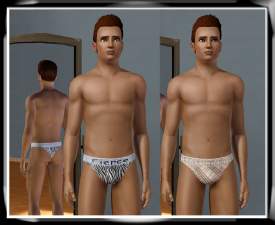
-
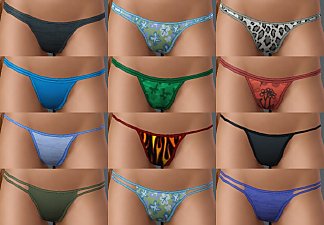
Basic Thongs Pack - four styles for Teen, YA and A
by Marcos_Edson 19th Oct 2009 at 4:52pm
-
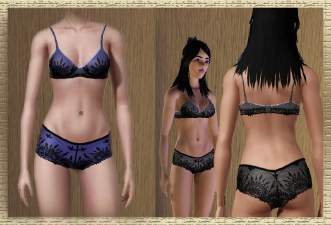
-
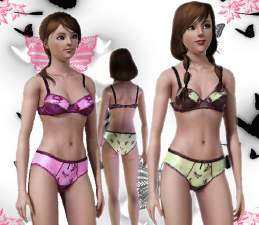
-
-
by FifthAce2007 5th Aug 2014 at 12:33pm

More downloads by Kiara24:
See more

About Me
Now I'm just making custom content for the Sims 4, if you like my stuff Join my Site, Like my Facebook and
Subscribe to my channel.
Subscribe to my channel.