
 Sign in to Mod The Sims
 Natalie Imbruglia
 Natalie Imbruglia


natalie_small.jpg - width=167 height=200
body_small.jpg - width=256 height=500
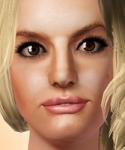
natalieface_small.jpg - width=400 height=400
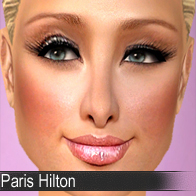
natalie_real.jpg - width=167 height=200
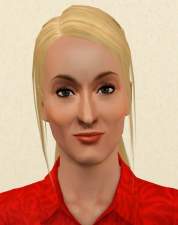
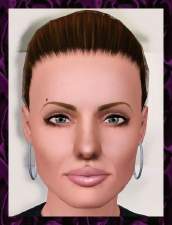
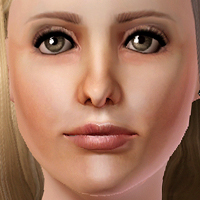
I adore Natalie Imbruglia, and I think that this sim of her came out pretty well.
Since I have noticed that people are not fans of face masks, I have changed the visibility of the mask to minimum, and the mask covers just some parts of the face (like eyebags and lip corners).

Credits:
Syera's eye replacement: http://www.modthesims.info/download.php?t=350422
Peggy's hair (free): http://www.peggyzone.com/Sims3Detai...00073&sortId=00
KittyKlan's faces: http://kittyklan.com/blog/?p=69
In the rar. you can find a sim file that goes into your SavedSims folder, and other files of mine, that were used like: skintone, lipstick, eyeshadow and blush, they go into your Package folder...lol, into your package folder XD
Anyways, enjoy!
Stefan
ps. I have really worked hard on this one, and if you dislike her, please post constructive criticism. Don't ditch my work :P
Custom Content by Me:
- sim
- blush
- lipstick
- eyeshadow
|
NatalieImbruglia.rar
Download
Uploaded: 21st Jan 2010, 1.89 MB.
13,514 downloads.
|
||||||||
| For a detailed look at individual files, see the Information tab. | ||||||||
Install Instructions
1. Click the filename or the download button to download the sim to your computer.
2. Extract the zip, rar, or 7z file.
2. Select the .sim file you got from extracting.
3. Cut and paste it into your Documents\Electronic Arts\The Sims 3\SavedSims folder. If you do not have this folder yet, it is recommended that you open the game, enter Create-a-Sim, and save a sim to the sim bin to create this folder, rather than doing so manually. After that you can close the game and put the .sim file in SavedSims
4. Once the .sim file is in SavedSims, you can load the game, and look for your sim in the premade sims bin in Create-a-Sim.
Extracting from RAR, ZIP, or 7z: You will need a special program for this. For Windows, we recommend 7-Zip and for Mac OSX, we recommend Keka. Both are free and safe to use.
Need more help?
If you need more info, see Game Help:Installing TS3 Simswiki for a full, detailed step-by-step guide! Special Installation Instructions
- If you get an error that says "This content requires expansion pack data that is not installed", please use Clean Installer to install this sim.
Loading comments, please wait...


Uploaded: 21st Jan 2010 at 8:14 PM
Updated: 22nd Jan 2010 at 3:07 PM
-
by Audrey 6th Sep 2009 at 8:17pm
 23
18.4k
5
23
18.4k
5
-
-
-
by Audrey 18th Dec 2009 at 5:42pm
29
24.5k
8
-
-
-
by monca533 26th Feb 2010 at 3:52am
3
11.9k
-
by dutch 4th Jan 2011 at 6:04pm
28
77.4k
91
-
by lovethesun89 24th Jun 2012 at 10:04pm
12.1k
7
-
by Mischief Managed 4th Jul 2021 at 12:07am
+1 packs
6 3.5k 9 World Adventures


-
-
-
-

-


Angelina Jolie - something I'm proud of
by @Stefan updated 7th Mar 2009 at 11:52am
It may be cliché, the fact that she has been made so many times and also the fact that most more...
 +1 packs
128 217.4k 126
+1 packs
128 217.4k 126 Nightlife
-
-
Scarlett Johansson - skintone now as a separated file
by @Stefan 15th Aug 2009 at 9:07pm
Hello I present you my sims3 version of the beautiful actress Scarlett Johansson. more...
77
115.3k
44
-
-
-


About Me
Now I am back - 20 years later!
If you decide to support me, thank you.
It truly means a lot and helps me continue creating.
I’m excited to be back!
DOWNLOADS: patreon.com/stefansims