Sign in to Mod The Sims
 4 Converted Paintings From The Sims 2
 4 Converted Paintings From The Sims 2


Picnik collage.jpg - width=1024 height=824
Screenshot-7.jpg - width=1274 height=1024
Screenshot-5.jpg - width=1275 height=1024
Screenshot-3.jpg - width=1275 height=1024
Screenshot-15.jpg - width=1280 height=940
BellaSquared.png - width=545 height=290
RedVSBlue.png - width=550 height=270
Suspense.png - width=548 height=254
I finally started to learn how to convert stuff from TS2 to TS3 and here's my first take:
4 Converted Paintings from TS2.
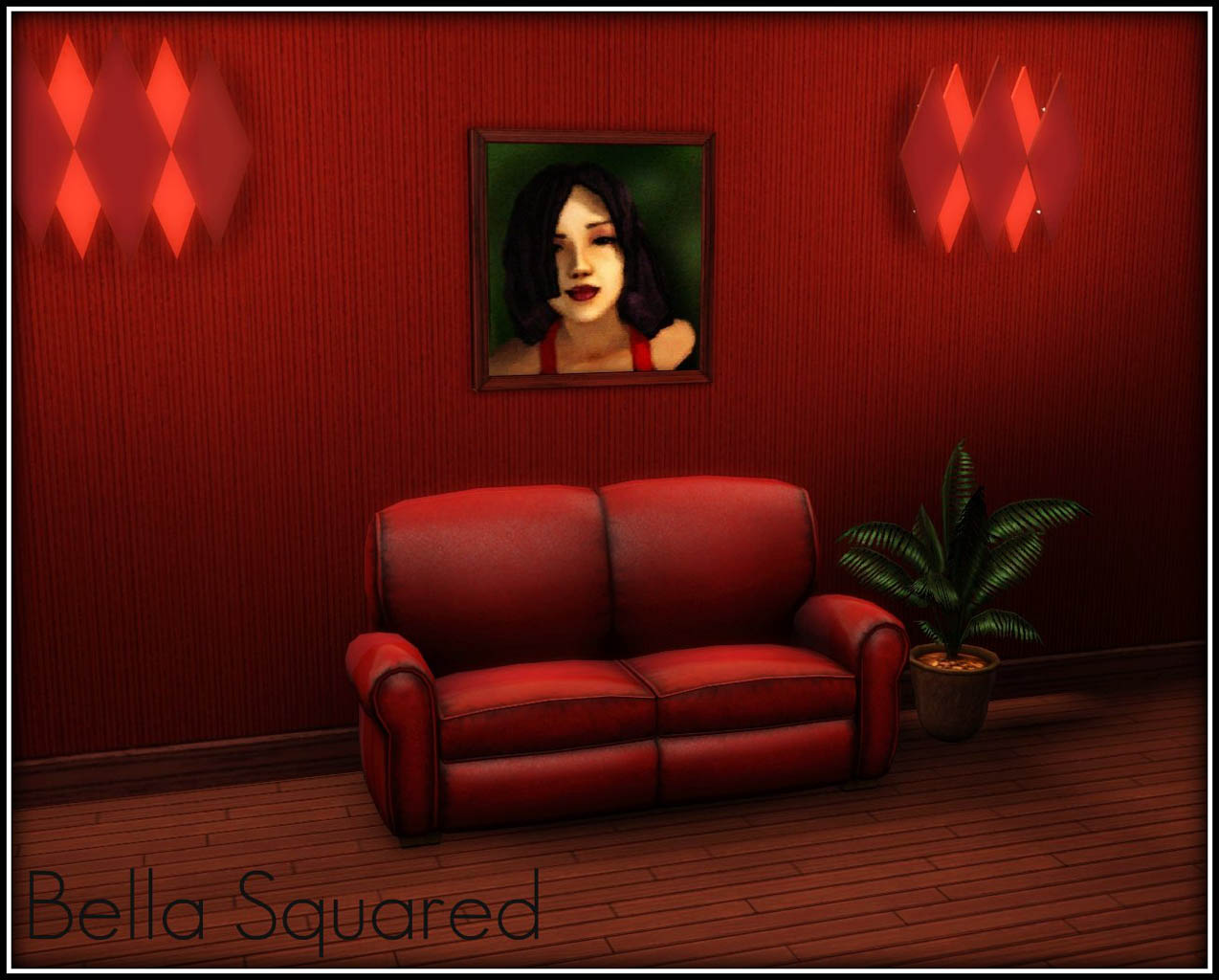
Bella Squared
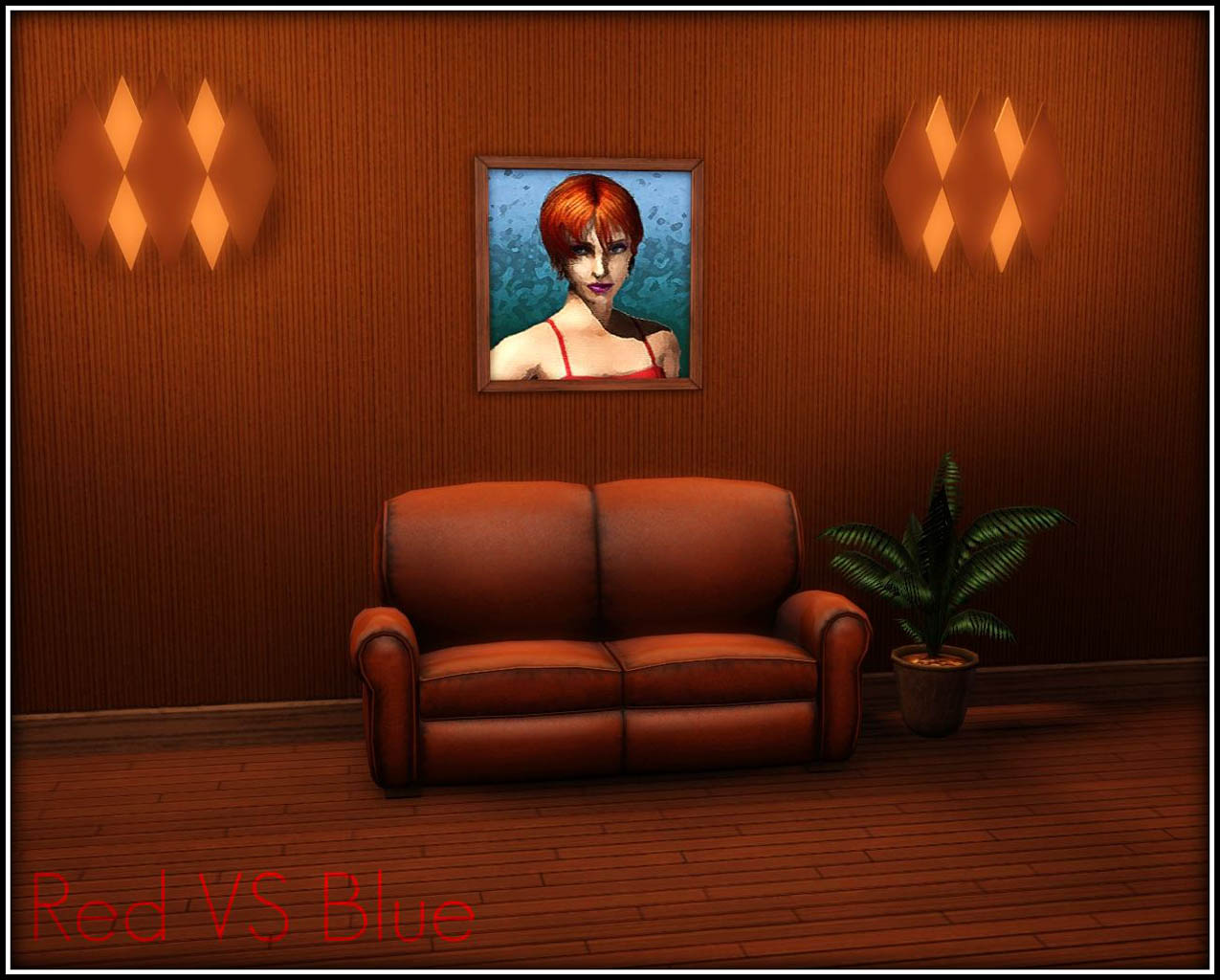
Red VS Blue
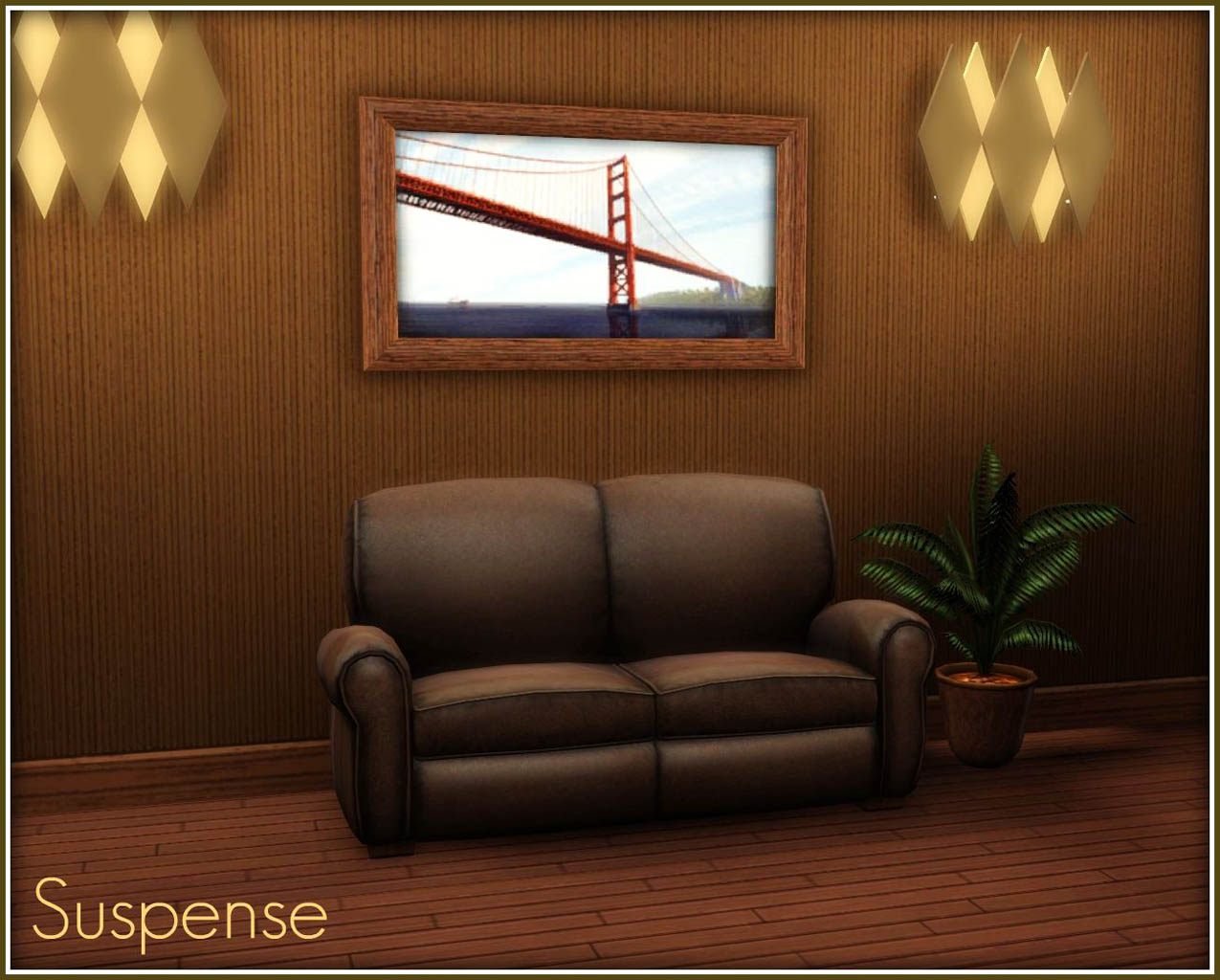
Suspense
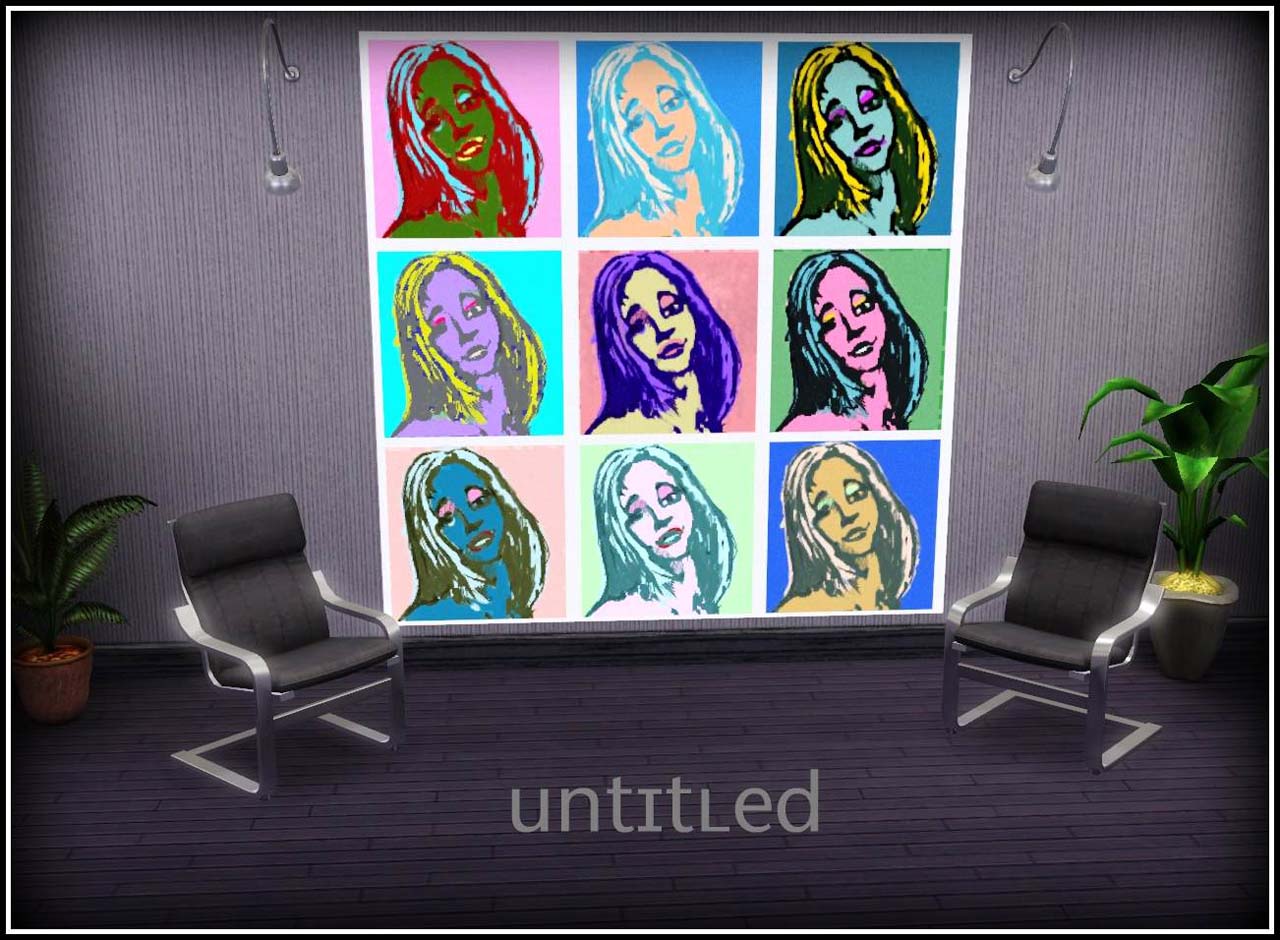
Untitled
For the first two paintings (Bella Squared, Red VS Blue) a mesh from TS3 was used because i found out that it was the exact same mesh that TS2 Bella Squared used.
As for the Red Vs Blue mesh from TS2 it was way too chunky so i changed it.
The original names,descriptions and prices were used.
They are all CASTable except the Unitled one which is a Canvas.
Hope you like them.
Elias943
Polygon Counts:
Bella Squared and Red Vs Blue : The Same as Maxis (V 200 T 110)
Untitled: Vertices: 428 Triangles 280
Suspense : Vertices: 88 Triangles 62
| Filename | Type | Size |
|---|---|---|
| AllOfThem.rar | rar | |
| BellaSquared.rar | rar | 676209 |
| RedVSBlue.rar | rar | 705719 |
| Suspense.rar | rar | 202212 |
| Untitled.rar | rar | 731554 |
This is a new mesh, and means that it's a brand new self contained object that usually does not require a specific Pack (although this is possible depending on the type). It may have Recolours hosted on MTS - check below for more information.
|
Untitled.rar
Download
Uploaded: 7th Mar 2010, 714.4 KB.
1,607 downloads.
|
||||||||
|
Suspense.rar
Download
Uploaded: 7th Mar 2010, 197.5 KB.
1,283 downloads.
|
||||||||
|
RedVSBlue.rar
Download
Uploaded: 7th Mar 2010, 689.2 KB.
915 downloads.
|
||||||||
|
BellaSquared.rar
Download
Uploaded: 7th Mar 2010, 660.4 KB.
1,262 downloads.
|
||||||||
|
AllOfThem.rar
Download
Uploaded: 7th Mar 2010, 2.21 MB.
5,958 downloads.
|
||||||||
| For a detailed look at individual files, see the Information tab. | ||||||||
Install Instructions
1. Click the download button, or the filename, to download the file to your computer.
2. Extract the zip, rar, or 7z file. Now you will have either a .package or a .sims3pack file.
For Package files:
1. Cut and paste the file into your Documents\Electronic Arts\The Sims 3\Mods\Packages folder. If you do not already have this folder, you should read the full guide to Package files first: Sims 3:Installing Package Fileswiki, so you can make sure your game is fully patched and you have the correct Resource.cfg file.
2. Run the game, and find your content where the creator said it would be (build mode, buy mode, Create-a-Sim, etc.).
For Sims3Pack files:
1. Cut and paste it into your Documents\Electronic Arts\The Sims 3\Downloads folder. If you do not have this folder yet, it is recommended that you open the game and then close it again so that this folder will be automatically created. Then you can place the .sims3pack into your Downloads folder.
2. Load the game's Launcher, and click on the Downloads tab. Find the item in the list and tick the box beside it. Then press the Install button below the list.
3. Wait for the installer to load, and it will install the content to the game. You will get a message letting you know when it's done.
4. Run the game, and find your content where the creator said it would be (build mode, buy mode, Create-a-Sim, etc.).
Extracting from RAR, ZIP, or 7z: You will need a special program for this. For Windows, we recommend 7-Zip and for Mac OSX, we recommend Keka. Both are free and safe to use.
Need more help?
If you need more info, see:
- For package files: Sims 3:Installing Package Fileswiki
- For Sims3pack files: Game Help:Installing TS3 Packswiki
Loading comments, please wait...

Uploaded: 7th Mar 2010 at 5:19 PM
Updated: 15th Feb 2020 at 5:32 PM
#paintings, #bella, #sims 2, #converted, #redvsblue, #untitled, #conversion, #hraklis943
-
by pinketamine 24th Oct 2009 at 9:59pm
 9
22.5k
25
9
22.5k
25
-
by Ewelina20 12th Dec 2009 at 11:06am
18
46k
79
-
-
-

-
by TheJim07 30th Jul 2016 at 11:55am
4
8.8k
36
-
by TheJim07 27th Oct 2016 at 9:38am
4
12.3k
29
-
-
-
by Lo2ta 2nd Jul 2025 at 11:33am
1.8k
2



-
*UPDATED 6/4/17* TS2 to TS4 - 11 Mirrors + Shiftable Versions
by Elias943 updated 6th Apr 2017 at 11:36am
11 converted mirrors from The Sims 2. more...
 15
16.2k
77
15
16.2k
77
-
-
TS2 to TS4 - 3 Seamless Floors in 2 Versions
by Elias943 4th Jun 2015 at 6:57pm
3 Seameless Floors from TS2 in 2 Versions. more...
24
18.3k
92
-
TS2 to TS4 - Grandfather Clock
by Elias943 6th Apr 2015 at 3:49am
Conversion of the Grandfather Clock from The Sims 2. more...
8
16.6k
85
-
*UPDATED 30/5/18* TS2 to TS4 - Nofowle Living Set
by Elias943 updated 30th May 2018 at 1:19pm
Nofowle Living Set converted from TS2 to TS4. more...
-
TS2 to TS3 - 195 Main Street (Dreamer)
by Elias943 10th Aug 2009 at 1:19am
Hey everyone. more...
9
21.9k
22
-
-

TS2 to TS3 - 215 Sim Lane (The Pleasants)
by Elias943 11th Aug 2009 at 4:53pm
Hey everyone. more...
29
36.3k
33
-
-