
 Sign in to Mod The Sims
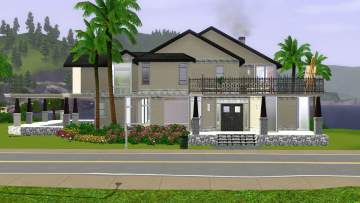
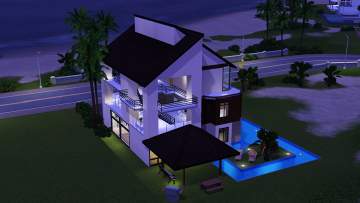
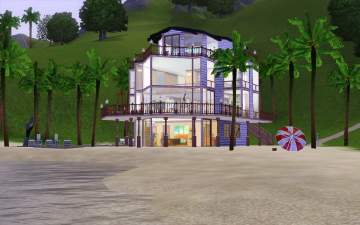
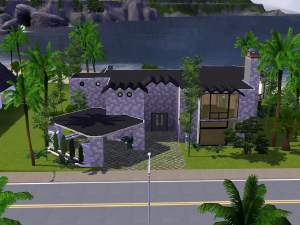
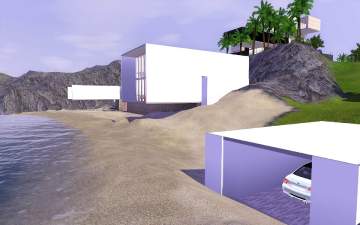
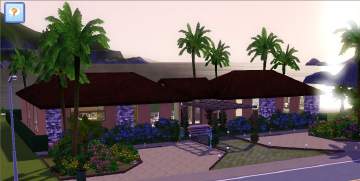
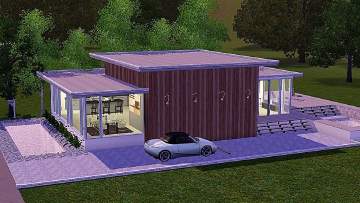
 Island simplicity with a Modern flair.
 Island simplicity with a Modern flair.
SCREENSHOTS


Screenshot-136.jpg - width=1280 height=800
Screenshot-133.jpg - width=960 height=600
Screenshot-132.jpg - width=960 height=600
Screenshot-131.jpg - width=960 height=600
Screenshot-117.jpg - width=950 height=594
Screenshot-86.jpg - width=1056 height=660
Screenshot-128.jpg - width=960 height=600
Screenshot-90.jpg - width=1112 height=695
Downloaded 150 times
75 Thanks
5 Favourited
10,864 Views
Say Thanks!
Thanked!
FEATURES
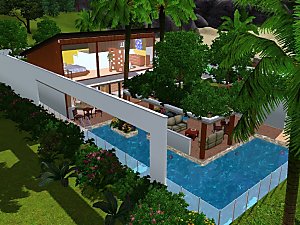
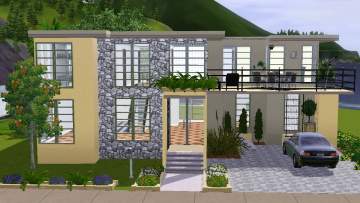
- This house was designed with ease of play in mind. Has been Sim tested and Sim approved. A modern open floor plan allows for a smooth flow for your Sim throughout the house.
- 2 bedrooms
- 2 bath
- gym in the basement living area
Rooftop relaxing for your Sims? Imagine after a hard days work heading up on the roof to watching the sun setting over the clear blue waters.
Anglers will love they have the ease of just going outside to indulge in their favorite past time. Will it be Deep sea fishing or lake? No problem both are here to enjoy. I can hear those seagulls now.
Thank you for the time you are taking to look at my upload. This is my first. Corrective criticism is greatly appreciated.
Special note.
The house was built in Tropical Island 2. I highly recommend you place house in that world.
The creator of this World did a AWESOME job. Thank you Stadsbo for your hard work
It loads and saves extremely fast. Most important, you can't get the great vista without it!

Tropical Island 2 dl link
Now on to the show!


Lot Size: 2x4
Lot Price: 139,003
Advertisement:
|
Modern.rar
Download
Uploaded: 28th Mar 2010, 1.40 MB.
836 downloads.
|
||||||||
| For a detailed look at individual files, see the Information tab. | ||||||||
Install Instructions
Quick Guide:
1. Click the filename or the download button to download the file to your computer.
2. Extract the zip, rar, or 7z file.
2. Select the .sims3pack file you got from extracting.
3. Cut and paste it into your Documents\Electronic Arts\The Sims 3\Downloads folder. If you do not have this folder yet, it is recommended that you open the game and then close it again so that this folder will be automatically created. Then you can place the .sims3pack into your Downloads folder.
5. Load the game's Launcher, and click on the Downloads tab. Select the house icon, find the lot in the list, and tick the box next to it. Then press the Install button below the list.
6. Wait for the installer to load, and it will install the lot to the game. You will get a message letting you know when it's done.
7. Run the game, and find your lot in Edit Town, in the premade lots bin.
Extracting from RAR, ZIP, or 7z: You will need a special program for this. For Windows, we recommend 7-Zip and for Mac OSX, we recommend Keka. Both are free and safe to use.
Need more help?
If you need more info, see Game Help:Installing TS3 Packswiki for a full, detailed step-by-step guide!
1. Click the filename or the download button to download the file to your computer.
2. Extract the zip, rar, or 7z file.
2. Select the .sims3pack file you got from extracting.
3. Cut and paste it into your Documents\Electronic Arts\The Sims 3\Downloads folder. If you do not have this folder yet, it is recommended that you open the game and then close it again so that this folder will be automatically created. Then you can place the .sims3pack into your Downloads folder.
5. Load the game's Launcher, and click on the Downloads tab. Select the house icon, find the lot in the list, and tick the box next to it. Then press the Install button below the list.
6. Wait for the installer to load, and it will install the lot to the game. You will get a message letting you know when it's done.
7. Run the game, and find your lot in Edit Town, in the premade lots bin.
Extracting from RAR, ZIP, or 7z: You will need a special program for this. For Windows, we recommend 7-Zip and for Mac OSX, we recommend Keka. Both are free and safe to use.
Need more help?
If you need more info, see Game Help:Installing TS3 Packswiki for a full, detailed step-by-step guide!
Advertisement:
Loading comments, please wait...
Author

Download Details
Packs:
 View with Names
Uploaded: 28th Mar 2010 at 4:08 AM
 View with Names
Uploaded: 28th Mar 2010 at 4:08 AM
Number of bedrooms:
– 2 Bedrooms
Custom Content Included:
– None
: No Custom Content included
Furnishings:
– Fully Furnished
: Lot is completely decked out in furnishings
Special Flags:
– Beach Lot
Other Download Recommendations:



Packs Needed
| Expansion Pack | |
|---|---|
| World Adventures |