
 Sign in to Mod The Sims
 Modern Shoreside Villa
 Modern Shoreside Villa


Frontview.jpg - width=1280 height=723
Frontal View of Villa.
Rearview.jpg - width=1280 height=723
Rear view with balconies and pool.
1stfloor.jpg - width=1280 height=723
First Floor layout of Kitchen, dinning, living, laundry and baths.
2ndfloor.jpg - width=1280 height=723
Second floor plan of bedrooms bath and family area.
livingarea.jpg - width=1280 height=723
Living Area on first floor
kitchen-dining.jpg - width=1280 height=723
Modern Kitchen and dining area
familyroom.jpg - width=1280 height=723
Family Area on second floor with comfortable seating for reading.
master.jpg - width=1280 height=723
Spacious Master bedroom for the decerning sims.
childrensroom.jpg - width=1280 height=723
Room for two children to play and argue.
nursery.jpg - width=1280 height=723
Nursery includes everything for your littlest sim.


Your sims new home has the most modern appliances and furniture. It has three bedrooms (master, childrens and nursery), four baths (one of which is a pool bath). Sims will love the open floor plan which gives allusion of a much larger home. The home is beautifully designed, decorated and move in ready.
Lot Size: 2x2
Unfurnished $72,130.00
Furnished $116,665.00
|
Modern Shoreside Villa.rar
Download
Uploaded: 10th Jul 2011, 2.00 MB.
996 downloads.
|
||||||||
| For a detailed look at individual files, see the Information tab. | ||||||||
Install Instructions
1. Click the filename or the download button to download the file to your computer.
2. Extract the zip, rar, or 7z file.
2. Select the .sims3pack file you got from extracting.
3. Cut and paste it into your Documents\Electronic Arts\The Sims 3\Downloads folder. If you do not have this folder yet, it is recommended that you open the game and then close it again so that this folder will be automatically created. Then you can place the .sims3pack into your Downloads folder.
5. Load the game's Launcher, and click on the Downloads tab. Select the house icon, find the lot in the list, and tick the box next to it. Then press the Install button below the list.
6. Wait for the installer to load, and it will install the lot to the game. You will get a message letting you know when it's done.
7. Run the game, and find your lot in Edit Town, in the premade lots bin.
Extracting from RAR, ZIP, or 7z: You will need a special program for this. For Windows, we recommend 7-Zip and for Mac OSX, we recommend Keka. Both are free and safe to use.
Need more help?
If you need more info, see Game Help:Installing TS3 Packswiki for a full, detailed step-by-step guide!
Loading comments, please wait...


 + 3 SPs


Uploaded: 10th Jul 2011 at 12:54 PM
-
by Lavandula 14th Jun 2009 at 8:15pm
 8
30.6k
9
8
30.6k
9
-
-
by idontnoWHOiam 4th Jul 2009 at 9:22pm
5
15.4k
11
-
by Lavandula 5th Jul 2009 at 10:04pm
3
8.7k
4
-
-
-
by Mr. Rover 25th Aug 2009 at 11:40pm
3.9k
-
-
by monca533 25th Sep 2009 at 8:56pm
3
9.6k
6
-
MODERN VILLA 3 :Modern Beach Villa
by !jolien! 14th Nov 2010 at 3:12pm
+2 packs
11 39.1k 25 World Adventures
 Ambitions


-
-
-
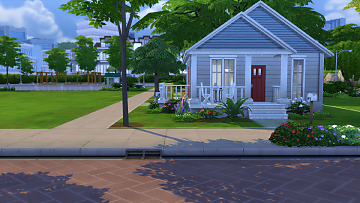
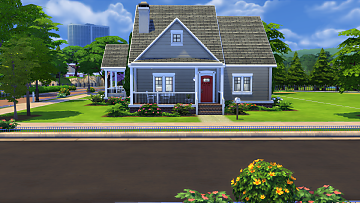
Faux Craftsman (Base Game No CC)
by tylersada 27th Jul 2024 at 2:05pm
A very simple wannabe craftsman. It is base game no custom content. more...
 1.6k
4
1.6k
4
-

-
-

Gloriana (Base Game No CC Tiny Home)
by tylersada 18th Nov 2025 at 1:27am
The build is a tiny home (87 total tiles including porch and deck). more...
4
1.1k
1
-
-

-
-
by tylersada 16th May 2025 at 12:29am
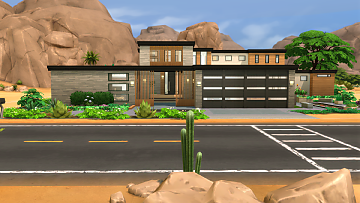
This is a super large home for a celebrity. It took me quite a while to build. more...
+16 packs
5 2.6k 5 Get to Work
 Get Together
 City Living
 Perfect Patio Stuff
 Spa Day
 Seasons
 Get Famous
 Eco Lifestyle
 Cottage Living
 Growing Together
 Horse Ranch
 Lovestruck
 Laundry Day Stuff
 Jungle Adventure
 Dream Home Decorator
 Home Chef Hustle Stuff


Packs Needed
| Expansion Pack | |
|---|---|
| Ambitions |
| Late Night |
| Generations |
| Stuff Pack | |
|---|---|
| High-End Loft Stuff |
| Fast Lane Stuff |
| Outdoor Living Stuff |