
 Sign in to Mod The Sims
 ModulARM Desk Lamp
 ModulARM Desk Lamp


LampCatalogue.jpg - width=653 height=340
Description and price
lampcolours.jpg - width=600 height=358
Default designs - two metal, two plastic
nightLit.jpg - width=395 height=345
When lit at night
sunshadow.jpg - width=334 height=374
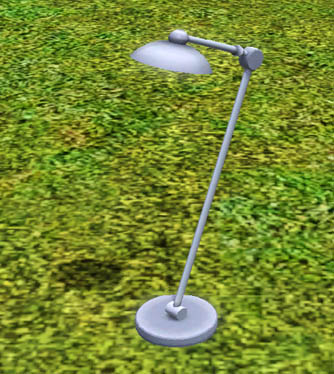
With correct sun shadows
comparrison.jpg - width=521 height=441
I only recently realised how there seem to be no steriotypical desk lamps in the game. At least not with just the base game. Due to this I have created the "ModulARM Desk Lamp".
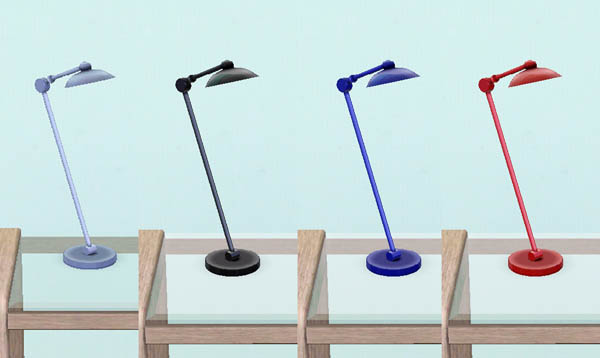
It comes in the above four default designs and features one (1) CASTable channel which is basically the entire lamp minus the bulb.
It costs 60 simoleans, is found under the Function> Lighting> Table Lamps section and has it's own catalogue description which can be seen in the attached screenshot.
It is cloned from a base game lamp at version 1.10.6 and uses a modified mesh of the Two Arm Floor Lamp available at the Store. The store lamp is NOT a requirement for this to work and it should function with all other versions of the game.
The Multiplier and Specular textures have been hand created from scratch.
The lamp also features correct sun shadows.
Please don't redistribute elsewhere.
Polygon Counts:
High: 936
Low: 436
Additional Credits:
TSR Workshop,
Photoshop,
Milkshape.
This is a new mesh, and means that it's a brand new self contained object that usually does not require a specific Pack (although this is possible depending on the type). It may have Recolours hosted on MTS - check below for more information.
|
MM_ModulARMLamp.zip
| Updated for Pets
Download
Uploaded: 3rd Apr 2010, 51.0 KB.
8,837 downloads.
|
||||||||
| For a detailed look at individual files, see the Information tab. | ||||||||
Install Instructions
1. Click the download button, or the filename, to download the file to your computer.
2. Extract the zip, rar, or 7z file. Now you will have either a .package or a .sims3pack file.
For Package files:
1. Cut and paste the file into your Documents\Electronic Arts\The Sims 3\Mods\Packages folder. If you do not already have this folder, you should read the full guide to Package files first: Sims 3:Installing Package Fileswiki, so you can make sure your game is fully patched and you have the correct Resource.cfg file.
2. Run the game, and find your content where the creator said it would be (build mode, buy mode, Create-a-Sim, etc.).
For Sims3Pack files:
1. Cut and paste it into your Documents\Electronic Arts\The Sims 3\Downloads folder. If you do not have this folder yet, it is recommended that you open the game and then close it again so that this folder will be automatically created. Then you can place the .sims3pack into your Downloads folder.
2. Load the game's Launcher, and click on the Downloads tab. Find the item in the list and tick the box beside it. Then press the Install button below the list.
3. Wait for the installer to load, and it will install the content to the game. You will get a message letting you know when it's done.
4. Run the game, and find your content where the creator said it would be (build mode, buy mode, Create-a-Sim, etc.).
Extracting from RAR, ZIP, or 7z: You will need a special program for this. For Windows, we recommend 7-Zip and for Mac OSX, we recommend Keka. Both are free and safe to use.
Need more help?
If you need more info, see:
- For package files: Sims 3:Installing Package Fileswiki
- For Sims3pack files: Game Help:Installing TS3 Packswiki
Loading comments, please wait...



Uploaded: 3rd Apr 2010 at 5:45 PM
Updated: 21st Oct 2011 at 5:19 PM - Pets compatible files added
-
-
Glass and Wood Desk Mat: For that empty desk space.
by hisui_hana 13th Dec 2009 at 11:31pm
 10
26k
49
10
26k
49
-
-
by TheJim07 22nd Mar 2015 at 6:54pm
13
15.2k
80
-
by TheJim07 updated 28th Jan 2018 at 8:21am
9
21.3k
100
-
by TheJim07 28th Jun 2016 at 9:21pm
9
18.4k
54
-
by TheJim07 21st Jun 2017 at 1:46pm
10
15.2k
72
-
by enable_llamas 22nd Apr 2020 at 3:12pm
4
10.6k
36
-
by enable_llamas 14th Jun 2020 at 8:39pm
4
4.4k
15
-
by enable_llamas 18th Aug 2021 at 7:43pm
4
4.8k
13

-
TS3>TS4 Flippity Flop Foosball Table by GoTeamGo
by Menaceman44 23rd Oct 2023 at 10:44pm
 +1 packs
4 6.5k 16
+1 packs
4 6.5k 16 Get Together
-

by Menaceman44 29th Feb 2016 at 9:02pm
A new full body outfit for male alien Sims. more...
-
Unlocked and Recoloured Climbing Ivy Planters
by Menaceman44 25th Jul 2015 at 9:49pm
Three sizes of ivy planters unlocked from debug with additional recolours. more...
6
20.3k
87
-

Simlish "It Gets Better" T-shirt Texture Defaults
by Menaceman44 19th Jun 2019 at 6:37pm
A file to replace the It Gets Better t-shirt textures with a Simlish version. more...
-
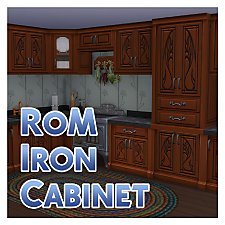
Iron Cabinet to match Realm of Magic Iron Counter
by Menaceman44 updated 2nd May 2020 at 9:13pm
A matching kitchen cabinet for the Realm of Magic Iron Counter. more...
+1 packs
30 43.8k 165 Realm of Magic
-
Absolutely Marbelous Fence and Railing Default
by Menaceman44 31st Mar 2021 at 11:04pm
A file which removes the decorative llama heads from the Absolutely Marbelous fencing and stair railing. Optional llama pillar included. more...
-
No Time Capsules Without A Treasure Map
by Menaceman44 updated 4th Jul 2025 at 10:18pm
A mod to prevent Sims digging up Time Capsules at rock piles unless they specifically use the Treasure Map option. more...
33
29.2k
81
-
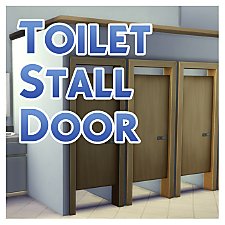
by Menaceman44 updated 9th Sep 2022 at 7:36pm
A door designed for use on toilet stalls. Comes in 14 colours. more...
87
126.2k
472
-
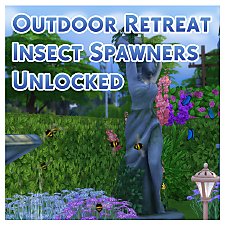
Outdoor Retreat Insect Spawners Unlocked
by Menaceman44 updated 9th Jan 2022 at 3:31pm
A file that unlocks the OR insect spawners and makes them available via either the debug menu or Pond Effects. more...
+2 packs
91 74.7k 326 Outdoor Retreat
 Horse Ranch
-
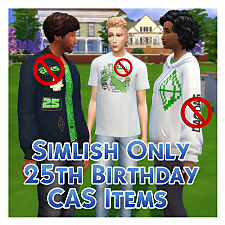
Simlish Only 25th Birthday CAS Items
by Menaceman44 21st Mar 2025 at 9:27pm
Description EA are at it again inserting English text into our Sims' worlds, this time with the new CAS items added more...


