
 Sign in to Mod The Sims
 Pregnancy morphs added to six game clothes - updated 8/9/10
 Pregnancy morphs added to six game clothes - updated 8/9/10


Screenshot-1.jpg - width=340 height=384
Screenshot-2.jpg - width=328 height=765
Screenshot-3.jpg - width=270 height=765
Screenshot-4.jpg - width=282 height=760
Screenshot-5.jpg - width=307 height=762
Screenshot-6.jpg - width=394 height=767
Screenshot-7.jpg - width=234 height=764
Screenshot-8.jpg - width=577 height=379
T-shirt (Everyday, Sleepwear, Athletic)
V-neck sweater (Everyday)
Capri pants (Everyday, Athletic)
Fitted skirt (Everyday, Formal)
Sleep shirt (Sleepwear)
Short flared dress (Everyday, Formal)
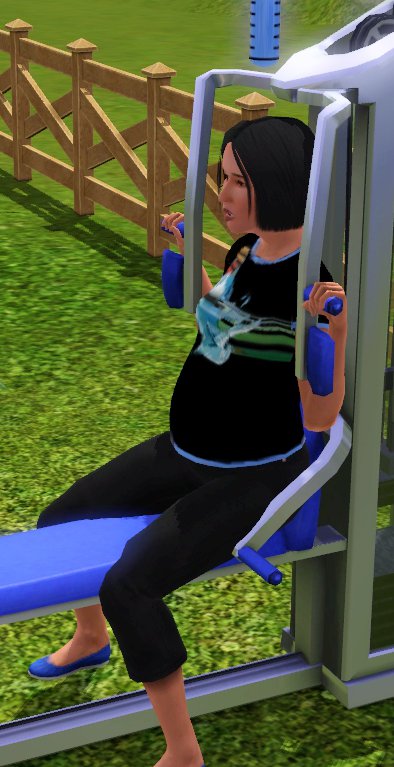
Please note:
Although these are game clothing, they will show in CAS as additional items with their own custom thumbnails indicating they are enabled for maternity. Unfortunately I couldn't find any way to simply add pregnancy to the in-game clothing and be able to choose them or even have them used randomly more than once in a blue moon, so these are basically custom clothes using the same in-game base meshes with different designs and an added pregnant morph.
They're fully plan-able, meaning if you have the sim wear these items before becoming pregnant she will continue to wear them.
Updated 8/9/10 to conform to the standard EA top and bottom pregnant shape. If you have problems with gapping between the skirt or Capri pants and other CC maternity wear that's bare midriff or tight at the waist, this should fix it.
If you don't already have it, it would be a good idea to grab my fix for the game maternity jeans, since without it they'll look pretty funny with the t-shirt or sweater. (This has also been updated to the standard shape on 8/9/10): http://www.modthesims.info/download.php?t=371019
Are these compatible with WA/Ambitions/Late Night/XXX expansion?
Almost certainly, yes. Unless the basic way the game handles morphs changes, there's no reason they wouldn't be compatible. Please try it, find out, and don't ask unless there's a problem. Sorry, but I'm getting VERY tired of seeing the same question on every morph-related mod I've done every time a patch or expansion comes out.
Polygon Counts:
These are only morphs added to game meshes, so there are no additional poly counts.
Additional Credits:
Wes H. for his Milkshape plugins
Delphy for CTU P.L. Jones for S3PE ** Update 7/14/2010
Wouldn't you know it, if you have Ambitions installed the new custom content symbol is right on top of the pregnant symbol I used to mark the thumbnails for this clothing. I've updated the package so the thumbnails have the pregnant symbol on the other side.
** Update 8/9/2010
Uploaded a new version that conforms to the EA standard top and bottom pregnant shape. This should fix problems with gapping between these and other CC maternity wear.
This is a new mesh, and means that it's a brand new self contained object that usually does not require a specific Pack (although this is possible depending on the type). It may have Recolours hosted on MTS - check below for more information.
|
Maternitywear_Pack_08092010_EA.zip
| Maternity wear pack - EA standard shape
Download
Uploaded: 9th Aug 2010, 764.1 KB.
34,865 downloads.
|
||||||||
| For a detailed look at individual files, see the Information tab. | ||||||||
Install Instructions
1. Click the download button, or the filename, to download the file to your computer.
2. Extract the zip, rar, or 7z file. Now you will have either a .package or a .sims3pack file.
For Package files:
1. Cut and paste the file into your Documents\Electronic Arts\The Sims 3\Mods\Packages folder. If you do not already have this folder, you should read the full guide to Package files first: Sims 3:Installing Package Fileswiki, so you can make sure your game is fully patched and you have the correct Resource.cfg file.
2. Run the game, and find your content where the creator said it would be (build mode, buy mode, Create-a-Sim, etc.).
For Sims3Pack files:
1. Cut and paste it into your Documents\Electronic Arts\The Sims 3\Downloads folder. If you do not have this folder yet, it is recommended that you open the game and then close it again so that this folder will be automatically created. Then you can place the .sims3pack into your Downloads folder.
2. Load the game's Launcher, and click on the Downloads tab. Find the item in the list and tick the box beside it. Then press the Install button below the list.
3. Wait for the installer to load, and it will install the content to the game. You will get a message letting you know when it's done.
4. Run the game, and find your content where the creator said it would be (build mode, buy mode, Create-a-Sim, etc.).
Extracting from RAR, ZIP, or 7z: You will need a special program for this. For Windows, we recommend 7-Zip and for Mac OSX, we recommend Keka. Both are free and safe to use.
Need more help?
If you need more info, see:
- For package files: Sims 3:Installing Package Fileswiki
- For Sims3pack files: Game Help:Installing TS3 Packswiki
Loading comments, please wait...



Uploaded: 3rd Jun 2010 at 7:52 PM
Updated: 4th Nov 2010 at 2:09 PM - Update to package
-
by ~Bec~ 1st Jul 2009 at 12:36pm
 68
273.2k
204
68
273.2k
204
Female » Mixed Sets » Teen
-
Paternity clothes for your pregnant male Sim
by CmarNYC 12th Jul 2009 at 8:09pm
49
136.5k
93
Male » Mixed Sets » Adult
-
Male pregnancy morphs - V3, 12/21/2012 - Seasons compatible
by CmarNYC updated 21st Dec 2012 at 4:48pm
225
338k
540
Male » Mixed Sets » Adult
-
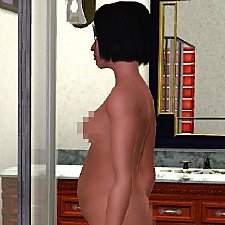
Fixes for missing pregnant morphs - nude and jeans - update 8/9/10
by CmarNYC updated 7th May 2011 at 2:17pm
186
437.2k
591
Female » Mixed Sets » Adult
-
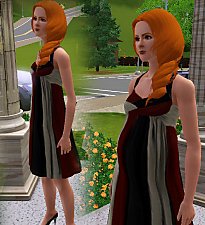
by Kiara24 16th May 2010 at 11:35pm
30
81.2k
169
Female » Formal » Young Adult
-
-
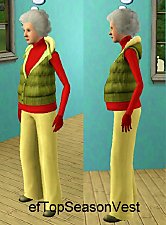
Elder pregnant clothes and nude
by melodie9 updated 2nd Mar 2013 at 2:45am
18
68.7k
61
Female » Mixed Sets » Elder
-
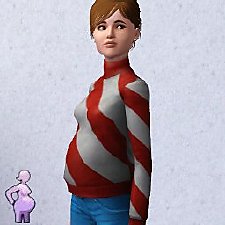
by CmarNYC 5th Dec 2012 at 11:21pm
124
424.2k
818
Female » Mixed Sets » Teen
-
-

-
-
Pregnancy Progress Controller - new version 10/31/2013
by CmarNYC updated 31st Oct 2013 at 3:56pm
Who says you can't be a little bit pregnant? more...
871
917.7k
1.8k
-
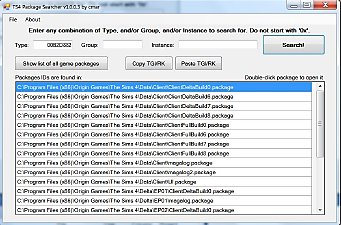
TS4 Package Searcher - update 4/22/2020
by CmarNYC updated 22nd Apr 2020 at 6:39pm
A small tool that searches all the Sims 4 game packages by any combination of type, group, and/or instance ID. more...
 13
60.8k
88
13
60.8k
88
-
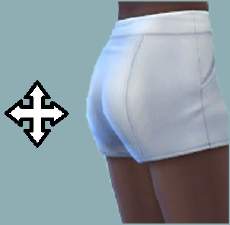
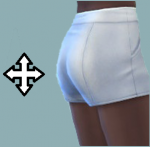
Enhanced Butt Slider - updated 6/15/2022
by CmarNYC updated 15th Jun 2022 at 3:43pm
Adds up and down adjustments to the butt size slider more...
-
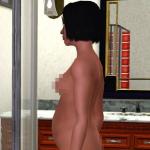
Fixes for missing pregnant morphs - nude and jeans - update 8/9/10
by CmarNYC updated 7th May 2011 at 2:17pm
These mods supply the missing pregnant morphs for the nude adult female and the 'relaxed jeans'. more...
186
437.2k
591
Female » Mixed Sets » Adult
-
S4 CAS Tools - updated to V3.8.2.0 on 3/18/2023
by CmarNYC updated 18th Mar 2023 at 8:21pm
A program for the cloning of game CAS parts, working with CAS custom content packages, and converting meshes more...
559
335k
510
-
-
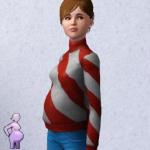
by CmarNYC 5th Dec 2012 at 11:21pm
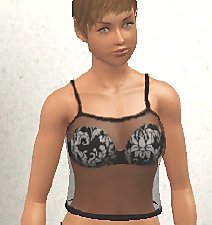
Brand-new maternity clothes for pregnant teens, all categories, Seasons-compatible more...
124
424.4k
818
Female » Mixed Sets » Teen
-
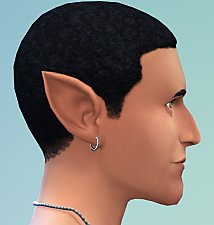
Pointed Ears as CAS Sliders - updated 6/15/2022
by CmarNYC updated 15th Jun 2022 at 3:56pm
Pointed ears added to the CAS ear sliders more...
-
Tool to Package Custom Body Hair - update 9/8/12
by CmarNYC updated 11th Jun 2011 at 7:36pm
A simple Windows program to help with making custom body hair more...
32
121.6k
70


About Me
My policy on use of my work:
Feel free to use any of my meshes, morphs, skins, or whatever as a base. If you change, convert, or enhance my stuff you may post it without asking, but please give credit. If you use them without changes, please post a link to my downloads rather than reposting. However, you may include them with Sims or lots without asking, but with credit.
Please do not post anything using my creative work on any pay site or the Exchange, unless it's in a free section of a pay site. If you want to post your own original creation made using my tools to a pay site or the Exchange, you may do so, but give credit for the tool.
Obviously my tools are for free use by anyone, but I'd appreciate a credit if you post something created with them.
So basically: no pay site, no Exchange, give credit. Other than that, meh.
If at some time I lose interest in Sims 3, or am too busy, or die, anyone who wants to may update/modify/add to any of my work as long as they follow the MTS policy on updating broken or outdated custom content.
I don't take requests. Suggestions for enhancing work I'm doing or have done are welcome, whether or not I act on them, but please no requests for totally unrelated stuff that I probably have no idea how to do.