
 Sign in to Mod The Sims
 Larger Recolourable Tissue Box
 Larger Recolourable Tissue Box


Presets.jpg - width=499 height=386
Four preset designs.
Size Difference.jpg - width=608 height=365
Original tissues on the right.
SimComparrison.jpg - width=402 height=449
Size comparrison against the original EA box and a Sim.
After it was suggested a while ago in my resized magazine thread, I decided to make a larger tissue box. I also decided to make it recolourable!
It comes in four preset designs.
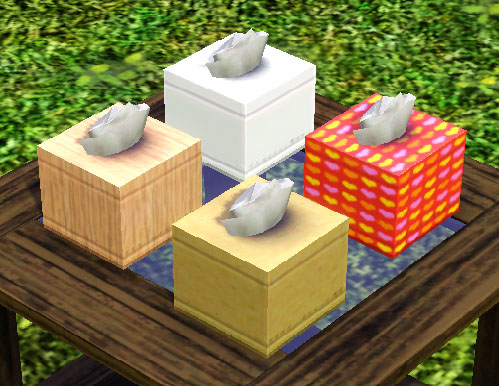
It is 75% larger than the EA original. You can find it in the catalogue for 8 simoleans in the decor> misc. section under the name of 'Wish-You Tissues Bumper Box'. It also has correct sun shadows.
The tissues are always white but you can use whichever design you want on the box. That being said, textured and SMALL designs like the hearts work best as the mapping isn't perfect for tiled designs. I tried really hard to get it right and I feel it is good enough for me. I hope you agree.
Polygon Counts:
Same as EA original.
Additional Credits:
TSR Workshop,
Milkshape,
Wes H,
Photoshop.
This is a new mesh, and means that it's a brand new self contained object that usually does not require a specific Pack (although this is possible depending on the type). It may have Recolours hosted on MTS - check below for more information.
|
MM_LargerRecolourableTissues.zip
| Updated for Pets
Download
Uploaded: 14th Jun 2010, 123.5 KB.
8,962 downloads.
|
||||||||
| For a detailed look at individual files, see the Information tab. | ||||||||
Install Instructions
1. Click the download button, or the filename, to download the file to your computer.
2. Extract the zip, rar, or 7z file. Now you will have either a .package or a .sims3pack file.
For Package files:
1. Cut and paste the file into your Documents\Electronic Arts\The Sims 3\Mods\Packages folder. If you do not already have this folder, you should read the full guide to Package files first: Sims 3:Installing Package Fileswiki, so you can make sure your game is fully patched and you have the correct Resource.cfg file.
2. Run the game, and find your content where the creator said it would be (build mode, buy mode, Create-a-Sim, etc.).
For Sims3Pack files:
1. Cut and paste it into your Documents\Electronic Arts\The Sims 3\Downloads folder. If you do not have this folder yet, it is recommended that you open the game and then close it again so that this folder will be automatically created. Then you can place the .sims3pack into your Downloads folder.
2. Load the game's Launcher, and click on the Downloads tab. Find the item in the list and tick the box beside it. Then press the Install button below the list.
3. Wait for the installer to load, and it will install the content to the game. You will get a message letting you know when it's done.
4. Run the game, and find your content where the creator said it would be (build mode, buy mode, Create-a-Sim, etc.).
Extracting from RAR, ZIP, or 7z: You will need a special program for this. For Windows, we recommend 7-Zip and for Mac OSX, we recommend Keka. Both are free and safe to use.
Need more help?
If you need more info, see:
- For package files: Sims 3:Installing Package Fileswiki
- For Sims3pack files: Game Help:Installing TS3 Packswiki
Loading comments, please wait...



Uploaded: 14th Jun 2010 at 5:58 PM
Updated: 23rd Oct 2011 at 6:40 PM
#tissue, #tissues, #box, #handkerchief, #hand, #kerchief, #hanky, #decorative
-
-
by lemoncandy 25th Sep 2009 at 6:26pm
 34
68.4k
116
34
68.4k
116
-
by Nan 11th Oct 2009 at 12:30am
14
26.8k
48
-
by orangemittens 18th Oct 2009 at 10:57pm
26
37.5k
48
-
-
by cmomoney 20th Jan 2010 at 6:49pm
30
46.5k
109
-
by Fresh-Prince 26th Apr 2010 at 6:04pm
83
168.5k
336
-
by omegastarr82 25th Jul 2011 at 12:52pm
18
39.3k
127
-
-
by Lisen801 15th Jun 2012 at 2:43pm
37
69.8k
263


-
by Menaceman44 updated 28th Feb 2019 at 5:18pm
A file to prevent Sims wearing glasses to bed, and sunglasses to formal occassions. more...
 39
29.1k
138
39
29.1k
138
-
Simlish It's On Us T-shirt Texture Defaults
by Menaceman44 updated 24th Jun 2022 at 10:13pm
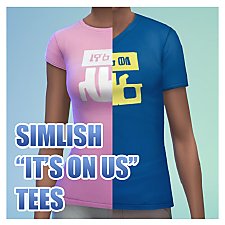
Simlish texture replacements for the It's On Us male and female tees. more...
-
Modified OfB Zipper Fleece, now with jeans!
by Menaceman44 19th Jan 2007 at 6:21pm
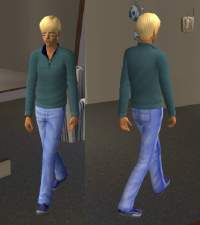
Here we go, my FIRST mesh upload! more...
-
"Life of the Party" Accessories Fix
by Menaceman44 updated 26th Feb 2019 at 12:16pm
A file to stop Townies wearing the "Life of the Party" party sombrero and star glasses. more...
13
24.2k
97
-

Freezer Bunny Award Texture Fix
by Menaceman44 15th Nov 2014 at 9:21pm
A file to replace the award statue texture with a better looking Freezer Bunny face. more...
-
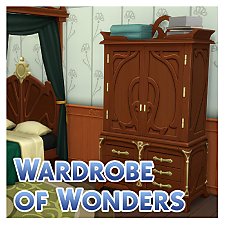
by Menaceman44 21st Mar 2020 at 9:54pm
A new wardrobe to compliment the existing RoM bedroom furniture. more...
+1 packs
13 17.5k 98 Realm of Magic
-
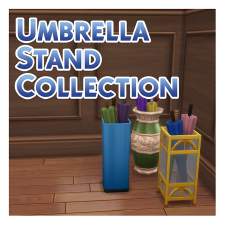
Umbrella Stand Collection (plus optional recat file)
by Menaceman44 updated 12th Jul 2021 at 4:32pm
Three new umbrella stands for your Sims, plus a file to recategorise the EA umbrella stand. more...
+1 packs
24 32.2k 146 Seasons
-
Clown Facepaint Correction *updated 24-03-09*
by Menaceman44 9th Apr 2008 at 10:49pm
:new: I have added a new file which should hopefully work with all games now. more...
 +1 packs
11 15.8k 17
+1 packs
11 15.8k 17 Free Time
-
PLAIN 'Cortinas Festivas!' and 'Traditional Curtains' blinds *Updated 21-Oct-11*
by Menaceman44 updated 21st Oct 2011 at 4:41pm
Files are now Pets and 1.26 patch compatible. more...
15
27.2k
48
-
by Menaceman44 18th Mar 2010 at 1:31am
As I created a version for men, here is a sweatband for females to wear. more...
5
18.1k
32


