
 Sign in to Mod The Sims
 Wall/Floor Hider
 Wall/Floor Hider


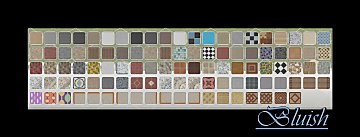
floorsBefore.jpg - width=924 height=1024
floorsAfter.jpg - width=924 height=1024
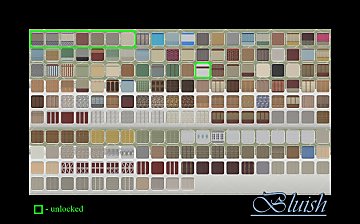
wallsBefore.jpg - width=833 height=1024
wallsAfter.jpg - width=833 height=1024

Each wall/floor now has just one preset. For most of them it is simply the first preset that was saved, but some I was a bit more discerning. For example, I used the black/white tile preset (3rd one) for wall tiles since it was a neutral color and common to all the tile walls as well as the floor. For all the wood floors I chose natural woods and made each style have the same colors. I avoided anything really dark or worn, as you can easily CAST these. In some cases the colors were chosen based on matching presets for other floors/walls. You can still recolor and save your own presets.


-Reorganizing-
EP2 also had some wood floors that were listed as Other when they should have been wood, these have been recategorized. There was also a siding categorized as Other and has been recategorized as Siding to go with the other two matching sidings.
-Compatibility-
There are two separate files, one for base game and one for Ambitions. There isn't one for World Adventures because the walls that came with that EP didn't have recolors. If you don't have EP2 then don't download the file, it won't make the walls show up for you. =) You MUST have the one for Base game. Each hider is/will be packaged for EACH EP/SP and are not combined.
This edits the CWAL resource so any other mod that edits these will interfere.
NOTE: There is one wall in wallpaper/paint that still has all the presets. This is because of an issue with the resource and none of the tools can read it.
|
HL_WallFloorHiderEP2.rar
Download
Uploaded: 21st Sep 2010, 11.7 KB.
9,561 downloads.
|
||||||||
|
HL_WallFloorHiderBASE.rar
Download
Uploaded: 21st Sep 2010, 73.0 KB.
10,555 downloads.
|
||||||||
| For a detailed look at individual files, see the Information tab. | ||||||||
Install Instructions
Loading comments, please wait...


Uploaded: 21st Sep 2010 at 1:39 AM
Updated: 26th Jun 2012 at 3:20 PM
-
-
Child Muscle Costume Top Hider/Recat
by Menaceman44 updated 1st Aug 2011 at 9:58pm
 +1 packs
37 37.1k 95
+1 packs
37 37.1k 95 Generations
-
by tommytiger 13th Sep 2012 at 8:08pm
15
64.3k
120
-
-
Props BEGONE! SHT Recategorizer
by enable_llamas 10th Jun 2020 at 12:20pm
+1 packs
10 8.8k 45 Showtime
-
-
-
-

-




-
by HugeLunatic updated 29th Nov 2022 at 10:30pm
 +1 packs
3 2.7k 15
+1 packs
3 2.7k 15 Free Time
-
by HugeLunatic 14th Mar 2011 at 1:40pm
The "Gone Legit" door from NL is a single tile door and has a different mesh inside/outside, so you cannot more...
12
24.8k
39
-
by HugeLunatic 7th Mar 2016 at 5:35pm
Originally built for a hood, this is a really old house that could possibly be haunted. more...
7
15k
41
-
by HugeLunatic 9th Oct 2012 at 8:19pm
Aquabox - Perfect for those who "forget" that fish eat too. more...
-
by HugeLunatic 16th Mar 2011 at 10:43pm
A simple set of narrow horizontal clapboard siding. more...
20
50.1k
102
-
by HugeLunatic 8th May 2018 at 10:57pm
One of the very few items I like from TS4, and I really wanted for TS2. more...
8.3k
15
-
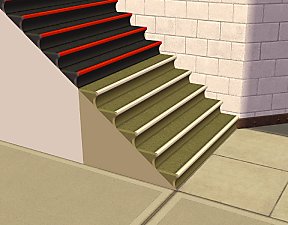
Lost & Found Olive Recolors of Zecutine's Step Away With Me Stairs
by HugeLunatic 7th Feb 2018 at 9:51pm
When digging out the original black/red texture for these stairs I found this amazing olive recolor sitting unused. more...
+1 packs
8 12.1k 27 H&M Fashion
-
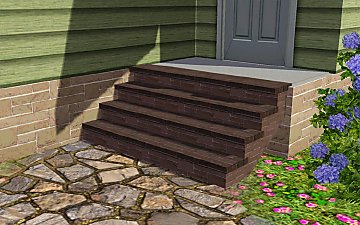
Recolor Your Stairs!! *Updated*
by HugeLunatic 15th Oct 2009 at 9:33pm
Updated Oct-16 - Fixed issue with Sims not using the stair properly. Non-recolorable stairs...what a giant step backwards. more...
41
64.2k
107
-
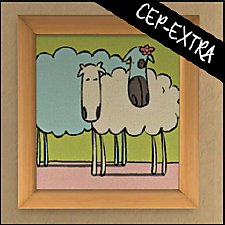
"Sheep and Sheep" Painting [CEP-EXTRA]
by HugeLunatic updated 17th Jun 2025 at 2:03am
Childs painting from FreeTime that makes the canvas and frame separately recolorable. more...
+1 packs
3 20.6k 28 Free Time
-
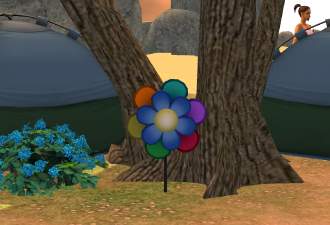
by HugeLunatic 27th Apr 2022 at 7:04pm
Just a small but fun object for Spring 22 theme. more...
+1 packs
15 2.8k 26 Mansion and Garden


About Me
Pet Stories || Dog Agility Items? || Castaway Stories || Holy Simoly Extras
4esf Archive || Holy Simoly Archive || CEP-Extras List || Buyable Game Objects
lunie content from GoS/s2a
 Installation of CEP Extras
-the package with pfiles appended to the name will go into your cep extras folder where your game is installed (typically c drive, you do you)
-the other goes in CEP extra folder in documents.
The following locations are what I am aware of, beyond that you'll have to do some searching.
Downloads Folder:
C:\Users\<user>\Documents\EA Games\The Sims 2 Legacy
C:\Users\<user>\Documents\EA Games\The Sims 2 Ultimate Collection
With multiple launchers, the location for your game install will vary.
C:\Program Files\EA GAMES\The Sims 2 Legacy\TSData\Res\Catalog\zCEP-EXTRA
C:\Program Files\EA GAMES\The Sims 2\TSData\Res\Catalog\zCEP-EXTRA
C:\Program Files (x86)\EA GAMES\The Sims 2\TSData\Res\Catalog\zCEP-EXTRA