Sign in to Mod The Sims
 Explosion Iris - Recolourable Default Replacement Eyes
 Explosion Iris - Recolourable Default Replacement Eyes


mar1.jpg - width=800 height=600
mar2.jpg - width=800 height=600
mar3.jpg - width=800 height=600
mar4.jpg - width=800 height=600
mar5.jpg - width=800 height=600
mar6.jpg - width=800 height=600
 THIS IS NOT A GAME MOD!
You can only have one set of default replacement eyes installed in your game.. or they will conflict
These Default Eyes ARE Recolourable!
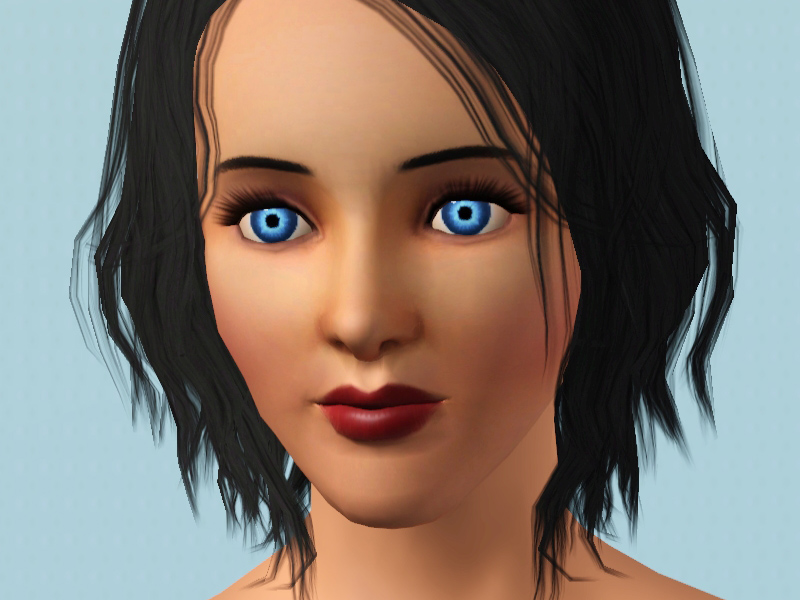
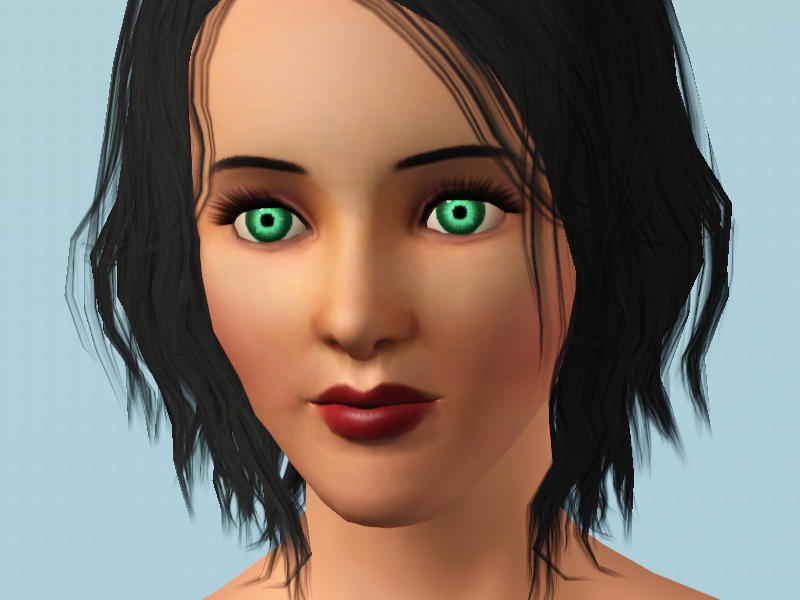
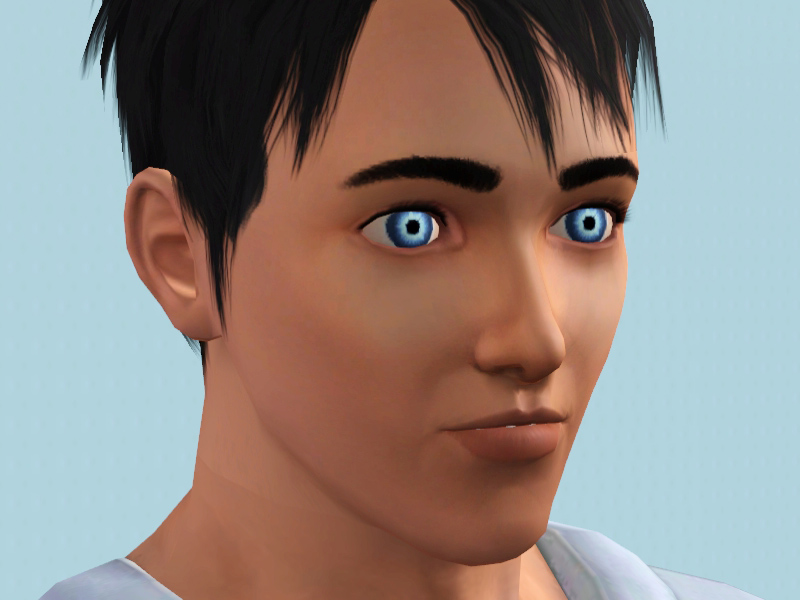
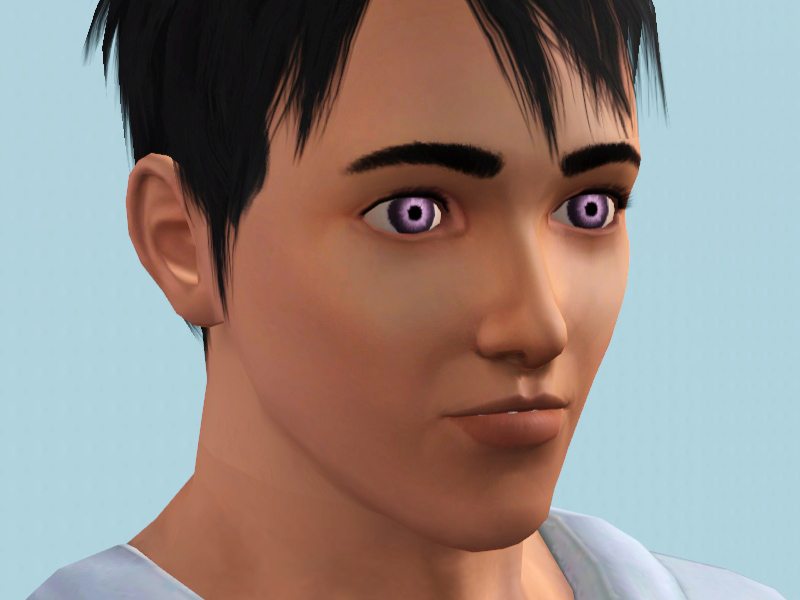
Recommend Colours
Light Blue, Light Orange, Light purple, Green, White.
 REMINDER
In order for the "full" eye effect.. make sure you remove any eye contacts on the sims.. you don't have to uninstall them though! Unless they are also default replacements.
Additional Credits:
Photoshop CS5
Aikea Guinea for the Default Replacement Eye Tutorial
Inge and Peter Jones for S3PE
|
SIMul8rReviews_ExplosionIrisDefaultEyes.rar
Download
Uploaded: 15th May 2011, 7.4 KB.
3,647 downloads.
|
||||||||
| For a detailed look at individual files, see the Information tab. | ||||||||
Install Instructions
1. Click the download button, or the filename, to download the file to your computer.
2. Extract the zip, rar, or 7z file. Now you will have either a .package or a .sims3pack file.
For Package files:
1. Cut and paste the file into your Documents\Electronic Arts\The Sims 3\Mods\Packages folder. If you do not already have this folder, you should read the full guide to Package files first: Sims 3:Installing Package Fileswiki, so you can make sure your game is fully patched and you have the correct Resource.cfg file.
2. Run the game, and find your content where the creator said it would be (build mode, buy mode, Create-a-Sim, etc.).
For Sims3Pack files:
1. Cut and paste it into your Documents\Electronic Arts\The Sims 3\Downloads folder. If you do not have this folder yet, it is recommended that you open the game and then close it again so that this folder will be automatically created. Then you can place the .sims3pack into your Downloads folder.
2. Load the game's Launcher, and click on the Downloads tab. Find the item in the list and tick the box beside it. Then press the Install button below the list.
3. Wait for the installer to load, and it will install the content to the game. You will get a message letting you know when it's done.
4. Run the game, and find your content where the creator said it would be (build mode, buy mode, Create-a-Sim, etc.).
Extracting from RAR, ZIP, or 7z: You will need a special program for this. For Windows, we recommend 7-Zip and for Mac OSX, we recommend Keka. Both are free and safe to use.
Need more help?
If you need more info, see:
- For package files: Sims 3:Installing Package Fileswiki
- For Sims3pack files: Game Help:Installing TS3 Packswiki
Loading comments, please wait...
Uploaded: 15th May 2011 at 7:11 AM
Updated: 22nd May 2011 at 8:19 PM by Simul8rReviews
-
Default Replacement Eyes for TS3
by aikea guinea 18th Jun 2009 at 2:00pm
-
-
Default Eye Replacements: GlistenEyes
by sprinkz 3rd Jul 2009 at 8:04pm
-
Default Eye Replacements-Vivid Eyes
by JillianWong 7th Jul 2009 at 5:06pm
-
Default Eye Replacements-Vibrant Eyes
by JillianWong 15th Jul 2009 at 10:40am
-
Starry Eyes TS3 Default Replacement Eyes
by JillianWong 22nd Jul 2009 at 7:10am
-
Multifoiled - Smaller Default Eyes with Subtle Color Variations
by aikea guinea 5th Oct 2009 at 11:49pm
-
Luminous eyes - Default Replacements
by -Shady- 11th Jan 2010 at 2:15pm
-
-
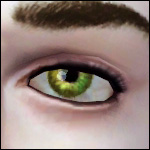
Lunararc's "Lunar Eyes" made Default
by naiyasfury 22nd Jan 2014 at 9:29am



-
by chasmchronicle 23rd Jul 2013 at 1:02pm
A "far-out" paradise more...
 +8 packs
11 43.6k 55
+8 packs
11 43.6k 55 World Adventures
 Ambitions
 Late Night
 Generations
 Master Suite Stuff
 Pets
Pets
 Showtime
 Seasons
-
Derek Lambert - Redemption Series
by chasmchronicle 10th Nov 2013 at 2:07pm
The lead guitarist of a rebellious, alternative rock band, "Redemption." more...
-
Car Accident! Overturned Pickup
by chasmchronicle 5th Sep 2011 at 2:28pm
Oh no! Is Allstate in your hands? I hope so, with this wrecked pickup truck! Perfect for Apocalypse sets too! more...
36
51.2k
78
-
by chasmchronicle updated 6th Jun 2012 at 3:14pm
Add some "citrus" to your environment..IN THE SIMS 2! more...
 4
10.5k
7
4
10.5k
7
-
TS2 -> TS3 Neighborhood Themes
by chasmchronicle 1st Jul 2012 at 10:20pm
4 TS2 Themes for your TS3 Neighborhood! more...
-
TS2 -> TS3 Loading Screen Themes
by chasmchronicle 1st Jul 2012 at 10:11pm
Choose from 9 different flavors of TS2 Loading Screen Themes! (Base Game Compatible!) more...
-
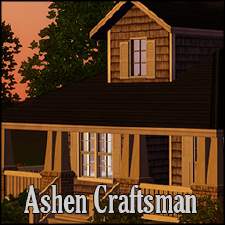
by chasmchronicle 27th Dec 2013 at 10:42pm
With ashen and black as the central theme, this craftsman home is perfect for a new family! more...
+8 packs
5 8.2k 21 World Adventures
Ambitions
Late Night
Generations
Pets
Seasons
 University Life
 Island Paradise
-
by chasmchronicle 8th Oct 2012 at 6:28pm
A delicate fruit out of the garden more...
+3 packs
12 14.4k 11 Ambitions
Generations
Pets
-
by chasmchronicle updated 9th Feb 2012 at 4:05pm
Ever needed something that will make your camera positions not wobbly? Or maybe even just for decoration.. *Updated 2/9/12* more...
38
98.3k
189
-