Sign in to Mod The Sims
 DIY Beds
 DIY Beds


Untitled-1.jpg - width=1000 height=600
Untitled-2.jpg - width=1000 height=600
Untitled-3.jpg - width=1000 height=600
Untitled-4.jpg - width=1000 height=600
Untitled-5.jpg - width=1000 height=600
Untitled-12.jpg - width=1000 height=600
Untitled-14.jpg - width=1000 height=600
 Please read the How to Use instructions at the bottom before you install and use. There is a certain way these are used in order to work the proper way.
So, I don't know how this idea spawned.. just that I felt like there needed to be more flexibility with beds. I mean.. in the real world, we put it together from boards, frames, and mattresses.. but what's the fun in it when the bed is already put together for you? Why not.. have more ways to make the bed your own?
But what's the purpose, you ask? Simple. To unleash all the creativity and allow maximum customization to your beds.
 Why go with plan, boring beds.. (unless that's your style) when you can come up with your own?
 This set includes a total of 42 (THE UNIVERSE!!) total objects! These objects all go off grid, which means they are not shiftable, but can be shifted by using an OMSP (perfect example in the picture below). (Further instructions in the How to Use instructions below.
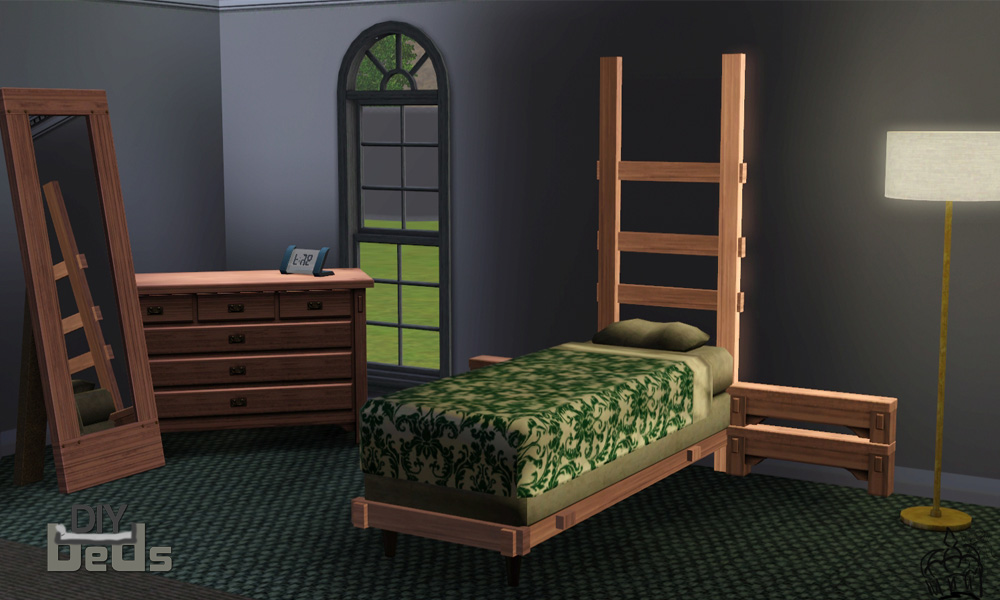
This set contains Frames, Headboards, Footboards, Mattresses, Bottom Mattresses, & Misc Accessories. Although, you do not need to use all of them to make your own bed! They're just several options you can choose from to create or add to it!

You can find these objects all together under: By Function -> Comfort -> Beds or By Room -> Bedroom -> Beds
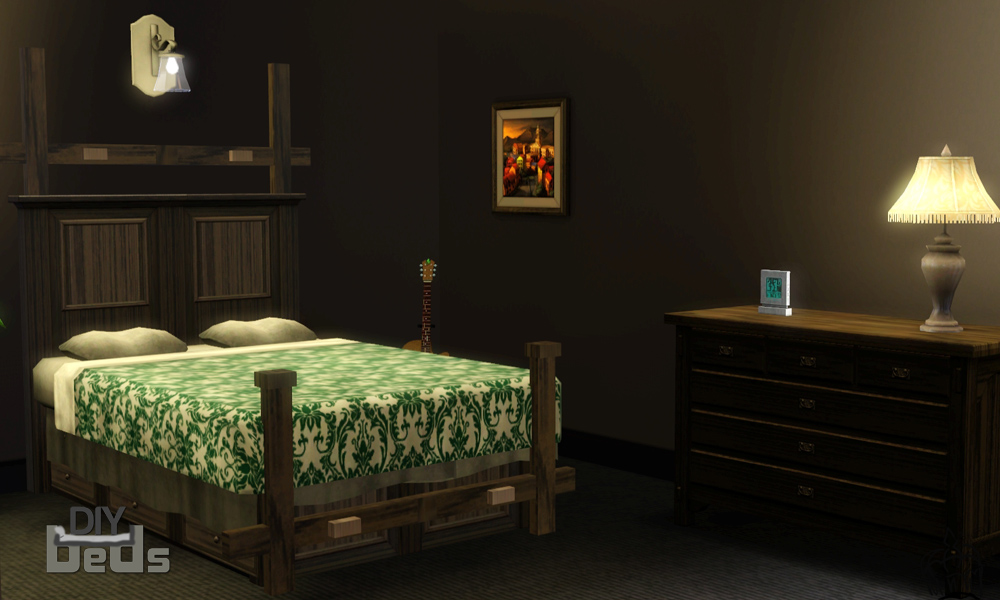
'How to Use' Instructions
Please pay attention to the steps on how to use this set.. otherwise you may be a little lost and frustrated when using this set. Now, you do not have to follow these instructions like a beginner. Feel free to build your bed anyway you want.. just get a basic idea first.

 Step One: Locate the items in buy mode. It may be a little easier if you go to the filter options and choose to filter only custom content. From there, choose a headboard and place it wherever you please. These objects are off-grid(able).. so, by hold down ALT, you can move the object around without any restriction. Step Two: Choose any frame(s) from the menu and attach them to the headboard. Now, they do not attach by themselves.. you must make the item intersect with the headboard. This can be accomplished all by holding the ALT key. Step Three: Now choose a footboard and attach it to the end of the frame or however you please. After that, place a bottom mattress (or if the frame is tall enough, skip to step four) and light it up evenly with the frame. Step Four: Now, choose what ever mattress you fancy and light it up with the shaded area on the bottom mattress to be even, or if you are not using a bottom mattress just line it up evenly with the frame. Step Five: Now add any misc accessories proved in the set or leave it the way you want. Just remember to not have any accessory's footprint (that's the green highlighted part) to be in the path of a sim's entrance or exit to/from the bed.. there are other items that you can use to recreate an effect you are going for without blocking the pathway. If blocked, the sims will have the negative response that their pathway is blocked, therefore making the bed inaccessible. Important Information About Footprints
Majority of the objects' footprints do not match the object, and are one tiled footprints. The reason? To avoid pathway errors to get to the bed. Now, this will not effect any sort of gameplay or how the objects work.. it just allows this set to truly be DIY and for the bed to function the way it should.
Information About Shifting
Just like my previous DIY project, shifting was not an available option by itself because off-grid was enabled. Same thing applies to this project. Off-Grid makes the project modular and completely DIY.. while shiftablility is only a wanted but not truly needed feature to make this project whole. Though.. in majority of my pictures.. you can see how the objects have shifted, and that is because I have used an OMSP to shift them.. which I highly recommend! It's very handy and it also allows off grid to still be enabled.
All Objects Included
Mattresses
| Name | Pricing | Recolorable Channels | Polygons (High~Low) |
|---|---|---|---|
| Double Bottom Mattress | $200 | 1 | 92~72 |
| Single Bottom Mattress | $100 | 1 | 91~71 |
| High Comfort Mattress | $600 | 2 | 1050~1002 |
| Medium Comfort Mattress | $400 | 2 | 985~937 |
| Low Comfort Mattress | $200 | 2 | 985~937 |
| Single High Comfort Mattress | $450 | 2 | 625~601 |
| Single Medium Comfort Mattress | $300 | 2 | 625~601 |
| Single Low Comfort Mattress | $100 | 2 | 634~610 |
Headboards/Footboards
| Name | Pricing | Recolorable Channels | Polygons (High~Low) |
|---|---|---|---|
| Brass Headboard (Double Bed) | $50 | 1 | 783~763 |
| Brass Headboard (Single Bed) | $50 | 1 | 637~617 |
| Brass Footboard (Double Bed) | $50 | 1 | 783~763 |
| Brass Footboard (Single Bed) | $50 | 1 | 637~617 |
| Contemporary Headboard | $40 | 2 | 424~400 |
| Contemporary Footboard | $40 | 2 | 424~400 |
| Mission Headboard (Double Bed) | $60 | 1 | 466~446 |
| Mission Headboard (Single Bed) | $40 | 1 | 525~505 |
| Mission Footboard (Double Bed) | $60 | 1 | 434~414 |
| Mission Footboard (Single Bed) | $40 | 1 | 554~534 |
| Modern Headboard (Double Bed) | $50 | 2 | 484~460 |
| Modern Headboard (Single Bed) | $30 | 2 | 484~460 |
| Modern Footboard (Double Bed) | $50 | 2 | 398~374 |
| Modern Footboard (Single Bed) | $30 | 2 | 403~379 |
| Traditional Heaven Headboard | $30 | 1 | 842~822 |
| Traditional Heaven Footboard | $30 | 1 | 842~822 |
| Ultra Modern Headboard (Double Bed) | $30 | 1 | 168~144 |
| Ultra Modern Headboard (Single Bed) | $25 | 1 | 168~144 |
Extras/Misc Accessories
| Name | Pricing | Recolorable Channels | Polygons (High~Low) |
|---|---|---|---|
| Bed Skirt | $5 | 1 | 84~72 |
| Mini Bed Skirt | $5 | 1 | 48~36 |
| Brass Bed Frame | $30 | 1 | 256~236 |
| Single Brass Bed Frame | $20 | 1 | 232~208 |
| Mission Frame Legs | $25 | 1 | 268~244 |
| Single Mission Frame Legs | $20 | 1 | 266~246 |
| Contemporary Frame with Drawers | $50 | 2 | 1400~1376 |
| Mission Side Frame | $10 | 1 | 44~24 |
| Mission Side Frame 2 | $10 | 1 | 44~24 |
| Mini Mission Frame | $10 | 1 | 48~24 |
| Mini Mission Frame 2 | $10 | 1 | 48~24 |
| Tiny Mission Frame | $5 | 1 | 48~24 |
| Tiny Mission Frame 2 | $5 | 1 | 48~24 |
| Ultra Modern Leg | $5 | 1 | 72~48 |
| Ultra Modern Frame | $50 | 1 | 110~86 |
| Single Ultra Modern Frame | $40 | 1 | 110~86 |
Do not; I repeat, DO NOT reupload these to the exchange or any other site without my permission! Do not claim them as your own either.. don't even try it with one of the simple objects in here. If you do, you will loose all SeeMyu Respect Points.  Otherwise, feel free to share this object (share meaning, tell others, post news articles, finds) on any other site.. as long as you don't reupload/claim as your own. Please.
Polygon Counts: *Specified in Table*
Additional Credits"
Big thanks to Jaguwar, armiel, heaven, Boy_Wonder, whiterider, ReyaD, and the entire creation chat for helping me along the way and giving helpful feedback! It's not a secret anymore!
 Programs: TSR Workshop (even though you hated me throughout the entire project), Adobe Photoshop, Milkshape 3D, UVMapper, S3PE, S3OC, & Dashboard
This is a new mesh, and means that it's a brand new self contained object that usually does not require a specific Pack (although this is possible depending on the type). It may have Recolours hosted on MTS - check below for more information.
|
SeeMyu_DIYBedSet_Part2.rar
Download
Uploaded: 31st Oct 2012, 4.47 MB.
20,883 downloads.
|
||||||||
|
SeeMyu_DIYBedSet_Part1.rar
Download
Uploaded: 31st Oct 2012, 9.61 MB.
24,303 downloads.
|
||||||||
| For a detailed look at individual files, see the Information tab. | ||||||||
Install Instructions
1. Click the download button, or the filename, to download the file to your computer.
2. Extract the zip, rar, or 7z file. Now you will have either a .package or a .sims3pack file.
For Package files:
1. Cut and paste the file into your Documents\Electronic Arts\The Sims 3\Mods\Packages folder. If you do not already have this folder, you should read the full guide to Package files first: Sims 3:Installing Package Fileswiki, so you can make sure your game is fully patched and you have the correct Resource.cfg file.
2. Run the game, and find your content where the creator said it would be (build mode, buy mode, Create-a-Sim, etc.).
For Sims3Pack files:
1. Cut and paste it into your Documents\Electronic Arts\The Sims 3\Downloads folder. If you do not have this folder yet, it is recommended that you open the game and then close it again so that this folder will be automatically created. Then you can place the .sims3pack into your Downloads folder.
2. Load the game's Launcher, and click on the Downloads tab. Find the item in the list and tick the box beside it. Then press the Install button below the list.
3. Wait for the installer to load, and it will install the content to the game. You will get a message letting you know when it's done.
4. Run the game, and find your content where the creator said it would be (build mode, buy mode, Create-a-Sim, etc.).
Extracting from RAR, ZIP, or 7z: You will need a special program for this. For Windows, we recommend 7-Zip and for Mac OSX, we recommend Keka. Both are free and safe to use.
Need more help?
If you need more info, see:
- For package files: Sims 3:Installing Package Fileswiki
- For Sims3pack files: Game Help:Installing TS3 Packswiki
Loading comments, please wait...
Uploaded: 31st Oct 2012 at 1:26 PM
Updated: 2nd Nov 2012 at 1:12 AM by SeeMyu
-
by HugeLunatic 15th Oct 2009 at 9:35pm
 30
72.7k
209
30
72.7k
209
-
A Bed for your Vampires - Sims 2 Conversion
by Esmeralda updated 19th Oct 2011 at 6:43pm
70
102.5k
205
-
by Hekate999 9th Jul 2010 at 5:03pm
46
112.3k
224
-
by daluved1 updated 29th Oct 2011 at 8:40pm
99
197.6k
511
-
-
by Lisen801 updated 25th May 2012 at 6:48pm
46
77k
188
-
-
Simbot Charging Station (Fixed for Pets)
by DarkBlue 17th Sep 2012 at 11:41pm
+2 packs
18 42k 59 World Adventures
 Ambitions
-
by TheJim07 26th Mar 2015 at 4:48pm
14
41.1k
174
-
by enable_llamas 19th Aug 2020 at 11:19pm
5
14.8k
38


-
-
by chasmchronicle 22nd Oct 2013 at 7:30pm
A drummer full of more than a thousand words. more...
-
by chasmchronicle 14th Dec 2013 at 5:27am
Clint Newberry Clint isn't just some normal guy you'd meet on Campus—he's a guy who would fill your heart more...
-
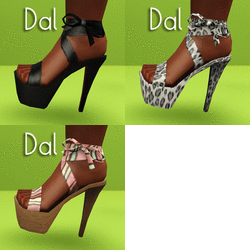
I Wanna See Some Cash: Platform Heels
by Puss 'N Heels 9th Aug 2012 at 12:06am
Skrippin' aint easy. more...
-
by chasmchronicle updated 6th Jun 2012 at 3:14pm
Add some "citrus" to your environment..IN THE SIMS 2! more...
 4
10.5k
7
4
10.5k
7
-
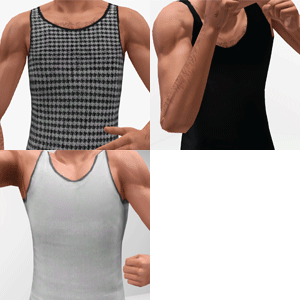
by chasmchronicle updated 14th Nov 2012 at 3:51am
A more.. fitting apparel. *Updated 11/13/12* more...
20
68.3k
216
Male » Everyday » Young Adult
-
James Kennedy - Redemption Series
by chasmchronicle 19th Nov 2013 at 6:41pm
The final member and bass player of Redemption more...
-

-


Call of Duty: Zombies - Fluffy
by chasmchronicle 11th Aug 2012 at 1:36pm
Fetch me their souls! more...
-