
 Sign in to Mod The Sims
 *Updated* A subtle change now Binned!Thanks to MajorMercedes!


backveiw.jpg - width=554 height=448
leftview.jpg - width=611 height=393
rightview.jpg - width=622 height=406
blackretexture.jpg - width=537 height=827
blonderetexture.jpg - width=536 height=827
redretexture.jpg - width=533 height=721


Additional Credits:
gimp 2.2
Maxis
MajorMercedes
|
joninmobile_MaxisSimpleRetextured_Binned.rar
Download
Uploaded: 2nd Nov 2007, 401.0 KB.
1,272 downloads.
|
||||||||
| For a detailed look at individual files, see the Information tab. | ||||||||
Install Instructions
1. Download: Click the download link to save the .rar or .zip file(s) to your computer.
2. Extract the zip, rar, or 7z file.
3. Place in Downloads Folder: Cut and paste the .package file(s) into your Downloads folder:
- Origin (Ultimate Collection): Users\(Current User Account)\Documents\EA Games\The Sims™ 2 Ultimate Collection\Downloads\
- Non-Origin, Windows Vista/7/8/10: Users\(Current User Account)\Documents\EA Games\The Sims 2\Downloads\
- Non-Origin, Windows XP: Documents and Settings\(Current User Account)\My Documents\EA Games\The Sims 2\Downloads\
- Mac: Users\(Current User Account)\Documents\EA Games\The Sims 2\Downloads
- Mac x64: /Library/Containers/com.aspyr.sims2.appstore/Data/Library/Application Support/Aspyr/The Sims 2/Downloads
- For a full, complete guide to downloading complete with pictures and more information, see: Game Help: Downloading for Fracking Idiots.
- Custom content not showing up in the game? See: Game Help: Getting Custom Content to Show Up.
- If you don't have a Downloads folder, just make one. See instructions at: Game Help: No Downloads Folder.
Loading comments, please wait...

Uploaded: 27th Oct 2007 at 6:17 PM
Updated: 2nd Nov 2007 at 1:09 AM - wanted to include more colors
-
by Rayne00000 22nd Oct 2005 at 11:14pm
-
-
-
by Rayne00000 23rd Oct 2005 at 5:01am
-
-
-
-
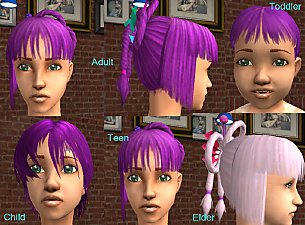
Recolors of Maxis Lost and Found Hair
by grable103004 26th Feb 2007 at 11:14pm
-
-



-

by joninmobile 3rd Nov 2009 at 11:08pm
I finally learned how to make brand new floors, that doesn't involve making a pattern, and is NOT a default more...
 2
8.9k
7
2
8.9k
7
-

by joninmobile 9th Jan 2010 at 5:52pm
This mod will be useful for those of you who enjoy taking pics of your custom sims, or anything you more...
-
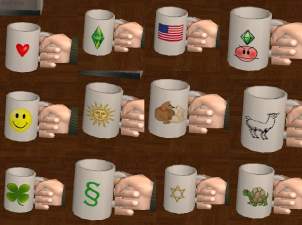
12 Coffee Mug Default Replacements with Recolor Template
by joninmobile 14th Jul 2010 at 6:38am
Give your game some flair, with these new coffee cups! more...
 11
36.9k
45
11
36.9k
45
-
Elder Formal Wear Just in Time for U.S.A. Mother's Day!
by joninmobile 4th May 2009 at 5:56pm
These are recolors of the pink Celebrations Stuff Formal wear for Elder Female. more...
-

by joninmobile 6th Aug 2010 at 2:32am
Nasty, Grimy, Filthy, Gross, Decrepit, Weathered, Worn, Wretched, but most of all GRUNGY! more...
10
30.1k
50
-
Baby's First Motives - Plumb Bob Hanging Mobile in Unisex, Boy's, and Girl's colors
by joninmobile 30th Oct 2009 at 1:16am
I made this lovely new mesh of a baby mobile for your nursery it has plumb bobs as the little more...
28
55.8k
141
-

by joninmobile 25th Feb 2008 at 11:26pm
Here is a set of Hawaiian style carpets in 10 colors. more...
3
8.3k
5
-
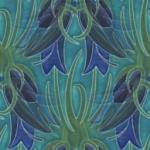
*Updated Peacock Carpet now with 5 recolors!
by joninmobile updated 28th Oct 2007 at 9:25pm
Here is a carpet called "Peacock".I hope ya'll enjoy it! more...
3
8.8k
12
-


Dolphin Painting recolor of lady on red with blue frame
by joninmobile updated 17th Dec 2007 at 11:51pm
Here is a recolor of the "lady on red" painting from the base game.Instead of silver, it has a metallic more...
8
17.4k
17
-


The Sims 2 Glamour Life Startup Scrolls For High End Loft
by joninmobile 19th Mar 2010 at 9:01pm
I had wanted to originally do some more of these for HELS based on the SPs and maybe some EPs more...


About Me
I hope you enjoy all the downloads I've brought to you over the years. It's been fun. Being a part of The Sims community has had it's ups and downs for me, but I keep on truckin' nonetheless. Lots and lots of drama, lots of pain and sorrow, but lots of laughs, and good times too. Made so many new friends over the years, and it all started by uploading to MTS way back in 2006. Have fun with my creations, that's what they're here for!
~ Jon