Sign in to Mod The Sims
 Cliffside Starter
 Cliffside Starter


1st Floor.jpg - width=1024 height=768
1st Floor
2nd Floor.jpg - width=1024 height=768
2nd Floor
Back View.jpg - width=1024 height=768
Back View
Bedroom.jpg - width=1024 height=768
Bedroom with En-Suite
Kitchen.jpg - width=1024 height=768
Kitchen
Living.jpg - width=1024 height=768
Living Area
Living, Kitchen, Dining.jpg - width=1024 height=768
Open Plan Living
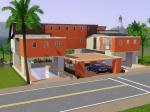
Street View.jpg - width=1024 height=768
Street View
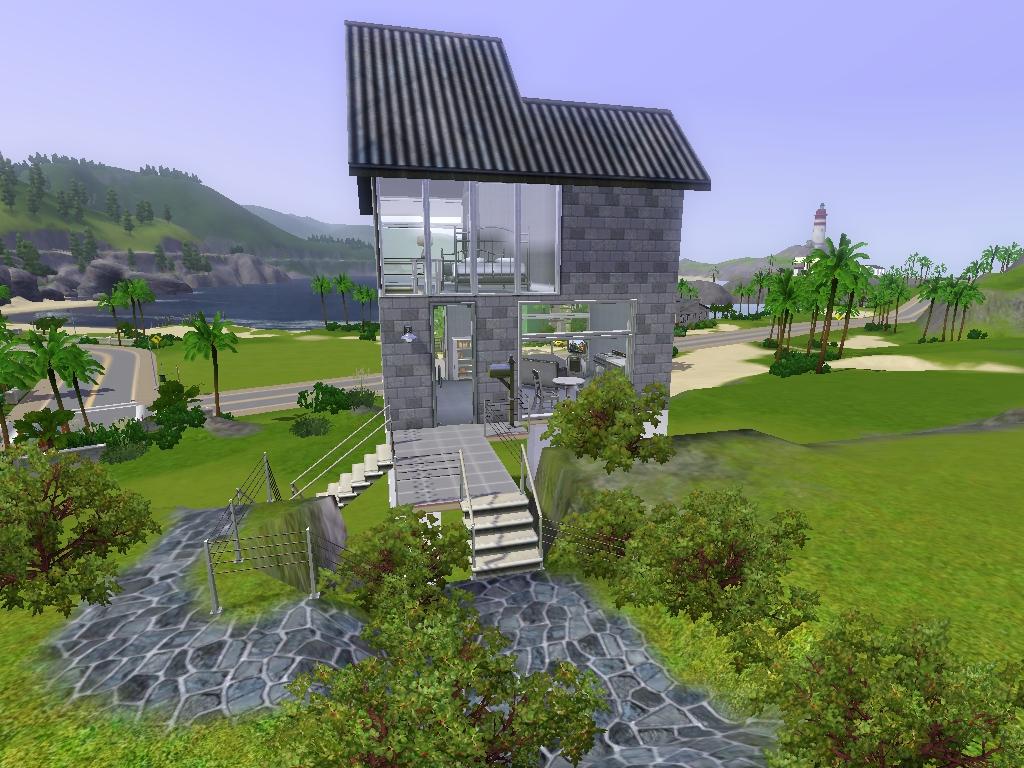
Like many others, I found it incredibly hard to make a starter home that wasn't just a box.
I was determined to make a modern-ish, double level starter with a great view using the more expensive bigger windows and I finally got there.
I can't say I'm overly happy with it but since everything is so much more expensive in the Sims 3, I really didn't have a lot to work with. Hopefully some of you will enjoy it.
It contains a bedroom and bathroom upstairs. The living, kitchen and dining is on the lower level. There's enough room to place a desk if you wish at a later stage.
There is a great sized patio on each level, taking advantage of the view.
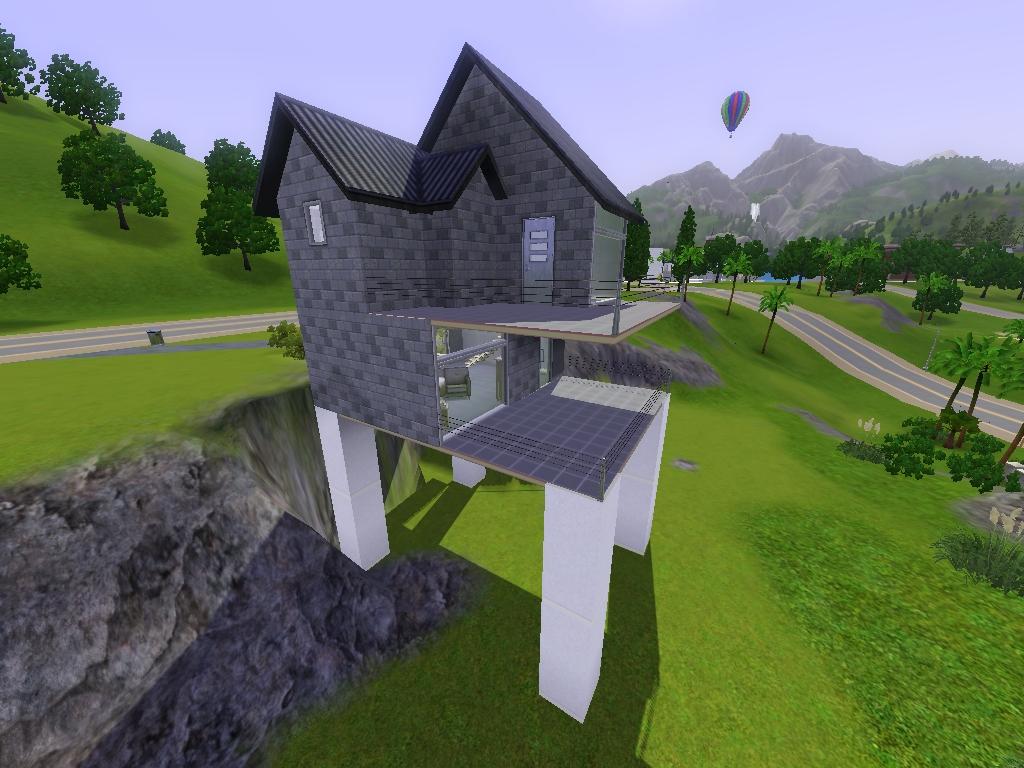
There's also stairs taking you down from street level, towards the beach.
And finally, there's plenty of room to expand.
It was created at 120 Wright Way on a 4x3 lot and it costs $18,433 furnished and $17,131 unfurnished. I hope you guys like it.
Lot Size: 4x3
Lot Price: 18.433
|
Cliffside Starter.rar
| Cliffside Starter
Download
Uploaded: 16th Aug 2009, 1.04 MB.
539 downloads.
|
||||||||
| For a detailed look at individual files, see the Information tab. | ||||||||
Install Instructions
1. Click the filename or the download button to download the file to your computer.
2. Extract the zip, rar, or 7z file.
2. Select the .sims3pack file you got from extracting.
3. Cut and paste it into your Documents\Electronic Arts\The Sims 3\Downloads folder. If you do not have this folder yet, it is recommended that you open the game and then close it again so that this folder will be automatically created. Then you can place the .sims3pack into your Downloads folder.
5. Load the game's Launcher, and click on the Downloads tab. Select the house icon, find the lot in the list, and tick the box next to it. Then press the Install button below the list.
6. Wait for the installer to load, and it will install the lot to the game. You will get a message letting you know when it's done.
7. Run the game, and find your lot in Edit Town, in the premade lots bin.
Extracting from RAR, ZIP, or 7z: You will need a special program for this. For Windows, we recommend 7-Zip and for Mac OSX, we recommend Keka. Both are free and safe to use.
Need more help?
If you need more info, see Game Help:Installing TS3 Packswiki for a full, detailed step-by-step guide!
Loading comments, please wait...
Uploaded: 16th Aug 2009 at 5:29 PM
-
-
by patul 20th Jun 2009 at 6:25am
 4
12.4k
1
4
12.4k
1
-
by swetcaramel7983 27th Jun 2009 at 11:25pm
10
11.7k
8
-
by lemoncandy 1st Jul 2009 at 9:28pm
4
13.3k
15
-
by uec397 6th Oct 2009 at 1:36am
3
14.1k
3
-
by simmylala 6th Jul 2010 at 4:56am
14
19.2k
18
-
by TetraCycline 26th Dec 2011 at 6:35pm
5
19.6k
13
-
by TetraCycline 10th Jan 2012 at 4:35am
5
15.4k
17
-
by Black Zekrom 12th Apr 2013 at 10:28am
+1 packs
8 13.5k 30 University Life
-
by Black Zekrom 3rd Aug 2013 at 10:42pm
+2 packs
5 10.8k 19 Ambitions
 Late Night


-
by Sims3Addicted 16th Aug 2009 at 5:22pm
As the name suggests, this house is based on the letter "S". more...
5
7k
1
-
-
-
-
-
The Pier - Wedding/Party Venue
by Sims3Addicted 16th Sep 2009 at 5:16pm
The Pier was created specifically more...
29
96.6k
137
-
by Sims3Addicted 1st Sep 2009 at 9:29pm
I had a picture of this cottage on my PC for a while, but never really gave more...
3
12.9k
6
-
Suburban Series - Riverview - 7 Lots
by Sims3Addicted 22nd Sep 2009 at 6:39pm
Info As requested, here is my suburban series for Riverview. more...
28
20.4k
8
-
-