
 Sign in to Mod The Sims
 Programmed Sewing Machine
 Programmed Sewing Machine

MelissaMel_sewing.jpg - width=459 height=600
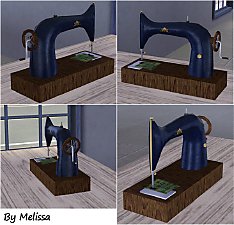
You can find it in buy mode - electronic - computers category.
It costs §700.
*There are two small lights left (from computer) on the back side of the sewing machine.
In this topic you will download only mesh.
On the picture is game footage of this object.
Polygon Counts:
Faces = 555
Vertices = 627
Additional Credits:
Credits to the S3OC and S3PE programs and tools
This is a new mesh, and means that it's a brand new self contained object that usually does not require a specific Pack (although this is possible depending on the type). It may have Recolours hosted on MTS - check below for more information.
|
Melissa_SewingMachine.zip
Download
Uploaded: 5th Nov 2009, 491.3 KB.
27,534 downloads.
|
||||||||
| For a detailed look at individual files, see the Information tab. | ||||||||
Install Instructions
1. Click the download button, or the filename, to download the file to your computer.
2. Extract the zip, rar, or 7z file. Now you will have either a .package or a .sims3pack file.
For Package files:
1. Cut and paste the file into your Documents\Electronic Arts\The Sims 3\Mods\Packages folder. If you do not already have this folder, you should read the full guide to Package files first: Sims 3:Installing Package Fileswiki, so you can make sure your game is fully patched and you have the correct Resource.cfg file.
2. Run the game, and find your content where the creator said it would be (build mode, buy mode, Create-a-Sim, etc.).
For Sims3Pack files:
1. Cut and paste it into your Documents\Electronic Arts\The Sims 3\Downloads folder. If you do not have this folder yet, it is recommended that you open the game and then close it again so that this folder will be automatically created. Then you can place the .sims3pack into your Downloads folder.
2. Load the game's Launcher, and click on the Downloads tab. Find the item in the list and tick the box beside it. Then press the Install button below the list.
3. Wait for the installer to load, and it will install the content to the game. You will get a message letting you know when it's done.
4. Run the game, and find your content where the creator said it would be (build mode, buy mode, Create-a-Sim, etc.).
Extracting from RAR, ZIP, or 7z: You will need a special program for this. For Windows, we recommend 7-Zip and for Mac OSX, we recommend Keka. Both are free and safe to use.
Need more help?
If you need more info, see:
- For package files: Sims 3:Installing Package Fileswiki
- For Sims3pack files: Game Help:Installing TS3 Packswiki
Loading comments, please wait...

Uploaded: 5th Nov 2009 at 1:15 AM
Updated: 6th Nov 2009 at 10:16 PM
-
by PigiePower 22nd Aug 2009 at 11:43am
 23
100.1k
80
23
100.1k
80
-
-
by xdarkshadowx 25th Jun 2010 at 1:57pm
18
30.1k
50
-
by Lisen801 12th Jan 2011 at 8:45am
44
74.7k
196
-
by d_unit 17th Mar 2014 at 11:11pm
38
70.9k
234
-
-
TS2 > TS3 Functional Sewing table [BETA V2.0.0] - Please redownload!
by Lyralei updated 20th Aug 2023 at 12:27pm
416
85.2k
372
-
-

by vesko_sims3 updated 20th Apr 2026 at 8:45am
2
6k
12
-

by vesko_sims3 14th Mar 2026 at 5:36pm
1
2.5k
6


-
Baby Pram (reshaped baby crib)
by MelissaMel 2nd Nov 2009 at 7:14pm
Baby Pram for baby Sims :) Baby Pram is a new mesh, it's based on Baby Crib and has more...
53
223.4k
269
-
by MelissaMel 30th Oct 2009 at 5:50pm
This washing machine is an object to decorate the Sims 3 laundry! more...
47
117.2k
62
-
Vanity Set (3 new objects-meshes)
by MelissaMel 1st Nov 2009 at 2:29pm
Vanity Set includes 3 new meshes: Dresser (on 1 floor-tile), end table and wall mirror. more...
19
79.2k
88
-
Wedding Podium for town chapels
by MelissaMel 5th Nov 2009 at 1:16am
While choosing decorations for the altar at your wedding remember to include the wedding podium in your decorating plan. more...
19
50.1k
50
-
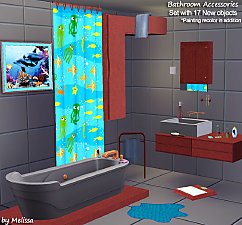
Bathroom Accessories Set - 17 New Objects (Meshes), painting recolor
by MelissaMel updated 6th Nov 2009 at 8:07pm
Enjoy your daily bubble bath, have a duck time, form your body shape and decorate your bathroom in own style. more...
-
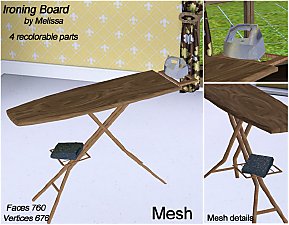
Ironing Board for Sims 3 Laundry
by MelissaMel 1st Nov 2009 at 2:44pm
This Ironing Board is a new object to decorate the Sims 3 laundry! more...
10
58.6k
99
By Function » Surfaces » Desks
-
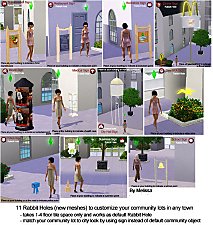
Set of New Rabbit Holes to customize community or residential lots in a town
by MelissaMel 1st Nov 2009 at 9:59pm
Set of Rabbit Holes to customize community lots in a town. more...
89
211.7k
193
-
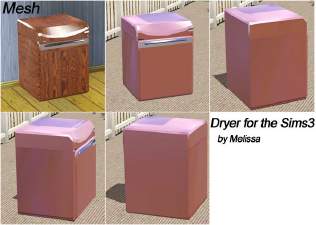
Dryer machine for the Sims 3 Laundry
by MelissaMel 30th Oct 2009 at 5:51pm
This dryer machine is a new object to decorate the Sims 3 laundry. more...
19
62.1k
42
-
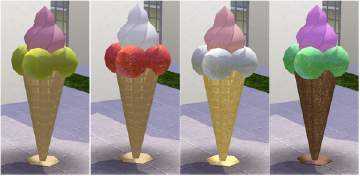
Decorative Ice-Cream Sculpture
by MelissaMel 5th Nov 2009 at 6:02pm
This Ice-Cream sculpture is a statue to decorate your small home business or community lots. It based on a sculpture. more...
11
22.9k
38
-
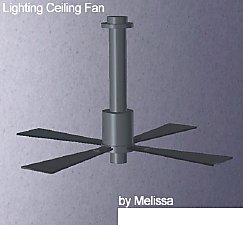
by MelissaMel 8th Nov 2009 at 3:07pm
Lighting Ceiling Fan is a new mesh and it's based on a ceiling lamp. It doesn't override default game item. more...
23
43.6k
39
About Me
If you appreciate my work then please follow this policy: My custom content may not be redistributed without my permission in any ways. Don't clone my objects/meshes! Don't modify/hack my objects! Don't upload my creations on the Exchange or another sites. Do not share my meshes on another sites or on any file sharing services or download platforms. The meshes are copyrighted and for sharing you need my explicit permissions. Sharing without permissions will result into abuse report to those services and DMCA claims. You may recolor my creations with Create-A-Style game tool only, you may decorate your houses, you can use it with your Sim but do not include the .package file in your upload. Give link back to my topic for downloading. My Sims 3 accessories created with TS3 Workshop, new objects are created with S3OC and S3PE ----------------------------------------
Please don't PM me here with questions, requests, suggestions, ideas etc., use contact on my homepage instead.