
 Sign in to Mod The Sims
 SimTech Desktop PC
 SimTech Desktop PC


cover.png - width=1200 height=960
Legend front.png - width=1200 height=800
Legend back.png - width=1200 height=800
presets.png - width=1920 height=640
front.png - width=1920 height=1080
Front profile
back.png - width=1920 height=1080
side.png - width=1920 height=1080
Side profile
1.png - width=1920 height=1080
2.png - width=1920 height=1080
This PC is a remodel of the oTron 200 Thinking Computer from Landgraab Industries. It features a larger, brighter screen with a 16:9 aspect ratio, along with a redesigned keyboard and mouse. Extra small details have been added to make it feel more realistic, while keeping the same compact casing - now available at a lower price.
Of course, the item's name and description are translated in all of the available languages.
Color presets:
- Preset 1: Charcoal black with silver stand and trims (recolorable mousepad only).
- Preset 2: White brushed metal texture with silver stand and trims (recolorable mousepad only).
- Preset 3: Fully recolorable (whole body).
Specs:
- Price : 1500 Simoleons
- Fun score : 7
Mesh info:
- High level of details:
903 vertices , 756 faces (1004 vertices, 880 faces before the update)
4 vertices, 2 faces (projecting layer) - Medium level of details:
532 vertices, 352 faces (body)
4 vertices, 2 faces (projecting layer)
Credits:
EasySTBL Manager by CmarNYC
Blender
TSR Workshop
Photoshop
| Filename | Type | Size |
|---|---|---|
| SimTech Desktop PC.rar | rar | |
| [vesko_sims3] SimTech Desktop PC.package | package | 1610139 |
This is a new mesh, and means that it's a brand new self contained object that usually does not require a specific Pack (although this is possible depending on the type). It may have Recolours hosted on MTS - check below for more information.
|
SimTech Desktop PC.rar
Download
Uploaded: 20th Apr 2026, 1.02 MB.
2,285 downloads.
|
||||||||
| For a detailed look at individual files, see the Information tab. | ||||||||
Install Instructions
1. Click the download button, or the filename, to download the file to your computer.
2. Extract the zip, rar, or 7z file. Now you will have either a .package or a .sims3pack file.
For Package files:
1. Cut and paste the file into your Documents\Electronic Arts\The Sims 3\Mods\Packages folder. If you do not already have this folder, you should read the full guide to Package files first: Sims 3:Installing Package Fileswiki, so you can make sure your game is fully patched and you have the correct Resource.cfg file.
2. Run the game, and find your content where the creator said it would be (build mode, buy mode, Create-a-Sim, etc.).
For Sims3Pack files:
1. Cut and paste it into your Documents\Electronic Arts\The Sims 3\Downloads folder. If you do not have this folder yet, it is recommended that you open the game and then close it again so that this folder will be automatically created. Then you can place the .sims3pack into your Downloads folder.
2. Load the game's Launcher, and click on the Downloads tab. Find the item in the list and tick the box beside it. Then press the Install button below the list.
3. Wait for the installer to load, and it will install the content to the game. You will get a message letting you know when it's done.
4. Run the game, and find your content where the creator said it would be (build mode, buy mode, Create-a-Sim, etc.).
Extracting from RAR, ZIP, or 7z: You will need a special program for this. For Windows, we recommend 7-Zip and for Mac OSX, we recommend Keka. Both are free and safe to use.
Need more help?
If you need more info, see:
- For package files: Sims 3:Installing Package Fileswiki
- For Sims3pack files: Game Help:Installing TS3 Packswiki
Loading comments, please wait...

Uploaded: 4th Dec 2025 at 1:04 PM
Updated: 26th Jun 2026 at 6:20 PM
#sims3, #ts3, #remesh, #remodel, #electronics, #computer, #pc, #study, #modern, #contemporary
-
by PigiePower 22nd Aug 2009 at 12:43pm
 23
100.1k
80
23
100.1k
80
-
-
by Lisen801 12th Jan 2011 at 9:45am
44
74.7k
196
-
by Morphead 28th Apr 2011 at 12:55pm
38
121.2k
314
-
-
MaxoidMonkey's Alienware Computer - Sims 2 Conversion
by Esmeralda 9th Mar 2013 at 3:04pm
63
104.3k
370
-
by d_unit 18th Mar 2014 at 12:11am
38
70.9k
234
-
HiFi Plasmodo Flat Screen TV for Separate Surfaces
by SimRivers 16th Jun 2015 at 11:18pm
26
24.1k
86
-
by vesko_sims3 updated 11th Feb 2026 at 2:23pm
13
16.3k
40
-

by vesko_sims3 14th Mar 2026 at 6:36pm
1
2.5k
6


-

by vesko_sims3 14th Mar 2026 at 7:36pm
Hi everyone, This TV is a replica of the Toshiba REGZA 37XV743 LCD TV, 2010 model year 37 inch FHD TV. more...
1
2.6k
6
-


Decorative "ghost" taxi mesh override as a bus
by vesko_sims3 updated 5th Oct 2026 at 8:35am
This is a HQ mesh override for the Late Night ghost taxi, replacing it with Ophernelia's Chicago-inspired decorativeTS4 city transit more...
-


Bus as Functional Taxi Mesh Override
by vesko_sims3 14th Oct 2026 at 9:12am
-

by vesko_sims3 updated 11th Feb 2026 at 3:23pm
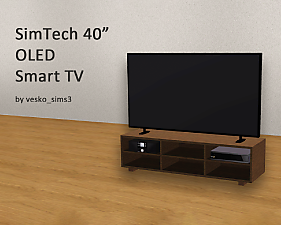
This TV is a remodeled version of the 36" HiFi Plasmondo TV, modified with a larger and brighter 40" screen. more...
13
16.5k
40
-

Rainbow Shower Tree Replacement
by vesko_sims3 updated 12th Feb 2026 at 2:37pm
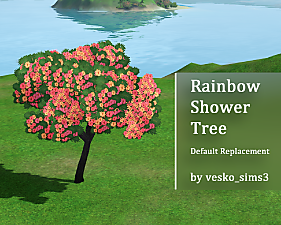
This is a default replacement mod, that overrides the image of the rainbow shower tree from Island Paradise. more...
+1 packs
8 5k 21 Island Paradise
-


by vesko_sims3 updated 11th Mar 2026 at 10:07am
An override mod, which fixes the elevator shaft placement. more...
-


by vesko_sims3 14th Aug 2026 at 5:56pm
-

by vesko_sims3 updated 13th Feb 2026 at 9:04am
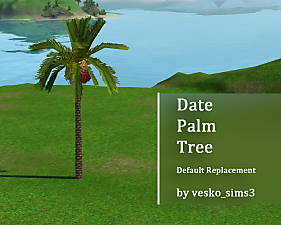
Description This is a HQ texture replacing mod that changes the date palm tree that comes with Island Paradise EP. more...
-


BG Police Cruiser Mesh Override
by vesko_sims3 updated 9th Oct 2026 at 10:28am
Mesh override mod for the base game police cruiser, replaced with the Ford Crown Victoria police interceptor more...
2
2.5k
5
-
by vesko_sims3 updated 19th Jul 2025 at 2:54pm
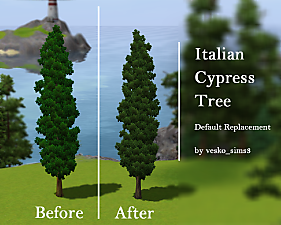
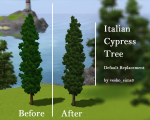
Tired of the eye-popping bluish leaves of the original Italian cypress tree? I’ve got you covered! more...


About Me
All mods and CC are made with effort and love. Just link to me whenever you decide to use my stuff.
You should visit my Tumblr blog, where I promote myself: Sims 3 Mods & CC
To show your love and support, donate me a small tip on my Ko-fi page!