
 Sign in to Mod The Sims
 More sideboards, please
 More sideboards, please


credenza main.jpg - width=600 height=671
credenza all.jpg - width=800 height=393
credenza painted and mahogany.jpg - width=800 height=530
credenza marble and inlaids.jpg - width=666 height=600
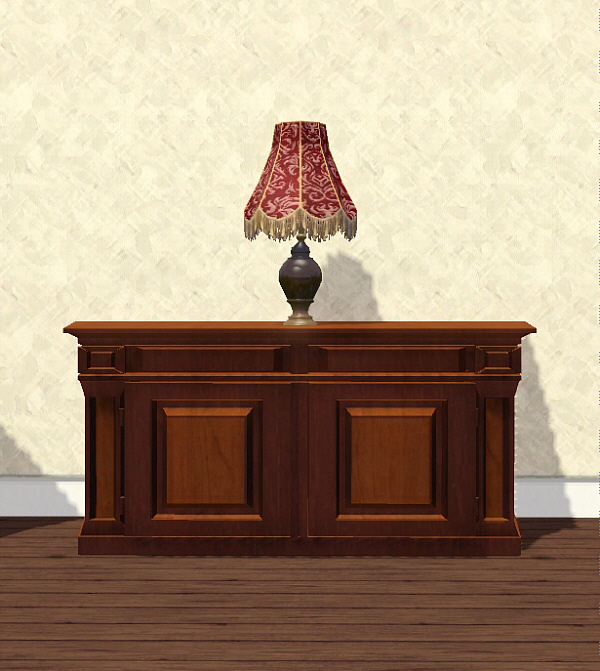
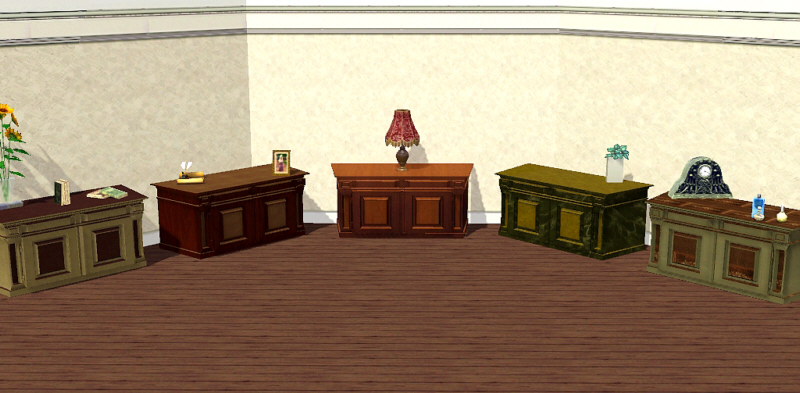
Here comes a second chapter in the attempt to convert every luxury mansion in a unique place with unique pieces of special furniture.
This sideboard with multiple slots where to show your trophys and your souvenirs is fully hand carved in fine and rare woods or covered by exotic laques, ancient bronzes or delicate marbles. You choose! because it comes with five different textures (ten patterns) but its fully recolourable in two channels and an overlay.
Price and catalog: The object is cloned from the Dining Club table (285 simoleons) so, in theory, it can work as a table or as a desk, but there is no need to sink your sims in there if you have "official" tables at hand

Happy and classy simming!
Polygon Counts:
Vertex: 2535
Faces: 2060
(I know, I know, a bit high, but it looks splendid in game...if you think that this can slow your game do not download it, I will understand)
Additional Credits:
Thanks to these past Holy Days: I have found the necessary time to spend in meshing!
This is a new mesh, and means that it's a brand new self contained object that usually does not require a specific Pack (although this is possible depending on the type). It may have Recolours hosted on MTS - check below for more information.
|
nanicredenza2.rar
Download
Uploaded: 14th Jan 2010, 1.44 MB.
11,779 downloads.
|
||||||||
| For a detailed look at individual files, see the Information tab. | ||||||||
Install Instructions
1. Click the download button, or the filename, to download the file to your computer.
2. Extract the zip, rar, or 7z file. Now you will have either a .package or a .sims3pack file.
For Package files:
1. Cut and paste the file into your Documents\Electronic Arts\The Sims 3\Mods\Packages folder. If you do not already have this folder, you should read the full guide to Package files first: Sims 3:Installing Package Fileswiki, so you can make sure your game is fully patched and you have the correct Resource.cfg file.
2. Run the game, and find your content where the creator said it would be (build mode, buy mode, Create-a-Sim, etc.).
For Sims3Pack files:
1. Cut and paste it into your Documents\Electronic Arts\The Sims 3\Downloads folder. If you do not have this folder yet, it is recommended that you open the game and then close it again so that this folder will be automatically created. Then you can place the .sims3pack into your Downloads folder.
2. Load the game's Launcher, and click on the Downloads tab. Find the item in the list and tick the box beside it. Then press the Install button below the list.
3. Wait for the installer to load, and it will install the content to the game. You will get a message letting you know when it's done.
4. Run the game, and find your content where the creator said it would be (build mode, buy mode, Create-a-Sim, etc.).
Extracting from RAR, ZIP, or 7z: You will need a special program for this. For Windows, we recommend 7-Zip and for Mac OSX, we recommend Keka. Both are free and safe to use.
Need more help?
If you need more info, see:
- For package files: Sims 3:Installing Package Fileswiki
- For Sims3pack files: Game Help:Installing TS3 Packswiki
Loading comments, please wait...

Uploaded: 14th Jan 2010 at 6:34 PM
-
by HugeLunatic 22nd Dec 2009 at 6:56pm
 31
41.8k
108
31
41.8k
108
-
-
-
A simple dining table – Update 2014-08-27: Rigfix
by plasticbox updated 2nd Sep 2014 at 8:45pm
31
48.3k
92
-
-
by Lisen801 updated 25th May 2012 at 2:01pm
28
57.7k
129
-
Maxis Match - Side Tables (updated for Pets)
by omegastarr82 updated 17th Dec 2011 at 12:29am
+2 packs
14 29.3k 103 High-End Loft Stuff
 Outdoor Living Stuff
-
by KiaraRawks 17th Jan 2014 at 9:52am
14
23.3k
147
-
by TheJim07 19th Mar 2015 at 12:35am
9
19.8k
102
-
by enable_llamas 5th May 2020 at 1:31pm
4
8.7k
29


-
Volupté - Gauze Curtains Part three (New meshes)
by nanisim 15th Sep 2007 at 9:25pm
This is a tribute to all of you who have follow my suite of curtains in a way absolutely unexpected more...
 6
23.9k
13
6
23.9k
13
-
-
Pot recolors of the "Fences with charm"
by nanisim 24th Jan 2007 at 9:16pm
Sorry for the inconvenience, but I noticed that I’ve forgot to include some recolors of the fencepot6 in the collection more...
4
8.9k
5
-
Recreating London:Two terrace houses
by nanisim 23rd Sep 2007 at 4:35pm
This two family house comes from one of my attempts to create a real downtown in more...
+7 packs
12 14.4k 13 Family Fun
 University
 Glamour Life
 Nightlife
 Open for Business
 Pets
Pets
 Seasons
-
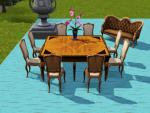
Antiques in auction: A Dining set
by nanisim 22nd Jan 2010 at 6:56pm
Simladies and Simgentlemen: for you, who love collectionism, or to invest in fine more...
-
Volupté - Gauze Curtains (new meshes)
by nanisim 9th Feb 2007 at 8:19pm
I’ve made this set of curtains in bright gauze in three tones of colour champagne. more...
13
35.8k
16
-
A "set" of classical french consoles
by nanisim 7th Jan 2010 at 8:05pm
Update post: For those who prefer to use sims3pack files get the version here: more...
24
42.4k
66
-
-
-
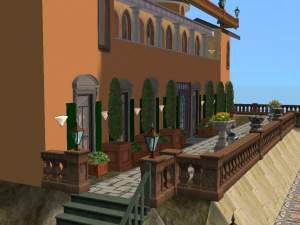
Enlightment way (Mehrlicht, bitte)
by nanisim 18th Jan 2010 at 7:12pm
Not many choices in Sims to get lamps for our fences and balustrades, neither more...
17
31.1k
38


About Me
You can recolor, retexture and modify alphas LINKING BACK to the thread at MTS to get the meshes.
You can upload my objects with your lots in FREE SITES WITH CREDITS AND LINK TO MTS.
You can include pics of my creations freely WITH CREDIT TO NANISIM.
In any case, thanks to all who like and apreciate my work!