Sign in to Mod The Sims
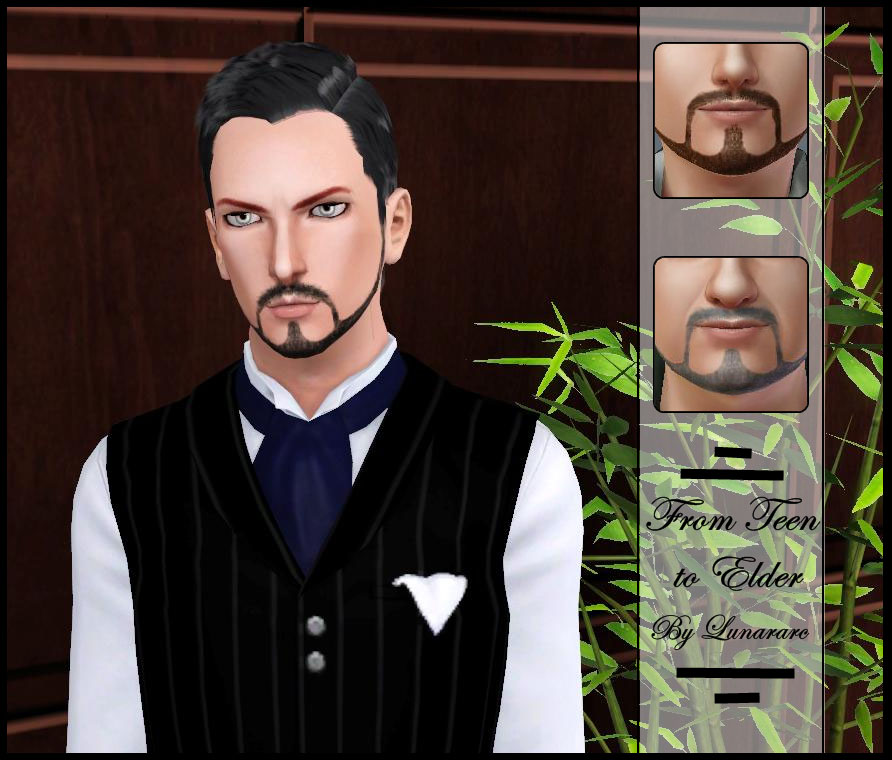
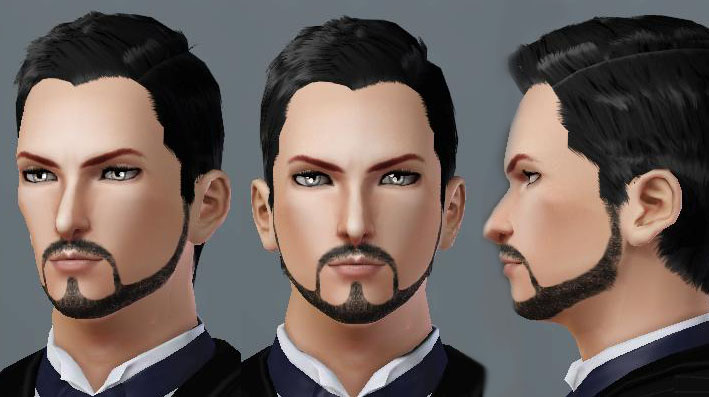
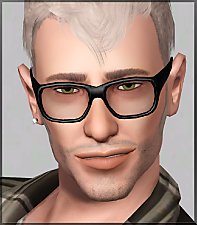
 Shaped Up Heavy Beard " Un Binned "
 Shaped Up Heavy Beard " Un Binned "


4.jpg - width=393 height=393
1 copy.jpg - width=892 height=760
2.jpg - width=709 height=397


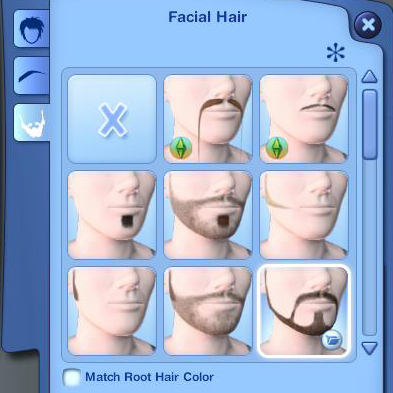
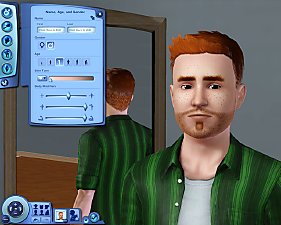
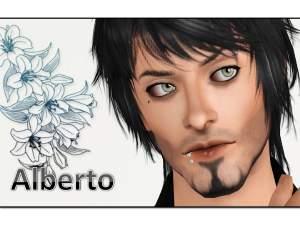
Note : This beard didn't replace any other beard and found under facial hair for male sims from teen to elder.
Additional Credits:
*TSR Workshop
*Paint.net, photoshop
*All the hair used from EA
|
Shaped Up Heavy Beard.rar
Download
Uploaded: 6th Jul 2010, 368.5 KB.
30,514 downloads.
|
||||||||
| For a detailed look at individual files, see the Information tab. | ||||||||
Install Instructions
1. Click the file listed on the Files tab to download the file to your computer.
2. Extract the zip, rar, or 7z file. Now you will have either a .package or a .sims3pack file.
For Package files:
1. Cut and paste the file into your Documents\Electronic Arts\The Sims 3\Mods\Packages folder. If you do not already have this folder, you should read the full guide to Package files first: Sims 3:Installing Package Fileswiki, so you can make sure your game is fully patched and you have the correct Resource.cfg file.
2. Run the game, and find your content where the creator said it would be (build mode, buy mode, Create-a-Sim, etc.).
For Sims3Pack files:
1. Cut and paste it into your Documents\Electronic Arts\The Sims 3\Downloads folder. If you do not have this folder yet, it is recommended that you open the game and then close it again so that this folder will be automatically created. Then you can place the .sims3pack into your Downloads folder.
2. Load the game's Launcher, and click on the Downloads tab. Find the item in the list and tick the box beside it. Then press the Install button below the list.
3. Wait for the installer to load, and it will install the content to the game. You will get a message letting you know when it's done.
4. Run the game, and find your content where the creator said it would be (build mode, buy mode, Create-a-Sim, etc.).
Extracting from RAR, ZIP, or 7z: You will need a special program for this. For Windows, we recommend 7-Zip and for Mac OSX, we recommend Keka. Both are free and safe to use.
Need more help?
If you need more info, see:
- For package files: Sims 3:Installing Package Fileswiki
- For Sims3pack files: Game Help:Installing TS3 Packswiki
Loading comments, please wait...



Uploaded: 6th Jul 2010 at 4:55 PM
-
Don't fuzz with me - Versatile and Layerable beard!
by Arisuka 21st Sep 2010 at 2:39am
 17
100.5k
171
17
100.5k
171
-
by monca533 13th Oct 2010 at 12:56pm
33
119.4k
168
-
by puddles4ya 29th Dec 2010 at 9:26am
35
78.6k
101
-

The Face Badger Set: Realistic Beards for your Simmies!
by DarkSilence 28th Feb 2011 at 12:09pm
24
81.3k
117
-
by tommytiger updated 10th Sep 2012 at 6:29am
19
59.8k
149
-
-
by necrodog 9th Sep 2013 at 2:13pm
14
25.1k
45
-
by necrodog 15th Sep 2013 at 5:40am
9
18k
44
-
by necrodog 19th Sep 2013 at 5:02am
13
17k
26
-
by necrodog 17th Jul 2014 at 1:09am
13
26.5k
65

-
-
-
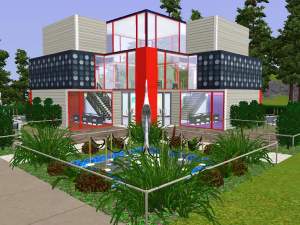
Charming Pansies - 10x10 Mini Lot (No CC)
by Lunararc 15th Apr 2014 at 1:29pm
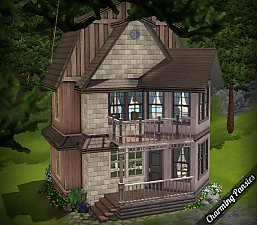
This house took me a long time to finish due to lack in my building skills but I finally finished more...
+7 packs
19 23.1k 109 World Adventures
 Ambitions
 Late Night
 Generations
 Pets
Pets
 Showtime
 Supernatural
-
-
-
-
-
Silent Hill 3 - Heather Mason outfit & Hand Accessory (YA/A)
by Lunararc 24th Jun 2014 at 6:44am
Hey guys, This is my latest clothing/sim project, this outfit was made out of EA mesh parts and my more...
11
33.2k
128
-

Au Bureau - Victorian Study Room "11 new meshes"
by Lunararc 21st Jun 2010 at 7:40pm
Hey guys, After long time i hadn't uploaded any thing i present you my masterpiece " Au Bureau " Victorian more...
36
58.4k
126
-