
 Sign in to Mod The Sims
 Lockheed Martin F-35 Lightning II Set
 Lockheed Martin F-35 Lightning II Set


Screenshot-639.jpg - width=900 height=720
Screenshot-640.jpg - width=900 height=720
Screenshot-642.jpg - width=900 height=720
Screenshot-645.jpg - width=900 height=720
Screenshot-648.jpg - width=900 height=720
Screenshot-658.jpg - width=900 height=720
Screenshot-662.jpg - width=900 height=720
screeny3.jpg - width=900 height=720


Each plane costs $100,000, and the helipad is $150. The planes have two recolorable parts:the main body and the seat.
Notes/Issues:
-Planes are designed for one sim to drive at a time.
-The Helipad is not recolorable.
-Plane wheels don't animate.
-Sims sit through their seats.
-Plane shadows are a little wonky.
-For the flyable plane, place a driveway down first, then buy your plane and put it in your driveway. Then use "moveobjects on" to place the helipad.
Hopefully these issues wont turn too many of you away to download this. I appreciate and welcome any comments! Enjoy!
Planes can be found in vehicles section, and helicopter pad can be found in Decor.\Misc.
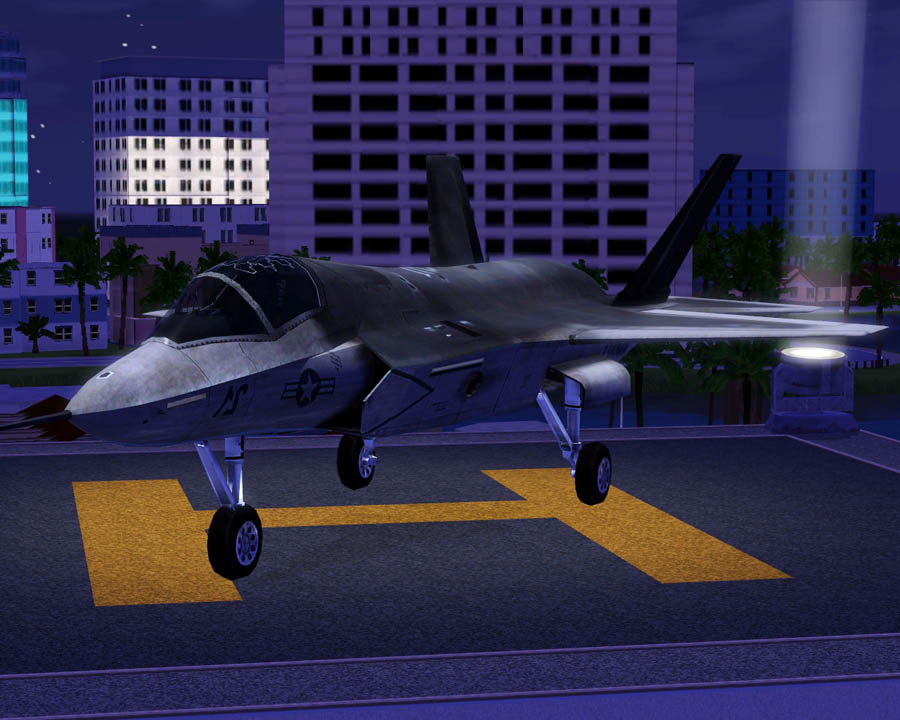
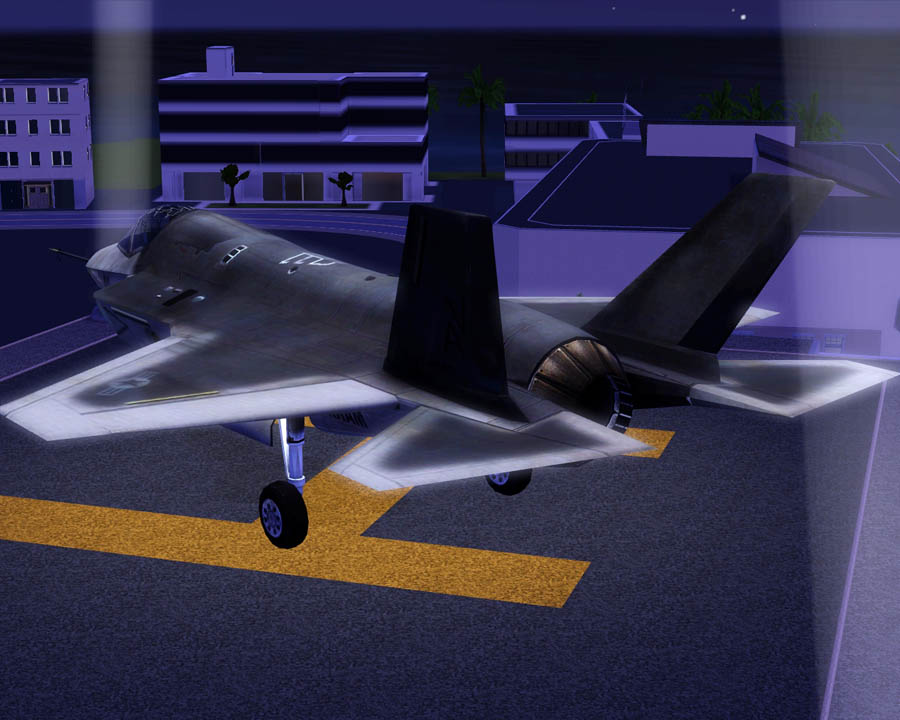
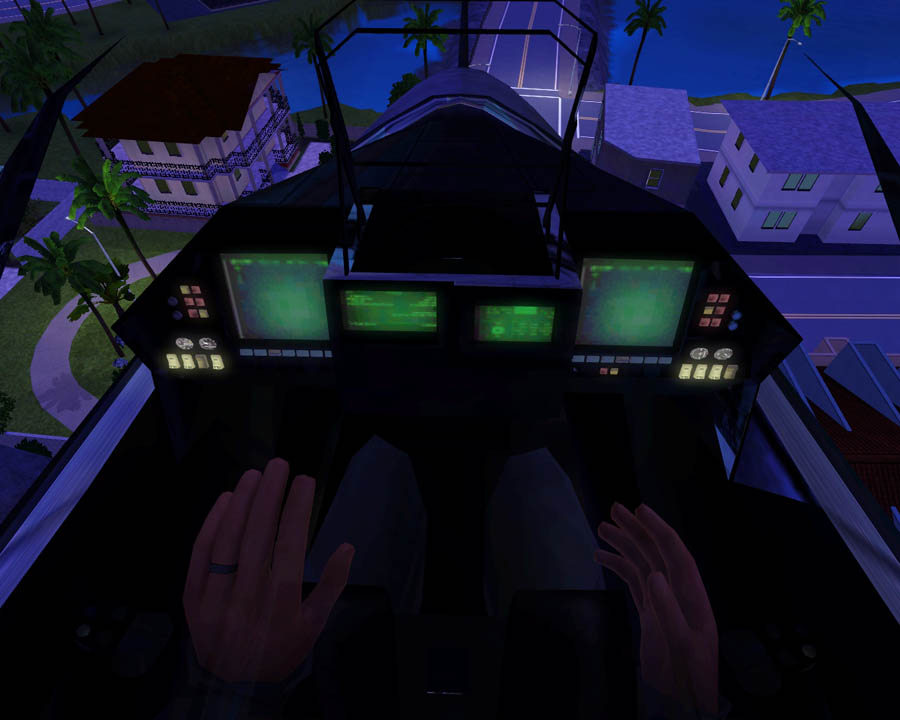
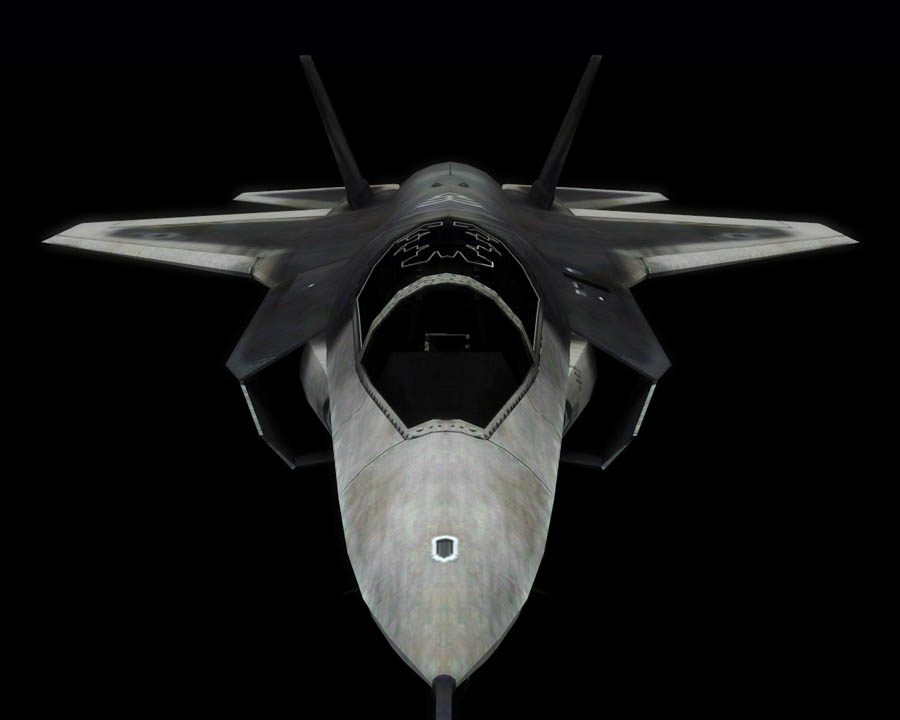
Polygon Counts:
Both Planes:
Faces: 20,195 , Vertices: 27,256
Helicopter Pad:
Faces: 168 , Vertices: 220
Additional Credits:
TSR Workshop
AnoeskaB, WesHowe, DD, Inge, Delphy, Lee and everyone who has helped me! :D
www.3dworldclub.com for modifed model. This car along with every other model from that site has proper permission and credit from the owner and administrator of the site.
This is a new mesh, and means that it's a brand new self contained object that usually does not require a specific Pack (although this is possible depending on the type). It may have Recolours hosted on MTS - check below for more information.
|
F-P Lockheed Martin F-35 Lightning II Set.zip
Download
Uploaded: 23rd Jul 2010, 6.60 MB.
44,415 downloads.
|
||||||||
| For a detailed look at individual files, see the Information tab. | ||||||||
Install Instructions
1. Click the download button, or the filename, to download the file to your computer.
2. Extract the zip, rar, or 7z file. Now you will have either a .package or a .sims3pack file.
For Package files:
1. Cut and paste the file into your Documents\Electronic Arts\The Sims 3\Mods\Packages folder. If you do not already have this folder, you should read the full guide to Package files first: Sims 3:Installing Package Fileswiki, so you can make sure your game is fully patched and you have the correct Resource.cfg file.
2. Run the game, and find your content where the creator said it would be (build mode, buy mode, Create-a-Sim, etc.).
For Sims3Pack files:
1. Cut and paste it into your Documents\Electronic Arts\The Sims 3\Downloads folder. If you do not have this folder yet, it is recommended that you open the game and then close it again so that this folder will be automatically created. Then you can place the .sims3pack into your Downloads folder.
2. Load the game's Launcher, and click on the Downloads tab. Find the item in the list and tick the box beside it. Then press the Install button below the list.
3. Wait for the installer to load, and it will install the content to the game. You will get a message letting you know when it's done.
4. Run the game, and find your content where the creator said it would be (build mode, buy mode, Create-a-Sim, etc.).
Extracting from RAR, ZIP, or 7z: You will need a special program for this. For Windows, we recommend 7-Zip and for Mac OSX, we recommend Keka. Both are free and safe to use.
Need more help?
If you need more info, see:
- For package files: Sims 3:Installing Package Fileswiki
- For Sims3pack files: Game Help:Installing TS3 Packswiki
Loading comments, please wait...



Uploaded: 23rd Jul 2010 at 6:01 PM
-
by Fresh-Prince 14th Jan 2010 at 10:01am
 56
159.2k
221
56
159.2k
221
-
by Fresh-Prince 19th Feb 2010 at 6:31pm
49
134.1k
171
-
-
by Fresh-Prince 26th Jul 2010 at 8:35pm
50
98.4k
198
-
-
by Fresh-Prince 12th Aug 2010 at 11:56pm
96
229.4k
417
-
-
by Fresh-Prince 12th Sep 2010 at 9:02am
30
103.5k
175
-
by Fresh-Prince 17th Feb 2011 at 7:57pm
106
185.4k
558
-
by Fresh-Prince 7th Dec 2011 at 4:15pm
60
103.9k
287

-
by Fresh-Prince 6th Mar 2008 at 8:35pm
Awesome style sports car! All comments welcomed and appreciated! Enjoy! more...
 +1 packs
32 210.3k 168
+1 packs
32 210.3k 168 Nightlife
-
by Fresh-Prince 30th Dec 2006 at 4:20am
**UPDATES** -December 31,2006- --Thanks a ton to Luslipz73 for making all my objects recolorable! Thanks a lot! more...
-
by Fresh-Prince 24th Oct 2007 at 12:15am
Going away on a honeymoon? getting married? Singing at a world tour? What ever the case, this fancy old style more...
+1 packs
46 55.5k 46 Nightlife
-
by Fresh-Prince 2nd Feb 2009 at 8:41pm
I've been in the object creating mood recently, so today I bring you a new decorative object! more...
50
112.7k
168
-
by Fresh-Prince 11th Oct 2009 at 1:41am
This is a fantastic looking car, and I really love the way it came out for the game! more...
61
126.3k
119
-
by Fresh-Prince 22nd Mar 2008 at 12:25am
Introducing the next generation of the hybrid! more...
+1 packs
50 91.7k 131 Nightlife
-
by Fresh-Prince 15th Aug 2008 at 11:50am
A very elegant car for your sims! more...
+1 packs
30 89.3k 114 Nightlife
-
by Fresh-Prince 6th Mar 2008 at 9:15pm
Sporty classic car! All comments welcomed, enjoy! more...
+1 packs
7 32.7k 40 Nightlife
-
by Fresh-Prince 13th Dec 2009 at 9:14am
I know this is a little late during the time of the year, since I made this in the summer, more...
+1 packs
64 75.9k 132 Nightlife
-
by Fresh-Prince 30th Jan 2007 at 4:56pm
I know it's strange, me, Fresh-Prince, uploading a home,lol. more...
+6 packs
22 24.9k 35 Family Fun
 University
 Glamour Life
Nightlife
Glamour Life
Nightlife
 Open for Business
 Pets
Pets


