
 Sign in to Mod The Sims
 Driveable UFO - Sims 2 Conversion
 Driveable UFO - Sims 2 Conversion


Front and back views.jpg - width=963 height=434
Cruising the town.jpg - width=632 height=558
Junkyard and inside view.jpg - width=895 height=504
Night views.jpg - width=1024 height=378
Thumb.jpg - width=391 height=360
4x recolour.jpg - width=604 height=454
UPDATE 19th OCTOBER 2011: Updated with new file fixed to work with patch 1.26/Pets, thanks to Grant Hess's RigFix. The new file is on the Download page, with a filename beginning with PETS. The new file is NOT backwards-compatible, so if you don't have Pets or are not going to update with the 1.26 patch, please use the old version. New file contains both the non-recolourable and recolourable versions of the UFO.
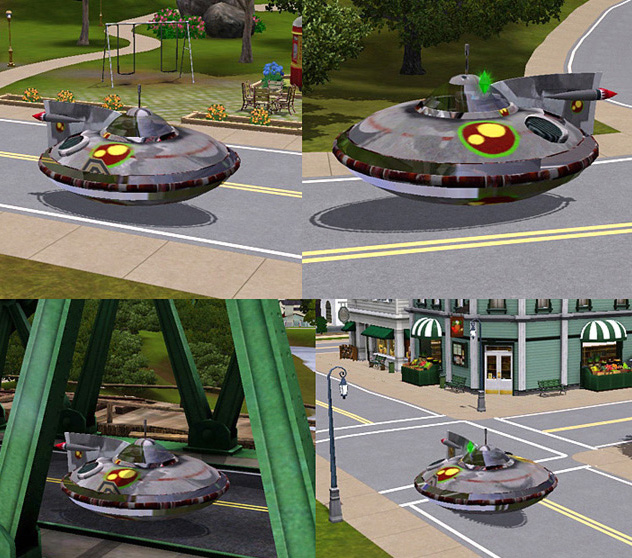
Some mysterious person (must have been an Inventor type) decided to reassemble the crashed UFO in Strangetown the best he/she could. It looks a bit funky and scruffy, assembled from various different broken parts and is a bit rusty in places, but surprisingly, it's in working order. Unfortunately it can no longer fly high and be used for interplanetary travel, it can now only float along a few inches from the ground, but it works great as a reliable daily driver for your more, er, eccentric sims.
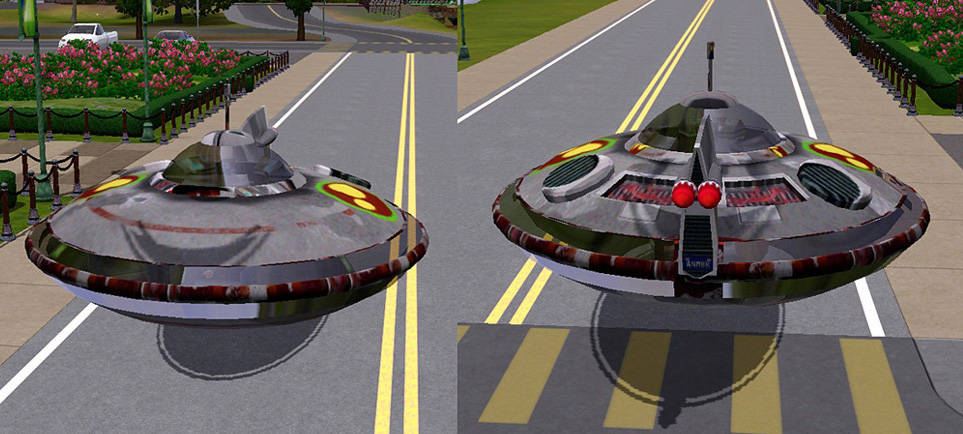
Looks really cute cruising around town:
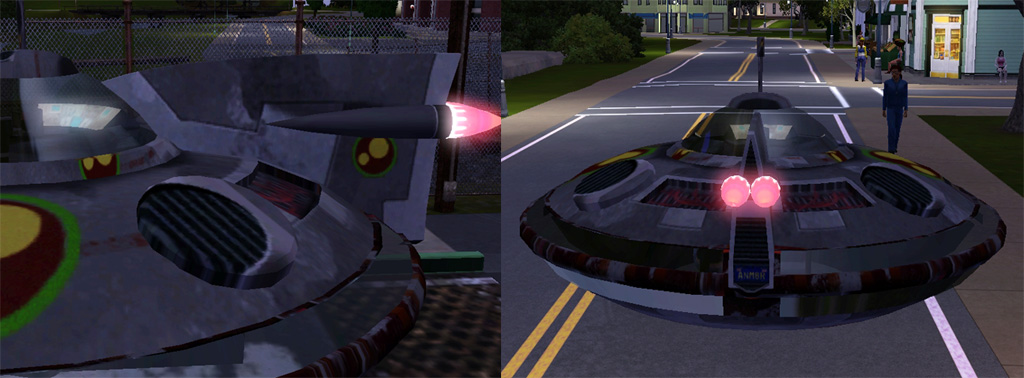
At night, the tail lights and the dashboard on the upper deck light up. No headlights on this baby, making it ideal for stealth missions, but just make sure you know where you're going at night.
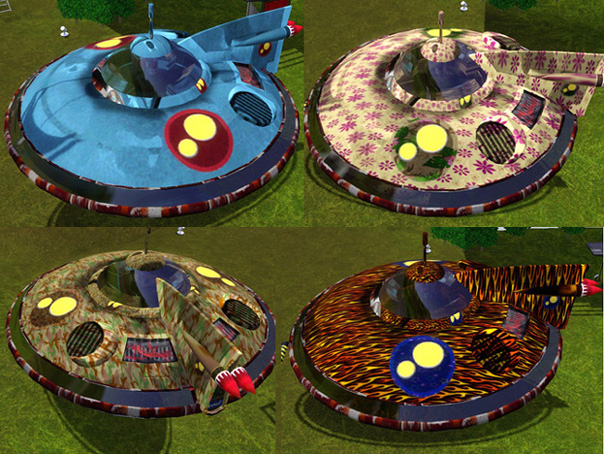
The UFO is offered in two versions: In its original colours in a non-recolourable version, and in a recolourable version, which somewhat loses the nuances of the original colours and shadings on the main bodywork due to being converted to greyscale, but looks great when CaST'ed with a pattern, such as those shown below. If you want the UFO to look as it does in the above pics, use the file CarOriginalUFO. For the recolourable version, use the file CarRecolourableUFO. You can have both packages in your game, so you can have it both ways.
The recolourable version has two colour channels: the main bodywork, and the larger circle that encloses the smaller yellow circles.
It is found in the Buy Mode catalogue under Vehicles/Cars, and costs 4500 simoleons. It will need a car parking space. It was made from a base game car, so you don't need any expansion packs.
It's a conversion and modification of the UFO from The Sims 2 used for the alien abduction scenes. Giving it the flashing and spinning light effects it had in TS2 is not possible in TS3, so please don't request it!
People will 'teleport' in and out of it exactly as they do with cars - it uses the regular car animations.
Because it is a bit oversized compared to the regular cars, some clipping will occur through other items when in very close proximity.
Thanks for looking, hope you'll find this fun for your more 'unusual' sims.
INSTALL INSTRUCTIONS:
Unzip the .zip file and copy the .package file to your Mods\Packages folder. If you don't have a Mods\Packages folder and/or don't know how to install .package files, please see full instructions here: http://www.modthesims.info/wiki.php...g_Package_Files
Polygon Counts:
3276
Additional Credits:
A HUGE thank-you to HugeLunatic for kind and invaluable help with some of the technical details!
Made with s3oc, S3PE and Sims 3 Object Tool.
Tested with Delphy's Sims 3 Dashboard for 'Blue Lot Syndrome' and came up clean.
This is a new mesh, and means that it's a brand new self contained object that usually does not require a specific Pack (although this is possible depending on the type). It may have Recolours hosted on MTS - check below for more information.
|
EsmeraldaF_PETSOriginal+RecolourableUFO.zip
| New fixed version for Pets/patch 1.26 upwards. Contains both Original and Recolourable UFO. NOT backwards compatible.
Download
Uploaded: 19th Oct 2011, 1.25 MB.
7,106 downloads.
|
||||||||
|
EsmeraldaF_CarRecolourableUFO.zip
| Old version - only use if you HAVEN'T upgraded to Pets or patch 1.26
Download
Uploaded: 2nd Jul 2010, 631.5 KB.
12,633 downloads.
|
||||||||
|
EsmeraldaF_CarUFO.zip
| Old version - only use if you HAVEN'T upgraded to Pets or patch 1.26
Download
Uploaded: 2nd Jul 2010, 622.0 KB.
10,747 downloads.
|
||||||||
| For a detailed look at individual files, see the Information tab. | ||||||||
Install Instructions
1. Click the download button, or the filename, to download the file to your computer.
2. Extract the zip, rar, or 7z file. Now you will have either a .package or a .sims3pack file.
For Package files:
1. Cut and paste the file into your Documents\Electronic Arts\The Sims 3\Mods\Packages folder. If you do not already have this folder, you should read the full guide to Package files first: Sims 3:Installing Package Fileswiki, so you can make sure your game is fully patched and you have the correct Resource.cfg file.
2. Run the game, and find your content where the creator said it would be (build mode, buy mode, Create-a-Sim, etc.).
For Sims3Pack files:
1. Cut and paste it into your Documents\Electronic Arts\The Sims 3\Downloads folder. If you do not have this folder yet, it is recommended that you open the game and then close it again so that this folder will be automatically created. Then you can place the .sims3pack into your Downloads folder.
2. Load the game's Launcher, and click on the Downloads tab. Find the item in the list and tick the box beside it. Then press the Install button below the list.
3. Wait for the installer to load, and it will install the content to the game. You will get a message letting you know when it's done.
4. Run the game, and find your content where the creator said it would be (build mode, buy mode, Create-a-Sim, etc.).
Extracting from RAR, ZIP, or 7z: You will need a special program for this. For Windows, we recommend 7-Zip and for Mac OSX, we recommend Keka. Both are free and safe to use.
Need more help?
If you need more info, see:
- For package files: Sims 3:Installing Package Fileswiki
- For Sims3pack files: Game Help:Installing TS3 Packswiki
Loading comments, please wait...

Uploaded: 2nd Jul 2010 at 6:46 PM
Updated: 23rd Aug 2013 at 3:43 PM - Headlights issue fixed
-
-
by Fresh-Prince 18th Jan 2010 at 6:54pm
 54
175.3k
225
54
175.3k
225
-
The Junkyard Dawg(Really Junky Car)
by wintermuteai1 10th Jun 2010 at 4:23pm
+1 packs
36 50.8k 72 Ambitions
-
by Nukael 28th Jun 2010 at 6:35pm
43
110.1k
178
-
-
by Fresh-Prince 12th Aug 2010 at 10:56pm
96
229.9k
419
-
by Stanislav 10th Jul 2015 at 7:51pm
12
23.6k
37
-
by PhenomIIFX 16th Jul 2016 at 2:04pm
17
20.8k
31
-
-


-
-
-
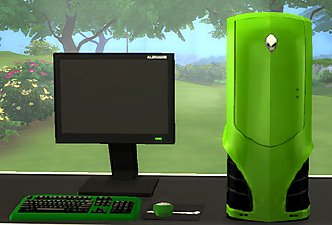
MaxoidMonkey's Alienware PC - TS4 Version
by Esmeralda updated 9th Mar 2015 at 2:07pm
MaxoidMonkey's Alienware PC - TS4 Version more...
 37
46.8k
202
37
46.8k
202
-
-

-
-
by Esmeralda 19th Mar 2010 at 7:44pm
Meet Mr. Skeleto. He's a dashing and debonair skeleton-about-town. more...
78
125.3k
152
Sims » Horror / Gothic » Male
-
Lute (Medieval/Renaissance Guitar)
by Esmeralda updated 16th May 2016 at 10:21am
A Lute for Medieval or Fantasy Sims more...
29
82.8k
204
-
Sims 2 Resurrect-o-Nomitron as Gothic End Table
by Esmeralda updated 15th Jul 2016 at 5:58pm
Sims 2 Resurrect-o-Nomitron as Gothic End Table more...
17
29.3k
126
-
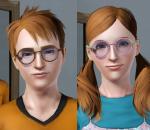
Big Round Glasses for Men and Women - Teen to Elder *UPDATE: Children's Version Added
by Esmeralda updated 4th Jan 2015 at 10:15am
UPDATE, 4 JANUARY 2015: A flaw in the texture of the children's glasses was discovered by blakegriplingph, who has now more...
39
74.1k
115


About Me
MY POLICY: I'm easygoing, please just don't copy my creations or claim them to be your own work. You may include my creations with your sims or lots, just credit me with a link back to the item.