
 Sign in to Mod The Sims
 Bee & Ladybug face masks
 Bee & Ladybug face masks
SCREENSHOTS


bee_1.jpg - width=1100 height=751
bee_2.jpg - width=590 height=550
colors.jpg - width=1150 height=625
cover.jpg - width=1100 height=717
lady_1.jpg - width=1100 height=751
lady_2.jpg - width=590 height=550
Downloaded 2,876 times
93 Thanks
20 Favourited
17,340 Views
Say Thanks!
Thanked!
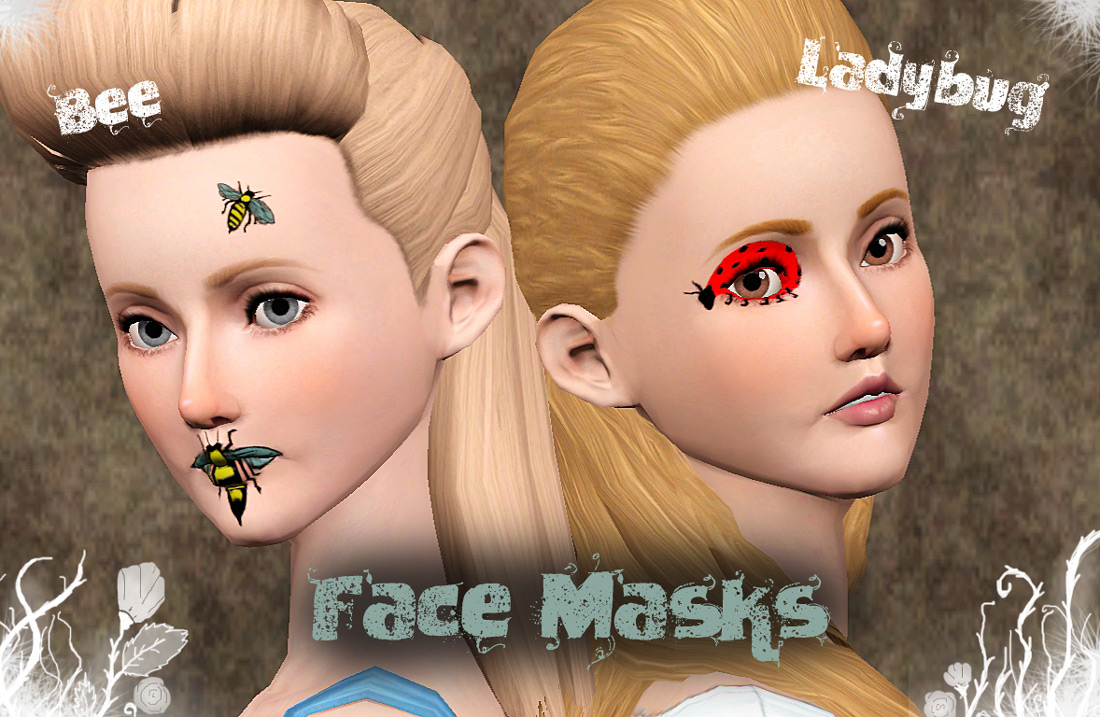
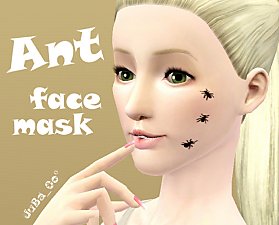
This is an addition to my latest Ant face mask, I thought it wouldn´t be complete without these two :-)
Now you can have a ladybug in your eye and bees around your face. What else do you need to be happy?
For now, these are only available to women, young adult - adult , but I will update for men, teens and elders any time soon.
Now you can have a ladybug in your eye and bees around your face. What else do you need to be happy?
For now, these are only available to women, young adult - adult , but I will update for men, teens and elders any time soon.
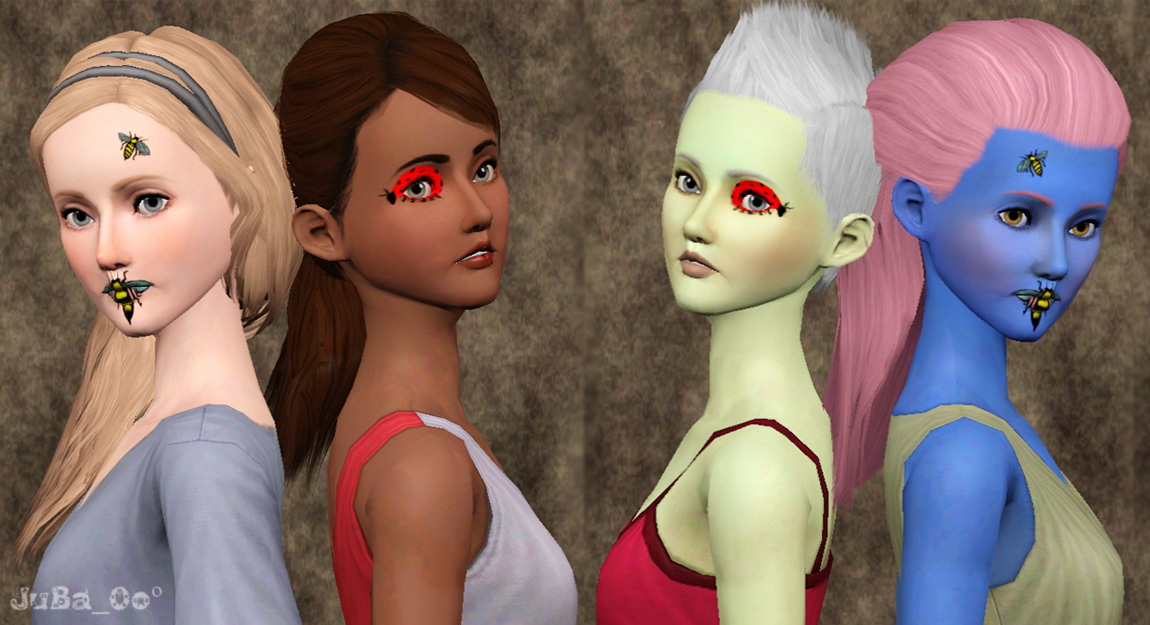
Ladybug face mask Info:
It has two recolorable channels
It´s available to women, young adult-adult (I WILL UPDATE!)
You can use it with any type of body
bee face mask Info:
It has three recolorable channels
It´s available to women, young adult-adult (I WILL UPDATE!)
You can use it with any type of body
How to install?
º Place the .packages files inside your Packages folder ( Documents > EA > Sims 2 > Mods > Packages)
º Run the game and look for your item in the make up section, masks.
Thanks to:
º All the MTS staff :-) they made this possible
º Place the .packages files inside your Packages folder ( Documents > EA > Sims 2 > Mods > Packages)
º Run the game and look for your item in the make up section, masks.
Thanks to:
º All the MTS staff :-) they made this possible
Advertisement:
|
Bee FaceMask by JuBa_0oº.rar
Download
Uploaded: 15th Jun 2012, 359.7 KB.
1,414 downloads.
|
||||||||
|
Lady Bug FaceMask by JuBa_0oº.rar
Download
Uploaded: 15th Jun 2012, 230.9 KB.
1,463 downloads.
|
||||||||
| For a detailed look at individual files, see the Information tab. | ||||||||
Install Instructions
Quick Guide:
1. Click the download button, or the filename, to download the file to your computer.
2. Extract the zip, rar, or 7z file. Now you will have either a .package or a .sims3pack file.
For Package files:
1. Cut and paste the file into your Documents\Electronic Arts\The Sims 3\Mods\Packages folder. If you do not already have this folder, you should read the full guide to Package files first: Sims 3:Installing Package Fileswiki, so you can make sure your game is fully patched and you have the correct Resource.cfg file.
2. Run the game, and find your content where the creator said it would be (build mode, buy mode, Create-a-Sim, etc.).
For Sims3Pack files:
1. Cut and paste it into your Documents\Electronic Arts\The Sims 3\Downloads folder. If you do not have this folder yet, it is recommended that you open the game and then close it again so that this folder will be automatically created. Then you can place the .sims3pack into your Downloads folder.
2. Load the game's Launcher, and click on the Downloads tab. Find the item in the list and tick the box beside it. Then press the Install button below the list.
3. Wait for the installer to load, and it will install the content to the game. You will get a message letting you know when it's done.
4. Run the game, and find your content where the creator said it would be (build mode, buy mode, Create-a-Sim, etc.).
Extracting from RAR, ZIP, or 7z: You will need a special program for this. For Windows, we recommend 7-Zip and for Mac OSX, we recommend Keka. Both are free and safe to use.
Need more help?
If you need more info, see:
1. Click the download button, or the filename, to download the file to your computer.
2. Extract the zip, rar, or 7z file. Now you will have either a .package or a .sims3pack file.
For Package files:
1. Cut and paste the file into your Documents\Electronic Arts\The Sims 3\Mods\Packages folder. If you do not already have this folder, you should read the full guide to Package files first: Sims 3:Installing Package Fileswiki, so you can make sure your game is fully patched and you have the correct Resource.cfg file.
2. Run the game, and find your content where the creator said it would be (build mode, buy mode, Create-a-Sim, etc.).
For Sims3Pack files:
1. Cut and paste it into your Documents\Electronic Arts\The Sims 3\Downloads folder. If you do not have this folder yet, it is recommended that you open the game and then close it again so that this folder will be automatically created. Then you can place the .sims3pack into your Downloads folder.
2. Load the game's Launcher, and click on the Downloads tab. Find the item in the list and tick the box beside it. Then press the Install button below the list.
3. Wait for the installer to load, and it will install the content to the game. You will get a message letting you know when it's done.
4. Run the game, and find your content where the creator said it would be (build mode, buy mode, Create-a-Sim, etc.).
Extracting from RAR, ZIP, or 7z: You will need a special program for this. For Windows, we recommend 7-Zip and for Mac OSX, we recommend Keka. Both are free and safe to use.
Need more help?
If you need more info, see:
- For package files: Sims 3:Installing Package Fileswiki
- For Sims3pack files: Game Help:Installing TS3 Packswiki
Advertisement:
Loading comments, please wait...
Author
Download Details
Packs:
None, this is Sims 3 base game compatible!
Uploaded: 15th Jun 2012 at 6:27 AM
Uploaded: 15th Jun 2012 at 6:27 AM
Maxis Flags:
– None
: No additional maxis flags
Gender:
– Female
Tags
Other Download Recommendations:

More downloads by JuBa_0oº:
See more
-
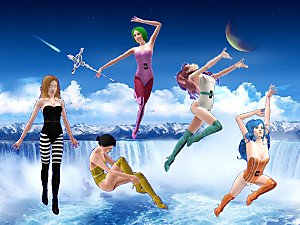

Magical Transformation Pose Pack updated
by JuBa_0oº 26th Jan 2012 at 9:08am
Five transformation poses to reveal your sim´s magical habilities. Pose player required. more...
 20
57.6k
110
20
57.6k
110
-
-
-

-
-
-


-
-


-
About Me
My Policy:
º Sorry, I don´t usually take requests;
º Do not re-upload my cc - link to this blog or my tumblr;
º Do not modify/recolor my meshes/textures without asking me first;
º If you wish to contact me, use my ask box on tumblr - http://juba-0o.tumblr.com/ -