
 Sign in to Mod The Sims
 Tuxedo Jacket as Separate Top
 Tuxedo Jacket as Separate Top


TuxJacket-Thumb.jpg - width=728 height=728
TuxJacket-Front.jpg - width=835 height=835
TuxJacket-Back.jpg - width=835 height=835
TuxJacket-Morphs.jpg - width=1506 height=683

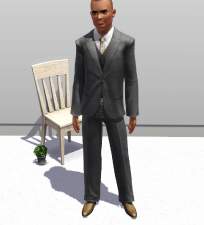
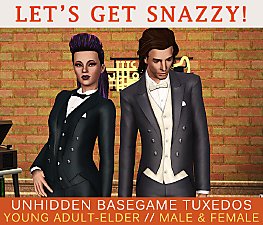
This is the base game tuxedo, made into a separately wearable top-only. I've also trimmed it a little bit in the torso to make it a little sleeker, and removed the pocket and handkerchief. Two recolourable areas: jacket/tie and shirt. Formal only, fully working morphs, the usual.
Huge thanks to CmarNYC for the amazing Mesh Toolkit, TSR for TSRW, and Spladoum for assistance.
Polygon Counts:
3444 for the LOD0 (normal).
This is a new mesh, and means that it's a brand new self contained object that usually does not require a specific Pack (although this is possible depending on the type). It may have Recolours hosted on MTS - check below for more information.
|
HP-TuxJacketMale.7z
Download
Uploaded: 1st Aug 2014, 876.2 KB.
11,881 downloads.
|
||||||||
| For a detailed look at individual files, see the Information tab. | ||||||||
Install Instructions
1. Click the download button, or the filename, to download the file to your computer.
2. Extract the zip, rar, or 7z file. Now you will have either a .package or a .sims3pack file.
For Package files:
1. Cut and paste the file into your Documents\Electronic Arts\The Sims 3\Mods\Packages folder. If you do not already have this folder, you should read the full guide to Package files first: Sims 3:Installing Package Fileswiki, so you can make sure your game is fully patched and you have the correct Resource.cfg file.
2. Run the game, and find your content where the creator said it would be (build mode, buy mode, Create-a-Sim, etc.).
For Sims3Pack files:
1. Cut and paste it into your Documents\Electronic Arts\The Sims 3\Downloads folder. If you do not have this folder yet, it is recommended that you open the game and then close it again so that this folder will be automatically created. Then you can place the .sims3pack into your Downloads folder.
2. Load the game's Launcher, and click on the Downloads tab. Find the item in the list and tick the box beside it. Then press the Install button below the list.
3. Wait for the installer to load, and it will install the content to the game. You will get a message letting you know when it's done.
4. Run the game, and find your content where the creator said it would be (build mode, buy mode, Create-a-Sim, etc.).
Extracting from RAR, ZIP, or 7z: You will need a special program for this. For Windows, we recommend 7-Zip and for Mac OSX, we recommend Keka. Both are free and safe to use.
Need more help?
If you need more info, see:
- For package files: Sims 3:Installing Package Fileswiki
- For Sims3pack files: Game Help:Installing TS3 Packswiki
Loading comments, please wait...



Uploaded: 1st Aug 2014 at 1:23 PM
-
-
by The Path Of Nevermore updated 10th Oct 2010 at 8:30pm
 24
73k
115
24
73k
115
Male » Everyday » Young Adult
-
by DarkSilence 24th Feb 2011 at 9:26pm
27
90.3k
127
Male » Formal » Young Adult
-
-
-

-
Casual Fridays--Supernatural Jacket Edit. Base Game Compatible!
by spladoum 5th Jul 2014 at 1:47am
54
65.2k
339
Male » Everyday » Young Adult
-
by HystericalParoxysm 27th Jul 2014 at 10:31pm
27
32.2k
108
-
-
'Danger Darling' Top for Teen-Elder
by sweetdevil 28th Jan 2019 at 11:21am
10
18.5k
89
Female » Formal » Young Adult

-

by HystericalParoxysm 25th Jul 2014 at 11:13pm
Ummmm, my hand slipped and I converted this to TS3 as well. more...
32
60.7k
200
-


Tiny Texture Replacers Combined
by HystericalParoxysm updated 11th Nov 2010 at 6:20pm
A combined-packages version of my tiny texture replacer mods for added in-game realism. more...
-
by HystericalParoxysm 7th Apr 2007 at 2:56pm
This beauty was created as a love interest for another sim, but I was so struck with her once I more...
-
by HystericalParoxysm 11th Apr 2007 at 4:43pm
This lovely lady may be pleasant on the eyes, but she's a bit of a pain to be around - more...
-
"Blasphemy" Eyes - UPDATE 17 Mar 07 - New Colours and Defaults
by HystericalParoxysm 11th Jan 2007 at 12:44pm
I have been using Pinstruck's palest eye from this set over... and over... and over... more...
-


by HystericalParoxysm 9th Jul 2009 at 5:10am
Who is Eric? Eric is a man's man, a guy's guy. more...
-

Holy Simoly 'Amarante' Basics Recolour Set
by HystericalParoxysm 9th Mar 2007 at 12:24pm
I absolutely loooooove this set (and, well, ALL the sets) from Holy Simoly, but I was desperate for more basic more...
 43
37.8k
56
43
37.8k
56
-


Foundations Challenge: Grandma Lee's
by HystericalParoxysm 23rd Mar 2009 at 4:11am
About this lot: This lot was built as part of a #create channel challenge - build a lot on more...
+17 packs
4 11.2k 8 Happy Holiday
 Family Fun
 University
 Glamour Life
 Nightlife
 Celebration
 Open for Business
 Pets
Pets
 H&M Fashion
 Teen Style
 Seasons
 Kitchen & Bath
 Bon Voyage
 Free Time
 Ikea Home
 Apartment Life
 Mansion and Garden
-


by HystericalParoxysm 9th Jul 2009 at 5:06am
Who is Roxie? Roxie's youthful spirit means she's not afraid to try new things, even ones that end up more...
-

by HystericalParoxysm 14th Aug 2007 at 12:09pm
Though she goes to work every day wearing an apron and makes expensive coffee drinks in tiny cups, Kiana's real more...


