Sign in to Mod The Sims
 4to3 - Bella's Dress
 4to3 - Bella's Dress


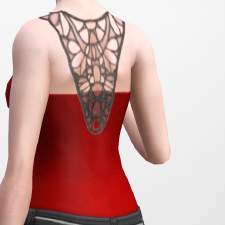
BellaDress1.jpg - width=850 height=850
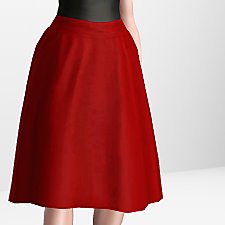
BellaDress2.jpg - width=850 height=850
BellaDress3.jpg - width=850 height=850
BellaDress4.jpg - width=850 height=850

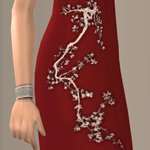
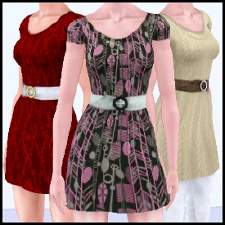
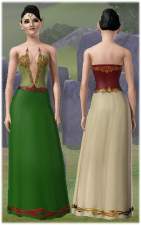
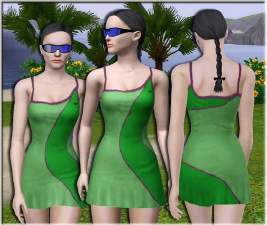
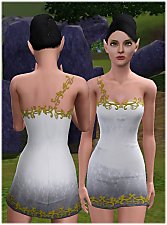
This dress is a retexture of the lovely pencil dress mesh by Yarona at The Sims Models. The mesh is included in the 7z file so you don't have to download it separately. The original mesh and my textures will show up as two new items in your casual and formalwear. The mesh has some slight imperfections around the skirt, but really is the perfect shape for this.
Because of *mumblemumble*, my retexture will show up white by default - if you want it red, just choose a red swatch in CAST. If you must use the same colours I did... 92.35.18 and 78.23.21. Looks best in medium tones - too light or too dark and it loses a ton of detail. Two recolourable areas: Main dress and top trim (see pic with polka dots).
Model is a slight edit of the lovely Bella Goth by Nemiga.
Thanks to the TS4 tool creators for making this possible, Delphy for CTU, Peter and Inge for S3OC/S3PE, and to Nysha and Levini for poking me in the right direction. Thanks also to EA, for creating such a marvelous salvage yard of textures in TS4.
|
BellaDress.7z
Download
Uploaded: 25th Jul 2014, 1.05 MB.
20,709 downloads.
|
||||||||
| For a detailed look at individual files, see the Information tab. | ||||||||
Install Instructions
1. Click the download button, or the filename, to download the file to your computer.
2. Extract the zip, rar, or 7z file. Now you will have either a .package or a .sims3pack file.
For Package files:
1. Cut and paste the file into your Documents\Electronic Arts\The Sims 3\Mods\Packages folder. If you do not already have this folder, you should read the full guide to Package files first: Sims 3:Installing Package Fileswiki, so you can make sure your game is fully patched and you have the correct Resource.cfg file.
2. Run the game, and find your content where the creator said it would be (build mode, buy mode, Create-a-Sim, etc.).
For Sims3Pack files:
1. Cut and paste it into your Documents\Electronic Arts\The Sims 3\Downloads folder. If you do not have this folder yet, it is recommended that you open the game and then close it again so that this folder will be automatically created. Then you can place the .sims3pack into your Downloads folder.
2. Load the game's Launcher, and click on the Downloads tab. Find the item in the list and tick the box beside it. Then press the Install button below the list.
3. Wait for the installer to load, and it will install the content to the game. You will get a message letting you know when it's done.
4. Run the game, and find your content where the creator said it would be (build mode, buy mode, Create-a-Sim, etc.).
Extracting from RAR, ZIP, or 7z: You will need a special program for this. For Windows, we recommend 7-Zip and for Mac OSX, we recommend Keka. Both are free and safe to use.
Need more help?
If you need more info, see:
- For package files: Sims 3:Installing Package Fileswiki
- For Sims3pack files: Game Help:Installing TS3 Packswiki
Meshes needed
This download requires one or more meshes to work properly. Please check the Description tab for information about the meshes needed, then download them below:| MTS cannot guarantee any off-site links will be available |
| thesimsmodels.com/forum/7-402-13353-16-1341511606 (non-MTS link) |
Loading comments, please wait...



Uploaded: 25th Jul 2014 at 11:13 PM
Updated: 25th Jul 2014 at 11:28 PM
-
by Anubis360 18th Aug 2009 at 2:12am
 52
181.4k
357
52
181.4k
357
-
by kuchikisan92 7th Sep 2009 at 11:59pm
33
162.4k
349
-
by Anubis360 13th Sep 2009 at 2:42pm
49
196.6k
233
-
-
-
-
-
by HystericalParoxysm 27th Jul 2014 at 10:31pm
27
32.2k
108
-
by HystericalParoxysm 2nd Aug 2014 at 7:52pm
29
60.2k
275
-
by FifthAce2007 11th Aug 2014 at 7:31pm


-
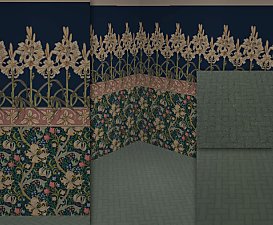
Art Nouveau Lilygasm Mucha/Morris Wall and Floor Set (3 Colourways)
by HystericalParoxysm 12th Nov 2006 at 5:01pm
If my recent uploads weren't enough of a clue, I'm a huuuuge screaming fangirl for art nouveau, and the two more...
 14
18.4k
33
14
18.4k
33
-

by HystericalParoxysm 19th Mar 2007 at 6:25pm
It was a real pleasure helping tammeke fix up her really cute retro hair mesh, and it struck me more...
-
by HystericalParoxysm 1st Aug 2014 at 12:23pm
The base game tux jacket, separated into its own top. more...
20
36.6k
101
Male » Formal » Young Adult
-
by HystericalParoxysm 7th Jan 2007 at 12:19pm
I keep seeing more eye sets and they keep being... not what I want. more...
-
H&M Crimson Cherry Blossoms Plunge Dress
by HystericalParoxysm 9th Jan 2008 at 6:13am
So I noticed this one mesh in the H&M stuff pack was a really cute shape, but looked like it'd more...
-
"Precious Jewels" Eye Set + Defaults
by HystericalParoxysm 3rd Jul 2006 at 7:54am
I've been playing around with eye textures for quite a while now, experimenting with different things, and I finally made more...
-

No Sleep Zzzs - Now with No 010101s (Amb) and No Vvvs! (LN)
by HystericalParoxysm updated 11th Nov 2010 at 7:27am
What does this do? This is a tiny default replace texture mod which overrides the textures of the gigantic more...
-
"Cherub" Curly Hair for Males (All Ages!)
by HystericalParoxysm 27th Apr 2006 at 9:05am
I am pleased to (finally!) present my first publicly-released hair mesh, "Cherub" for males. more...
-
Seomi's "Wind" for Females - Nouk Retextures
by HystericalParoxysm 30th Jun 2008 at 1:22am
:here: Wind Retextures I always really loved the shape of this mesh, but the original textures were a little more...
-