Sign in to Mod The Sims
 Default replacement - BG TF/AF bikinis replaced with HP's Fanseefem bikinis
 Default replacement - BG TF/AF bikinis replaced with HP's Fanseefem bikinis


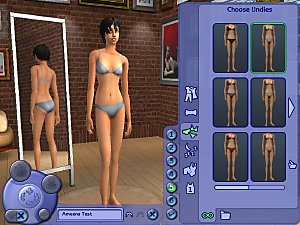
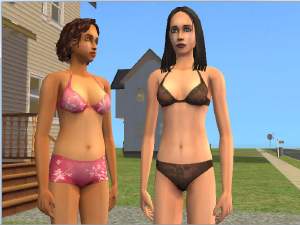
FFS_catalog.jpg - width=800 height=600
SolidSwatch.jpg - width=273 height=58
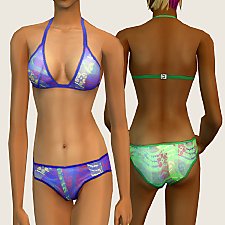
BluePaisleyReplace.jpg - width=800 height=600
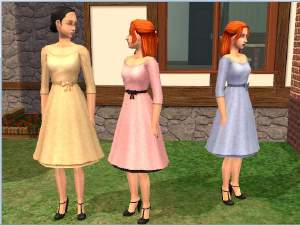
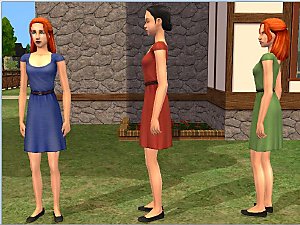
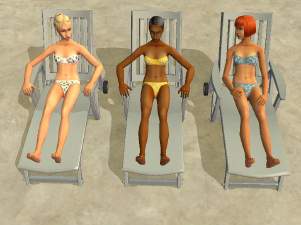
YellowSwim.jpg - width=800 height=600
Rearview.jpg - width=800 height=600
Update: April 10, 2015 One of the custom recolor packages was broken. I have uploaded a fixed version; if you have already downloaded the custom recolors, please re-download.
The main rar file contains both the briefs and boyshorts versions, so make sure you only use one. These are texture replacements, so both the teen and adult versions of the swimsuits in these CAS thumbs will be replaced.
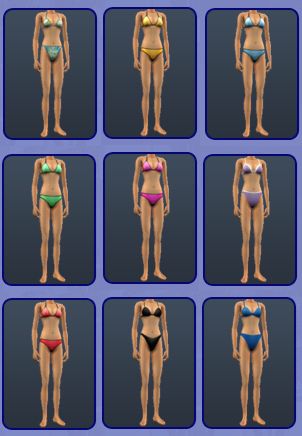
The teen versions of the purple and dark blue bikinis in the right-hand column were left incomplete by Maxis. I made an unlocker for those outfits; using it will allow their replacements to be available to teens.
For the solid colors, the same colors are used for both ages and styles. I have tried to stay close to the Maxis colors. Here's a swatch:

For the blue paisley bikini, I used some of the patterned recolors, so the briefs and boyshorts versions of the replacements have different patterns. Click the spoiler button to see them.
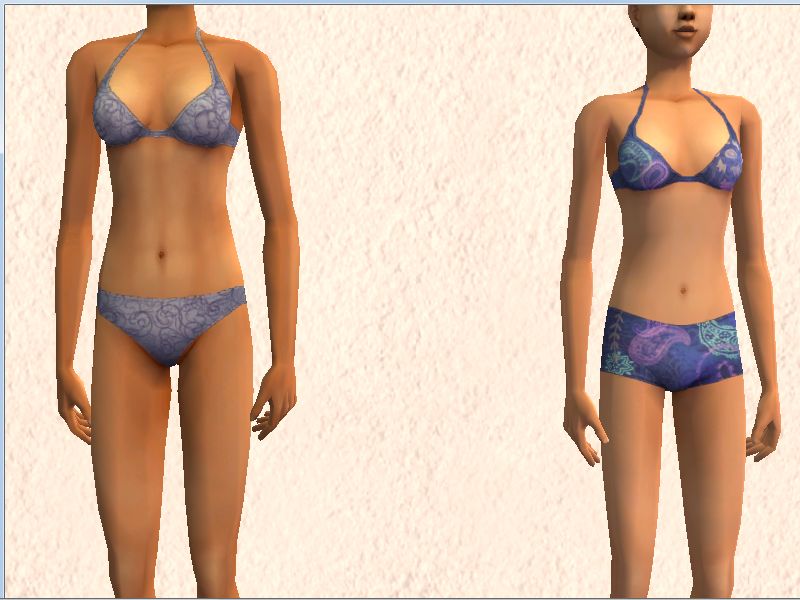 The outfit on the left is HP's light blue with swirls. The one on the right is a recolor of HP's purple paisley boyshorts; the pattern is hers, the color is mine.
Which replacement outfits are available to YAF depends on what, besides University, is installed. If some replacement outfits are not available for YAF, an optional category mod to YA-enable them is in a separate rar file. That rar also includes an optional category mod to set the black and dark blue bikinis (afbodyswimwear_classicbikiniblack and afbodyswimwear_sportbikiniblue) as swimwear only, instead of as swimwear and underwear. See Place in Program Files under the Install Instructions tab for instructions on installing these mods.
While you can only have one default replacement for any given texture, you can use either of these defaults with one that only replaces the adult or teen base-game bikinis. In fact, I have included a rar with adult-only versions of the briefs and boyshorts defaults. You could, for example, use the boyshorts version of the texture replacements and the adult-only briefs replacement to have teens wear boyshorts and adults wear briefs.
Note: HP made a replacement mesh for adults, but not for teens. I used Cat's replacement teen and adult meshes.
Additional Credits:
Maxis, for the original mesh.
HystericalParoxysm, for the textures.
Skellington, for the how-to on taking bumpmaps out of clothing TXMTs.
|
FanseefemCustomRecolors.rar
| 3) Custom versions of the yellow and blue paisley recolors.
Download
Uploaded: 10th Apr 2015, 82.5 KB.
382 downloads.
|
||||||||
|
OptionalCategoryMods_forSwimwear.rar
Download
Uploaded: 8th Apr 2015, 1.3 KB.
336 downloads.
|
||||||||
|
dharden_DefaultOverlays-AF_FanseefemBikinis.rar
| 2) Default replacements for base game AF bikinis. Can be used with 1).
Download
Uploaded: 8th Apr 2015, 321.9 KB.
478 downloads.
|
||||||||
|
dharden_DEFAULT_BG_NonstringBikinins_wFanseefemBikinis.rar
| 1) Default replacements for base game TF and AF bikinis.
Download
Uploaded: 8th Apr 2015, 491.1 KB.
695 downloads.
|
||||||||
| For a detailed look at individual files, see the Information tab. | ||||||||
Install Instructions
1. Download: Click the download link to save the .rar or .zip file(s) to your computer.
2. Extract the zip, rar, or 7z file.
3. Place in Downloads Folder: Cut and paste the .package file(s) into your Downloads folder:
- Origin (Ultimate Collection): Users\(Current User Account)\Documents\EA Games\The Sims™ 2 Ultimate Collection\Downloads\
- Non-Origin, Windows Vista/7/8/10: Users\(Current User Account)\Documents\EA Games\The Sims 2\Downloads\
- Non-Origin, Windows XP: Documents and Settings\(Current User Account)\My Documents\EA Games\The Sims 2\Downloads\
- Mac: Users\(Current User Account)\Documents\EA Games\The Sims 2\Downloads
- Mac x64: /Library/Containers/com.aspyr.sims2.appstore/Data/Library/Application Support/Aspyr/The Sims 2/Downloads
- For a full, complete guide to downloading complete with pictures and more information, see: Game Help: Downloading for Fracking Idiots.
- Custom content not showing up in the game? See: Game Help: Getting Custom Content to Show Up.
- If you don't have a Downloads folder, just make one. See instructions at: Game Help: No Downloads Folder.
Loading comments, please wait...
Uploaded: 8th Apr 2015 at 1:05 AM
Updated: 10th Apr 2015 at 5:00 PM
-
-
-
-
-
-
Default replacement - Uni bikinis replaced w/HP's Fanseefem bikinis
by dharden 12th Apr 2015 at 12:39am
 +1 packs
7.1k 8
+1 packs
7.1k 8 University
-
-
-
-


-
-
Colorful recolors of BG ultra-modern bed
by dharden 15th Jul 2015 at 7:32pm
Recolors of the bedframe for "#4234" by C. Lee Funkensnooz more...
2
4.3k
15
-
Recolors for the community lot Neukum wall speakers
by dharden 2nd Feb 2018 at 8:22pm
Community lot versions of Michelle's recolors of the Neukum Systems Wall Speaker more...
4
4k
7
-
Replacements for the "town car" carpool
by dharden 25th Jun 2020 at 8:54pm
A set of default replacements for the "town car" carpool from the Business career more...
1
6.1k
4
-
Books First for Learning - [CEP Extra]
by dharden updated 1st Jan 2019 at 1:43am
Enables second subset (books) for Education career reward bookcase. Uses book recolors from Michelle's Buyable Bookshelf of Education. more...
+1 packs
3 11.7k 18 Seasons
-
-
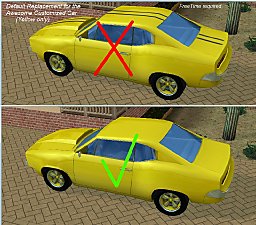
Default replacement - Yellow FreeTime restorable car w/o stripes
by dharden 15th Apr 2017 at 6:47pm
Removes the black stripes from the yellow paint job for the Awesome Customized Car from FreeTime. more...
+1 packs
5 7.8k 8 Free Time
-
-
-