Sign in to Mod The Sims
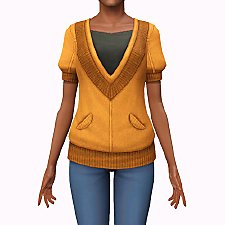
 Store Explorer Shirt Edit
 Store Explorer Shirt Edit


shirt1.gif - width=200 height=200
shirt rgb.jpg - width=868 height=385
shirt thin.jpg - width=868 height=385
shirt3.jpg - width=1102 height=654
shirt2.jpg - width=946 height=691
shirt1.jpg - width=1127 height=624
shirt ingame.jpg - width=426 height=691
shirt fit.jpg - width=868 height=385
shirt fat.jpg - width=868 height=385
It includes modified normal and specular maps, and has four recolourable channels - the shirt, the undershirt, the epaulettes, and the pocket, as well as fat, fit and thin morphs. Available in Everyday, Formal and Career Tops for Young Adult and Adult females. It's a fully standalone item that doesn't require any Store content.
Poly counts:
LOD1: 3582 polys / 2442 verts
LOD2: 1255 polys / 1358 verts
LOD3: 581 polys / 785 verts
Credits: Mesh and textures modified from The Sims 3 Store
|
afTopShirtExplorer.zip
Download
Uploaded: 7th Nov 2021, 1.14 MB.
1,661 downloads.
|
||||||||
| For a detailed look at individual files, see the Information tab. | ||||||||
Install Instructions
1. Click the download button, or the filename, to download the file to your computer.
2. Extract the zip, rar, or 7z file. Now you will have either a .package or a .sims3pack file.
For Package files:
1. Cut and paste the file into your Documents\Electronic Arts\The Sims 3\Mods\Packages folder. If you do not already have this folder, you should read the full guide to Package files first: Sims 3:Installing Package Fileswiki, so you can make sure your game is fully patched and you have the correct Resource.cfg file.
2. Run the game, and find your content where the creator said it would be (build mode, buy mode, Create-a-Sim, etc.).
For Sims3Pack files:
1. Cut and paste it into your Documents\Electronic Arts\The Sims 3\Downloads folder. If you do not have this folder yet, it is recommended that you open the game and then close it again so that this folder will be automatically created. Then you can place the .sims3pack into your Downloads folder.
2. Load the game's Launcher, and click on the Downloads tab. Find the item in the list and tick the box beside it. Then press the Install button below the list.
3. Wait for the installer to load, and it will install the content to the game. You will get a message letting you know when it's done.
4. Run the game, and find your content where the creator said it would be (build mode, buy mode, Create-a-Sim, etc.).
Extracting from RAR, ZIP, or 7z: You will need a special program for this. For Windows, we recommend 7-Zip and for Mac OSX, we recommend Keka. Both are free and safe to use.
Need more help?
If you need more info, see:
- For package files: Sims 3:Installing Package Fileswiki
- For Sims3pack files: Game Help:Installing TS3 Packswiki
Loading comments, please wait...

Uploaded: 7th Nov 2021 at 5:14 PM
Updated: 7th Nov 2021 at 5:31 PM
-
-
-
-
-
-
-
by HystericalParoxysm 27th Jul 2014 at 10:31pm
 27
32.2k
108
27
32.2k
108
-
by sweetdevil 2nd Feb 2017 at 10:57am
13
16k
53
-
by sweetdevil 5th Mar 2017 at 7:49pm
+1 packs
13 18.7k 79 Supernatural
-


-
-
-
-
Default Functional Closet Shelves
by Qahne 26th Feb 2021 at 10:38pm
A simple replacement for the basegame closet shelves to make them functional more...
 10
11.1k
72
10
11.1k
72
-


-
TS2 Mescalito's Agave Simulado
by Qahne 21st Feb 2021 at 3:42pm
Conversion of the century plant from The Sims 2 more...
2
2.8k
13
-
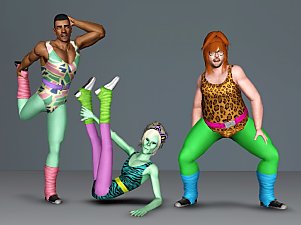

Manly Leotards For Manly Workouts
by Qahne 7th Nov 2021 at 4:15pm
Winter is nearly here, but that doesn't mean it's time to slack! more...
11
4.9k
24
Male » Athletic » Young Adult
-
Two-Handed Scientist! UPDATED Default Replacement Mesh
by Qahne updated 18th May 2016 at 4:33pm
A simple mesh edit to replace the robotic hand with a second gloved one. more...
 10
17.8k
39
10
17.8k
39
-
-