
 Sign in to Mod The Sims
 Mags' Door Stencils Edit
 Mags' Door Stencils Edit


cover.png - width=1880 height=1248
Screenshot-198.jpg - width=1680 height=1048
Screenshot-199.jpg - width=1680 height=1048
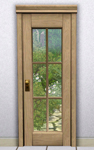
The door mesh was simply cloned and edited the presets to show the original TS2 stencils. This is not a default replacement, so other default edits on the same door will not conflict. And this is only a texture edit, so the polycount should stay intact (hLOD: 576, mLOD: 184).
Three presets and four channels, costs §277. Found in Build mode > Doors. Price, catalog name and description are copied from the TS2 original.
| Filename | Type | Size |
|---|---|---|
| MagsDoor2to3Stencils.rar | rar | |
| aisquaredMagsDoor2to3Stencils.package | package | 512754 |
This is a new mesh, and means that it's a brand new self contained object that usually does not require a specific Pack (although this is possible depending on the type). It may have Recolours hosted on MTS - check below for more information.
|
MagsDoor2to3Stencils.rar
Download
Uploaded: 12th Mar 2026, 325.6 KB.
215 downloads.
|
||||||||
| For a detailed look at individual files, see the Information tab. | ||||||||
Install Instructions
1. Click the download button, or the filename, to download the file to your computer.
2. Extract the zip, rar, or 7z file. Now you will have either a .package or a .sims3pack file.
For Package files:
1. Cut and paste the file into your Documents\Electronic Arts\The Sims 3\Mods\Packages folder. If you do not already have this folder, you should read the full guide to Package files first: Sims 3:Installing Package Fileswiki, so you can make sure your game is fully patched and you have the correct Resource.cfg file.
2. Run the game, and find your content where the creator said it would be (build mode, buy mode, Create-a-Sim, etc.).
For Sims3Pack files:
1. Cut and paste it into your Documents\Electronic Arts\The Sims 3\Downloads folder. If you do not have this folder yet, it is recommended that you open the game and then close it again so that this folder will be automatically created. Then you can place the .sims3pack into your Downloads folder.
2. Load the game's Launcher, and click on the Downloads tab. Find the item in the list and tick the box beside it. Then press the Install button below the list.
3. Wait for the installer to load, and it will install the content to the game. You will get a message letting you know when it's done.
4. Run the game, and find your content where the creator said it would be (build mode, buy mode, Create-a-Sim, etc.).
Extracting from RAR, ZIP, or 7z: You will need a special program for this. For Windows, we recommend 7-Zip and for Mac OSX, we recommend Keka. Both are free and safe to use.
Need more help?
If you need more info, see:
- For package files: Sims 3:Installing Package Fileswiki
- For Sims3pack files: Game Help:Installing TS3 Packswiki
Loading comments, please wait...


Uploaded: 12th Mar 2026 at 12:30 PM
Updated: 12th Mar 2026 at 1:05 PM
#ts2 to ts3, #2to3, #conversion, #door, #stained glass
-
by lemoncandy 10th Oct 2009 at 3:58pm
 116
170.3k
368
116
170.3k
368
-
by Lisen801 7th Oct 2010 at 7:27pm
17
57.2k
151
-
by Lisen801 updated 29th May 2012 at 10:09am
16
42.9k
143
-
by Lisen801 22nd Feb 2011 at 6:16pm
30
68.1k
138
-
by HugeLunatic 23rd Mar 2011 at 4:18pm
-
by TheJim07 30th May 2012 at 3:49pm
17
55.3k
102
-
-
-
by TheJim07 4th Sep 2015 at 10:45am
20
26k
117
-

-
-


-
by aisquared 25th Jan 2021 at 3:15pm
Do not judge a book by its cover, and so is a house by its exterior? Made from corrugated more...
+11 packs
1 4.1k 18 High-End Loft Stuff
 Ambitions
 Late Night
 Outdoor Living Stuff
 Generations
 Master Suite Stuff
 Pets
Pets
 Showtime
 Seasons
 University Life
 Into the Future
-
Fit and Fab - A Family Townhouse (3BR+2BA)
by aisquared 20th Nov 2013 at 8:41am
Fit and Fab - A Family Townhouse (3BR+2BA) This lot was inspired from a real estate brouchure I got more...
+12 packs
2 8.2k 22 World Adventures
Ambitions
World Adventures
Ambitions
 Fast Lane Stuff
Late Night
Generations
Master Suite Stuff
Showtime
Fast Lane Stuff
Late Night
Generations
Master Suite Stuff
Showtime
 Supernatural
 70s, 80s and 90s Stuff
Seasons
University Life
70s, 80s and 90s Stuff
Seasons
University Life
 Island Paradise
-
Over the Calm Waters (Revisited)
by aisquared 24th Apr 2020 at 1:26pm
A lookback at my very first upload here in MTS, now in its version 2.0. more...
+13 packs
1 5.9k 14 World Adventures
High-End Loft Stuff
Ambitions
Late Night
Outdoor Living Stuff
Generations
 Town Life Stuff
Pets
Showtime
70s, 80s and 90s Stuff
Seasons
University Life
Into the Future
Town Life Stuff
Pets
Showtime
70s, 80s and 90s Stuff
Seasons
University Life
Into the Future
-
by aisquared 12th Apr 2023 at 5:16pm
15
5.2k
18
-
by aisquared 31st Jul 2019 at 3:24pm
The Cozy Compact features a modern, Mid-century inspired architecture consisting of wood as the main design element, along more...
+10 packs
4 6.5k 14 High-End Loft Stuff
Ambitions
Late Night
Generations
Master Suite Stuff
Pets
Showtime
70s, 80s and 90s Stuff
Seasons
University Life
-
by aisquared 27th Aug 2019 at 3:30pm
Indulge your sims with a luxuriously modern but equally nature friendly home. This is Lush and Modern. more...
+13 packs
5 12.1k 18 World Adventures
High-End Loft Stuff
Ambitions
Late Night
Outdoor Living Stuff
Generations
Town Life Stuff
Master Suite Stuff
Pets
Showtime
Seasons
Island Paradise
Into the Future
-
-


About Me
for any questions and feedback feel free to PM me or contact my tumblr.