
 Sign in to Mod The Sims
 -Conversion Content- UNI Undies, PJs, and Sportswear for Teens!
 -Conversion Content- UNI Undies, PJs, and Sportswear for Teens!


UNItfPJs.jpg - width=439 height=376
UNItfSport.jpg - width=439 height=376
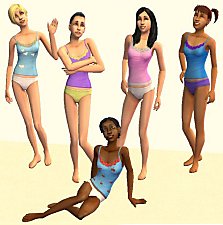
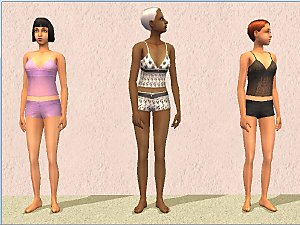
UNItfUndies.jpg - width=585 height=376
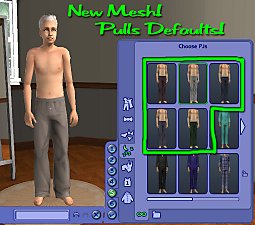
UNItmPJs.jpg - width=418 height=380
UNItmUndies.jpg - width=557 height=380
When I was a senior in highschool everyone was wearing hoodies and t-shirts of the colleges they were about to go off to. Every college visit I ever went on always conviently ended at the Campus Bookstore where I could by any number of school spirit clothes, ranging from hoodies to panties (I saw them in Nebraska, I kid you not). With that in mind I decided to let my sim teens have all the cool college gear too.
Everything is pictured this time, so I'm not going to bother counting them. Like my last conversion post, these clothes are not your standard age conversions. They draw their texture from the University young adult clothes. Since they do not actually contain a copy of the texture, they have a much smaller file size, and if you happen to have a replacement for them, then they will draw that texture instead too. My pictures seem a tad blurry to me right now, it might be that its late or that my screen is dirty or that Photoshop is acting up again, but I assure you in game they are just as crisp as the original YA outfits. As they share textures its impossible not to be! If you missed them, I already did the boys UNI pj pants here and the boys UNI swimtrunks here.
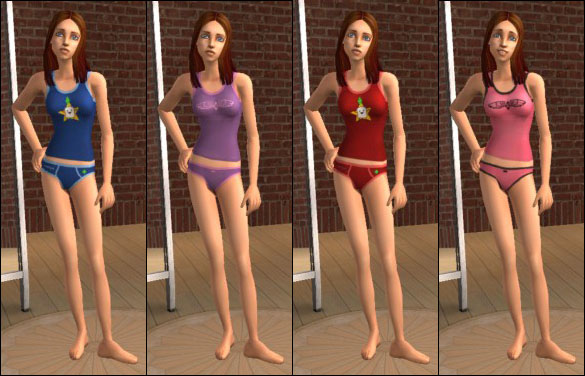
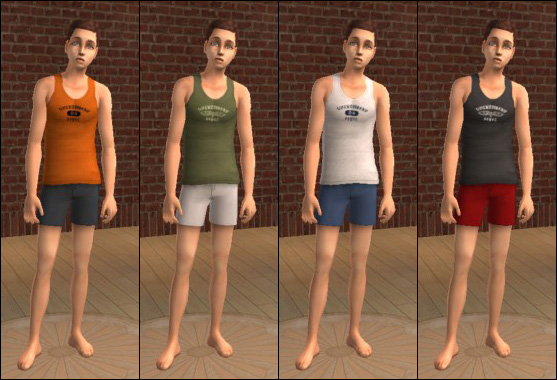
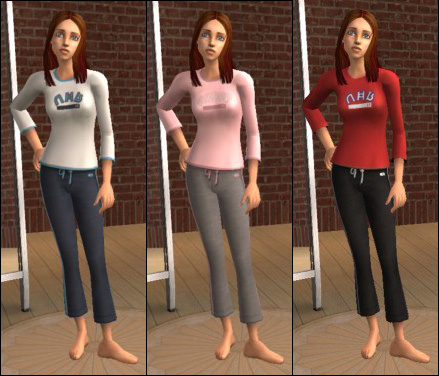
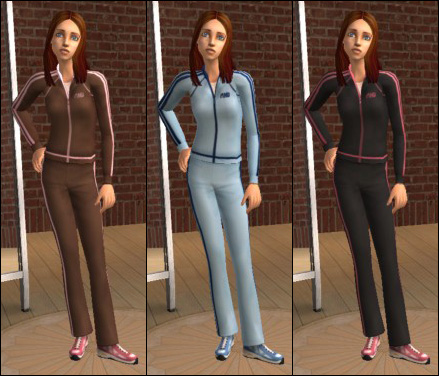
(boys pjs pictured below)
Install instructions: Place them directly, or make a subfolder, in the following location and put the files there instead of in your Downloads folder. C:\Program Files\EA GAMES\The Sims 2 FreeTime\TSData\Res\Catalog\Bins (or whichever is your highest expansion pack folder).
You can put these files in your Downloads folder, but if you do, the delete button will be enabled in CAS and Body Shop. Do NOT delete them in CAS or Body Shop. Doing so may corrupt some of your game files. To remove the outfits from your Sleepwear bin, delete the package file from where you installed them.
Enjoy!
-Phaenoh
Additional Credits:
I'm bored atm, so I'll credit the people who bother to comment. You all really make my day brighter.
|
UNIConversion_Phaenoh-tmUndies.rar
Download
Uploaded: 13th Sep 2008, 413.9 KB.
6,192 downloads.
|
||||||||
|
UNIConversion_Phaenoh-tmPJs.rar
Download
Uploaded: 13th Sep 2008, 263.7 KB.
5,916 downloads.
|
||||||||
|
UNIConversion_Phaenoh-tfUndies.rar
Download
Uploaded: 13th Sep 2008, 241.5 KB.
5,653 downloads.
|
||||||||
|
UNIConversion_Phaenoh-tfSport.rar
Download
Uploaded: 13th Sep 2008, 4.1 KB.
5,601 downloads.
|
||||||||
|
UNIConversion_Phaenoh-tfPJs.rar
Download
Uploaded: 13th Sep 2008, 4.1 KB.
5,842 downloads.
|
||||||||
| For a detailed look at individual files, see the Information tab. | ||||||||
Install Instructions
1. Download: Click the download link to save the .rar or .zip file(s) to your computer.
2. Extract the zip, rar, or 7z file.
3. Place in Downloads Folder: Cut and paste the .package file(s) into your Downloads folder:
- Origin (Ultimate Collection): Users\(Current User Account)\Documents\EA Games\The Sims™ 2 Ultimate Collection\Downloads\
- Non-Origin, Windows Vista/7/8/10: Users\(Current User Account)\Documents\EA Games\The Sims 2\Downloads\
- Non-Origin, Windows XP: Documents and Settings\(Current User Account)\My Documents\EA Games\The Sims 2\Downloads\
- Mac: Users\(Current User Account)\Documents\EA Games\The Sims 2\Downloads
- Mac x64: /Library/Containers/com.aspyr.sims2.appstore/Data/Library/Application Support/Aspyr/The Sims 2/Downloads
- For a full, complete guide to downloading complete with pictures and more information, see: Game Help: Downloading for Fracking Idiots.
- Custom content not showing up in the game? See: Game Help: Getting Custom Content to Show Up.
- If you don't have a Downloads folder, just make one. See instructions at: Game Help: No Downloads Folder.
Loading comments, please wait...


 View with Names
Uploaded: 13th Sep 2008 at 4:31 AM
Updated: 13th Sep 2008 at 5:07 AM
-
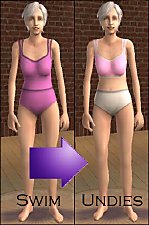
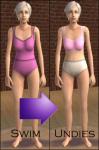
Pink Lepord Print Teen Undies/pjs!
by *Cailin-as-Eire* 14th Jan 2007 at 8:19pm
-
-
-
Undies for Teens with TSS Textures
by paigeturnersims 20th Jan 2008 at 5:43pm
-
-
-
-
-
-



-
Correlated Skins *5 Year Creator Anniversary*
by Phaenoh 19th Jul 2012 at 4:58pm
Baby hair and body hair, now genetically correct! A new way of doing defaults! Have 16 skins instead of 4! more...
 260
199.4k
321
260
199.4k
321
-
Adult Athleticwear AS ATHLETICWEAR!
by Phaenoh 17th Jul 2007 at 10:47pm
Update: I've added a decustomized version of these outfits. more...
7
14.5k
21
-
-
-3 Optional Defaults- 30 Pairs of Toddler Undies with Shirt and Socks in 10 colors!
by Phaenoh 6th Sep 2007 at 2:54pm
After forever, I finally realized that there must be a REASON why my Disney Babies set is my most more...
23
44.7k
63
-
'Canoe-dle Lake Cabins' Mountain Beach Hotel
by Phaenoh updated 17th Jul 2008 at 12:03pm
I had a bit too much fun with the name of my last hotel 'Basking Inn Sun' that I more...
+7 packs
10 18.1k 16 University
 Nightlife
 Open for Business
 Pets
Pets
 Seasons
 Bon Voyage
 Free Time
-
-Foundation Challenge- Four Very Different Homes, No CC!
by Phaenoh 17th Mar 2009 at 7:35pm
So I was bored one day and asked people in #create if they were interested in doing a build challenge more...
+17 packs
15 13.9k 22 Happy Holiday
 Family Fun
University
Family Fun
University
 Glamour Life
Nightlife
Glamour Life
Nightlife
 Celebration
Open for Business
Pets
Celebration
Open for Business
Pets
 H&M Fashion
 Teen Style
Seasons
Teen Style
Seasons
 Kitchen & Bath
Bon Voyage
Free Time
Kitchen & Bath
Bon Voyage
Free Time
 Ikea Home
 Apartment Life
 Mansion and Garden
-
-
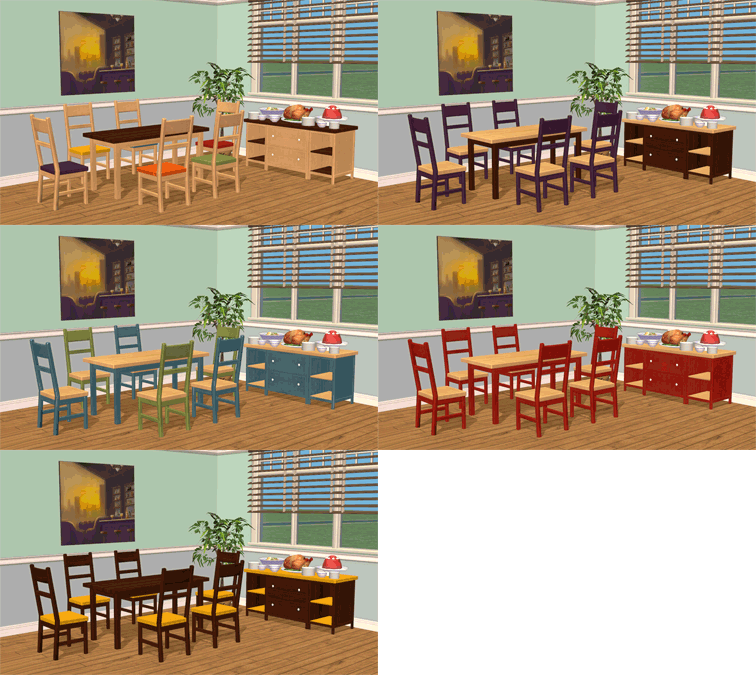
Smallhouse Models Dining Room Set
by Phaenoh 17th Jun 2014 at 5:44pm
A small but very versatile dining room set with mix and matchable colors. Slaved to the Living Room Set. more...
-
-


Packs Needed
| Expansion Pack | |
|---|---|
| University |
About Me
- Please don't reupload my work anywhere else. Just point them back here, I'm not going anywhere! :)
- Please ask permission before using my work as a base for your project. I almost always say 'yes' and often times I will help you with your project! :bunny:
- If you make something (like a story or a video) and it has something of mine in it, send me the link, I love to see my stuff 'in action'!
- Sadly, but honestly, I can't take on requests. You can ask if it's something already related to one of my current projects, but I'm not likely to take on your project for you. MTS has lots of wonderful tutorials ;)