
 Sign in to Mod The Sims
 Krampft Value Cabinets in Seasons Match
 Krampft Value Cabinets in Seasons Match


Value_SSN_Blue.jpg - width=650 height=436
Value_SSN_Blush.jpg - width=700 height=469
Value_SSN_Mint.jpg - width=700 height=469
Value_SSN_Pine.jpg - width=700 height=469
Value_SSN_Sand.jpg - width=700 height=424

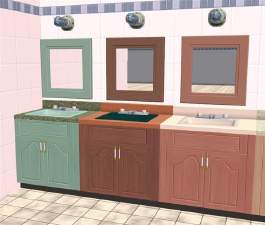
Obviously these are base game compatible but if you don't have Seasons they won't match the sink!
 They come in the five colors of the Seasons cabinets: Blush, Blue, Sand, Mint and Pine.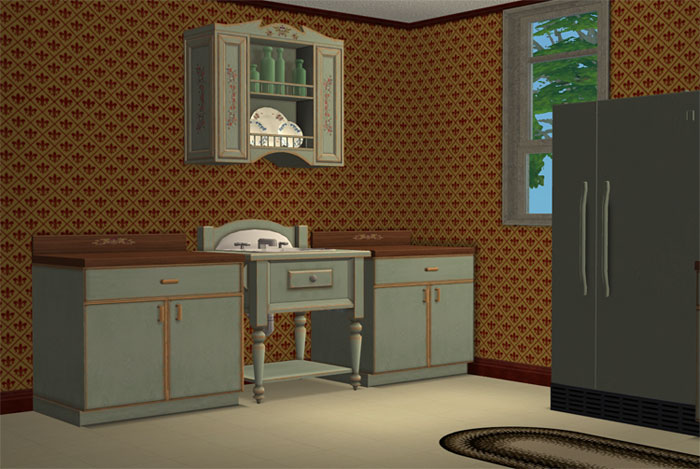
Get the Seasons fridge, trashcompactor, and dishwasher recolors by Hysterical Paroxysm
This custom content if it is not clothing, may require a seperate download to work properly. This is available at Colour Enable Package (CEP) by Numenor.
|
HL_Value_SSN_CounterREC.rar
Download
Uploaded: 25th Mar 2009, 1.36 MB.
9,795 downloads.
|
||||||||
| For a detailed look at individual files, see the Information tab. | ||||||||
Install Instructions
1. Download: Click the download link to save the .rar or .zip file(s) to your computer.
2. Extract the zip, rar, or 7z file
3. Place in Downloads Folder: Cut and paste the .package file(s) into your Downloads folder:
- Origin (Ultimate Collection): Users\(Current User Account)\Documents\EA Games\The Sims™ 2 Ultimate Collection\Downloads\
- Non-Origin, Windows Vista/7/8/10: Users\(Current User Account)\Documents\EA Games\The Sims 2\Downloads\
- Non-Origin, Windows XP: Documents and Settings\(Current User Account)\My Documents\EA Games\The Sims 2\Downloads\
- Mac: Users\(Current User Account)\Documents\EA Games\The Sims 2\Downloads
- Mac x64:
/Library/Containers/com.aspyr.sims2.appstore/Data/Library/Application Support/Aspyr/The Sims 2/Downloads
Need more information?
- For a full, complete guide to downloading complete with pictures and more information, see: Game Help: Downloading for Fracking Idiots.
- Custom content not showing up in the game? See: Game Help: Getting Custom Content to Show Up.
- If you don't have a Downloads folder, just make one. See instructions at: Game Help: No Downloads Folder.
Loading comments, please wait...


Uploaded: 25th Mar 2009 at 1:52 PM
#value, #seasons, #cabinents, #maxis match
-
-
-
-
-
Full Set of Maxis Match Wall Cabinets *Updated*
by CTNutmegger 23rd Feb 2009 at 5:11pm
-
-
Oven Hood Alarm and Value Counter Recolours
by Michelle 17th Jan 2018 at 10:47am
-
Recolors/Addons of fanseelamb's Extremely Maxis-Match Eyes
by Primavera updated 2nd Jul 2018 at 9:23pm
-
by Michelle 20th Apr 2019 at 9:39am
 8
18.4k
80
8
18.4k
80
-
Krampft Industries Value Counter Add-Ons
by Michelle 20th Apr 2019 at 9:48am


-
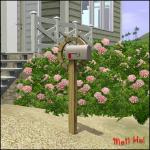
"Mail Ho!" from Barnacle Bay Set
by HugeLunatic 1st Apr 2011 at 10:57am
What it does This mod places the Pirate mailbox from the Barnacle Bay store set into the Outdoor/Lawn Ornaments category more...
 11
33.3k
46
11
33.3k
46
-
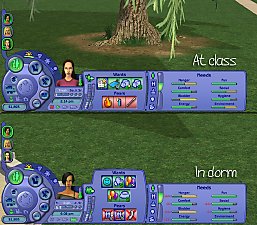
by HugeLunatic updated 15th Apr 2018 at 7:32pm
This mod simulates Sims using the bathroom during class by making the bladder needs static while at class. more...
+1 packs
14 14.1k 21 University
-
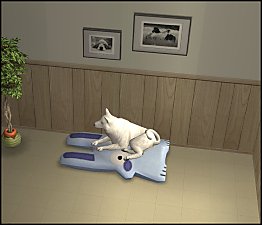
by HugeLunatic 1st Oct 2012 at 10:04pm
Just something a little different and fun, "Caon's Stuffed Freezer Bunny" from M&G turned into a pet pillow! more...
+1 packs
21 32.5k 86 Pets
Pets
-
by HugeLunatic 31st Dec 2018 at 6:55pm
An eight dorm building loosely based off a real dorm. more...
+17 packs
4 24.1k 47 Happy Holiday
 Family Fun
University
Family Fun
University
 Glamour Life
 Nightlife
 Celebration
 Open for Business
Pets
Open for Business
Pets
 H&M Fashion
 Teen Style
 Seasons
 Kitchen & Bath
 Bon Voyage
 Free Time
 Ikea Home
 Apartment Life
 Mansion and Garden
-
by HugeLunatic 6th Jun 2019 at 9:53pm
This is a recreation of a dorm from Let's Play The Sims 2 with Mods and CC, Part 49 ~ more...
+17 packs
9 9.6k 21 Happy Holiday
Family Fun
University
Glamour Life
Nightlife
Celebration
Open for Business
Pets
H&M Fashion
Teen Style
Seasons
Kitchen & Bath
Bon Voyage
Free Time
Ikea Home
Apartment Life
Mansion and Garden
-
by HugeLunatic 10th Nov 2016 at 4:52pm
Another alternative for the Late Night mailbox. This is converted from The Sims 2. more...
+1 packs
7 18.3k 74 Late Night
-
by HugeLunatic 21st Nov 2021 at 6:34pm
Okay, so not exclusively pirate themed. These mesh bits came from the BV pirate ship. more...
10
9.1k
45
-
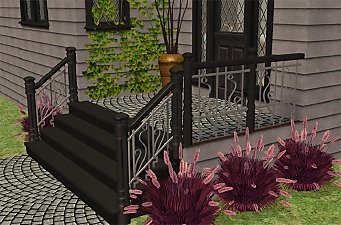
Maxis Art Nouveau *Recolorable* Modular Stairs
by HugeLunatic updated 14th Mar 2018 at 4:01pm
Maxis Art Nouveau Modular Stairs from the Base Game now made recolorable. more...
36
131k
235
-
by HugeLunatic 29th Aug 2011 at 8:12am
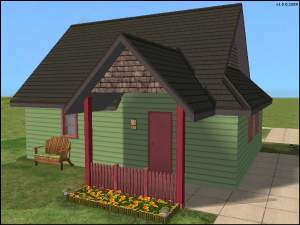
Cottage apartments originally was a two story affair with a garage tucked under, but when the budget went over the more...
9
33.2k
63
-
by HugeLunatic 27th Jan 2016 at 3:59pm
Who knew I could still find something hidden in the game files?! more...
18
14.4k
48


About Me
Pet Stories || Dog Agility Items? || Castaway Stories || Holy Simoly Extras
4esf Archive || Holy Simoly Archive || CEP-Extras List || Buyable Game Objects
lunie content from GoS/s2a
 Installation of CEP Extras
-the package with pfiles appended to the name will go into your cep extras folder where your game is installed (typically c drive, you do you)
-the other goes in CEP extra folder in documents.
The following locations are what I am aware of, beyond that you'll have to do some searching.
Downloads Folder:
C:\Users\<user>\Documents\EA Games\The Sims 2 Legacy
C:\Users\<user>\Documents\EA Games\The Sims 2 Ultimate Collection
With multiple launchers, the location for your game install will vary.
C:\Program Files\EA GAMES\The Sims 2 Legacy\TSData\Res\Catalog\zCEP-EXTRA
C:\Program Files\EA GAMES\The Sims 2\TSData\Res\Catalog\zCEP-EXTRA
C:\Program Files (x86)\EA GAMES\The Sims 2\TSData\Res\Catalog\zCEP-EXTRA