
 Sign in to Mod The Sims
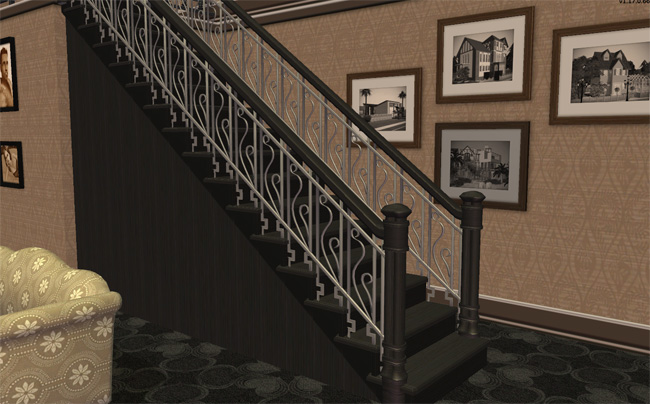
 Maxis Art Nouveau *Recolorable* Modular Stairs
 Maxis Art Nouveau *Recolorable* Modular Stairs


NouveauBlack01.jpg - width=650 height=421
NouveauBlack02.jpg - width=650 height=404
NouveauBlack03.jpg - width=650 height=429
NouveauBlack04.jpg - width=600 height=463
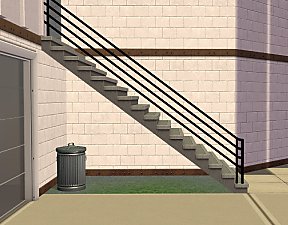
original stairs

Also includes a fence and gate. The fence is a new clone (only way to recolor fences) but the original mesh is by nihilin as well as the gate mesh. You must have the gate mesh if you want my black gate recolor!! The fence by nihilin is optional.
Note: This allows passage under the first tile next to the wall, including placing a door. The sims will walk right through the base of the stairs.
*All should be base game compatible
ZIP includes:
* Stair mesh which will override (not overwrite) the original
* Fence mesh/recolor in black
* Gate recolor in black
* Template recolor - will show clown colors if placed in downloads folder
* Layered PSD Template
Installation:
* Place in your downloads folder. There is no need for a script file since this is overriding the original steps.
* To remove and have the default non-recolorable stairs back just delete my file from your downloads folder.
To Use:
* Place stairs normally
* Use Recolor tool to recolor individual stairs - if having difficulty with 2nd step, go down one floor.
To Recolor:
* In Object Workshop, select Open, select my mesh, then select Recolor.
Polygon Counts:
Fence Rail/Diag Rail - 736
Fence Post - 408
Stairs - 94 (step only) -1496 (step w/two rails) These vary based on the step/rail combination used
Additional Credits:
Numenor for the original concept and execution of recolorable stairs.
nihilin for the Art Nouveau Fence and Gate.
This is a new mesh, and means that it's a brand new self contained object that usually does not require a specific Pack (although this is possible depending on the type). It may have Recolours hosted on MTS - check below for more information.
|
HL_ArtNouveaModStairs.rar
Download
Uploaded: 14th Mar 2018, 434.2 KB.
57,565 downloads.
|
||||||||
| For a detailed look at individual files, see the Information tab. | ||||||||
Install Instructions
1. Download: Click the download link to save the .rar or .zip file(s) to your computer.
2. Extract the zip, rar, or 7z file.
3. Place in Downloads Folder: Cut and paste the .package file(s) into your Downloads folder:
- Origin (Ultimate Collection): Users\(Current User Account)\Documents\EA Games\The Sims™ 2 Ultimate Collection\Downloads\
- Non-Origin, Windows Vista/7/8/10: Users\(Current User Account)\Documents\EA Games\The Sims 2\Downloads\
- Non-Origin, Windows XP: Documents and Settings\(Current User Account)\My Documents\EA Games\The Sims 2\Downloads\
- Mac: Users\(Current User Account)\Documents\EA Games\The Sims 2\Downloads
- Mac x64: /Library/Containers/com.aspyr.sims2.appstore/Data/Library/Application Support/Aspyr/The Sims 2/Downloads
- For a full, complete guide to downloading complete with pictures and more information, see: Game Help: Downloading for Fracking Idiots.
- Custom content not showing up in the game? See: Game Help: Getting Custom Content to Show Up.
- If you don't have a Downloads folder, just make one. See instructions at: Game Help: No Downloads Folder.
Loading comments, please wait...


Uploaded: 27th Apr 2009 at 4:37 PM
Updated: 14th Mar 2018 at 4:01 PM - forgot original picture
#maxis, #art nouveau, #modular stairs, #recolorable, #maxis match, #black
-
by crocobaura 27th May 2007 at 9:06pm
 106
201k
383
106
201k
383
-
-
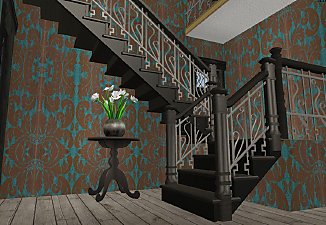
Maxis Art Nouveau Open Underneath *Recolorable* Modular Stairs
by HugeLunatic 12th May 2009 at 5:34pm
36
115.5k
191
-
[Recolorable] - Maxis Modular Stairs - I
by HugeLunatic updated 31st Jan 2018 at 1:19pm
42
185.3k
348
-
-
Maxis Modular Stairs Recolored, Part the Second
by iCad 5th Oct 2010 at 1:58am
+1 packs
13 42.4k 77 Open for Business
-
[Recolorable] - Maxis Modular Stairs - II
by HugeLunatic updated 31st Jan 2018 at 1:14pm
13
52.6k
103
-
[Recolorable] - Maxis Modular Stairs - III
by HugeLunatic updated 31st Jan 2018 at 1:11pm
12
54.8k
115
-
Recolors of HugeLunatic's recolorable Chic Modular Stairs - Request
by gabilei123 12th Aug 2017 at 1:50pm
+1 packs
1 9.6k 17 Nightlife
-



-

Mix-n-Match Canvas Art & Frames
by HugeLunatic 11th Sep 2009 at 8:58pm
When I started this project nearly a month ago I did not realize how large it really was or would more...
27
28.6k
41
-

by HugeLunatic 5th Mar 2011 at 10:12pm
It seems like every time I build a house I find something in the game that makes me go wtf more...
-


by HugeLunatic 9th Jul 2013 at 9:18pm
FT Sport Deco - uncased more...
+1 packs
11 19.1k 39 Free Time
-
by HugeLunatic updated 14th Sep 2024 at 11:25pm
+1 packs
8 10.8k 18 Nightlife
-
by HugeLunatic updated 12th Feb 2025 at 4:11pm
+3 packs
5 7.9k 31 Pets
Pets
 Seasons
 Bon Voyage
-
by HugeLunatic 2nd Dec 2016 at 7:43pm
I saw a WCIF for a small victorian and decided to attempt to build it based off just the front more...
+17 packs
6 19.2k 44 Happy Holiday
 Family Fun
 University
 Glamour Life
Nightlife
Glamour Life
Nightlife
 Celebration
Open for Business
Pets
Celebration
Open for Business
Pets
 H&M Fashion
 Teen Style
Seasons
Teen Style
Seasons
 Kitchen & Bath
Bon Voyage
Free Time
Kitchen & Bath
Bon Voyage
Free Time
 Ikea Home
 Apartment Life
 Mansion and Garden
-
Colortura Backless Shower - Updated Mesh!
by HugeLunatic 23rd Aug 2008 at 10:52am
:new: Fixed weird issues with the tray on the Mesh! New Mesh! more...
46
91.6k
265
-
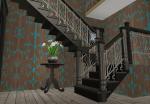
Maxis Art Nouveau Open Underneath *Recolorable* Modular Stairs
by HugeLunatic 12th May 2009 at 5:34pm
Updated 19-Dec-09 - with new script file Apparently the range of numbers I have for my modular stairs conflict with more...
36
115.6k
191
-
by HugeLunatic 7th Mar 2016 at 5:35pm
Originally built for a hood, this is a really old house that could possibly be haunted. more...
7
15k
41
-
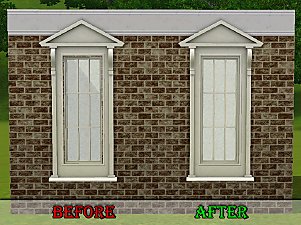
by HugeLunatic 11th Apr 2011 at 10:28pm
Wallmask fix for Ambitions Federal Pediment window. more...


About Me
Pet Stories || Dog Agility Items? || Castaway Stories || Holy Simoly Extras
4esf Archive || Holy Simoly Archive || CEP-Extras List || Buyable Game Objects
lunie content from GoS/s2a
 Installation of CEP Extras
-the package with pfiles appended to the name will go into your cep extras folder where your game is installed (typically c drive, you do you)
-the other goes in CEP extra folder in documents.
The following locations are what I am aware of, beyond that you'll have to do some searching.
Downloads Folder:
C:\Users\<user>\Documents\EA Games\The Sims 2 Legacy
C:\Users\<user>\Documents\EA Games\The Sims 2 Ultimate Collection
With multiple launchers, the location for your game install will vary.
C:\Program Files\EA GAMES\The Sims 2 Legacy\TSData\Res\Catalog\zCEP-EXTRA
C:\Program Files\EA GAMES\The Sims 2\TSData\Res\Catalog\zCEP-EXTRA
C:\Program Files (x86)\EA GAMES\The Sims 2\TSData\Res\Catalog\zCEP-EXTRA