
 Sign in to Mod The Sims
 Limbo Window - Counterheight
 Limbo Window - Counterheight


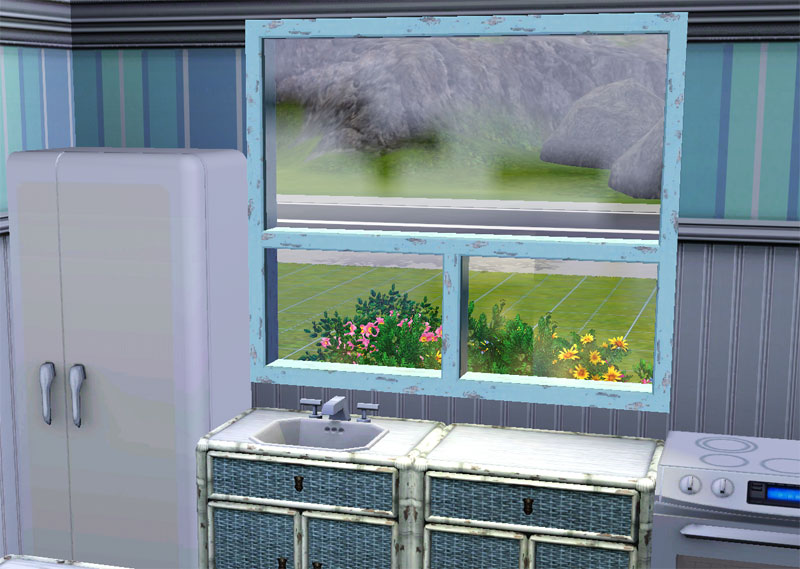
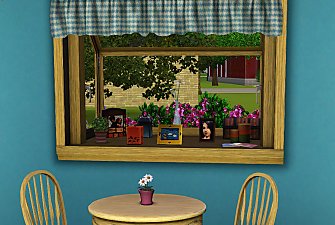
LimboWindow01.jpg - width=800 height=569
LimboWindow02.jpg - width=750 height=393

- The opacity of the glass is the same, it only appears different because of the angle and lighting of the screenshot
- The window has the same colors as the full height one in game, and can be fully recolored in CAST
- Has straight and diagonal version
- Custom icon
- There is one tiny flaw in the mapping, but it is only noticeable if you use horizontal textures
Custom Recolor
The Mesh
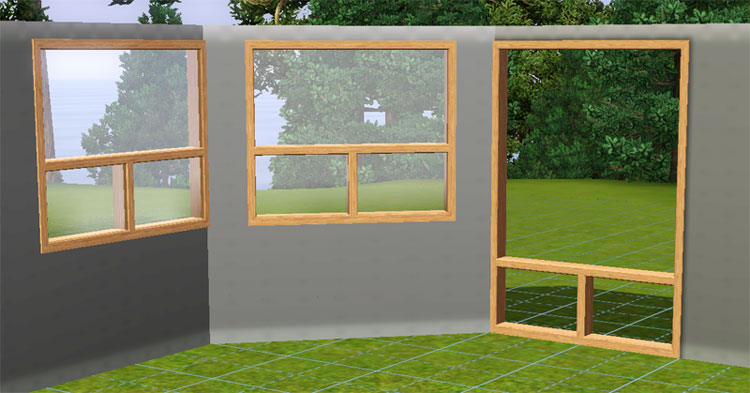
NOTE: This should be considered in testing and a BETA version. All tools, packages, etc, are still evolving. I have had this window (with broken wallmasks) in and out of my game for a week with no issue. I've built, I've packaged, and I played with a Sim on the lot. The only interesting thing I found was that the window didn't package in my lot.

Polygon Counts:
Polys - Same as original window. I don't know how to read this since each object can have 1-4 mesh files.
Additional Credits:
Inge & Peter Jones for S3OC and s3pe.
Wes_H for his Milkshape Plugins
teko for pointing me in the direction of the wallmask
daluved1 for her tutorials - finally figured out the wallmask! =) and dds and alpha's
This is a new mesh, and means that it's a brand new self contained object that usually does not require a specific Pack (although this is possible depending on the type). It may have Recolours hosted on MTS - check below for more information.
|
HugeLunatic_LimboWindowShort.rar
Download
Uploaded: 9th Aug 2009, 620.7 KB.
33,377 downloads.
|
||||||||
| For a detailed look at individual files, see the Information tab. | ||||||||
Install Instructions
1. Click the download button, or the filename, to download the file to your computer.
2. Extract the zip, rar, or 7z file. Now you will have either a .package or a .sims3pack file.
For Package files:
1. Cut and paste the file into your Documents\Electronic Arts\The Sims 3\Mods\Packages folder. If you do not already have this folder, you should read the full guide to Package files first: Sims 3:Installing Package Fileswiki, so you can make sure your game is fully patched and you have the correct Resource.cfg file.
2. Run the game, and find your content where the creator said it would be (build mode, buy mode, Create-a-Sim, etc.).
For Sims3Pack files:
1. Cut and paste it into your Documents\Electronic Arts\The Sims 3\Downloads folder. If you do not have this folder yet, it is recommended that you open the game and then close it again so that this folder will be automatically created. Then you can place the .sims3pack into your Downloads folder.
2. Load the game's Launcher, and click on the Downloads tab. Find the item in the list and tick the box beside it. Then press the Install button below the list.
3. Wait for the installer to load, and it will install the content to the game. You will get a message letting you know when it's done.
4. Run the game, and find your content where the creator said it would be (build mode, buy mode, Create-a-Sim, etc.).
Extracting from RAR, ZIP, or 7z: You will need a special program for this. For Windows, we recommend 7-Zip and for Mac OSX, we recommend Keka. Both are free and safe to use.
Need more help?
If you need more info, see:
- For package files: Sims 3:Installing Package Fileswiki
- For Sims3pack files: Game Help:Installing TS3 Packswiki
Loading comments, please wait...


Uploaded: 9th Aug 2009 at 1:32 AM
Updated: 3rd Jan 2010 at 4:43 AM
#ts3, #window, #coutnerheight, #limbo, #maxis match, #add on
-
by HugeLunatic 12th Aug 2009 at 5:38pm
 56
158.9k
245
56
158.9k
245
-
-
-
by Hekate999 updated 14th Apr 2011 at 11:43am
18
65.6k
166
-
by HugeLunatic 26th Feb 2011 at 8:12pm
77
109.3k
315
-
-
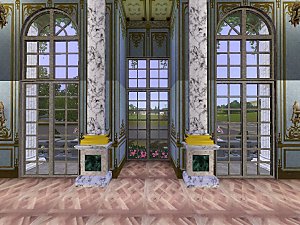
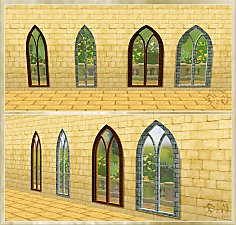
Versailles Two Story Window Set *Updated* 6/11/12
by The Regal Sim updated 12th Jun 2012 at 3:46am
25
88.9k
231
-
-
-


-
by HugeLunatic updated 30th Mar 2025 at 5:03pm
The small mammal containment now with two subsets! more...
 +1 packs
4 7.1k 22
+1 packs
4 7.1k 22 Pets
Pets
-


by HugeLunatic 6th Nov 2012 at 9:07pm
TSS had these cute butterfly walls in it, and I thought it would be the perfect wall for the child more...
9
12.9k
21
-
by HugeLunatic updated 12th Aug 2022 at 5:01pm
Collection of door and window add ons for the Loft Collection more...
17
22.9k
85
-
by HugeLunatic 27th Dec 2008 at 8:01pm
Set of 11 Gingham bedding recolors in a wide range for boys and girls. more...
-
by HugeLunatic 8th May 2018 at 5:44pm
The Molded Sectional by WorldMold with added subset. This now makes the seat and frame recolorable separately. more...
+1 packs
7 10.8k 23 Nightlife
-

Mix-n-Match Canvas Art & Frames
by HugeLunatic 11th Sep 2009 at 8:58pm
When I started this project nearly a month ago I did not realize how large it really was or would more...
27
28.6k
41
-
by HugeLunatic updated 26th Oct 2010 at 5:14am
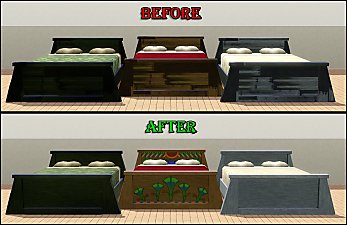
Scarab Rejuvenation Bed by Cunee Forms I would just like to say...WTF EA? This is a free store more...
-
by HugeLunatic 27th Apr 2013 at 2:06pm
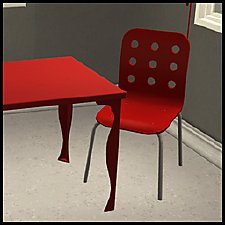
I like to use this table with the IKEA JULES chair that came with the IKEA pack, but the table more...
+1 packs
9 13.2k 19 Ikea Home
-
by HugeLunatic 11th Feb 2011 at 5:23pm
I was bored and I needed to do something semi-creative besides writing...and I was browsing the WCIF. more...
11
23.5k
56
-
by HugeLunatic 19th Jun 2021 at 1:53pm
A living set to match the Seasons vRoom! more...
+1 packs
3 2.1k 16 Seasons


About Me
Pet Stories || Dog Agility Items? || Castaway Stories || Holy Simoly Extras
4esf Archive || Holy Simoly Archive || CEP-Extras List || Buyable Game Objects
lunie content from GoS/s2a
 Installation of CEP Extras
-the package with pfiles appended to the name will go into your cep extras folder where your game is installed (typically c drive, you do you)
-the other goes in CEP extra folder in documents.
The following locations are what I am aware of, beyond that you'll have to do some searching.
Downloads Folder:
C:\Users\<user>\Documents\EA Games\The Sims 2 Legacy
C:\Users\<user>\Documents\EA Games\The Sims 2 Ultimate Collection
With multiple launchers, the location for your game install will vary.
C:\Program Files\EA GAMES\The Sims 2 Legacy\TSData\Res\Catalog\zCEP-EXTRA
C:\Program Files\EA GAMES\The Sims 2\TSData\Res\Catalog\zCEP-EXTRA
C:\Program Files (x86)\EA GAMES\The Sims 2\TSData\Res\Catalog\zCEP-EXTRA