
 Sign in to Mod The Sims
 Realism Contacts
 Realism Contacts


RealismEyes1.jpg - width=664 height=467
InezModelingRealismContacts.jpg - width=465 height=651
ThumbnailforMTSRealismEye.jpg - width=200 height=200
Channel to change color.jpg - width=330 height=559
Where you will find the eyes.jpg - width=418 height=553
LIghtened eyes Inez.jpg - width=600 height=569

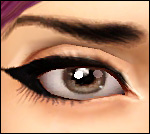
I made them so you are able to get very light colors with them! They are smaller than the maxis eyes and they do not replace any defaults (since they are contacts)
 They also come with their very own thumbnail making them easy to identify in CAS! They only have one channel to recolor, that's all I know how to do currently, maybe my next set will have several recolorable channels, if I can figure it out!
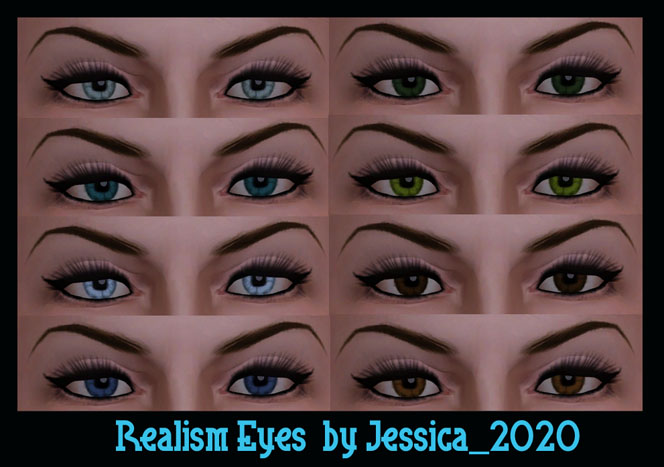
Here's some samples of how they look with different colors
If anybody would like to upload these contacts with their sims here at MTS or anywhere else (except paysites), that is perfectly fine. Just please provide a link back to this thread or to my profile here at MTS!
Thank you for looking, and I hope you enjoy these eyes!
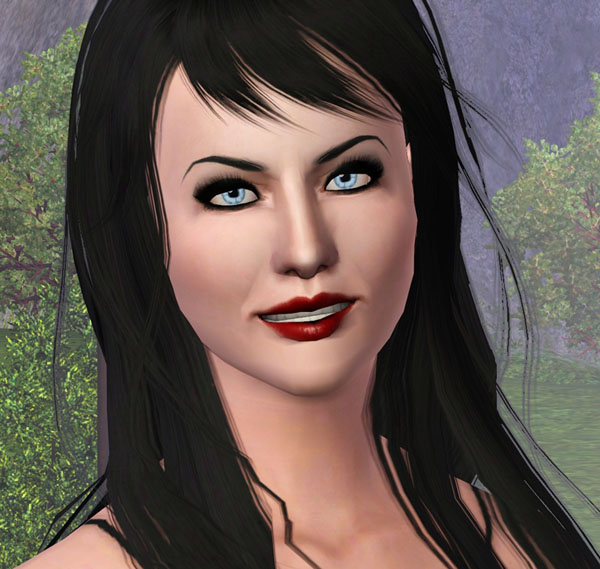
Inez (my model) turned goth, modeling the realism contacts!
Additional Credits:
Big Thank you to Delphy for the CTU!!
|
Jessica2020RealismContacts.rar
Download
Uploaded: 24th Nov 2009, 40.3 KB.
6,683 downloads.
|
||||||||
| For a detailed look at individual files, see the Information tab. | ||||||||
Install Instructions
1. Click the download button, or the filename, to download the file to your computer.
2. Extract the zip, rar, or 7z file. Now you will have either a .package or a .sims3pack file.
For Package files:
1. Cut and paste the file into your Documents\Electronic Arts\The Sims 3\Mods\Packages folder. If you do not already have this folder, you should read the full guide to Package files first: Sims 3:Installing Package Fileswiki, so you can make sure your game is fully patched and you have the correct Resource.cfg file.
2. Run the game, and find your content where the creator said it would be (build mode, buy mode, Create-a-Sim, etc.).
For Sims3Pack files:
1. Cut and paste it into your Documents\Electronic Arts\The Sims 3\Downloads folder. If you do not have this folder yet, it is recommended that you open the game and then close it again so that this folder will be automatically created. Then you can place the .sims3pack into your Downloads folder.
2. Load the game's Launcher, and click on the Downloads tab. Find the item in the list and tick the box beside it. Then press the Install button below the list.
3. Wait for the installer to load, and it will install the content to the game. You will get a message letting you know when it's done.
4. Run the game, and find your content where the creator said it would be (build mode, buy mode, Create-a-Sim, etc.).
Extracting from RAR, ZIP, or 7z: You will need a special program for this. For Windows, we recommend 7-Zip and for Mac OSX, we recommend Keka. Both are free and safe to use.
Need more help?
If you need more info, see:
- For package files: Sims 3:Installing Package Fileswiki
- For Sims3pack files: Game Help:Installing TS3 Packswiki
Loading comments, please wait...

Uploaded: 24th Nov 2009 at 4:12 PM
#Contacts, #eyes, #non defaults, #realistic
-
-
-
EYES for eye-coholics! CONTACTS - 2 styles
by -Shady- 29th Oct 2010 at 1:55pm
-
More or Less, More Default Eyes and Contacts
by shadowwolf5889 31st Mar 2011 at 11:49am
-
Lonely Eyes - Contacts *Defaults Updated
by -Shady- updated 5th Jan 2012 at 4:34pm
-
-
Pixie - Contacts and DEFAULT replacement eyes
by stefizzi 7th Jun 2012 at 8:31pm
-
-
Ice Castle - Non-Default HD Eyes
by FrozenHalcyon 19th Apr 2014 at 4:12pm
-

-
-
by Jessica_2020 2nd Aug 2007 at 8:51pm
Hi everybody! I simmed Kate Beckinsale! I was going for the look she had in the movie Click! more...
 18
60.6k
40
18
60.6k
40
-
by Jessica_2020 6th Jun 2008 at 9:31pm
Hey everybody! :) Well, it's been awhile since I've uploaded anything here! more...
-
by Jessica_2020 6th Jul 2007 at 6:53am
Hi everybody! Made my first set of lips today! Hope you enjoy them! All comments/feedback welcome!! more...
-
by Jessica_2020 3rd Jul 2007 at 5:32am
Jessica Simpson the well known pop star/actress! Once married to Nick Lachey and star of Newlyweds on MTV! more...
30
73.3k
36
-

by Jessica_2020 6th Jul 2007 at 7:05am
My first set of eyes I thought that were worth uploading! Hope you all enjoy! comments/feedback always welcome! more...
-
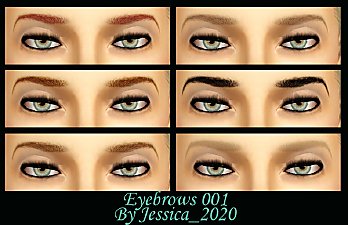
Eyebrows_001 with custom thumbnail!
by Jessica_2020 30th Jul 2010 at 3:19pm
Realistic eyebrows with their own custom thumbnail making them easy to identify in CAS! more...
 28
126.8k
208
28
126.8k
208
-
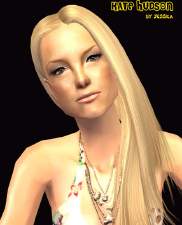
by Jessica_2020 11th Jul 2007 at 7:27pm
I finally got around to simming my favorite Actress Kate Hudson!! more...
14
30.7k
20
-
by Jessica_2020 21st Jan 2007 at 7:10am
Hi everybody! Today I bring to you a moderately furnished house that would be great for a small family!! more...
+4 packs
8 6.7k University
 Nightlife
 Open for Business
 Pets
Pets
-
by Jessica_2020 22nd Dec 2006 at 8:43am
Hi everybody!! I bring to you this time, the men of wisteria lane! Hope you all like them! more...
19
43.1k
21


