Sign in to Mod The Sims
 Eye bags MEGAPACK - 8 styles!!
 Eye bags MEGAPACK - 8 styles!!


bagitup2.jpg - width=587 height=361
bagitup3.jpg - width=646 height=731
Screenshot-2424.jpg - width=569 height=489
Nimetön.jpg - width=322 height=287
bagitup1.jpg - width=545 height=804

Pick and choose your favorite, there's now eye bags for everyone's personal eye bag -taste!

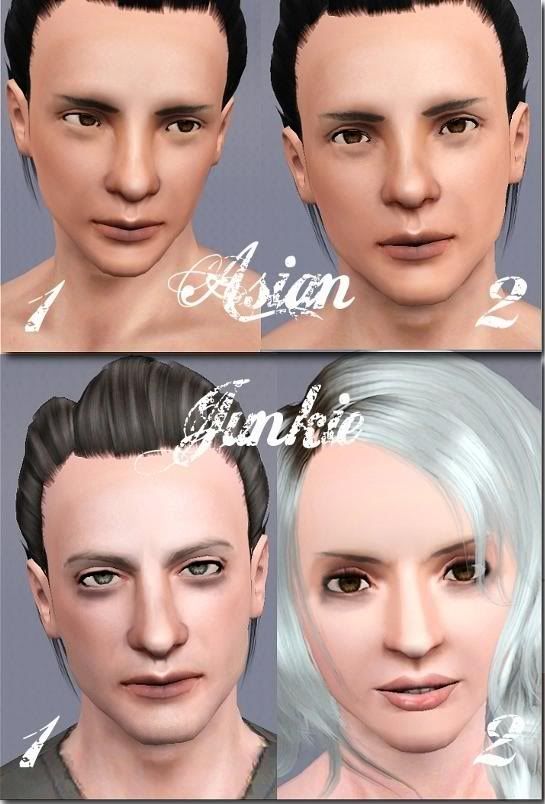
Asian has two versions of eye bags that help to create Asian eyes.
Junkie has two styles that give a look of I-Haven't-Slept-In-A-Week or I-Just-Saw-A-Pink-Elephant.
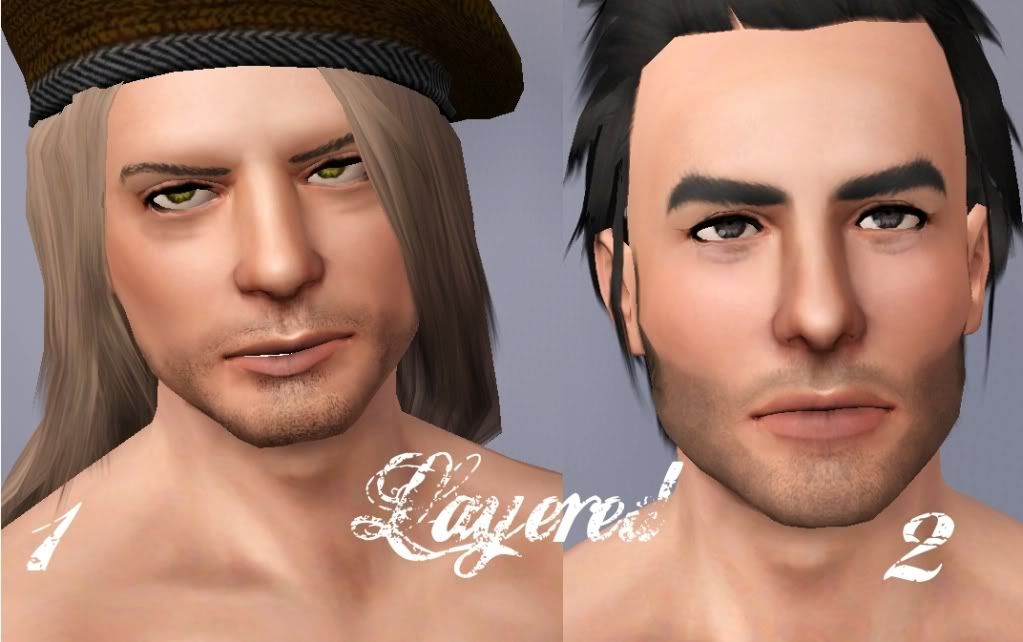
Layered has two styles that create a super baggy double bag -effect.
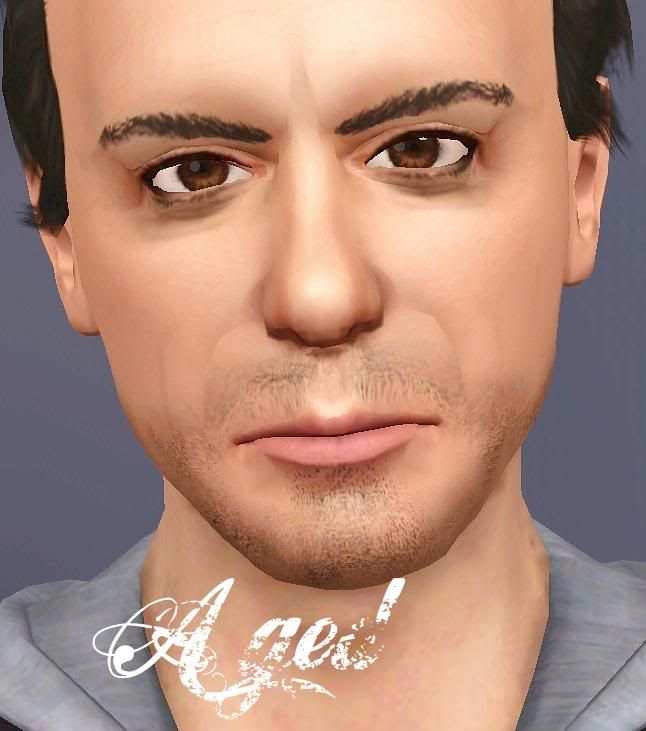
Aged gives the eyes a mature and aged look.
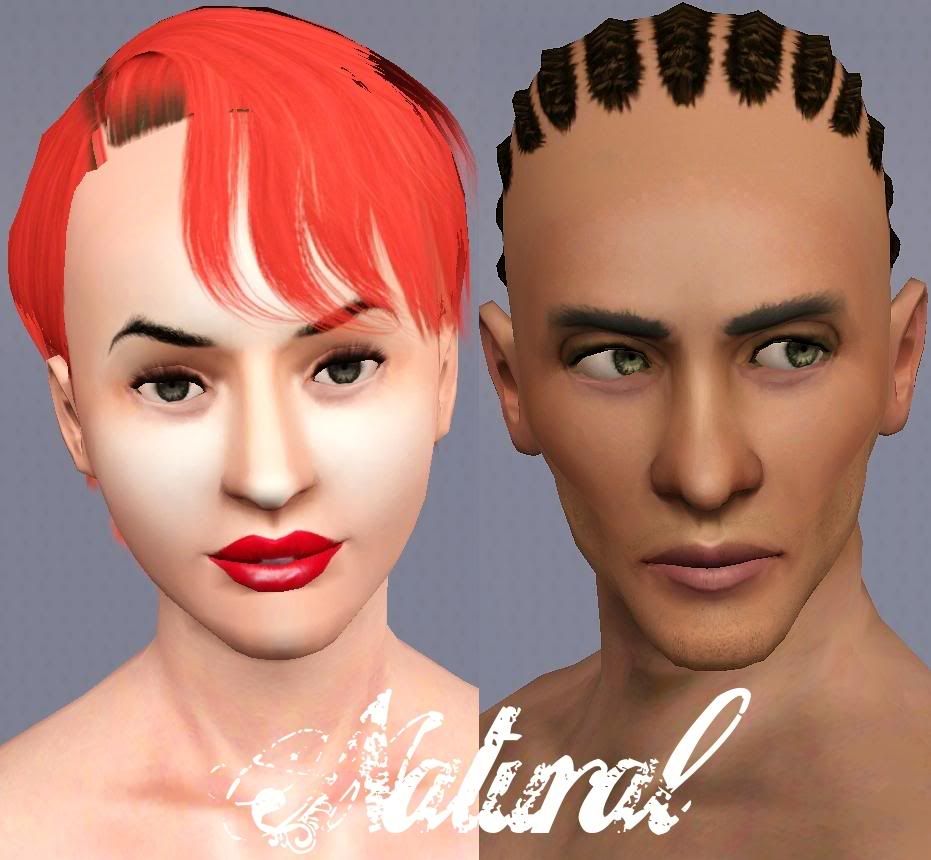
Natural is the most basic eye bag that you can find.
 Advice how to get natural and realistic color combinations:
 1) Choose a color that's close as possible to natural skintone
2) Change all channels to that color and then darken the other colors gradually
3) Save good color combinations, so that you can pick and use them later too!

All eye bags are for both genders, from young adult to elder.
These are not default replacements.
All are three channel recolorable with 1.outlines 2. main color 3. shadow
These can be found under eye shadow category.
CC on models:
Eyes by me
Abbey's Peggy hair conversion
v_ware's Anto hair conversion
Rustynail's hair
Nandonalt's eyebrows
HP's brows
Skins by Peggyzone
All other CC by me. Stubble and brows on WIP Robert Downey Jr. sim not available yet, but soon will be.
All other CC can be found from my downloads section.
Additional Credits:
Delpy's CTU and S3PE.
|
Arisuka_EyebagsALL.rar
Download
Uploaded: 18th Feb 2010, 1.05 MB.
41,006 downloads.
|
||||||||
|
Arisuka_EyebagNatural.rar
Download
Uploaded: 18th Feb 2010, 144.8 KB.
11,989 downloads.
|
||||||||
|
Arisuka_EyebagsAged.rar
Download
Uploaded: 18th Feb 2010, 102.5 KB.
6,009 downloads.
|
||||||||
|
Arisuka_EyebagsLayered.rar
Download
Uploaded: 18th Feb 2010, 246.0 KB.
6,970 downloads.
|
||||||||
|
Arisuka_EyebagsJunkie.rar
Download
Uploaded: 18th Feb 2010, 261.6 KB.
8,467 downloads.
|
||||||||
|
Arisuka_EyebagsAsian.rar
Download
Uploaded: 18th Feb 2010, 325.4 KB.
9,830 downloads.
|
||||||||
| For a detailed look at individual files, see the Information tab. | ||||||||
Install Instructions
1. Click the download button, or the filename, to download the file to your computer.
2. Extract the zip, rar, or 7z file. Now you will have either a .package or a .sims3pack file.
For Package files:
1. Cut and paste the file into your Documents\Electronic Arts\The Sims 3\Mods\Packages folder. If you do not already have this folder, you should read the full guide to Package files first: Sims 3:Installing Package Fileswiki, so you can make sure your game is fully patched and you have the correct Resource.cfg file.
2. Run the game, and find your content where the creator said it would be (build mode, buy mode, Create-a-Sim, etc.).
For Sims3Pack files:
1. Cut and paste it into your Documents\Electronic Arts\The Sims 3\Downloads folder. If you do not have this folder yet, it is recommended that you open the game and then close it again so that this folder will be automatically created. Then you can place the .sims3pack into your Downloads folder.
2. Load the game's Launcher, and click on the Downloads tab. Find the item in the list and tick the box beside it. Then press the Install button below the list.
3. Wait for the installer to load, and it will install the content to the game. You will get a message letting you know when it's done.
4. Run the game, and find your content where the creator said it would be (build mode, buy mode, Create-a-Sim, etc.).
Extracting from RAR, ZIP, or 7z: You will need a special program for this. For Windows, we recommend 7-Zip and for Mac OSX, we recommend Keka. Both are free and safe to use.
Need more help?
If you need more info, see:
- For package files: Sims 3:Installing Package Fileswiki
- For Sims3pack files: Game Help:Installing TS3 Packswiki
Loading comments, please wait...



Uploaded: 18th Feb 2010 at 10:55 PM
Updated: 23rd Feb 2010 at 10:11 PM - Added coloring info
-
Triple Eye Default Replacements - clear & radiant styles
by icedmango 7th Jul 2009 at 5:06pm
-
-
-
by LadyFrontbum 24th Feb 2010 at 8:52pm
 21
54.2k
148
21
54.2k
148
-
Subtle Wrinkles for Both Genders ***NOW AS AGE DETAIL TOO***
by Arisuka updated 8th Mar 2010 at 5:05pm
38
99.5k
157
-
-
Nose contour and Tired eyes make up for Defined noses and realistic eyes!
by Arisuka 10th Aug 2010 at 2:19am
46
130.4k
184
-
EYES for eye-coholics! CONTACTS - 2 styles
by -Shady- 29th Oct 2010 at 1:55pm
-
-
by Arsil 27th Jul 2015 at 9:49am
14
34k
111

-
-
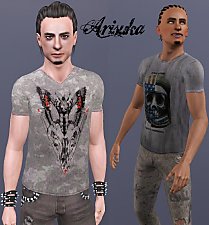
by Arisuka 18th Mar 2010 at 2:01am
I've always loved All Saints, and I wanted to make cool printed tees for my males. more...
13
30k
45
Male » Everyday » Young Adult
-
Male Facial Hair First Aid pack - from stubble to lashes and brows!!
by Arisuka 8th Mar 2010 at 4:21pm
Our guys have been totally neglected with a lack of cool CC for them, so I'm here to rescue the more...
88
214.4k
301
-
Twilight - Kristen Stewart as Bella Swan
by Arisuka 31st Dec 2010 at 11:24am
The luckiest abnormally normal girl in the history of romantic stories! more...
13
52.9k
42
-
Twilight - Robert Pattinson as Edward Cullen
by Arisuka 4th Jan 2011 at 10:13pm
The exceptionally good bad guy. more...
63
93.1k
96
-
-
-
-
.jpg)
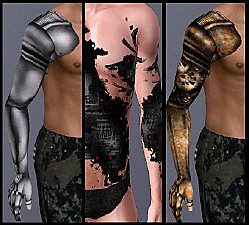
Iron - Three Totally Custom Designed prosthetic arms and a robotic skin detail!
by Arisuka updated 20th Sep 2010 at 12:23pm
Sleek modern, Homemade steampunk, Half-arm prosthesis and Acid attack robotic skin! more...
126
181.1k
316
-