
 Sign in to Mod The Sims
 Stitched Up - Non-Default Frankenstein Skin for Females
 Stitched Up - Non-Default Frankenstein Skin for Females


stitched_up_5.jpg - width=600 height=1024
stitched_up_1.jpg - width=600 height=1024
stitched_up_2.jpg - width=600 height=1024
stitched_up_3.jpg - width=600 height=1024
stitched_up_4.jpg - width=600 height=1024
stitched_up_6.jpg - width=600 height=1024
stitched_up_7.jpg - width=378 height=281
I made this 'stitches' file a while back, it was originally a body makeup that took up a sock slot but I've made it a non-default skin so ya'll can have your frankenstein sims wear stockings. Which is exactly what I know you were all wanting... right? Right??
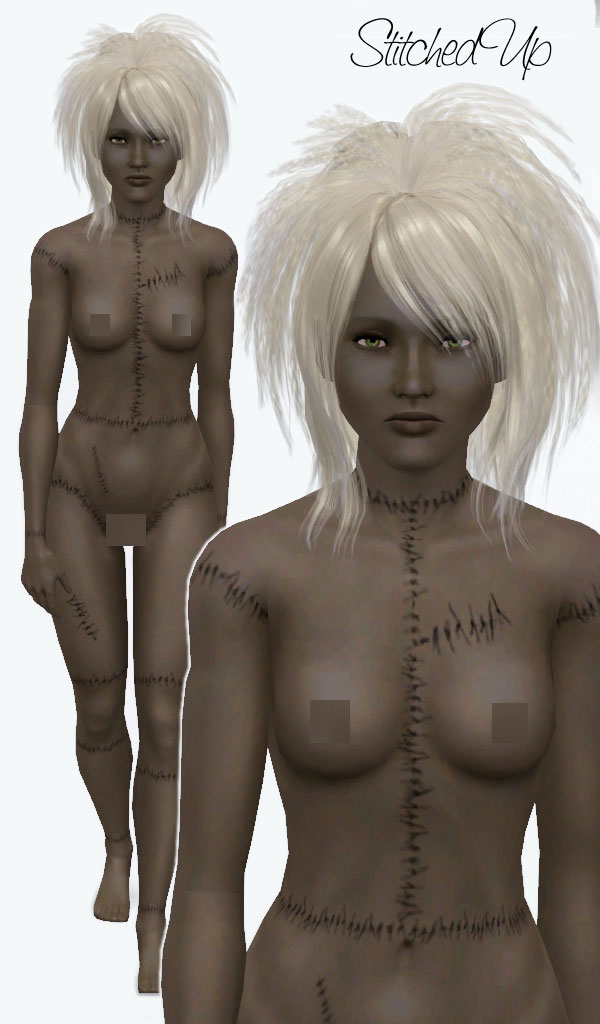
As you can see in the gallery it comes with a couple of custom sliders. I chose colours that might work for dead flesh plus a pale default flesh colour.
It is available for for teen through elder.
You will need Rez Delnava's UI Mod in order to use this as it is a non-default skin.
Enjoy!
<3
Additional Credits:
Huge thanks to Obsidian Dawn for her photoshop stitches brushes.
Hair is a converted Peggy (455) by Savio.
Rez Delnava for the UI Mod
CmarNYC for the Skininator
|
LadyFrontbum_StitchedUp_Barbie.rar
Download
Uploaded: 31st Mar 2010, 1.86 MB.
18,855 downloads.
|
||||||||
| For a detailed look at individual files, see the Information tab. | ||||||||
Install Instructions
1. Click the download button, or the filename, to download the file to your computer.
2. Extract the zip, rar, or 7z file. Now you will have either a .package or a .sims3pack file.
For Package files:
1. Cut and paste the file into your Documents\Electronic Arts\The Sims 3\Mods\Packages folder. If you do not already have this folder, you should read the full guide to Package files first: Sims 3:Installing Package Fileswiki, so you can make sure your game is fully patched and you have the correct Resource.cfg file.
2. Run the game, and find your content where the creator said it would be (build mode, buy mode, Create-a-Sim, etc.).
For Sims3Pack files:
1. Cut and paste it into your Documents\Electronic Arts\The Sims 3\Downloads folder. If you do not have this folder yet, it is recommended that you open the game and then close it again so that this folder will be automatically created. Then you can place the .sims3pack into your Downloads folder.
2. Load the game's Launcher, and click on the Downloads tab. Find the item in the list and tick the box beside it. Then press the Install button below the list.
3. Wait for the installer to load, and it will install the content to the game. You will get a message letting you know when it's done.
4. Run the game, and find your content where the creator said it would be (build mode, buy mode, Create-a-Sim, etc.).
Extracting from RAR, ZIP, or 7z: You will need a special program for this. For Windows, we recommend 7-Zip and for Mac OSX, we recommend Keka. Both are free and safe to use.
Need more help?
If you need more info, see:
- For package files: Sims 3:Installing Package Fileswiki
- For Sims3pack files: Game Help:Installing TS3 Packswiki
Loading comments, please wait...
Uploaded: 31st Mar 2010 at 6:17 AM
#frankenstein, #stitches, #horror, #fantasy, #stitch, #suture, #scary, #awesome sauce
-
Red Plague Non-Default Female Skins
by LadyFrontbum 18th Apr 2010 at 11:59pm
-
by LadyFrontbum 17th May 2010 at 3:26am
-
by LadyFrontbum 17th May 2010 at 3:34am
-
Naughty & Nice Male Skins (Muscular)
by LadyFrontbum 11th Jun 2010 at 2:43am
-
234jiao TS3 Asian skin non-default&default(9.2)made by 234jiao
by 234jiao updated 16th Jul 2010 at 11:57am
-
by NeoswordX 23rd Sep 2010 at 5:45pm
-
UPDATED--- FFDW-skintone (Non-Default+Default)
by -Mallow- updated 7th Oct 2011 at 5:03am
-
Face- In revised default & non default natural realistic style skin
by Navetsea updated 23rd Jun 2012 at 9:24am
-
Face- In TS3 revised non default Wild Edition V2
by Navetsea 30th Jul 2012 at 2:17pm
-
Face- In TS3 revised Cute Edition default and non default
by Navetsea 27th Aug 2012 at 11:07am

-
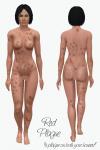
Red Plague Non-Default Female Skins
by LadyFrontbum 18th Apr 2010 at 11:59pm
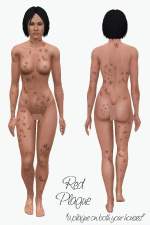
Red Plague What medieval town is complete without a hearty dose of smallpox? That's right, none. more...
-
by LadyFrontbum 26th Feb 2010 at 3:54am
Edit 1st July: Updated hair link, thanks newone08 :) Here is the model I used for my mankini. more...
-
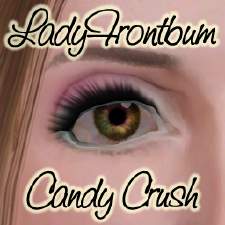
by LadyFrontbum 3rd Jan 2010 at 12:26pm
Here is my first attempt at eyeshadow. more...
-
Battlestar Galactica's Six, played by Tricia Helfer
by LadyFrontbum 10th Jan 2010 at 2:11am
Sexy Cylon from Battlestar Galactica more...
-
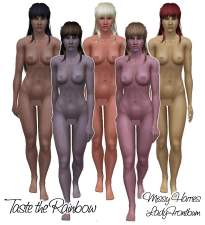
Taste the Rainbow - missy harries vs ladyfrontbum - skintones
by LadyFrontbum 2nd May 2010 at 1:56am
Taste the Rainbow These are all non-defaults. more...
-
by LadyFrontbum 10th Feb 2010 at 1:54pm
This is actually my second Paris Hilton. more...
 34
57.1k
50
34
57.1k
50
-
Large Animalistic Eyeshadow Set
by LadyFrontbum 21st Feb 2010 at 1:44am
Here are some crazy eyeshadows for your sims. more...
-
by LadyFrontbum 21st Mar 2010 at 7:08pm
Finally I am able to upload these shirts! more...
81
169.9k
327
Male » Everyday » Young Adult
-
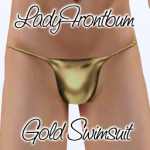
by LadyFrontbum updated 25th Feb 2010 at 12:35am
FIXED: Removed Teen from the file as it wasn't working properly. more...
60
111k
132
Male » Swimwear » Young Adult
-
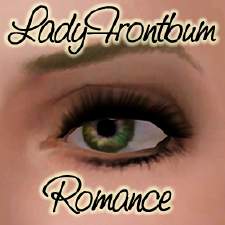
by LadyFrontbum 13th Jan 2010 at 1:40pm
This is my second attempt at eyeshadow. more...
About Me
If uploading sims to freesites - you may package my makeup / clothing with the sim. Just credit and link back where possible.
If uploading sims to paysites - don't package the makeup / clothing with the sim, instead take your screenshots then remove the makeup before uploading. Be sure to credit and link back.
You may share all of my creations on free sites. Again, just remember to credit me and link back where possible.
SIMS
You may use my sims as models for your custom content or in movies etc. But only on freesites and just be sure to credit me. :)
REQUESTS
While I don't usually take requests because of the time frame involved in making sims etc, I am happy to take suggestions. This just means I will add the celebrity/character/item to my list and will try creating them at some stage. Could be tomorrow, could be 6 months from now. Sometimes I make them, sometimes I fail miserably... just keep that in mind. :D