Sign in to Mod The Sims
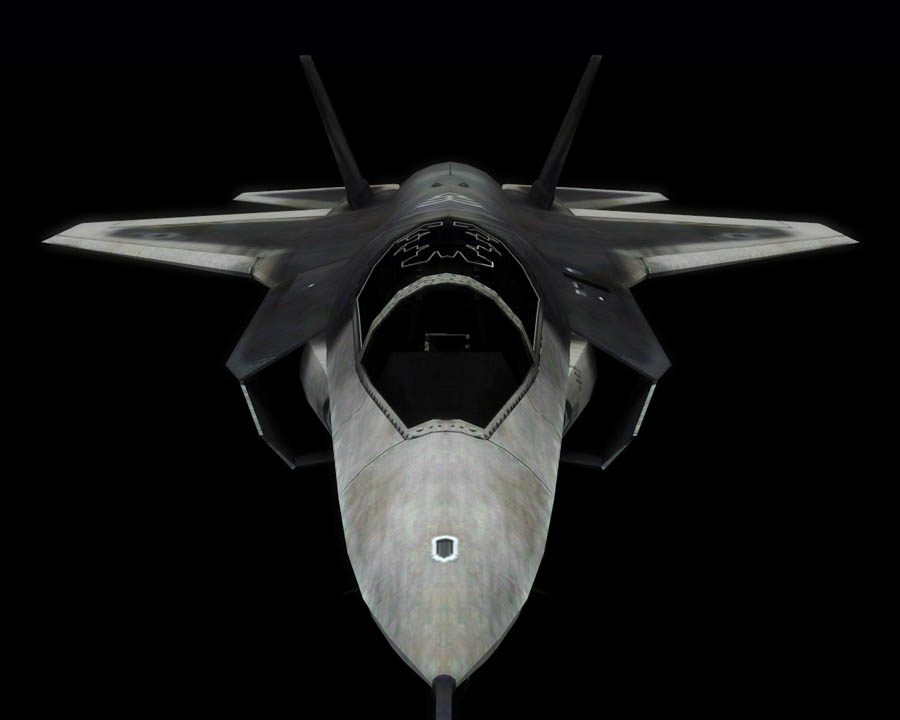
 Lockheed Martin F-35 Lightning II Set
 Lockheed Martin F-35 Lightning II Set


Screenshot-639.jpg - width=900 height=720
Screenshot-640.jpg - width=900 height=720
Screenshot-642.jpg - width=900 height=720
Screenshot-645.jpg - width=900 height=720
Screenshot-648.jpg - width=900 height=720
Screenshot-658.jpg - width=900 height=720
Screenshot-662.jpg - width=900 height=720
screeny3.jpg - width=900 height=720


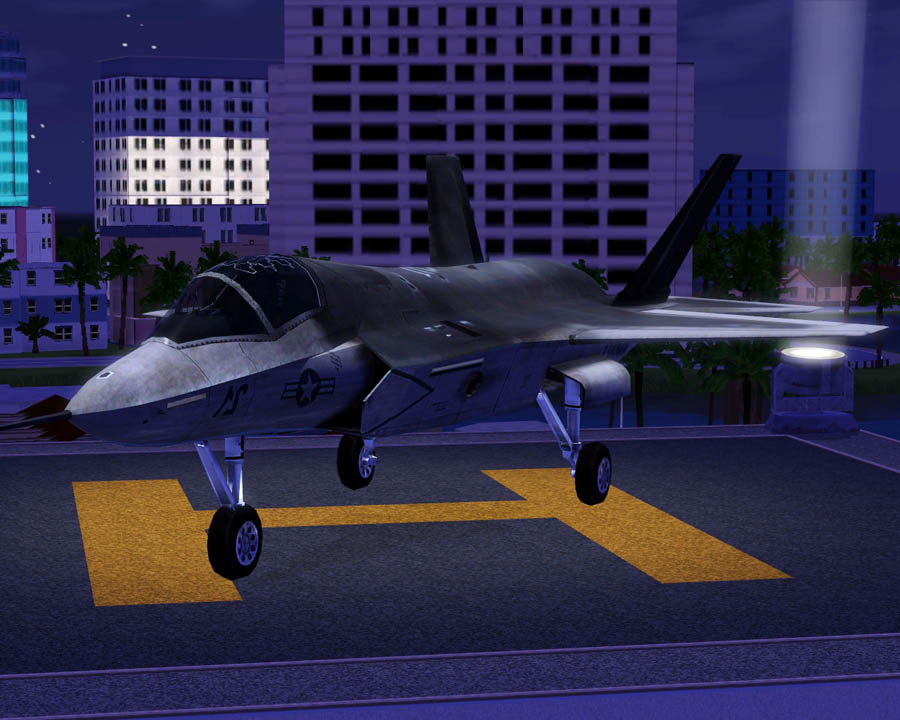
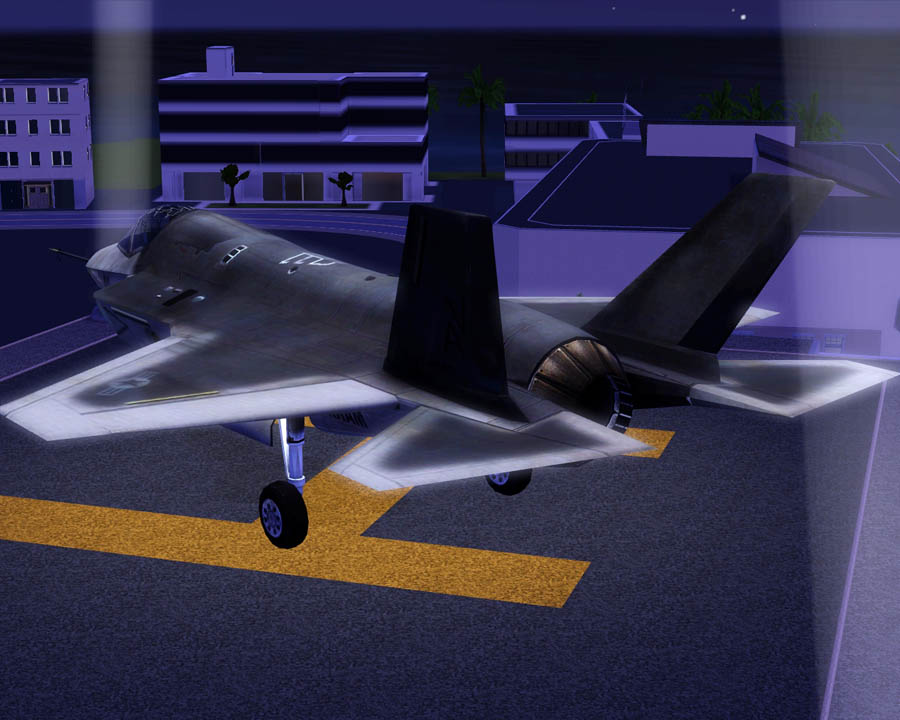
Each plane costs $100,000, and the helipad is $150. The planes have two recolorable parts:the main body and the seat.
Notes/Issues:
-Planes are designed for one sim to drive at a time.
-The Helipad is not recolorable.
-Plane wheels don't animate.
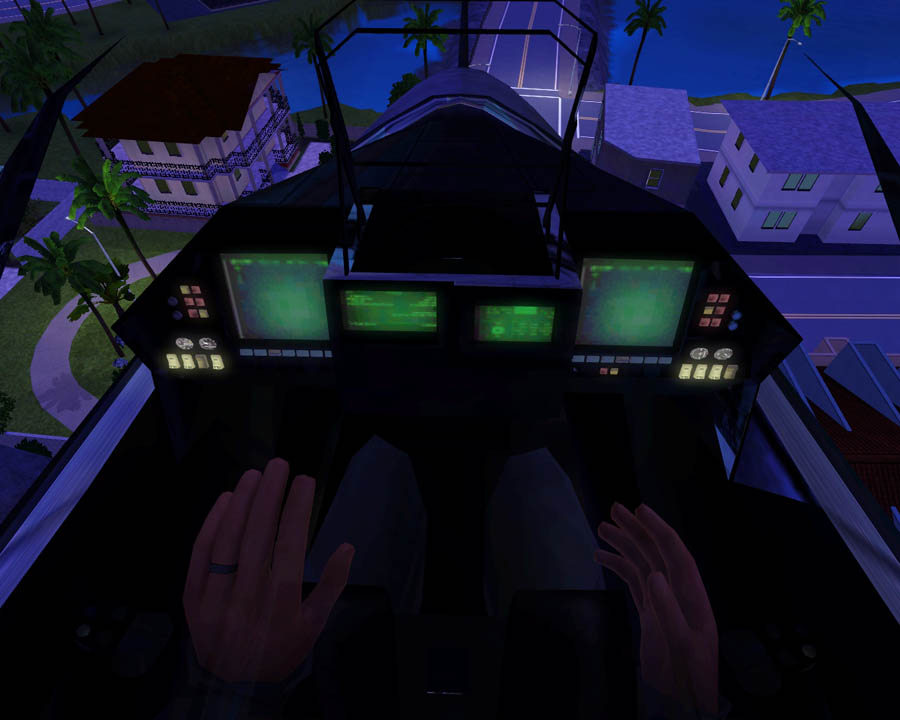
-Sims sit through their seats.
-Plane shadows are a little wonky.
-For the flyable plane, place a driveway down first, then buy your plane and put it in your driveway. Then use "moveobjects on" to place the helipad.
Hopefully these issues wont turn too many of you away to download this. I appreciate and welcome any comments! Enjoy!
Planes can be found in vehicles section, and helicopter pad can be found in Decor.\Misc.
Polygon Counts:
Both Planes:
Faces: 20,195 , Vertices: 27,256
Helicopter Pad:
Faces: 168 , Vertices: 220
Additional Credits:
TSR Workshop
AnoeskaB, WesHowe, DD, Inge, Delphy, Lee and everyone who has helped me! :D
www.3dworldclub.com for modifed model. This car along with every other model from that site has proper permission and credit from the owner and administrator of the site.
This is a new mesh, and means that it's a brand new self contained object that usually does not require a specific Pack (although this is possible depending on the type). It may have Recolours hosted on MTS - check below for more information.
|
F-P Lockheed Martin F-35 Lightning II Set.zip
Download
Uploaded: 23rd Jul 2010, 6.60 MB.
44,599 downloads.
|
||||||||
| For a detailed look at individual files, see the Information tab. | ||||||||
Install Instructions
1. Click the download button, or the filename, to download the file to your computer.
2. Extract the zip, rar, or 7z file. Now you will have either a .package or a .sims3pack file.
For Package files:
1. Cut and paste the file into your Documents\Electronic Arts\The Sims 3\Mods\Packages folder. If you do not already have this folder, you should read the full guide to Package files first: Sims 3:Installing Package Fileswiki, so you can make sure your game is fully patched and you have the correct Resource.cfg file.
2. Run the game, and find your content where the creator said it would be (build mode, buy mode, Create-a-Sim, etc.).
For Sims3Pack files:
1. Cut and paste it into your Documents\Electronic Arts\The Sims 3\Downloads folder. If you do not have this folder yet, it is recommended that you open the game and then close it again so that this folder will be automatically created. Then you can place the .sims3pack into your Downloads folder.
2. Load the game's Launcher, and click on the Downloads tab. Find the item in the list and tick the box beside it. Then press the Install button below the list.
3. Wait for the installer to load, and it will install the content to the game. You will get a message letting you know when it's done.
4. Run the game, and find your content where the creator said it would be (build mode, buy mode, Create-a-Sim, etc.).
Extracting from RAR, ZIP, or 7z: You will need a special program for this. For Windows, we recommend 7-Zip and for Mac OSX, we recommend Keka. Both are free and safe to use.
Need more help?
If you need more info, see:
- For package files: Sims 3:Installing Package Fileswiki
- For Sims3pack files: Game Help:Installing TS3 Packswiki
Loading comments, please wait...



Uploaded: 23rd Jul 2010 at 5:01 PM
-
-
by Fresh-Prince 14th Jan 2010 at 9:01am
 56
159.6k
223
56
159.6k
223
-
-
by Fresh-Prince 26th Jul 2010 at 7:35pm
50
99k
201
-
-
by Fresh-Prince 12th Aug 2010 at 10:56pm
96
230.5k
421
-
by Fresh-Prince 10th Sep 2010 at 1:06pm
47
142.1k
244
-
by Fresh-Prince 12th Sep 2010 at 8:02am
27
102.5k
196
-
by Fresh-Prince 12th Sep 2010 at 8:02am
30
103.9k
175
-
by Fresh-Prince 21st Jun 2011 at 7:00am
45
110.3k
198

-
by Fresh-Prince 28th Jun 2006 at 1:52am
NOTE: FIXED VERSION CAN BE FOUND HERE (#post1366723)!!! more...
 +1 packs
48 48.4k 18
+1 packs
48 48.4k 18 Nightlife
-
by Fresh-Prince 17th Oct 2008 at 2:48pm
A nice new classy and sporty mercedes for you guys! Sorry for the lack of updates. Enjoy! more...
+1 packs
29 138.8k 145 Nightlife
-
by Fresh-Prince 18th Jan 2010 at 6:54pm
The perfect convertible for any sim you'd like! Enjoy! more...
54
176.1k
225
-
by Fresh-Prince 24th Feb 2009 at 1:49pm
Do your sims feel the need for speed? Then this is the perfect vehicle for them! more...
+1 packs
32 116.6k 132 Nightlife
-
by Fresh-Prince 12th Jan 2009 at 9:27pm
This is a really nice and detailed beach home for your sims! more...
+8 packs
16 24.7k 49 University
Nightlife
University
Nightlife
 Open for Business
 Pets
Pets
 Seasons
 Bon Voyage
 Free Time
 Apartment Life
-
by Fresh-Prince 25th Nov 2007 at 1:58am
This is an awesome flying car! more...
+1 packs
94 110.2k 203 Nightlife
-
by Fresh-Prince 19th Sep 2009 at 7:38pm
Once again, the lights dont work on this car. more...
47
107k
86
-
by Fresh-Prince 11th Oct 2009 at 12:41am
This is a fantastic looking car, and I really love the way it came out for the game! more...
61
126.6k
120
-
by Fresh-Prince 15th Aug 2007 at 10:41pm
This is one of Maxis' career cars made into a drivable and ownable car. Not much to say about it,lol. more...
+1 packs
34 48.3k 81 Nightlife
-