
 Sign in to Mod The Sims
 Please sit down!
 Please sit down!


BenchIndex.jpg - width=497 height=497
Benches.jpg - width=658 height=499
BenshCatalogue.jpg - width=1000 height=624
TexturandColor.jpg - width=900 height=562
 Updated for Pets and patch 1.31
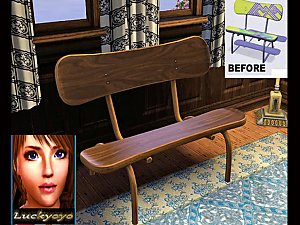
 I made a simple bench for my poor tired sims. Maybe someone else also want a rest?
The 2-seater cost only 25$ and the 3-seater just 35$
Every sim can afford this!
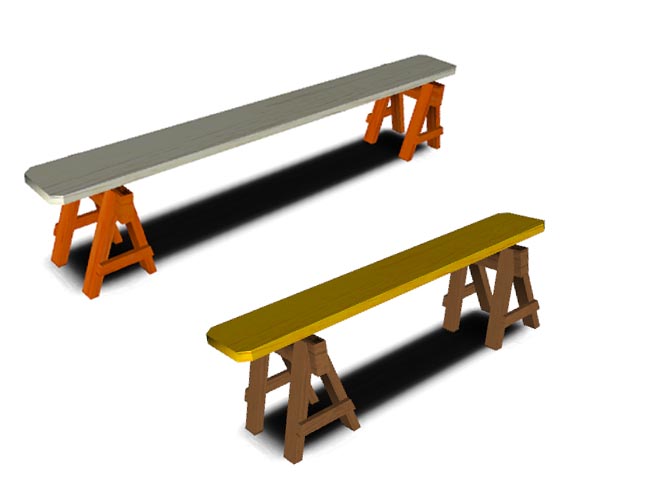
You'll find both among the other loveseats and they both have two recoloable channels.
Polygon Counts:
Both benches have 558 vertices and 260 faces.
Additional Credits:
As usual I send me tanks to the developers of S3OC and s3pe, Inge and Peter Jones and all autors of tutorials here and there.
This is a new mesh, and means that it's a brand new self contained object that usually does not require a specific Pack (although this is possible depending on the type). It may have Recolours hosted on MTS - check below for more information.
|
Lisen_Benches.7z
Download
Uploaded: 14th Jun 2012, 270.9 KB.
2,272 downloads.
|
||||||||
| For a detailed look at individual files, see the Information tab. | ||||||||
Install Instructions
1. Click the download button, or the filename, to download the file to your computer.
2. Extract the zip, rar, or 7z file. Now you will have either a .package or a .sims3pack file.
For Package files:
1. Cut and paste the file into your Documents\Electronic Arts\The Sims 3\Mods\Packages folder. If you do not already have this folder, you should read the full guide to Package files first: Sims 3:Installing Package Fileswiki, so you can make sure your game is fully patched and you have the correct Resource.cfg file.
2. Run the game, and find your content where the creator said it would be (build mode, buy mode, Create-a-Sim, etc.).
For Sims3Pack files:
1. Cut and paste it into your Documents\Electronic Arts\The Sims 3\Downloads folder. If you do not have this folder yet, it is recommended that you open the game and then close it again so that this folder will be automatically created. Then you can place the .sims3pack into your Downloads folder.
2. Load the game's Launcher, and click on the Downloads tab. Find the item in the list and tick the box beside it. Then press the Install button below the list.
3. Wait for the installer to load, and it will install the content to the game. You will get a message letting you know when it's done.
4. Run the game, and find your content where the creator said it would be (build mode, buy mode, Create-a-Sim, etc.).
Extracting from RAR, ZIP, or 7z: You will need a special program for this. For Windows, we recommend 7-Zip and for Mac OSX, we recommend Keka. Both are free and safe to use.
Need more help?
If you need more info, see:
- For package files: Sims 3:Installing Package Fileswiki
- For Sims3pack files: Game Help:Installing TS3 Packswiki
Loading comments, please wait...



Uploaded: 4th Aug 2010 at 4:57 PM
Updated: 14th Jun 2012 at 1:00 AM
-
by -Maylin- 30th May 2010 at 12:57pm
-
by Lisen801 11th Jul 2010 at 10:24am
-
-
-
by Menaceman44 31st Oct 2010 at 4:34pm
 10
23.2k
64
10
23.2k
64
-
-
Bradford and Pedestal Mailboxes
by cmomoney 10th Mar 2011 at 6:29pm
-
-
-
Light-enabled Umbrella Sculptures
by NayahB1123 30th Nov 2020 at 5:01pm


-
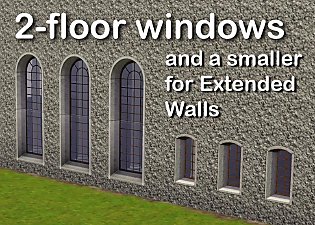
2 new windows for *Extended* walls
by Lisen801 updated 27th May 2012 at 12:44pm
One 2-story big window and a smaller one for 'extended' windows for maisons, castles, churches, etc... more...
+1 packs
19 59.7k 104 Late Night
-
-

Southern Charm a tribute to New Orleans
by Lisen801 updated 27th May 2012 at 10:07am
I never been there but I like it... more...
75
94.6k
203
-
-
-
-
-
-
Greenhouse - The Gardener's Home
by Lisen801 15th Jun 2005 at 3:18pm
Hello. Well here it is, one of the gardeners greenhouse and home. more...
 31
23.2k
17
31
23.2k
17
-


About Me
Credit is nice but not mandatory.