
 Sign in to Mod The Sims
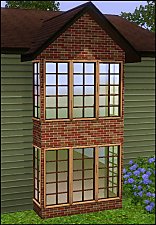
 2 new windows for *Extended* walls
 2 new windows for *Extended* walls


2Floor2.jpg - width=800 height=674
BeforeNL.jpg - width=700 height=932
Catalogue.jpg - width=900 height=416
Inside.jpg - width=1000 height=523
Screenshot-399.jpg - width=800 height=522
WindowsIndex.jpg - width=800 height=571
TextureWindows.jpg - width=564 height=1024
 Updated for Pets and patch and tested in game
 Yes I have tested the windows in game and it works nice, at least for me

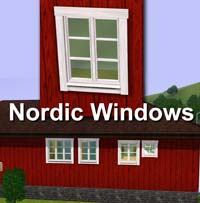
These are two windows that I worked with for some time. The smaller window was no problem with. 2-story window was the problem. I could not get the top of the wall to disappear (see picture) so therefore I have not uploaded it before.
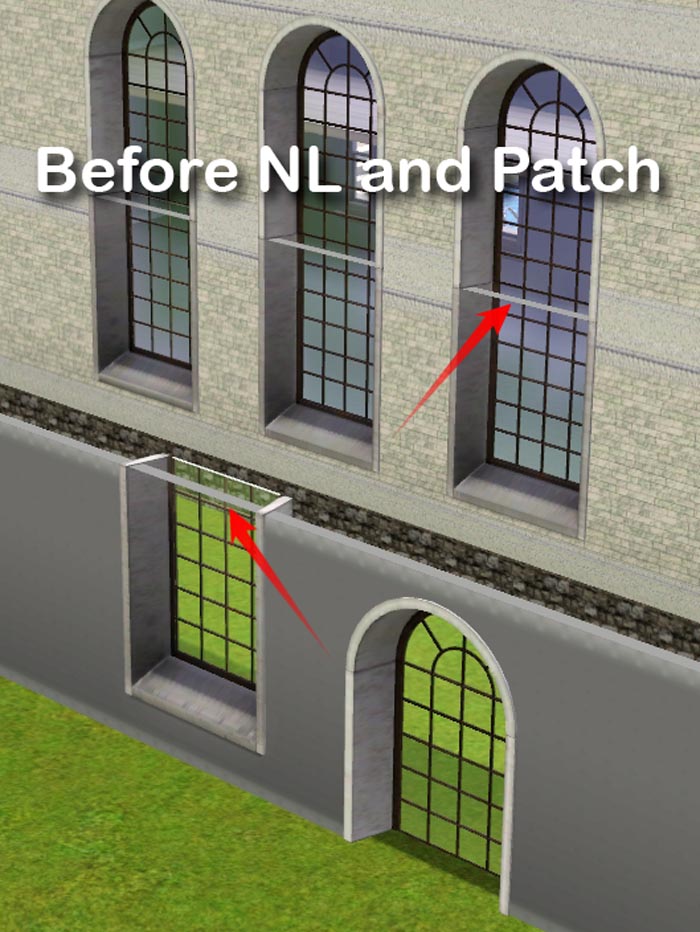
With Late Night and the latest patch, EA has changed the walls and windows, so now it is possible to completely remove the top side of the wall.
If you want to use the two-story window, it is important that you flip the two parts of the law to fit exactly.
The small window will cost $ 220 and two-story window parts will cost $ 265 apiece.
Polygon Counts:
Tall Extended Window: 478 vertices and 340 faces
Big Extended Window bottom: 297 vertices and 148 faces
Big Extended Window Top: 780 vertices and 592 faces
Additional Credits:
I want to thank EA for the game, the developers of the tools and autors of different tutorials
This is a new mesh, and means that it's a brand new self contained object that usually does not require a specific Pack (although this is possible depending on the type). It may have Recolours hosted on MTS - check below for more information.
|
Lisen_TallExtendedWindows.7z
Download
Uploaded: 27th May 2012, 374.6 KB.
10,649 downloads.
|
||||||||
| For a detailed look at individual files, see the Information tab. | ||||||||
Install Instructions
1. Click the download button, or the filename, to download the file to your computer.
2. Extract the zip, rar, or 7z file. Now you will have either a .package or a .sims3pack file.
For Package files:
1. Cut and paste the file into your Documents\Electronic Arts\The Sims 3\Mods\Packages folder. If you do not already have this folder, you should read the full guide to Package files first: Sims 3:Installing Package Fileswiki, so you can make sure your game is fully patched and you have the correct Resource.cfg file.
2. Run the game, and find your content where the creator said it would be (build mode, buy mode, Create-a-Sim, etc.).
For Sims3Pack files:
1. Cut and paste it into your Documents\Electronic Arts\The Sims 3\Downloads folder. If you do not have this folder yet, it is recommended that you open the game and then close it again so that this folder will be automatically created. Then you can place the .sims3pack into your Downloads folder.
2. Load the game's Launcher, and click on the Downloads tab. Find the item in the list and tick the box beside it. Then press the Install button below the list.
3. Wait for the installer to load, and it will install the content to the game. You will get a message letting you know when it's done.
4. Run the game, and find your content where the creator said it would be (build mode, buy mode, Create-a-Sim, etc.).
Extracting from RAR, ZIP, or 7z: You will need a special program for this. For Windows, we recommend 7-Zip and for Mac OSX, we recommend Keka. Both are free and safe to use.
Need more help?
If you need more info, see:
- For package files: Sims 3:Installing Package Fileswiki
- For Sims3pack files: Game Help:Installing TS3 Packswiki
Loading comments, please wait...



-
by hazuitokage 4th Nov 2009 at 9:09pm
 74
127.8k
116
74
127.8k
116
-
-
-
by HugeLunatic 15th Jun 2010 at 6:20pm
60
99.7k
254
-
by Hekate999 updated 14th Apr 2011 at 11:43am
18
65.6k
166
-
Extended arches for thicker walls
by Lisen801 updated 9th Jun 2012 at 3:07pm
+1 packs
12 30.4k 53 World Adventures
-
3 Extended windows for thicker walls
by Lisen801 updated 9th Jun 2012 at 3:14pm
+1 packs
21 27.5k 56 World Adventures
-
by Lisen801 18th Jul 2010 at 10:53pm
27
45.6k
96
-
Versailles Two Story Window Set *Updated* 6/11/12
by The Regal Sim updated 12th Jun 2012 at 3:46am
25
88.9k
231
-


-
Table and chair from the 50's kitchen
by Lisen801 22nd Dec 2010 at 2:34pm
I love the stuff from the 50's and are working with objects trom that time. I'm starting with these items. more...
18
45.4k
97
-
-
-
Dresser and Mirror in fifty model.
by Lisen801 27th Jan 2011 at 5:13pm
A small dresser and matching mirror that was common in many homes in the fifties. more...
18
45.1k
106
-
-
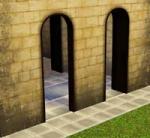
Extended arches for thicker walls
by Lisen801 updated 9th Jun 2012 at 3:07pm
Sometimes I think the standard walls in the Sims are too thin when it comes to basements and castles. more...
+1 packs
12 30.4k 53 World Adventures
-
-

-
-
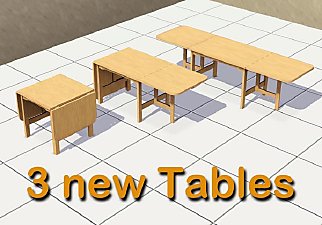
A folding table in three variants
by Lisen801 23rd Dec 2010 at 3:20pm
Actually it's the same table, but in three different variants. A folding table is very convenient for the growing family. more...
36
43.3k
127

Packs Needed
| Expansion Pack | |
|---|---|
 | Late Night |
About Me
Credit is nice but not mandatory.