
 Sign in to Mod The Sims
 Simple Bathtubs + Bonus Item!
 Simple Bathtubs + Bonus Item!


caddyfunctiontub.jpg - width=671 height=537
caddy-interior.jpg - width=947 height=768
standalone-interior.jpg - width=1024 height=606
standalone-presets.jpg - width=1024 height=485
walltub-function.jpg - width=1024 height=768
walltub-interior.jpg - width=1024 height=574
walltub-presets.jpg - width=1024 height=518
caddy-map.jpg - width=719 height=768
caddy-presets.jpg - width=1011 height=667
walltub-map.jpg - width=683 height=1024
faucettub1.jpg - width=725 height=1024
standalone-map.jpg - width=683 height=926






The Simple Wall Tub
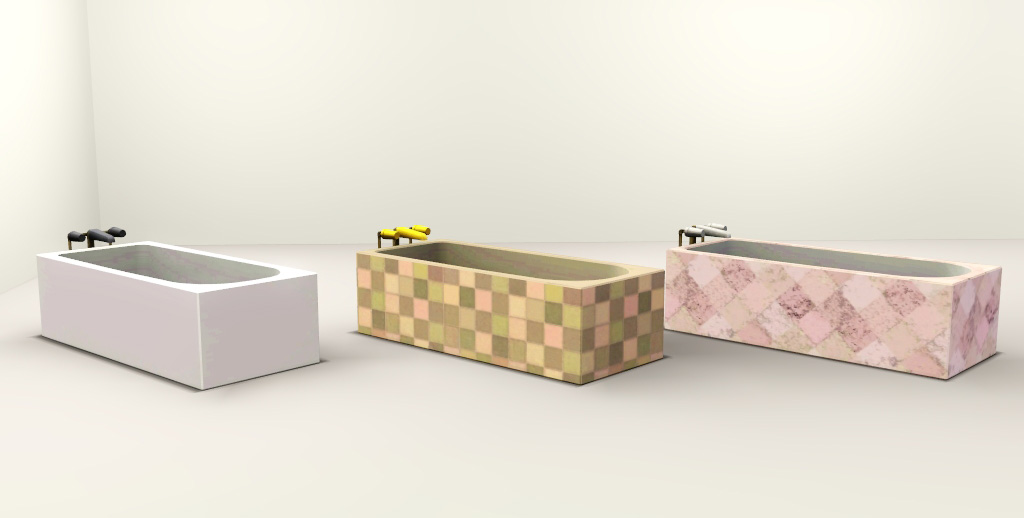
Really and truly this is just a re-do of my Even Cheaper Tub. I made the basin of the tub much, much wider because I felt that the first version was too compact. Also, I added four more slots to the tub and redid the channel layout.
For the most part I think I accommodated for the mapping as best as I could. However there's a little wonkiness near the faucet area but it's not too bad, IMO.
Object Details:
In-Game Name - Simple Stand Alone Tub
Category - Showers and Tubs
Price - 800
Slots - 6
Channels - 4
The Simple Standalone Tub
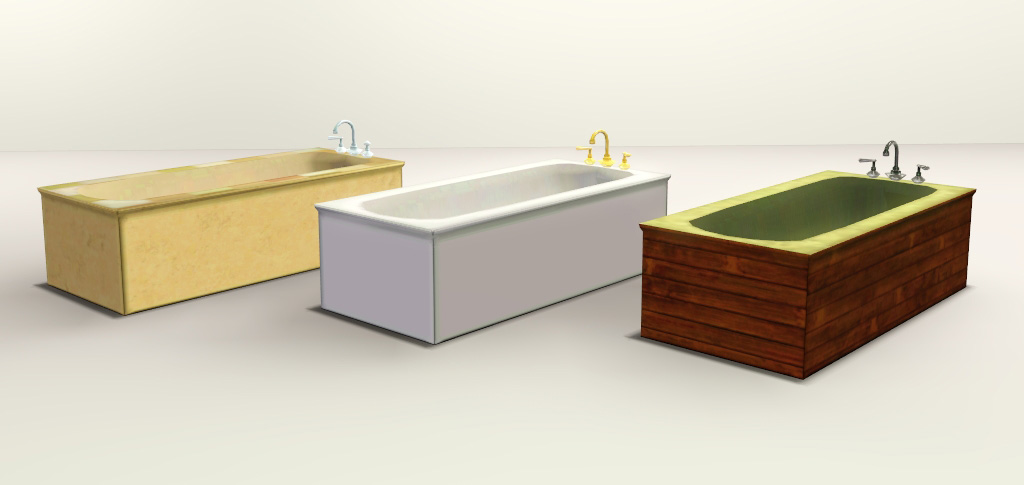
This is my most favorite tub from the set! I like to think of the tub as a simplified version of that fancy EA rectangular boxy tub. It's made to be a stand alone tub, but also fits snug between walls if you want to go for the built in look.
This was the first mesh that I actually mapped on my own, and I think it came out rather nicely if I do say so myself. Well...with the exception of the basin, but I figured that that area would be mostly solid colors so it doesn't matter too much.
Object Details:
In-Game Name - Simple Standalone Tub
Category - Showers and Tubs
Price - 1000
Slots - 4
Channels - 4
Bonus - A Simple Shower Caddy!
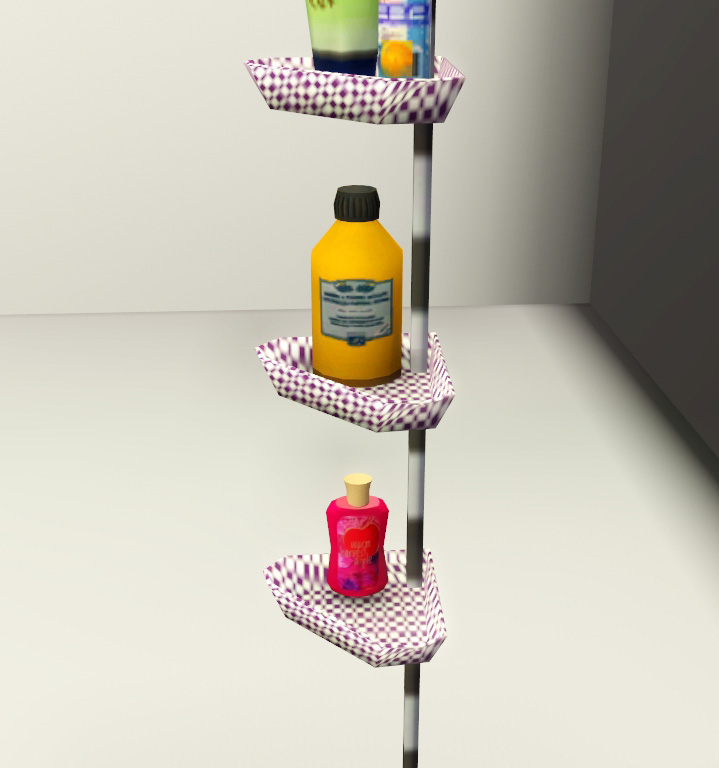
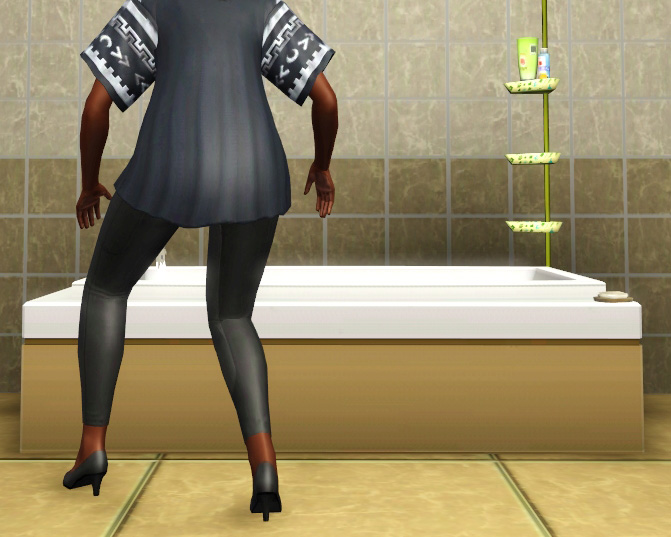
I noticed this caddy in the cheap EA glass shower and I thought it was pretty neat. So I pinched the mesh and made it into a functional one for your sims. It has a full length stand that goes from floor to ceiling. The top tray is deco items that cannot be removed or recolored, however the two bottom trays are empty and have one slot each.
The caddy sits on the corner of a 1x1 footprint for easy placement. You do NOT need cheats to place this object! And, it will not interfere with the tubs or showers that it is placed near. The sim will simply ignore it and carry on with whatever they were doing.
Object Details:
In-Game Name - Simple Shower Caddy
Category - Decor/Accents/Laundry
Price - 20
Slots - 2
Channels - 2
Extra Info:
To ward of the flood of complaints, both tubs were cloned from expensive EA tubs so they'll get the proper moodlet or whatever it is you people seek.
Polygon Counts:
Wall Tub - 991
Stand Alone - 1190
Caddy - 274
This is a new mesh, and means that it's a brand new self contained object that usually does not require a specific Pack (although this is possible depending on the type). It may have Recolours hosted on MTS - check below for more information.
|
daluved1_SimpleStandAloneTub (UPDATED).package.rar
Download
Uploaded: 5th Jun 2012, 225.9 KB.
10,457 downloads.
|
||||||||
|
daluved1_SimpleWallTub.package.rar
Download
Uploaded: 5th Jun 2012, 191.4 KB.
9,533 downloads.
|
||||||||
|
daluved1_SimpleShowerCaddy.package.rar
Download
Uploaded: 5th Jun 2012, 197.6 KB.
10,994 downloads.
|
||||||||
| For a detailed look at individual files, see the Information tab. | ||||||||
Install Instructions
1. Click the download button, or the filename, to download the file to your computer.
2. Extract the zip, rar, or 7z file. Now you will have either a .package or a .sims3pack file.
For Package files:
1. Cut and paste the file into your Documents\Electronic Arts\The Sims 3\Mods\Packages folder. If you do not already have this folder, you should read the full guide to Package files first: Sims 3:Installing Package Fileswiki, so you can make sure your game is fully patched and you have the correct Resource.cfg file.
2. Run the game, and find your content where the creator said it would be (build mode, buy mode, Create-a-Sim, etc.).
For Sims3Pack files:
1. Cut and paste it into your Documents\Electronic Arts\The Sims 3\Downloads folder. If you do not have this folder yet, it is recommended that you open the game and then close it again so that this folder will be automatically created. Then you can place the .sims3pack into your Downloads folder.
2. Load the game's Launcher, and click on the Downloads tab. Find the item in the list and tick the box beside it. Then press the Install button below the list.
3. Wait for the installer to load, and it will install the content to the game. You will get a message letting you know when it's done.
4. Run the game, and find your content where the creator said it would be (build mode, buy mode, Create-a-Sim, etc.).
Extracting from RAR, ZIP, or 7z: You will need a special program for this. For Windows, we recommend 7-Zip and for Mac OSX, we recommend Keka. Both are free and safe to use.
Need more help?
If you need more info, see:
- For package files: Sims 3:Installing Package Fileswiki
- For Sims3pack files: Game Help:Installing TS3 Packswiki
Loading comments, please wait...


Uploaded: 5th Jun 2012 at 5:26 PM
#bathroom, #bathtub, #tub, #garden tub
-
-
-
"Odor-free toilet" without floral pattern
by bradley9023 26th Feb 2010 at 3:18pm
-
by HugeLunatic 10th Mar 2011 at 6:26pm
 125
168k
504
125
168k
504
-
by piezoelectric 27th Apr 2011 at 10:09pm
22
57.6k
92
-
-
HomeSpa Bathroom Collection One
by eris3000 26th Jul 2011 at 6:15pm
-
Calibri Versatile Bathroom Set - 1.29
by Morphead 14th Aug 2011 at 7:31pm
-
by Arsil updated 2nd Aug 2015 at 2:47pm
37
81.8k
232
-

-

-
-
-
-
Madame Dal's House of Dance: Part 2 of 2 (UPDATED)
by daluved1 24th Oct 2010 at 11:49pm
Still dancing..... more...
25
97k
237
Female » Mixed Sets » Child
-
Orville - A Victorian Neighborhood w/ Lots - Updated 30th May
by The Sim Supply 8th May 2008 at 5:24am
STAFF NOTICE: This neighbourhood contains stub sim data, aka corruption. more...
 +3 packs
64 157.9k 124
+3 packs
64 157.9k 124 Nightlife
 Open for Business
 Seasons
Miscellaneous » Neighborhoods & CAS Screens » Neighbourhoods and Worlds
-
-
-

-

The Voodoo Queen: Marie Laveau
by daluved1 27th Dec 2010 at 4:00pm
Three x's and a little pound cake can bring you good luck. more...
21
28.5k
25


About Me
Because my policy is really inconsistent on my uploads, I've decided to make an official policy! So whatever you see here on my profile is my current policy. You may disregard any ''policy'' information you see on the actual upload itself.
-You may use my creations with sims
-You may use my objects with lots.
-You may retexture my meshes.
-You may include my meshes with retextures.
-You may NOT upload my creations with sims
-You may NOT upload my objects with lots.
-You may NOT upload my creations to paysites.
-You may NOT upload my creations to the exchange.
-Always credit me with a link
-I do NOT take requests!