
 Sign in to Mod The Sims
 Simple Shower Tub
 Simple Shower Tub


showerBath.jpg - width=1024 height=732
During Bath
showerClosed.jpg - width=1024 height=732
During Shower
showerMapping.jpg - width=758 height=758
Mapping
showerOpen.jpg - width=1024 height=732
Not in Use

Check out the moving shower curtain! Wooooot!
Open
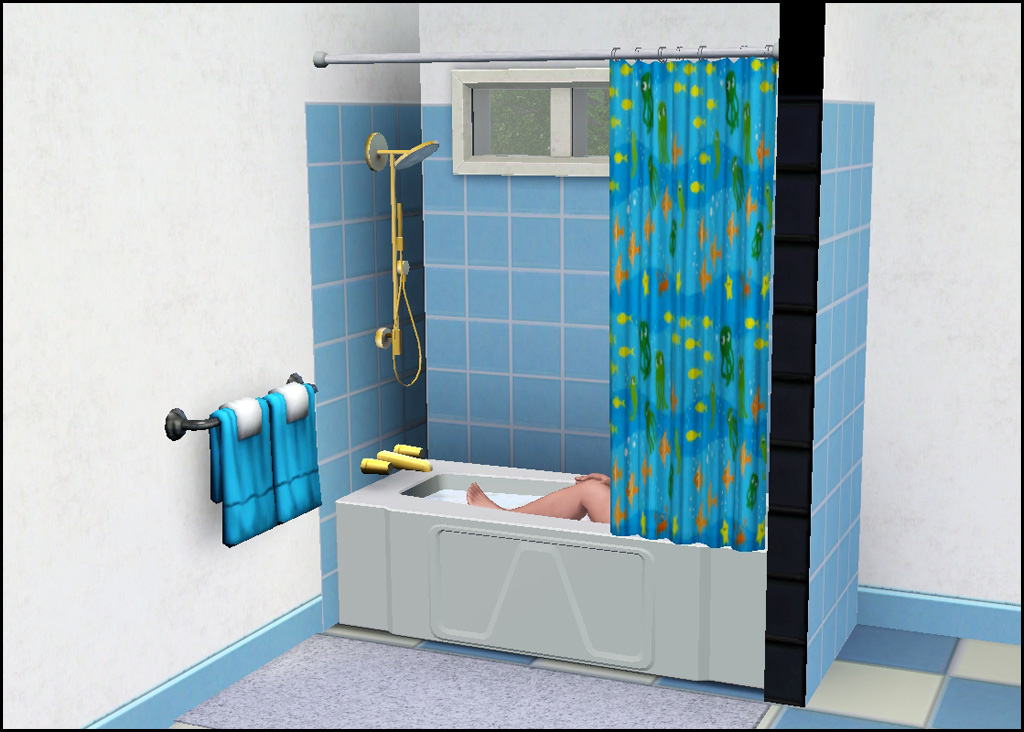
Closed
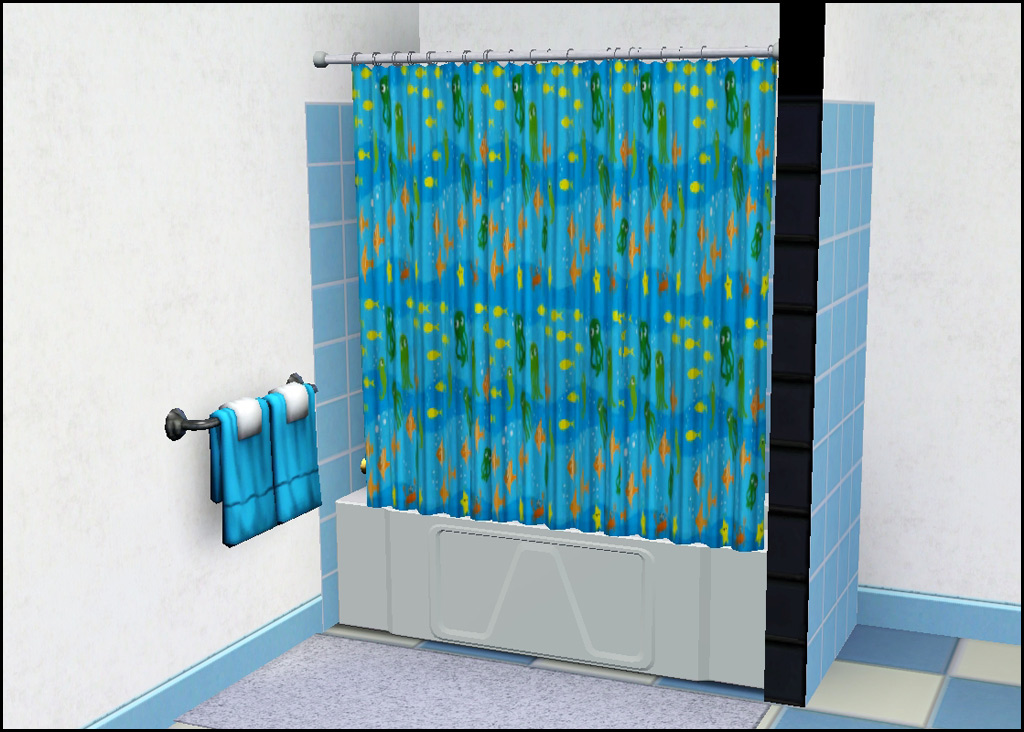
Technical Bits
- Buy/Appliances/Showers & Tubs
- §475
- 4 Channels (tub, hardware, curtain, rod)
- One preset (as shown)
Polygon Counts:
Polys are a bit higher than the EA expensive shower/tub due to the curtain mesh. Most curtain meshes are flat and EA attempts to add folds via textures - which I don't much like the look of - so I am using the curtain mesh from the TS2 shower.
High - 2693 (EA one is ~1700)
Low - 1572
This is a new mesh, and means that it's a brand new self contained object that usually does not require a specific Pack (although this is possible depending on the type). It may have Recolours hosted on MTS - check below for more information.
|
HL_SimpleShowerTub.rar
Download
Uploaded: 10th Mar 2011, 2.22 MB.
45,867 downloads.
|
||||||||
| For a detailed look at individual files, see the Information tab. | ||||||||
Install Instructions
1. Click the download button, or the filename, to download the file to your computer.
2. Extract the zip, rar, or 7z file. Now you will have either a .package or a .sims3pack file.
For Package files:
1. Cut and paste the file into your Documents\Electronic Arts\The Sims 3\Mods\Packages folder. If you do not already have this folder, you should read the full guide to Package files first: Sims 3:Installing Package Fileswiki, so you can make sure your game is fully patched and you have the correct Resource.cfg file.
2. Run the game, and find your content where the creator said it would be (build mode, buy mode, Create-a-Sim, etc.).
For Sims3Pack files:
1. Cut and paste it into your Documents\Electronic Arts\The Sims 3\Downloads folder. If you do not have this folder yet, it is recommended that you open the game and then close it again so that this folder will be automatically created. Then you can place the .sims3pack into your Downloads folder.
2. Load the game's Launcher, and click on the Downloads tab. Find the item in the list and tick the box beside it. Then press the Install button below the list.
3. Wait for the installer to load, and it will install the content to the game. You will get a message letting you know when it's done.
4. Run the game, and find your content where the creator said it would be (build mode, buy mode, Create-a-Sim, etc.).
Extracting from RAR, ZIP, or 7z: You will need a special program for this. For Windows, we recommend 7-Zip and for Mac OSX, we recommend Keka. Both are free and safe to use.
Need more help?
If you need more info, see:
- For package files: Sims 3:Installing Package Fileswiki
- For Sims3pack files: Game Help:Installing TS3 Packswiki
Loading comments, please wait...


Uploaded: 10th Mar 2011 at 6:26 PM
Updated: 26th Oct 2011 at 4:03 PM
-
-
Autonomous Plumbing Repairs (Tubs, Sinks, Showers, & Toilets)
by mikey 8th Jan 2010 at 8:16pm
 19
35.6k
46
19
35.6k
46
-
by orangemittens 25th Jan 2010 at 9:10pm
47
135.1k
226
-
by HugeLunatic 11th Mar 2010 at 12:24am
113
305.4k
783
-
-
-
Medieval Plumbing - Ye Olde Kingdom of Pudding
by The Merrye Makers 18th Dec 2011 at 11:18pm
14
73.9k
182
-
by daluved1 updated 15th Jan 2012 at 5:21am
38
65.3k
126
-
The Discretion Doors "Should Be Fixed This Time" Edition
by fway 1st Mar 2012 at 6:27pm
32
83.4k
374
-

-
by HugeLunatic updated 29th Nov 2022 at 10:30pm
 +1 packs
3 2.8k 15
+1 packs
3 2.8k 15 Free Time
-
.jpg)
Meadow Creek - An Inhabited Base Game/ No CC Neighborhood *Updated*
by Hood Building Group updated 25th Apr 2015 at 1:55pm
Description of the inhabited version of Meadow Creek: "When the Klein family sold off a little bit of their more...
96
109.8k
178
Miscellaneous » Neighborhoods & CAS Screens » Neighbourhoods and Worlds
-
by HugeLunatic updated 12th Aug 2022 at 5:01pm
Collection of door and window add ons for the Loft Collection more...
17
23.2k
86
-
by HugeLunatic 9th Oct 2012 at 8:19pm
Aquabox - Perfect for those who "forget" that fish eat too. more...
-
by HugeLunatic 30th Dec 2016 at 6:35pm
The IKEA Moose Rocking toy usuable! more...
+1 packs
17 17.3k 54 Apartment Life
-
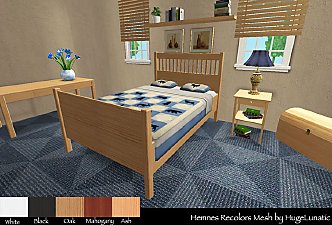
Hemnes Bed & Study Recolor *NOT IKEA SP*
by HugeLunatic 27th Dec 2008 at 8:02pm
Updated 23-Dec-09 This set is now slaved. The master mesh is the bookcase. more...
-


by HugeLunatic 5th Sep 2020 at 4:15pm
I wanted different colors for the wood and metal bits for the hobby plaques that come with Freetime, so I've more...
+1 packs
4 5.9k 20 Free Time
-
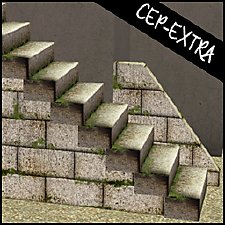
Backyard Pyramid "Step it Up" - [CEP-EXTRA]
by HugeLunatic updated 21st Dec 2021 at 11:20am
It's taken quite a while, but I've finally got the steps from Bon Voyage recolorable. more...
+1 packs
7 21.8k 63 Bon Voyage
-

by Hood Building Group updated 7th Nov 2015 at 4:16pm
Quadington University - A creepy zombified university for your 'hoods! more...
78
56.2k
145
Miscellaneous » Neighborhoods & CAS Screens » Neighbourhoods and Worlds
-

by HugeLunatic 19th Jun 2017 at 4:17pm
This makes the bowl and fruit separately recolorable. more...
4
14.2k
22


About Me
Pet Stories || Dog Agility Items? || Castaway Stories || Holy Simoly Extras
4esf Archive || Holy Simoly Archive || CEP-Extras List || Buyable Game Objects
lunie content from GoS/s2a
 Installation of CEP Extras
-the package with pfiles appended to the name will go into your cep extras folder where your game is installed (typically c drive, you do you)
-the other goes in CEP extra folder in documents.
The following locations are what I am aware of, beyond that you'll have to do some searching.
Downloads Folder:
C:\Users\<user>\Documents\EA Games\The Sims 2 Legacy
C:\Users\<user>\Documents\EA Games\The Sims 2 Ultimate Collection
With multiple launchers, the location for your game install will vary.
C:\Program Files\EA GAMES\The Sims 2 Legacy\TSData\Res\Catalog\zCEP-EXTRA
C:\Program Files\EA GAMES\The Sims 2\TSData\Res\Catalog\zCEP-EXTRA
C:\Program Files (x86)\EA GAMES\The Sims 2\TSData\Res\Catalog\zCEP-EXTRA