
 Sign in to Mod The Sims
 190712 The Carpet no CC
 190712 The Carpet no CC


190712Backside286.jpg - width=1280 height=960
190712Floorplan288.jpg - width=1000 height=750
190712Requiredfront284.jpg - width=1280 height=960
190712Front88.jpg - width=1280 height=960
190712TVcorner74.jpg - width=1000 height=750
190712AbovenoHouse85.jpg - width=1000 height=750
190712LivingroomFromkitchen73.jpg - width=1280 height=960
190712BedoomAngle291.jpg - width=1000 height=750
190712Support93.jpg - width=1000 height=750
190712Kitchen72.jpg - width=1280 height=960
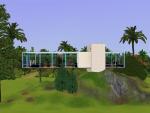
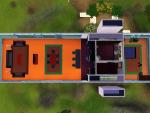
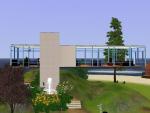
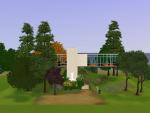
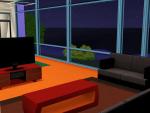
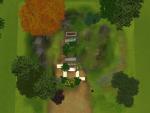
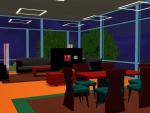
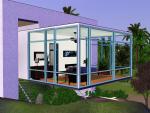
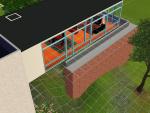
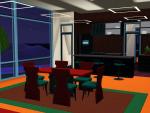
As the house has no support under it the windows on the long side may move on the wall. To fix that requires some skill, so to make sure you won't have any troubles I have left the support foundation and 1/4 wall in place. Remove it by just knocking it down when you have placed the lot. They are both 1 tile away from the house, so removing it should be no hassle at all. Picture of the support below.
More info, another version, video and pics on my blog: http://www.volvenomtullarask.com/19...pet-40x40-no-cc
It has been playtested several times. Last time in Coconut Island Beta by ProfPlumbob. It has not been released yet. The white squares in the pictures will not be visible in game.
Price Furnished: 82.070,-
Price Unfurnished: 65.605,-
Lot Size: 4x4
Lot Price: see in description
|
170712 Flying Carpet 40x40.zip
Download
Uploaded: 1st Aug 2012, 3.93 MB.
474 downloads.
|
||||||||
| For a detailed look at individual files, see the Information tab. | ||||||||
Install Instructions
1. Click the filename or the download button to download the file to your computer.
2. Extract the zip, rar, or 7z file.
2. Select the .sims3pack file you got from extracting.
3. Cut and paste it into your Documents\Electronic Arts\The Sims 3\Downloads folder. If you do not have this folder yet, it is recommended that you open the game and then close it again so that this folder will be automatically created. Then you can place the .sims3pack into your Downloads folder.
5. Load the game's Launcher, and click on the Downloads tab. Select the house icon, find the lot in the list, and tick the box next to it. Then press the Install button below the list.
6. Wait for the installer to load, and it will install the lot to the game. You will get a message letting you know when it's done.
7. Run the game, and find your lot in Edit Town, in the premade lots bin.
Extracting from RAR, ZIP, or 7z: You will need a special program for this. For Windows, we recommend 7-Zip and for Mac OSX, we recommend Keka. Both are free and safe to use.
Need more help?
If you need more info, see Game Help:Installing TS3 Packswiki for a full, detailed step-by-step guide!
Loading comments, please wait...



 + 3 SPs


Uploaded: 1st Aug 2012 at 3:22 PM
Updated: 11th Jan 2014 at 9:13 AM
-
-
-
-
by kipakapa 14th Jul 2009 at 8:02pm
 3
12.6k
6
3
12.6k
6
-
-
-
Modern Villa With A Great View
by SIMS? 27th Feb 2010 at 10:32pm
+1 packs
2 12.5k 6 World Adventures
-
-
by concat_plays updated 7th Jun 2023 at 10:10pm
+10 packs
10 8.9k 28 World Adventures
 High-End Loft Stuff
 Ambitions
 Late Night
 Generations
 Showtime
 Supernatural
 Seasons
 University Life
 Island Paradise
-


-

-
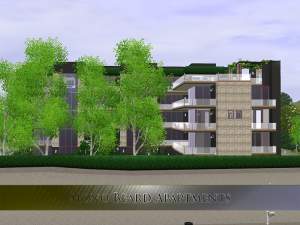
Potters Mansion Apartments noCC
by Volvenom 2nd Oct 2014 at 1:26pm
This is a big family house or an apartment building. It can house far more people than the game allowes at present. more...
 1
8.8k
20
1
8.8k
20
-
-
-

-
-
-

-

-


Packs Needed
| Expansion Pack | |
|---|---|
| World Adventures |
| Ambitions |
| Late Night |
| Generations |
| Pets |
| Showtime |
| Stuff Pack | |
|---|---|
| High-End Loft Stuff |
| Outdoor Living Stuff |
| Town Life Stuff |