
 Sign in to Mod The Sims
 TS2>TS3 Touch of Teak Plymouth Armoire Conversion
 TS2>TS3 Touch of Teak Plymouth Armoire Conversion


Thumb.jpg - width=230 height=230
Channels.jpg - width=600 height=800
WardrobeOpen.jpg - width=600 height=800
Shot showing the inside of the wardrobe with doors open.
WooHooFeet.jpg - width=562 height=440
Circled area shows feet sinking into wardrobe floor.
Presets.jpg - width=1280 height=683
Wardrobe.jpg - width=600 height=800
I was SO happy when wardrobes were finally reintroduced into the game series with Supernatural. What I wasn't so chuffed with was the lack of variety.
In response, I decided to take on the task of converting some TS2 wardrobes for use in TS3.
So without further ado I present to you the first of my conversion attempts, the Touch of Teak Plymouth Armoire
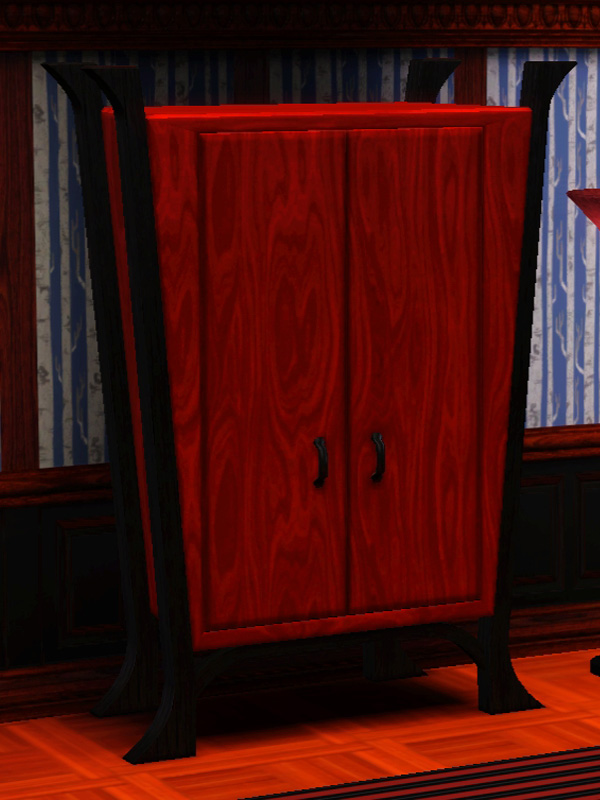
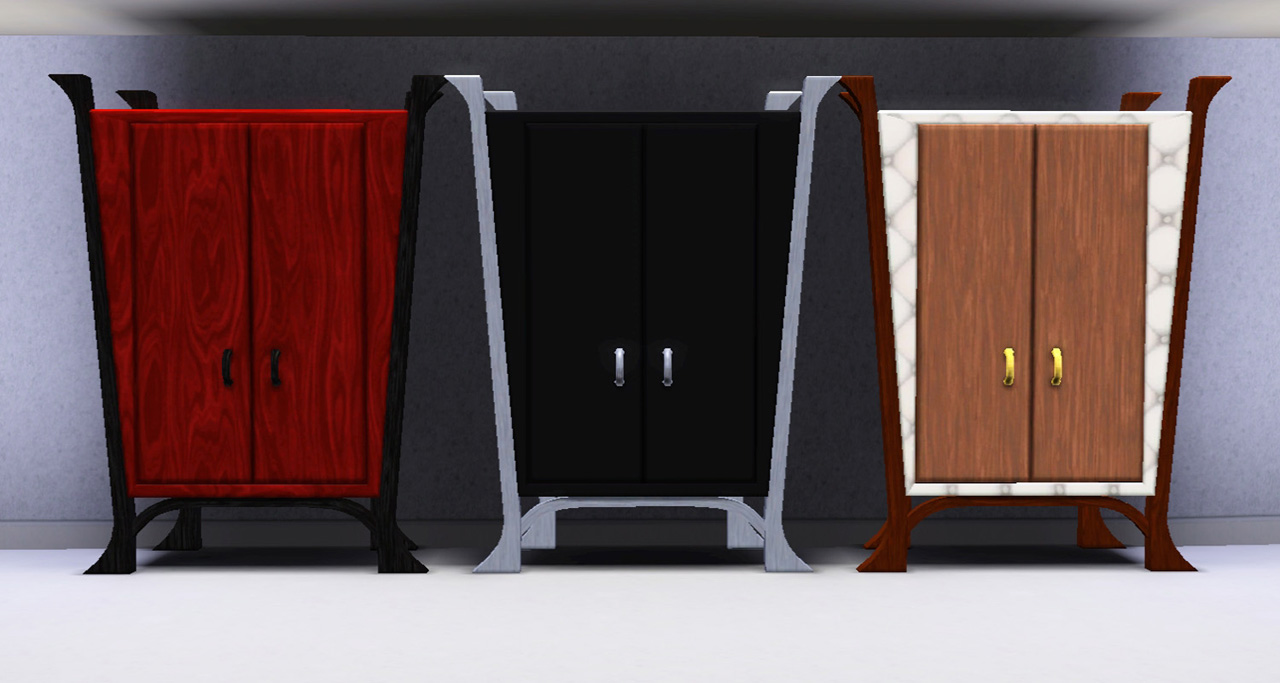
It comes in three presets. The first is based on the catalogue image of the original in TS2 and the subsequent designs are of my own imagining with a little help from the peeps in #Create.
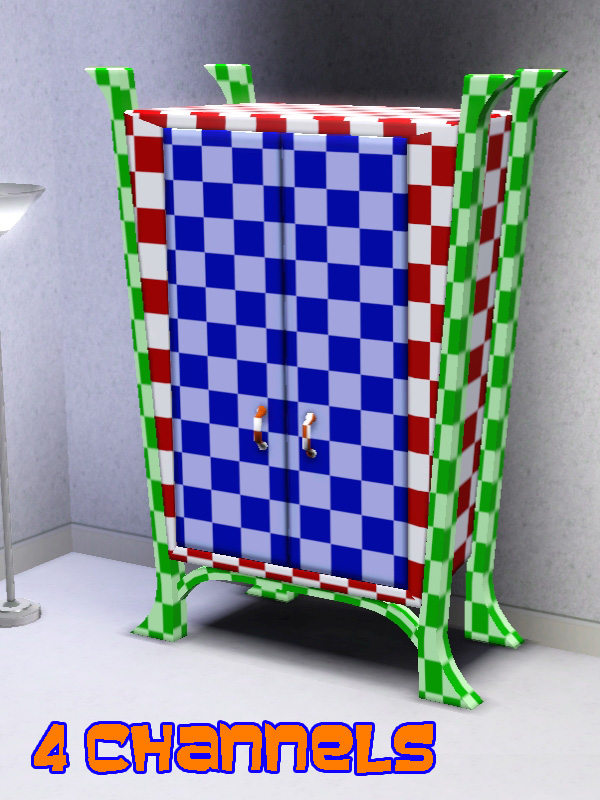
It has four CASt-able channels which consist of the body, doors, legs, and handles. Mapping can be seen in the screenshot below.
It costs 812 simoleons, as per the original, and can be found under Storage>Dressers in Function sort or Bedroom>Dressers in Room sort.

The wardrobe doors are fully animated and the handles have been adjusted so that Sims hold them in the correct location. Sims can still woohoo inside the wardrobe and witches are still able to upgrade the wardobe to open a magic portal.
 There are a few things to note though in relation to Sims entering the wardrobe for either of the above occassions.
 The clothing inside the wardrobe is not animated. When all of the clothing was rigged it had an annoying tendency to stick out of the wardrobe sides at odd angles and as the coathanger hooks are merely painted on to the rail, it gave the appearance of them being broken. Sims' feet sink into the wardrobe base when entering and exiting from woohoo. This is simply because the internal base of the wardrobe is higher than on either of the Supernatural originals from which it was cloned. There is a picture in the attachements to illustrate.
With all that being said I hope that you and your Sims find this conversion useful and pleasing to look at.
If you do like it then please give the Thanks button a press.
Polygon Counts:
High = 1462
Medium = 898
Additional Credits:
s3oc,
s3pe,
TSRW,
Milkshape,
Photoshop,
Whiterider,
bakafox.
This is a new mesh, and means that it's a brand new self contained object that usually does not require a specific Pack (although this is possible depending on the type). It may have Recolours hosted on MTS - check below for more information.
|
MM_TouchOfTeakArmoire.zip
Download
Uploaded: 27th Mar 2013, 550.7 KB.
2,697 downloads.
|
||||||||
| For a detailed look at individual files, see the Information tab. | ||||||||
Install Instructions
1. Click the download button, or the filename, to download the file to your computer.
2. Extract the zip, rar, or 7z file. Now you will have either a .package or a .sims3pack file.
For Package files:
1. Cut and paste the file into your Documents\Electronic Arts\The Sims 3\Mods\Packages folder. If you do not already have this folder, you should read the full guide to Package files first: Sims 3:Installing Package Fileswiki, so you can make sure your game is fully patched and you have the correct Resource.cfg file.
2. Run the game, and find your content where the creator said it would be (build mode, buy mode, Create-a-Sim, etc.).
For Sims3Pack files:
1. Cut and paste it into your Documents\Electronic Arts\The Sims 3\Downloads folder. If you do not have this folder yet, it is recommended that you open the game and then close it again so that this folder will be automatically created. Then you can place the .sims3pack into your Downloads folder.
2. Load the game's Launcher, and click on the Downloads tab. Find the item in the list and tick the box beside it. Then press the Install button below the list.
3. Wait for the installer to load, and it will install the content to the game. You will get a message letting you know when it's done.
4. Run the game, and find your content where the creator said it would be (build mode, buy mode, Create-a-Sim, etc.).
Extracting from RAR, ZIP, or 7z: You will need a special program for this. For Windows, we recommend 7-Zip and for Mac OSX, we recommend Keka. Both are free and safe to use.
Need more help?
If you need more info, see:
- For package files: Sims 3:Installing Package Fileswiki
- For Sims3pack files: Game Help:Installing TS3 Packswiki
Loading comments, please wait...



 View with Names
Uploaded: 27th Mar 2013 at 6:04 PM
-
by piezoelectric 20th Mar 2011 at 7:07pm
 +1 packs
35 91.8k 154
+1 packs
35 91.8k 154 Ambitions
-
by piezoelectric 10th Jul 2011 at 7:27pm
45
120k
378
-
-
TS2>TS3 SimCity SynapseSnapper Industrial Sign Conversion
by Menaceman44 18th Dec 2012 at 3:21pm
8
19.1k
64
-
-
TS2>TS3 "Anti-Quaint-Ed" Ltd. Ed. Armoire Conversion
by Menaceman44 18th Apr 2013 at 9:03pm
+1 packs
6 22.5k 71 Supernatural
-
TS2>TS3 Tall and Terrible Armoire By Darkness Conversion
by Menaceman44 28th Jun 2013 at 2:53pm
+1 packs
3 13.3k 47 Supernatural
-
by TheJim07 27th Mar 2015 at 2:33pm
10
19.3k
101
-
-
More 1-tile Dressers! [UPDATE 10/MAR/2020 redownload!]
by sweetdevil updated 10th Mar 2020 at 8:55am
27
37.3k
205



-

Outdoor Retreat Bear Costume Hider
by Menaceman44 updated 1st Mar 2018 at 12:19pm
A file to hide the adult and child bear costumes from Outdoor Retreat. more...
 +2 packs
6 15.5k 32
+2 packs
6 15.5k 32 Outdoor Retreat
 Horse Ranch
-
TS2>TS3 SimCity SynapseSnapper Industrial Sign Conversion
by Menaceman44 18th Dec 2012 at 3:21pm
The SynapseSnapper game sign converted from TS2 for TS3. more...
8
19.1k
64
-


by Menaceman44 21st Oct 2014 at 8:54pm
Basic styled underpants for male child Sims. more...
-
Nukem Reggae Wall Speaker Catalogue Correction
by Menaceman44 10th Apr 2008 at 7:49pm
Another small fix for you guys. I seem to be on a correction making frenzy at the moment. more...
 +1 packs
3 16.6k 19
+1 packs
3 16.6k 19 Bon Voyage
-
Werknothom Column Catalogue Description
by Menaceman44 11th Sep 2008 at 10:11pm
Whenever I get a new expansion pack I like to go through the catalogues reading the descriptions of the new more...
+1 packs
7 11.2k 11 Apartment Life
-
General Practioner? Job Title Fix
by Menaceman44 24th Sep 2008 at 7:49pm
How many General Practioners do you know? I certainly don't know any seeing as the correct title should be 'General more...
22
39.4k
58
-


Pan De Muerto Retail Price Fix
by Menaceman44 updated 4th Aug 2021 at 5:55pm
A fix to ensure the recipe actually costs money to buy and restock in retail stores. more...
+1 packs
7 13.5k 49 Get to Work
-
GEN Armoire Hidden Stencil Unlocked + Blank Preset
by Menaceman44 14th Oct 2012 at 11:15am
A file to unlock a hidden stencil for the Generations squirrel armoire. Also includes a blank preset default. more...
-
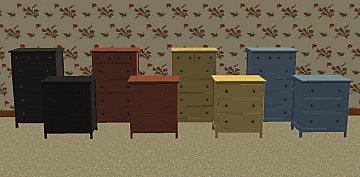
Maxis-match HEMNES dresser recolours
by Menaceman44 9th Oct 2008 at 7:01pm
Here I have recoloured both the HEMNES dressers that came with Ikea home stuff pack so that all the colours more...
+1 packs
5 26.2k 39 Ikea Home
-

Wrestling Singlet for YA/A males
by Menaceman44 8th Aug 2013 at 10:04pm
A new wrestling outfit for young adult and adult males in the athletic catagory. more...




Packs Needed
| Expansion Pack | |
|---|---|
| Supernatural |