Sign in to Mod The Sims
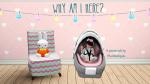
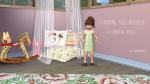
 Sitting In My Infant Seat
 Sitting In My Infant Seat


INFANTSEAT.jpg - width=926 height=592
IS 1.jpg - width=648 height=630
IS 2.jpg - width=652 height=630
IS 3.jpg - width=647 height=630
IS 4.jpg - width=645 height=630
IS 5.jpg - width=645 height=630
IS 6.jpg - width=644 height=630
Screenshot.jpg - width=894 height=630
♢♢ The pose names for these poses are:
»b_infantseat1
»b_infantseat2
»b_infantseat3
»b_infantseat4
»b_infantseat5
»b_infantseat6
♢♢ The numbers in the name correspond to the numbers on the pictures
♢♢ All the poses are pose list compatible
Additional Credits:
around the sims for the car seat (last on the page)
quizicalgin for the outfit
quianna for the headband
other credit where due
|
[pbp]InfantSeat.rar
Download
Uploaded: 2nd Aug 2014, 565.8 KB.
8,730 downloads.
|
||||||||
| For a detailed look at individual files, see the Information tab. | ||||||||
Install Instructions
1. Click the download button, or the filename, to download the file to your computer.
2. Extract the zip, rar, or 7z file. Now you will have either a .package or a .sims3pack file.
For Package files:
1. Cut and paste the file into your Documents\Electronic Arts\The Sims 3\Mods\Packages folder. If you do not already have this folder, you should read the full guide to Package files first: Sims 3:Installing Package Fileswiki, so you can make sure your game is fully patched and you have the correct Resource.cfg file.
2. Run the game, and find your content where the creator said it would be (build mode, buy mode, Create-a-Sim, etc.).
For Sims3Pack files:
1. Cut and paste it into your Documents\Electronic Arts\The Sims 3\Downloads folder. If you do not have this folder yet, it is recommended that you open the game and then close it again so that this folder will be automatically created. Then you can place the .sims3pack into your Downloads folder.
2. Load the game's Launcher, and click on the Downloads tab. Find the item in the list and tick the box beside it. Then press the Install button below the list.
3. Wait for the installer to load, and it will install the content to the game. You will get a message letting you know when it's done.
4. Run the game, and find your content where the creator said it would be (build mode, buy mode, Create-a-Sim, etc.).
Extracting from RAR, ZIP, or 7z: You will need a special program for this. For Windows, we recommend 7-Zip and for Mac OSX, we recommend Keka. Both are free and safe to use.
Need more help?
If you need more info, see:
- For package files: Sims 3:Installing Package Fileswiki
- For Sims3pack files: Game Help:Installing TS3 Packswiki
Loading comments, please wait...

Uploaded: 2nd Aug 2014 at 2:48 PM
-
-

by meagansterno 8th Jul 2014 at 11:39am
 19
76.4k
113
19
76.4k
113
-
by equiem 4th Aug 2014 at 9:25pm
14
40.6k
86
-
by gittevdv 17th Dec 2014 at 8:00pm
4
19k
28
-

by spladoum 27th Mar 2015 at 3:08am
31
87.3k
254
-
by spladoum 30th Oct 2015 at 1:29am
14
44.2k
120
-
-
by Zappyp 6th Jan 2017 at 4:14pm
4
14.2k
19
-
by Zappyp 14th Jan 2017 at 4:49pm
5
12.6k
17
-
by Zappyp 17th Jan 2017 at 9:19pm
10
18.9k
25

-
-
-
The "Not So Special" Starter Home [ccFree]
by equiem 25th Jun 2014 at 8:05pm
A CC free home that can be used as a simple starter home. more...
+15 packs
2 5.3k 8 World Adventures
 Ambitions
 Fast Lane Stuff
 Late Night
 Generations
 Town Life Stuff
 Master Suite Stuff
 Pets
Pets
 Showtime
 Diesel Stuff
 Supernatural
 Seasons
 University Life
 Island Paradise
 Into the Future
-
-