
 Sign in to Mod The Sims
 No-Drop cabinets / Light Fix for “Vault” and “SCargeaux” | Update: Unlocked Colour Option Fixes
 No-Drop cabinets / Light Fix for “Vault” and “SCargeaux” | Update: Unlocked Colour Option Fixes


pbox_cabinet-vault-nodrop_01.jpg - width=860 height=680
pbox_cabinet-vault-nodrop_02.jpg - width=860 height=680
pbox_cabinet-vault-nodrop_back.jpg - width=860 height=680
pbox_cabinet-scargeaux_lightfix-before.jpg - width=860 height=680
pbox_cabinet-scargeaux_lightfix-after.jpg - width=860 height=680
pbox_cabinet-vault-scargeaux_cat.jpg - width=875 height=250
bar-vault-lightfix_before.jpg - width=900 height=700
bar-vault-lightfix_after-01.jpg - width=900 height=700
bar-vault-lightfix_after-02.jpg - width=900 height=700
- Light fix for the cabinets (so that they are rendered like the counters)
- Additional No-drop cabinets
Update 2015-10-19: Updated vault-edits.zip: Fixes for the unlocked colour options added to the vault_lightfix.package, said colour options added to the no-drop.package. You need to download the additional colours for them to actually show up on the regular cabinets (this only fixes them).
Update 2015-01-25: Shader fix for the “Vault” bar added – thanks to missgothika for making me aware that it had the same issue! A thread on how to change the shaders used for custom objects has been started here.
2015-03-02: No-Drop cabinets for the Harbinger and Tall Order kitchen are now available here; for the BlandCo kitchen they are here.
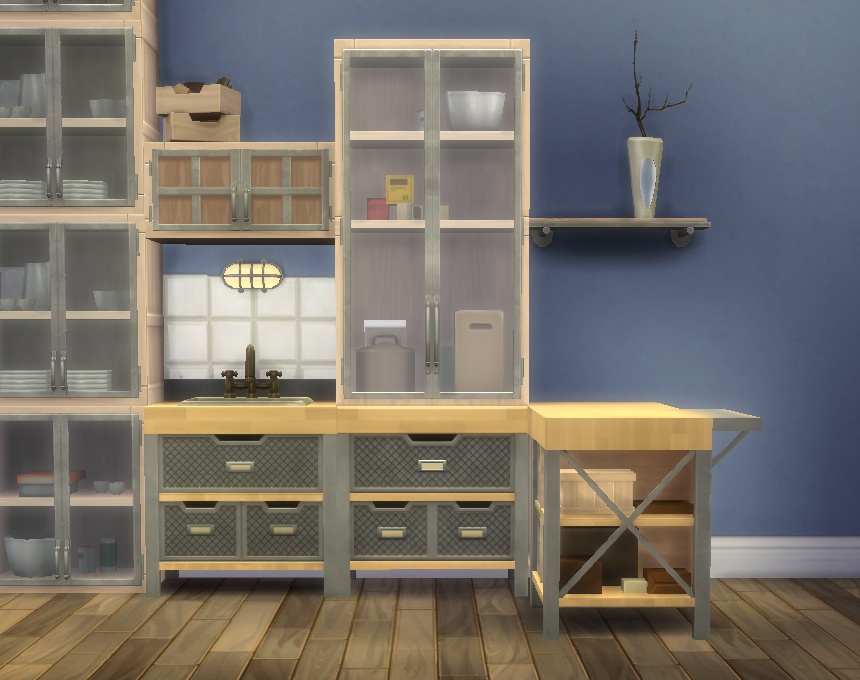
No-Drop packages:
Puts a version of all cabinets in the Counters section that won’t drop with walls so they won’t leave strange holes when viewed from the backside. They work exactly like the regular cabinets apart from that, with the pop-up model selection and all (they are the same objects, the mods are basically an alias that only changes the placement flag).
Cabinet light fixes:
Changes the shader on the cabinets to the one that is used on the counters (the difference is most visible on the white SCargeaux counters and the light Vault ones, but it’s the same for all colour versions).
“Vault” bar light fix:
Same thing for the “Vault” bars (far as I can see, these are the only ones that have shader issues, hence why there is only one fix).
The light fixes override the following MODL/MLOD group 0 resources:
Vault cabinets:
0x0F3A453528A583B6
0x3B672F81919073AE
0x03BA42DD2968692D
0x03BA42DD2968693F
0x81C1D3DCDFC7C655
0x6946EE3DDF132078
0xF6AD42220D84883F
SCargeaux cabinets:
0x2DE3942971541D54
0x408C4E7FC0F54830
0x789CB8012A1EB5AF
0x789CB8012A1EB5BD
0x093989017B47EF73
0xC10A9080E2C74BC5
0xFE26A552AFE5668A
--
Vault bar:
0x01661233-0x00000000-0x0456F613779801AC
0x01D10F34-0x00000000-0x0456F613779801AC
0x01D10F34-0x00000001-0x0456F613779801AC
s4pe, HxD.
|
pbox_cabinet-basegame-vault-edits.zip
Download
Uploaded: 19th Oct 2015, 118.3 KB.
11,839 downloads.
|
||||||||
|
pbox_cabinet-basegame-scargeaux-edits.zip
Download
Uploaded: 24th Jan 2015, 62.5 KB.
10,358 downloads.
|
||||||||
|
pbox_bar-vault_lightfix.zip
Download
Uploaded: 24th Jan 2015, 21.4 KB.
9,785 downloads.
|
||||||||
| For a detailed look at individual files, see the Information tab. | ||||||||
Install Instructions
1. Download: Click the File tab to see the download link. Click the link to save the .rar or .zip file(s) to your computer.
Read the upload description for installation instructions. If nothing else is specified, do the following:
2. Extract: Use WinRAR (Windows) to extract the .package file(s) (if included, ts4script as well) from the .rar or .zip file(s).
3. Cut and paste the .package file(s) (if included, ts4script as well) into your Mods folder
- Windows XP: Documents and Settings\(Current User Account)\My Documents\Electronic Arts\The Sims 4\Mods\
- Windows Vista/7/8/8.1: Users\(Current User Account)\Documents\Electronic Arts\The Sims 4\Mods\
Need more information?
- Anyone can use both .rar and .zip files easily! On Windows, use WinRAR.
- If you don't have a Mods folder, just make one.
- Mod still not working? Make sure you have script mods enabled
Loading comments, please wait...


Uploaded: 4th Jan 2015 at 8:21 PM
Updated: 19th Oct 2015 at 8:27 AM
-
by plasticbox updated 7th May 2015 at 11:07am
-
by plasticbox updated 22nd Dec 2014 at 11:33pm
-
by Menaceman44 updated 28th Feb 2019 at 5:18pm
 39
29.1k
138
39
29.1k
138
-
by plasticbox 24th Jan 2015 at 8:13pm
-
-

Triangular Blue Loading Screen
by Rieszky123 4th May 2022 at 11:17am
-
-
-
-
by link_the_bae updated 8th Oct 2025 at 2:27am






-
Crick Cabana Overhaul ? 3 sizes
by plasticbox 24th Jun 2015 at 4:12pm
This is an overhaul of the Maxis “Crick Cabana” lot, in three sizes. more...
9
16.6k
37
-
Maywood House – Small villa – No CC
by plasticbox 14th Nov 2009 at 2:42am
A representative little villa with a very functional and family friendly layout. more...
 29
75.3k
118
29
75.3k
118
-
Newbie Road 14 - Starter House
by plasticbox 27th Nov 2005 at 3:05pm
Title: Newbie Road 14 Category: Lots & Housing > Residential > Starter Homes Cost: 19.985 Lot size: 3x2 more...
 12
18.1k
5
12
18.1k
5
-
Newbie Road 131 -- Starter House, no CC
by plasticbox updated 12th Jul 2008 at 3:38pm
Requires Pets. No custom content. Description: Suburban starter house with basement, furnished for 1-2 sims, lots of spare room. more...
+1 packs
12 20.1k 25 Pets
Pets
-
Newbie Road 158 -- Starter House
by plasticbox 24th Oct 2008 at 2:56am
Requires Seasons. more...
+1 packs
7 16.6k 20 Seasons
-
Backdoor Lane 18 [NL+OfB] -- Hotel Ampersand (with restaurant/bar)
by plasticbox updated 1st Apr 2007 at 12:45pm
Cost: 128.583§ Lot Size: 2x2 Furnished: Yes -- fully Tested: Yes -- one extended visit in comm lot mode with more...
+2 packs
21 42.1k 40 Nightlife
 Open for Business
-
by plasticbox 21st Jul 2015 at 11:32am
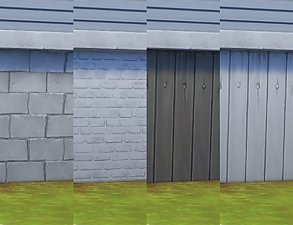
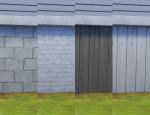
A mixed bag of neutral brick and wood foundations; they are all made from various Maxis textures. more...
19
48.6k
173
-
Commissioner Chair Mesh Override
by plasticbox 9th Apr 2015 at 10:38pm
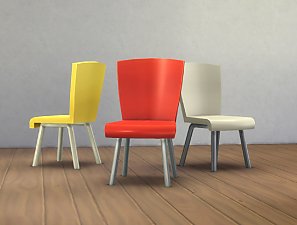
This overrides the mesh of the Maxis “Commissioner” chair to make it look somewhat less strange and uncomfortable. more...
-
by plasticbox 6th May 2015 at 10:33pm
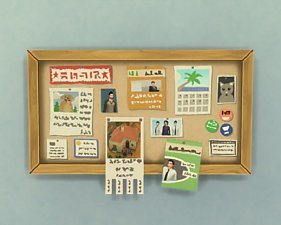
What the hell has happened there, has this thing been on fire? :blink: more...
-
by plasticbox 21st Apr 2015 at 12:07am
The Maxis “Octopane” window sitting in the middle of two tiles (like its cousin with the built-in shutters, just without more...
4
18.3k
88


About Me
– Feel free to recycle, you don’t need to ask.
– For the attribution, please link to the upload you’re using wherever possible (instead of my profile). This is particularly important with edits made for/with different games or game versions.
– If you use my stuff in something you make, please upload the result to a free, accessible, noncommercial site with no more restrictions than these. Code must remain open source; meshes and other material must remain re-usable.
Please do not redistribute any unmodified files – link to the upload post instead.