
 Sign in to Mod The Sims
 3 Styles of "Fu" Wall Sticker on Doors
 3 Styles of "Fu" Wall Sticker on Doors


Fu-Door.gif - width=952 height=768
DoorSingleMission_Fu.png - width=2142 height=1300
DoorSingleTraditionalInside_Fu.png - width=2142 height=1300
DoorSingleLuxury_Fu.png - width=2142 height=1300
CASTability_SingleMission.png - width=1080 height=1300
CASTability_SingleTraditional.png - width=1080 height=1300
CASTability_SingleLuxury.png - width=1080 height=1300
Screenshot-714.jpg - width=1920 height=1080
Screenshot-715.jpg - width=1920 height=1080
Screenshot-716.jpg - width=1920 height=1080


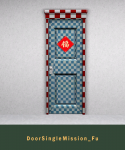
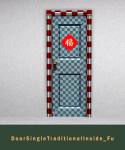


福 ( Fú ) means happiness, luck, blessing, good fortune.
We ethnically Chinese put "Fu" wall sticker decoration on door as our tradition to wish happiness, luck, blessing, good fortune come into our house through the door.
These door CC using the same mesh, pattern, and colour channels from Base Game doors.
DoorSingleMission_Fu, cloned from Insta-Door
DoorSingleTraditionalInside_Fu, cloned from The aDoorable
DoorSingleLuxury_Fu, cloned from The Barricade
All Doors have 3 presets: Different styles of "Fu" and 2 recolourable just like the Base Game doors version. I didn't change the filesize of the textures.
Base Game compatible, no Expansion Pack needed.
| Filename | Type | Size |
|---|---|---|
| TheBleedingWoodland_TS3_Fu_Door.zip | zip | |
| TheBleedingWoodland_TS3_DoorSingleLuxury_Fu.package | package | 2234852 |
| TheBleedingWoodland_TS3_DoorSingleMission_Fu.package | package | 3273283 |
| TheBleedingWoodland_TS3_DoorSingleTraditionalInside_Fu.package | package | 2232865 |
This is a new mesh, and means that it's a brand new self contained object that usually does not require a specific Pack (although this is possible depending on the type). It may have Recolours hosted on MTS - check below for more information.
|
TheBleedingWoodland_TS3_Fu_Door.zip
Download
Uploaded: 30th Jul 2024, 413.5 KB.
283 downloads.
|
||||||||
| For a detailed look at individual files, see the Information tab. | ||||||||
Install Instructions
1. Click the download button, or the filename, to download the file to your computer.
2. Extract the zip, rar, or 7z file. Now you will have either a .package or a .sims3pack file.
For Package files:
1. Cut and paste the file into your Documents\Electronic Arts\The Sims 3\Mods\Packages folder. If you do not already have this folder, you should read the full guide to Package files first: Sims 3:Installing Package Fileswiki, so you can make sure your game is fully patched and you have the correct Resource.cfg file.
2. Run the game, and find your content where the creator said it would be (build mode, buy mode, Create-a-Sim, etc.).
For Sims3Pack files:
1. Cut and paste it into your Documents\Electronic Arts\The Sims 3\Downloads folder. If you do not have this folder yet, it is recommended that you open the game and then close it again so that this folder will be automatically created. Then you can place the .sims3pack into your Downloads folder.
2. Load the game's Launcher, and click on the Downloads tab. Find the item in the list and tick the box beside it. Then press the Install button below the list.
3. Wait for the installer to load, and it will install the content to the game. You will get a message letting you know when it's done.
4. Run the game, and find your content where the creator said it would be (build mode, buy mode, Create-a-Sim, etc.).
Extracting from RAR, ZIP, or 7z: You will need a special program for this. For Windows, we recommend 7-Zip and for Mac OSX, we recommend Keka. Both are free and safe to use.
Need more help?
If you need more info, see:
- For package files: Sims 3:Installing Package Fileswiki
- For Sims3pack files: Game Help:Installing TS3 Packswiki
Loading comments, please wait...

Uploaded: 30th Jul 2024 at 10:02 PM
#chinese, #china, #asian, #fu, #chinese new year, #cultural, #door, #build mode, #functional



-
More Widescreen EA's Desktop Computers
by TheBleedingWoodland 9th Jul 2020 at 8:23pm
*This mod was reuploaded from my blog, was made on September 16, 2017* To anyone who doesn't like the more...
-

[UPDATED 11/14/15] Base Camp Renamed To Hostel/Hotel/Guest House
by TheBleedingWoodland 16th Mar 2017 at 8:53pm
[UPDATED 11/14/15] Base Camp Renamed To Hostel Hotel Guest House more...
-
by TheBleedingWoodland 20th Jan 2024 at 1:27pm
 2
9k
11
2
9k
11
-
Sony Ericsson Xperia X10 [Simified Timescape]
by TheBleedingWoodland 18th Jun 2020 at 4:44pm
*Today is my birthday, so I upload my old CC & Mods to MTS* *This CC was made & first more...
 +1 packs
2 5.6k 12
+1 packs
2 5.6k 12 University
-
EA’s Chinese Lantern Red Colour Mod
by TheBleedingWoodland 1st Apr 2023 at 3:42pm
-
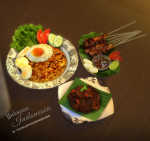
Nasi Goreng, Rendang, Sate -- Indonesian Food Decorations
by TheBleedingWoodland 27th Jul 2024 at 3:07am
4.7k
2
-

-
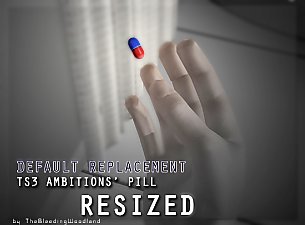

by TheBleedingWoodland 9th Jul 2020 at 8:17pm
*This mod was reuploaded from my blog, was made on September 21, 2017* When I first got Ambitions EP, more...
-
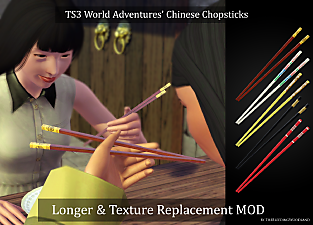
TS3 World Adventures - Chinese Chopsticks Longer & Texture Replacement Mod
by TheBleedingWoodland 30th Jul 2024 at 9:59pm
-
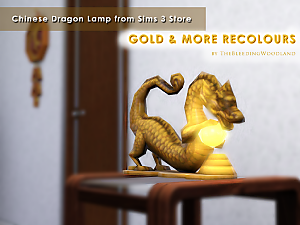
Chinese Dragon Lamp from Sims 3 Store Gold & More Recolours
by TheBleedingWoodland 5th Feb 2024 at 4:12pm
 5
3.1k
16
5
3.1k
16


About Me
You can see more my TS3CC & TS4CC Downloads on my Tumblr thebleedingwoodland .
My newer quality downloads on my blog The Bleeding Woodland