
 Sign in to Mod The Sims
 Coughing Poses
 Coughing Poses


Cough9PosesCatalogue.jpg - width=1024 height=768
blog couch pose 1 and 2 and 5.jpg - width=1024 height=768
blog cough pose 3 and 4.jpg - width=1024 height=768
blog cough pose 5.jpg - width=1024 height=768
blog cough pose 6.jpg - width=1024 height=768
blog cough pose 6 face.jpg - width=1024 height=768
blog cough pose 7 and 8.jpg - width=1024 height=768
blog coughing pose 9.jpg - width=1024 height=768
blog cough pose 9 face.jpg - width=1024 height=768
*9 poses - both pose list and non pose list compatible, choose which download you want
I have used the pillow by Koposov for pose 6. You may choose to use another that works with the pose.
| Filename | Type | Size |
|---|---|---|
| Bmit_CoughingPoses_PoseList.rar | rar | |
| Bmit_Cough9Poses_PoseList.package | package | 147618 |
| Cough9PosesCatalogue.jpg | jpg | 109122 |
| Information.txt | txt | 1163 |
| Filename | Type | Size |
|---|---|---|
| Bmit_Coughing_NonPoseList.rar | rar | |
| Bmit_Cough9Poses_NonPoseList.package | package | 46327 |
| Cough9PosesCatalogue.jpg | jpg | 109122 |
| Information.txt | txt | 1163 |
The following custom content is required for this download to function properly! Please make sure you download it before downloading the files!
- Pillow 3 Beginning by Koposov
|
Bmit_Coughing_NonPoseList.rar
Download
Uploaded: 23rd Aug 2025, 123.6 KB.
39 downloads.
|
||||||||
|
Bmit_CoughingPoses_PoseList.rar
Download
Uploaded: 23rd Aug 2025, 198.2 KB.
47 downloads.
|
||||||||
| For a detailed look at individual files, see the Information tab. | ||||||||
Install Instructions
1. Click the file listed on the Files tab to download the file to your computer.
2. Extract the zip, rar, or 7z file. Now you will have either a .package or a .sims3pack file.
For Package files:
1. Cut and paste the file into your Documents\Electronic Arts\The Sims 3\Mods\Packages folder. If you do not already have this folder, you should read the full guide to Package files first: Sims 3:Installing Package Fileswiki, so you can make sure your game is fully patched and you have the correct Resource.cfg file.
2. Run the game, and find your content where the creator said it would be (build mode, buy mode, Create-a-Sim, etc.).
For Sims3Pack files:
1. Cut and paste it into your Documents\Electronic Arts\The Sims 3\Downloads folder. If you do not have this folder yet, it is recommended that you open the game and then close it again so that this folder will be automatically created. Then you can place the .sims3pack into your Downloads folder.
2. Load the game's Launcher, and click on the Downloads tab. Find the item in the list and tick the box beside it. Then press the Install button below the list.
3. Wait for the installer to load, and it will install the content to the game. You will get a message letting you know when it's done.
4. Run the game, and find your content where the creator said it would be (build mode, buy mode, Create-a-Sim, etc.).
Extracting from RAR, ZIP, or 7z: You will need a special program for this. For Windows, we recommend 7-Zip and for Mac OSX, we recommend Keka. Both are free and safe to use.
Need more help?
If you need more info, see:
- For package files: Sims 3:Installing Package Fileswiki
- For Sims3pack files: Game Help:Installing TS3 Packswiki
Loading comments, please wait...

Uploaded: 23rd Aug 2025 at 4:48 PM
-
by spladoum updated 6th Jun 2011 at 7:12pm
 22
70.5k
109
22
70.5k
109
-
by equiem 9th May 2014 at 12:04am
12
31.1k
73
-

by spladoum 27th Mar 2015 at 4:08am
31
85.7k
252
-
by spladoum 30th Oct 2015 at 2:29am
14
43.6k
120
-
-
-
-
by jessesue 7th Sep 2025 at 3:22pm
2
645
1
-
Child Cough - Sick Child Poses
by jessesue 23rd Sep 2025 at 4:15pm
-
by jessesue 23rd Sep 2025 at 6:25pm
1.1k
2

-
-
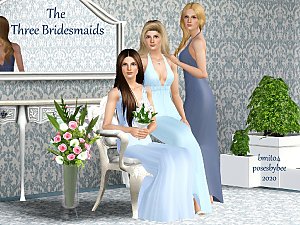

The Three Bridesmaids Poses - Set 1
by jessesue 21st Mar 2022 at 2:24pm
This set was designed for a portrait of three bridesmaids, however can also be used for a bride with two more...
1.8k
6
-
-
The Wedding Set 2 - Sims 3 Poses
by jessesue 18th May 2022 at 12:37am
Wedding poses set 2. more...
3
5.4k
11
-

-
-

-

-
-
About Me
*I do not give permission for my poses to be converted to Sims 4. I will do that in time.
*Have fun with them in your personal use. I love seeing my poses in your games. Please TAG me!
*You can see more of my sets at Poses By Bee