Sign in to Mod The Sims
 Mods Folder Broom
 Mods Folder Broom


Artboard 1.png - width=1576 height=835
Main menu.png - width=970 height=515
Trashing files.png - width=970 height=517
On startup, the script verifies the presence of Resource.cfg inside the Mods folder to verify the path and GameVersion.txt in the parent directory.
 Core functions:
1. List overly nested mods
- Lists all the files nested deeper than first nesting level (i.e., starting from Mods/Folder/SubFolder/...).
- Detects only .ts4script files by default, as script mods simply won't work when nested too deeply.
- Lists pairs of files with the same name, regardless of where they're located in the Mods folder.
- Lists and prompts to delete ""garbage"" files that are neither mods themselves nor used by mods, such as .txt, .png, and so on.
- Please note that while I've tried to account for all possible file extensions used by mods, I might've overlooked something, so read the list carefully before deleting them.
- Lists all files from oldest to newest. Might be useful when you're trying to get rid of old and potentially broken CC/mods. DOES NOT tell you if the mods/CC listed are broken or not, only the last date the file was modified (according to the system).
- Set to .ts4script only by default.
- .ts4script
- .package
- .json
- .log
- .ini
- .dict
- .dat
- .cfg
- mc_lastexception.html
- BE-Scanning.html
- DO NOT DELETE THIS FOLDER
- Self-explanatory.
- Prompts a search query (supports regular expressions) and scans the entire Mods folder. After you get the list, you can:
- Move the files to a specified folder (if the folder doesn't exist, it will create it for you). Please note than you have to enter the full path to the folder, e.g. C:\Users\User\Documents\Electronic Arts\The Sims 4\Mods\My New Folder
- Move the files to recycle bin (so you can restore them later if you change your mind).
- Just hit the ""enter"" button and do nothing.
- [Experimental]
- Prompts a search query and similarity threshold. Forms a list of files that pass the threshold, which is calculated either in percentages or by a number of matching symbols.
- Allows you to change the settings, duh.
- You can also do that by editing settings.json file.
- Some changes require restarting the app.
- Path to Mods folder: Self-explanatory.
- Allowed extensions: What type of files the app won't include in ""garbage files"" list.
- Which file extensions to list in file list: self-explanatory.
- Ignored directories: what folders the app will always ignore.
- Ignored files: same but files.
- Search mode for nested files: what type of files the app should include in the list. Currently only supports .ts4script and .package.
- Include query in similarity calculation: if your query was ""AuthorName"", should it calculate the similarity level including your query or not?
- Back to menu.
- Almost all UI text (with the exception of a few extreme situations) is loaded from an external .json file selected by the user, which makes translation process simple and quick. For now, the app comes with English, Russian and German translations.
- You won't believe what it does.
 How to install
- Unarchive the app to The Sims 4 folder.
- Run the script and go to the settings menu or open settings.json file and change the path to the Mods folder to your actual one. If you've modified the settings file directly and the script crashes, make sure you use \\ as a separator and not \ or / (e.g. C:\\Users\\user\\Documents\\Electronic Arts\\The Sims 4\\Mods). The script itself should accept it with \
- Restart or run the script. If you've done everything correctly, it should display the game version and won't complain about the Resource.cfg missing (this file is not actually required, but it's the easiest way to verify the path is correct).
- This app was reviewed by the Mod The Sims moderation team and has open-source code available on GitHib. If your antivirus blocks the download, unfortunately, there're only two things I can offer: either compile the source code yourself or tell your antivirus to shut up and temporarily disable it/add necessary exclusions. Why this happens? Some modern antiviruses are overly cautionary towards new and potentially suspicious files and especially apps. Sometimes, they block all .exe files unless they have a special digital signature, which has to be issued by Microsoft and costs a few hundred dollars per year. If you're a dedicated developer/company that profits from the software you're developing, it's a must have, but it's obviously not an option for independent hobbyists developing freeware.
Future plans- MacOS release... sometime soon.
- I'm NOT planning to add cache cleanup feature. I don't think it would be ethical towards Andirz to do (as he has a script that does exactly that) - and while yes, it's locked behind a paywall, it's also the easiest "script" to write imaginable that anyone can google how to make and make it in less than five minutes, so I frankly consider it a "laziness tax" and I would frankly do the same in his place.
- If you have any suggestions or found any bugs, please let me know; in that case, I might also ask you to archive your mods folder and send it to me for experiments.
| Filename | Type | Size |
|---|---|---|
| Mods Folder Broom by Aravyn.zip | zip | |
| en.json | json | 4131 |
| main.exe | exe | 8666442 |
| ru.json | json | 6389 |
| settings.json | json | 591 |
| de.json | json | 4662 |
Custom installation instructions! READ ME!
In addition to the normal installation instructions, this download also has a custom instruction, as follows:
1. Download: Click the download link to save the .rar or .zip file(s) to your computer.
2. Extract: Use 7zip (recommended), WinRAR (Windows) or The Unarchiver (MacOS) to extract the file(s) from the .rar or .zip file(s). OS X also has a built-in utility for that (just rightclick).
3. Unarchive in The Sims 4 folder (not the Mods folder) and update the path to the mods folder in settings.
Need more information?
- For a full guide to downloading complete with pictures and more information, see: Game Help: Downloading for Fracking Idiots.
|
Mods Folder Broom by Aravyn.zip
Download
Uploaded: 27th Jan 2026, 8.10 MB.
1,117 downloads.
|
||||||||
| For a detailed look at individual files, see the Information tab. | ||||||||
Install Instructions
1. Download: Click the download link to save the .rar or .zip file(s) to your computer.
2. Extract: Use 7zip (recommended), WinRAR (Windows) or The Unarchiver (MacOS) to extract the file(s) from the .rar or .zip file(s). OS X also has a built-in utility for that (just rightclick).
3. Unarchive in The Sims 4 folder (not the Mods folder) and update the path to the mods folder in settings.
Need more information?
- For a full guide to downloading complete with pictures and more information, see: Game Help: Downloading for Fracking Idiots.
Loading comments, please wait...
Uploaded: 27th Jan 2026 at 1:14 PM
Updated: 28th Jan 2026 at 4:09 PM
-
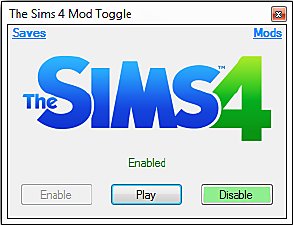
by RazorX2014 updated 4th Dec 2014 at 7:51pm
 36
64.7k
85
36
64.7k
85
-
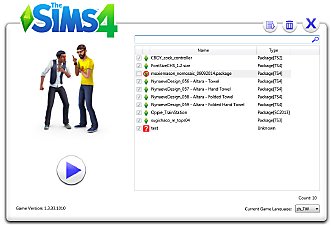
TS4 MOD Simple Manage(Game Launcher)04/14/2015Updated to v2.2
by Sakura4 updated 13th Apr 2015 at 6:02pm
128
172k
372
-

-

-
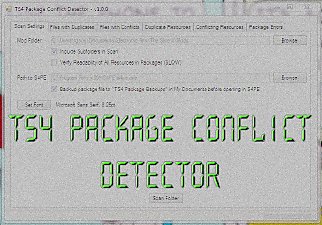
TS4 Package Conflict Detector - WINDOWS ONLY
by scumbumbo updated 11th Dec 2017 at 11:39pm
181
166.7k
545
-
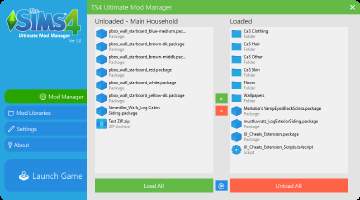
The Sims 4 Ultimate Mod Manager V1.2 - SUBFOLDER SUPPORT
by Jibby updated 2nd Jul 2019 at 8:38pm
175
456.9k
929
-

-

by Lulu The Cute Sim 20th Jan 2022 at 11:40pm
11
8.5k
48
-

XonoNight's Custom Loading Screen Tips
by XonoNight 2nd Jul 2025 at 11:25am