
 Sign in to Mod The Sims
 MTS Official Sims 2 Calendars 2026
 MTS Official Sims 2 Calendars 2026


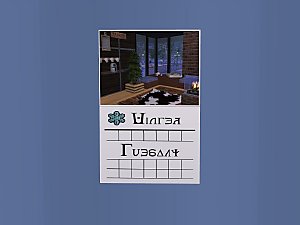
Front Simlish.png - width=1920 height=1080
September.png - width=1920 height=1080
April.png - width=1920 height=1080
August.png - width=1920 height=1080
December.png - width=1920 height=1080
February.png - width=1920 height=1080
January.png - width=1920 height=1080
July.png - width=1920 height=1080
June.png - width=1920 height=1080
March.png - width=1920 height=1080
May.png - width=1920 height=1080
November.png - width=1920 height=1080
October.png - width=1920 height=1080
Front English.png - width=1920 height=1080


A joint effort from TS3 and TS2 players (TS4 declined to participate). This is the TS2 version. For the TS3 version by aisquared go here!
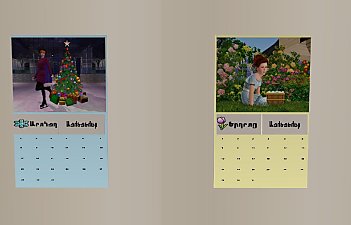
This year's calendars are clones of gdayars' 2019 calendars, but with this year's calendar contest winners. As the Seasons Calendar has 20 days in it, some of each season's days have pictures from the runners up to make up the number of days.
One is for base game only and one requires Seasons. I also added a non Simlish version of each. You can have all of them, as they all have unique GUIDs.
The base game one changes months automatically, but it also has the option of choosing between the Northern and Southern hemispheres, thereby, for example, changing the season that Christmas is in. When you first place it, it will show its MTS cover. You will have to choose Northern or Southern (as a toggle) to get it to start. Otherwise it will change at midnight and start the Northern path.
The Seasons version changes days throughout the year based on what season you are in. It will know automatically if you are in spring, summer, fall, or winter. Like the base game version, this one also has Southern and Northern hemisphere options.
The calendar defaults are seasons, Northern hemisphere and holidays off, so you will have to change it manually if you want quadrants, Southern hemisphere, or holidays on.
The quadrant option is where the calendar will still go through the entire year, even if, for example, you have a hood that has 4 summers. Just after changing, sync northern or southern accordingly to get it to reflect changes.
Both calendars are recolourable and have a holidays on and off toggle. If you change seasons, or wish to refresh the notification, just choose sync northern or sync southern and the page will refresh. The day changes at midnight, but the picture and season change at 8 am. The holiday notifications, when on, will only show up once at the beginning of the relevant day (around 7:40 to 8am). The calendar will remember your holiday settings and your hemisphere settings.
These are shiftable if you have Apartment Life installed.
Both versions show up under decorative/wall hangings for 32 simoleans.
This doesn't, to my knowledge, conflict with anything.
Holiday Schedule
Fall
Day 1: Plumbob Day (Both Hemispheres)
Day 2: Llama Fool's Day (Southern Only)
Day 3: Spooky Day (Northern Only)
Winter
Day 1: Snowflake Day (Northern Only)
Day 2: New Year's Day (Northern Only)
Day 3: Penguin Day (Both)
Day 4: Love Day (Northern Only)
Day 5: Freezerbunny Day (Both)
Spring
Day 2: Llama Fool's Day (Northern Only)
Day 3: Spooky Day (Southern Only)
Day 4: Flamingo Day (Both)
Day 5: Family Day (Both)
Summer
Day 1: Snowflake Day (Southern Only)
Day 2: New Year's Day (Southern Only)
Day 3: Gnome Day (Both)
Day 4: Love Day (Southern Only)
Day 5: Elder's Day (Both)
Plumbob Day is like a fall festival; it is based on the day when Sims 2 came out and the opposite for the Southern hemisphere is based on the date when MTS came into existence. It works as a Founders Day/Memorial Day and Fall Festival combo.
Penguin Day is a Winter festival day.
Freezerbunny Day is the same as Groundhog's Day.
Llama Day, the old MTS tradition, is still based on April Fool's.
Flamingo Day is a Spring festival day.
Gnome Day is a Summer Festival.
Family Day is like mother's/father's day combined.
Elder's Day was suggested by Jones to give those poor elders some love.
The textures were created using EA's seasons symbols, Fran's simlish simply there and the pictures from the contest.
2026 Calendar Contest Winners
- January: InventingKing (TS2)
- February: Meowingcookie (TS2)
- March: simmer22 (TS2)
- April: Charmful (TS2)
- May: FuryCat (TS2)
- June: InventingKing (TS3)
- July: simsample (TS2)
- August: InventingKing (TS2)
- September: Charmful (TS2)
- October: Comfy (TS2)
- November: simsample (TS2)
- December: CatherineTCJD (TS2)
Polygon Counts:
The poly count is 50 faces and 100 vertices.
Credits:
gdayars, whose 2019 calendars I copied shamelessly. I would not have been able to do anything with the code by myself.
maxon and Rudhira, who helped me fix the calendar so it wasn't free. XD
From gdayars' credits:
Phaenoh, who came up with the concept of the original Seasons calendar with holidays included!
Inge, who created the original calendar for MTS.
Black_Spirit, for the day code.
Sim Wardrobe, for the change season code from the Seasons and Weather Controller.
| Filename | Type | Size |
|---|---|---|
| MTS2026BaseCalendarSims2(Simlish).rar | rar | |
| MTS2026BaseCalendarSims2(Simlish).package | package | 9194309 |
| MTS2026BaseCalendarSims2yellowS.package | package | 352246 |
| MTS2026BaseCalendarSims2pinkS.package | package | 352246 |
| MTS2026BaseCalendarSims2greenS.package | package | 352246 |
| MTS2026BaseCalendarSims2blueS.package | package | 352246 |
| Filename | Type | Size |
|---|---|---|
| MTS2026BaseCalendarSims2(English).rar | rar | |
| MTS2026BaseCalendarSims2pinkE.package | package | 352316 |
| MTS2026BaseCalendarSims2greenE.package | package | 352316 |
| MTS2026BaseCalendarSims2blueE.package | package | 352316 |
| MTS2026BaseCalendarSims2(English).package | package | 9196026 |
| MTS2026BaseCalendarSims2yellowE.package | package | 352316 |
| Filename | Type | Size |
|---|---|---|
| MTS2026SeasonsCalendarSims2(Simlish).rar | rar | |
| MTS2026SeasonsCalendarSims2yellowS.package | package | 352302 |
| MTS2026SeasonsCalendarSims2greenS.package | package | 352302 |
| MTS2026SeasonsCalendarSims2pinkS.package | package | 352302 |
| MTS2026SeasonsCalendarSims2blueS.package | package | 352302 |
| MTS2026SeasonsCalendarSims2(Simlish).package | package | 12716296 |
| Filename | Type | Size |
|---|---|---|
| MTS2026SeasonsCalendarSims2(English).rar | rar | |
| MTS2026SeasonsCalendarSims2pinkE.package | package | 352372 |
| MTS2026SeasonsCalendarSims2greenE.package | package | 352372 |
| MTS2026SeasonsCalendarSims2blueE.package | package | 352372 |
| MTS2026SeasonsCalendarSims2(English).package | package | 12718734 |
| MTS2026SeasonsCalendarSims2yellowE.package | package | 352372 |
This is a new mesh, and means that it's a brand new self contained object that usually does not require a specific Pack (although this is possible depending on the type). It may have Recolours hosted on MTS - check below for more information.
|
MTS2026SeasonsCalendarSims2(English).rar
Download
Uploaded: 26th Feb 2026, 3.12 MB.
157 downloads.
|
||||||||
|
MTS2026SeasonsCalendarSims2(Simlish).rar
Download
Uploaded: 26th Feb 2026, 3.14 MB.
161 downloads.
|
||||||||
|
MTS2026BaseCalendarSims2(English).rar
Download
Uploaded: 26th Feb 2026, 1.72 MB.
73 downloads.
|
||||||||
|
MTS2026BaseCalendarSims2(Simlish).rar
Download
Uploaded: 26th Feb 2026, 1.75 MB.
71 downloads.
|
||||||||
| For a detailed look at individual files, see the Information tab. | ||||||||
Install Instructions
1. Download: Click the download link to save the .rar or .zip file(s) to your computer.
2. Extract the zip, rar, or 7z file.
3. Place in Downloads Folder: Cut and paste the .package file(s) into your Downloads folder:
- Origin (Ultimate Collection): Users\(Current User Account)\Documents\EA Games\The Sims™ 2 Ultimate Collection\Downloads\
- Non-Origin, Windows Vista/7/8/10: Users\(Current User Account)\Documents\EA Games\The Sims 2\Downloads\
- Non-Origin, Windows XP: Documents and Settings\(Current User Account)\My Documents\EA Games\The Sims 2\Downloads\
- Mac: Users\(Current User Account)\Documents\EA Games\The Sims 2\Downloads
- Mac x64: /Library/Containers/com.aspyr.sims2.appstore/Data/Library/Application Support/Aspyr/The Sims 2/Downloads
- For a full, complete guide to downloading complete with pictures and more information, see: Game Help: Downloading for Fracking Idiots.
- Custom content not showing up in the game? See: Game Help: Getting Custom Content to Show Up.
- If you don't have a Downloads folder, just make one. See instructions at: Game Help: No Downloads Folder.
Loading comments, please wait...


 View with Names
Uploaded: 26th Feb 2026 at 12:33 PM
Updated: 26th Feb 2026 at 2:23 PM
-

by zedrik 7th Sep 2005 at 9:41pm
 22
21.8k
5
22
21.8k
5
-

by maree464 3rd Oct 2005 at 6:41am
6
5.4k
1
-
by maree464 1st Dec 2005 at 4:40am
12
6.5k
3
-

-
Official MTS 2012 Photo Contest Calendar -2 Versions!-
by Phaenoh updated 1st Jan 2013 at 9:01am
53
58.7k
101
-
Official MTS 2013 Photo Contest Calendar -2 Versions!- + Holidays!
by Phaenoh 2nd Jan 2013 at 7:30pm
42
32k
56
-
Official MTS 2016 Photo Contest Calendar -2 Versions!- + Holidays!
by Phaenoh 31st Dec 2015 at 6:48pm
16
13.1k
47
-
by gdayars 20th Jan 2017 at 11:06pm
11
8.8k
20
-
by gdayars updated 27th Jan 2018 at 12:14am
13
15.5k
41
-


-
by Charity 24th Aug 2023 at 4:02pm
4
2.7k
7
Male » Everyday » Young Adult
-


-

Invisible One Tile Pet Bed for use with Maxis Pet Beds
by Charity 13th Jan 2014 at 12:41am
Invisible One Tile Pet Bed for use with Maxis Pet Beds more...
+1 packs
38 25k 89 Pets
Pets
-

-
-


Playable Dungeons and Dragons Board
by Charity updated 18th Apr 2026 at 7:28pm
+1 packs
13 4.5k 19 Free Time
-
Higher Motives for Toddlers in Pet Beds and Cats Eating Fish
by Charity 2nd Dec 2014 at 12:31pm
Increases the motive gain for toddlers in pet beds and cats eating fish. more...
+3 packs
15 19.6k 66 Pets
 Seasons
 Apartment Life
-

-
-


Packs Needed
| Base Game | |
|---|---|
| Sims 2 |
| Expansion Pack | |
|---|---|
| Seasons |