Sign in to Mod The Sims
 Gleam of Evil - Ominous fantasy eyes
 Gleam of Evil - Ominous fantasy eyes


EvilGleamThumb.jpg - width=406 height=333
EvilEyesRecolor.jpg - width=800 height=656
Gleam3.jpg - width=897 height=1024



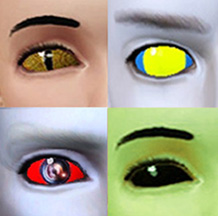
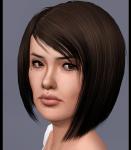
Ah, sinfully ominous pair of eyes for your sims of the darkness... They have a subtle gleam, devilish irises and the recoloring gives and option to highlight the irises even more. The eye is smaller than average eyes, to intensify the gaze to the max!
Great for demons, aliens, dark elves... any creatures of the dark!


These are contacts, and can be found under Face Mask category in Makeup.
These are for both genders, from baby to elder, and they inherit like default replacement eyes, as they are enabled for genetics.
They aren't enabled for random sims, so you won't be scared out of your pants seeing these on the mailman!
The recoloring has three channels. One for the eye whites, one for the overall color and one for the highlight color surrounding the irises.
Free hairs used in the pictures by Lidiqnata, converted for TS3 by Anubis360 and the second one is by Raonjena.
|
Arisuka_Contacts_GleamOfEvil.rar
Download
Uploaded: 1st Nov 2011, 67.7 KB.
19,551 downloads.
|
||||||||
| For a detailed look at individual files, see the Information tab. | ||||||||
Install Instructions
1. Click the file listed on the Files tab to download the file to your computer.
2. Extract the zip, rar, or 7z file. Now you will have either a .package or a .sims3pack file.
For Package files:
1. Cut and paste the file into your Documents\Electronic Arts\The Sims 3\Mods\Packages folder. If you do not already have this folder, you should read the full guide to Package files first: Sims 3:Installing Package Fileswiki, so you can make sure your game is fully patched and you have the correct Resource.cfg file.
2. Run the game, and find your content where the creator said it would be (build mode, buy mode, Create-a-Sim, etc.).
For Sims3Pack files:
1. Cut and paste it into your Documents\Electronic Arts\The Sims 3\Downloads folder. If you do not have this folder yet, it is recommended that you open the game and then close it again so that this folder will be automatically created. Then you can place the .sims3pack into your Downloads folder.
2. Load the game's Launcher, and click on the Downloads tab. Find the item in the list and tick the box beside it. Then press the Install button below the list.
3. Wait for the installer to load, and it will install the content to the game. You will get a message letting you know when it's done.
4. Run the game, and find your content where the creator said it would be (build mode, buy mode, Create-a-Sim, etc.).
Extracting from RAR, ZIP, or 7z: You will need a special program for this. For Windows, we recommend 7-Zip and for Mac OSX, we recommend Keka. Both are free and safe to use.
Need more help?
If you need more info, see:
- For package files: Sims 3:Installing Package Fileswiki
- For Sims3pack files: Game Help:Installing TS3 Packswiki
Loading comments, please wait...



-
-
-
-
-
Cute BJD Eyes TS3 Version as Contacts
by Goldeneyes 8th Dec 2010 at 6:52pm
-
Yes I am eyeing you up, Conversion of Sarha's eyes
by Robodl95 16th Jan 2011 at 12:39pm
-
-
-
-



-
-
.jpg)
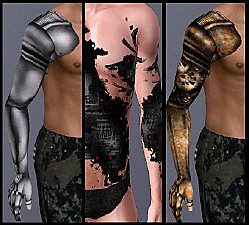
Iron - Three Totally Custom Designed prosthetic arms and a robotic skin detail!
by Arisuka updated 20th Sep 2010 at 1:23pm
Sleek modern, Homemade steampunk, Half-arm prosthesis and Acid attack robotic skin! more...
 126
179.7k
314
126
179.7k
314
-
Male Facial Hair First Aid pack - from stubble to lashes and brows!!
by Arisuka 8th Mar 2010 at 5:21pm
Our guys have been totally neglected with a lack of cool CC for them, so I'm here to rescue the more...
88
211.6k
299
-
-
Piece of Manhattan - Chinese Fast Food & subway station
by Arisuka 24th Jul 2011 at 3:25am
Bring some cool urban groove to any neighborhood with this tiny lot! more...
+3 packs
50 59.1k 138 World Adventures
 Ambitions
 Late Night
-
-
-
-
-